A children's coach had already run tournaments with us where boys and girls played separately: group A and group B inside one tournament. He wanted to run the next one by age and wrote to us: could the children be split into A, B, C and D the same way? And would that be four separate tournaments on the screen?
The answer: it is one tournament with four groups. All the groups play in parallel, and the hall screen shows every one of them. Two minutes after our reply the coach had created the tournament, split it into groups A and B and added groups C and D.
You don't need exactly four groups: make as many as the ages you want to separate - two, three, five. Everything below works the same way for any number.
A group is a separate tournament inside the main one. Players from different groups never meet, and each group runs its own Swiss: the pairing looks only at points and opponents within the group.
Why one tournament with groups beats four separate tournaments on the same day:
| One tournament with groups | Four tournaments | |
|---|---|---|
| The "next round" button | One for everybody | A separate one in each tournament |
| Sign-up link | One | Four - and parents mix them up |
| Screen in the hall | One, with groups in blocks | Four tabs, switched by hand |
| Board numbers | Running on: 1-3 for A, 4-6 for B… | Each tournament starts from 1 - four "board 1"s |
| Results sheet | One PDF, groups in order | Four files |
| Standings and winners | Separate for each group | Separate for each tournament |
All the group rules for any kind of split - by strength, rating or gender: groups within a chess tournament.
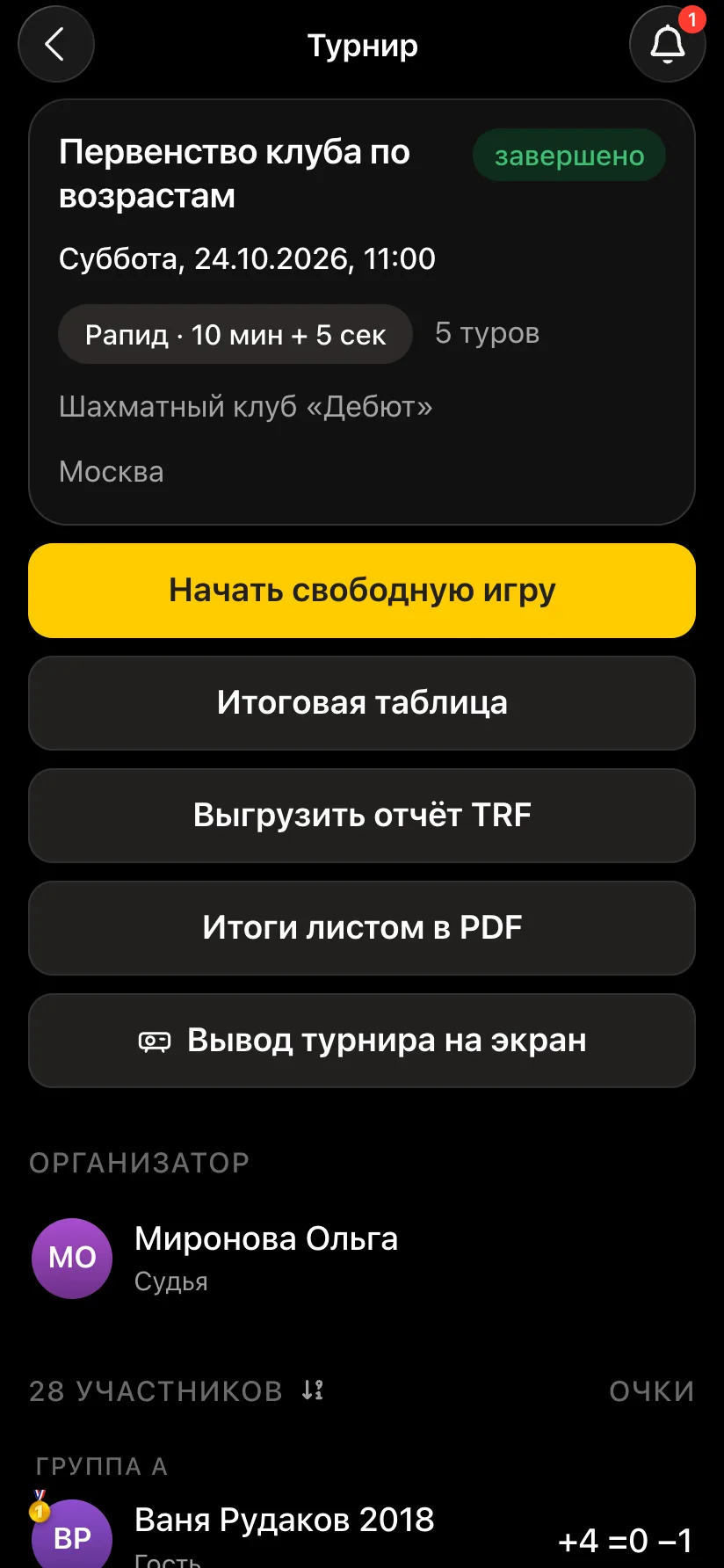
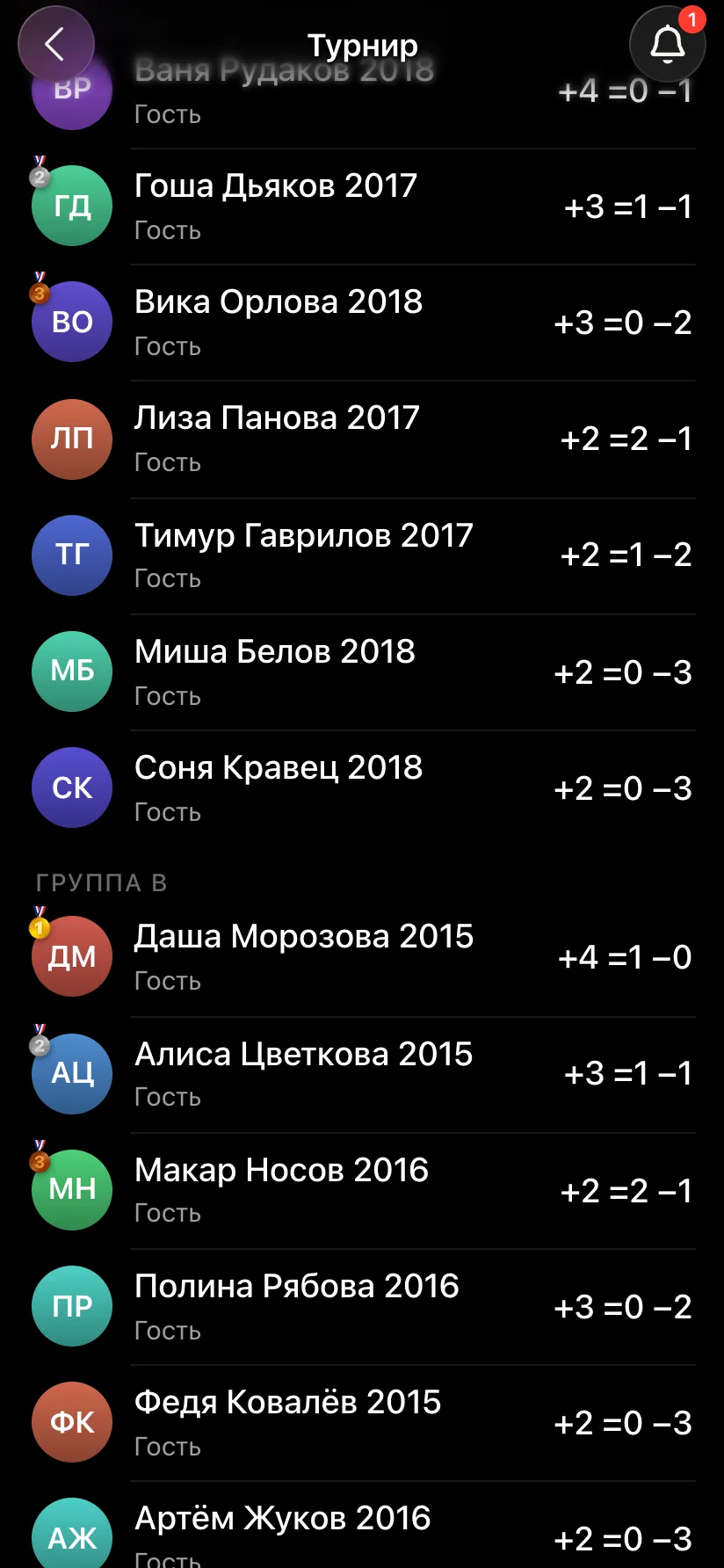
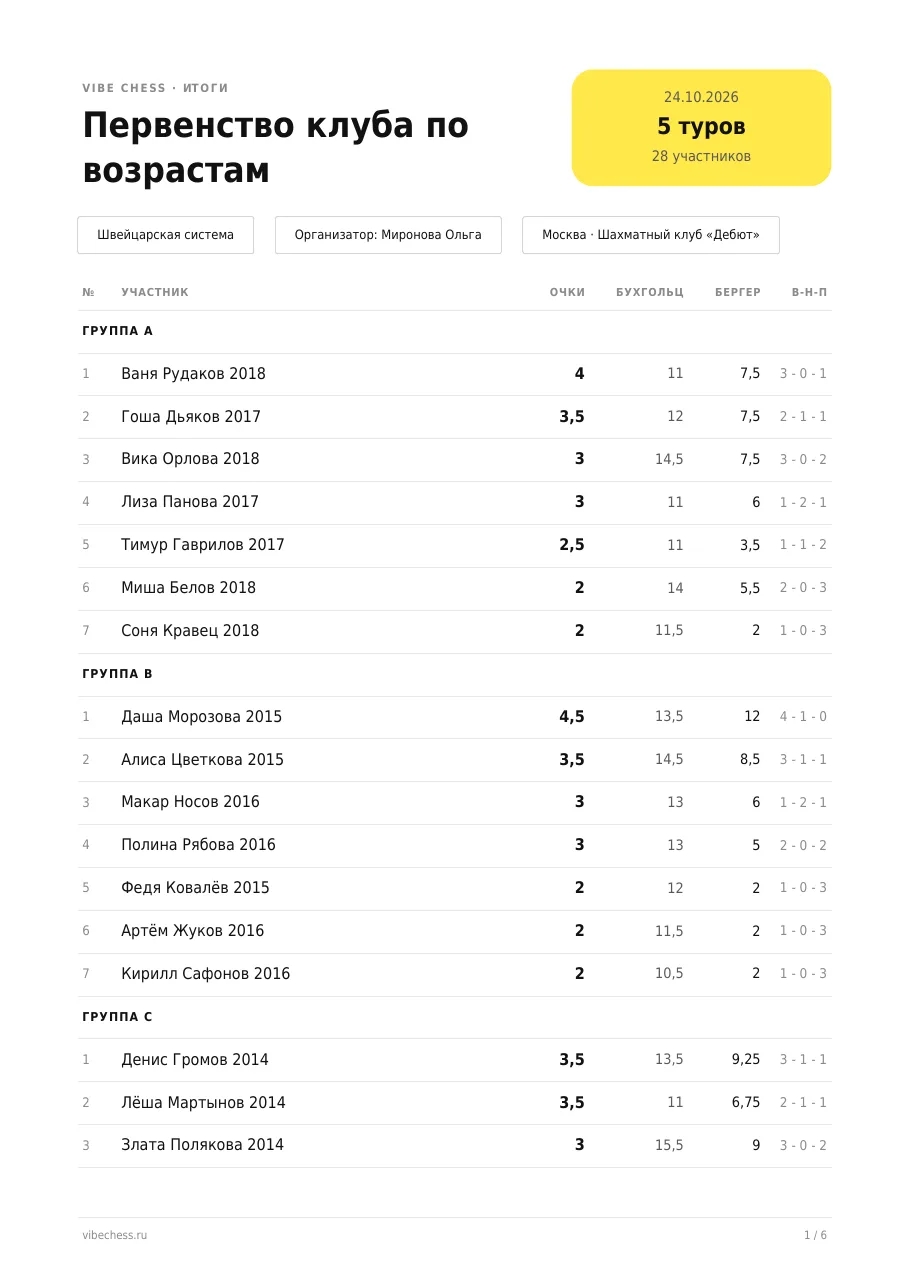
Groups in the app are named with letters, and you decide what each letter means. The easiest way is to split by year of birth: that way children and parents know their group in advance. An example for a club championship with 28 children:
Official FIDE categories and the junior age groups used in national events, with birth years - chess age categories.
Announce what the letters stand for before the start - on a sheet by the entrance or on the first projector slide: "A - 2017-2018, B - 2015-2016…". It helps to write the year of birth right in the guest's name, so you don't have to remember anything when sorting children into groups.
How many children a group needs. For a five-round Swiss a group should have at least six to eight players: in a small field you run out of opponents before you run out of rounds. If an age group has only three or four children, merge them with the neighbouring group. More on this in how many rounds in a Swiss system.
You can split not only by age but also by strength - beginners apart from rated juniors - or by gender. How to set that up: a separate tournament for boys and girls.
Open the Vibe Chess bot in Telegram and press the app button - or go to the web version on a computer. On the "Games" tab press "Create your own game" and choose the Swiss system. You create one tournament for all the groups.
Press "Edit" next to the list of players - the player list screen opens. Add children without phones as guests in the "Guest name" field at the bottom. If groups already exist, a letter picker appears under the field: the child goes straight into their group, and you won't need to sort them later.
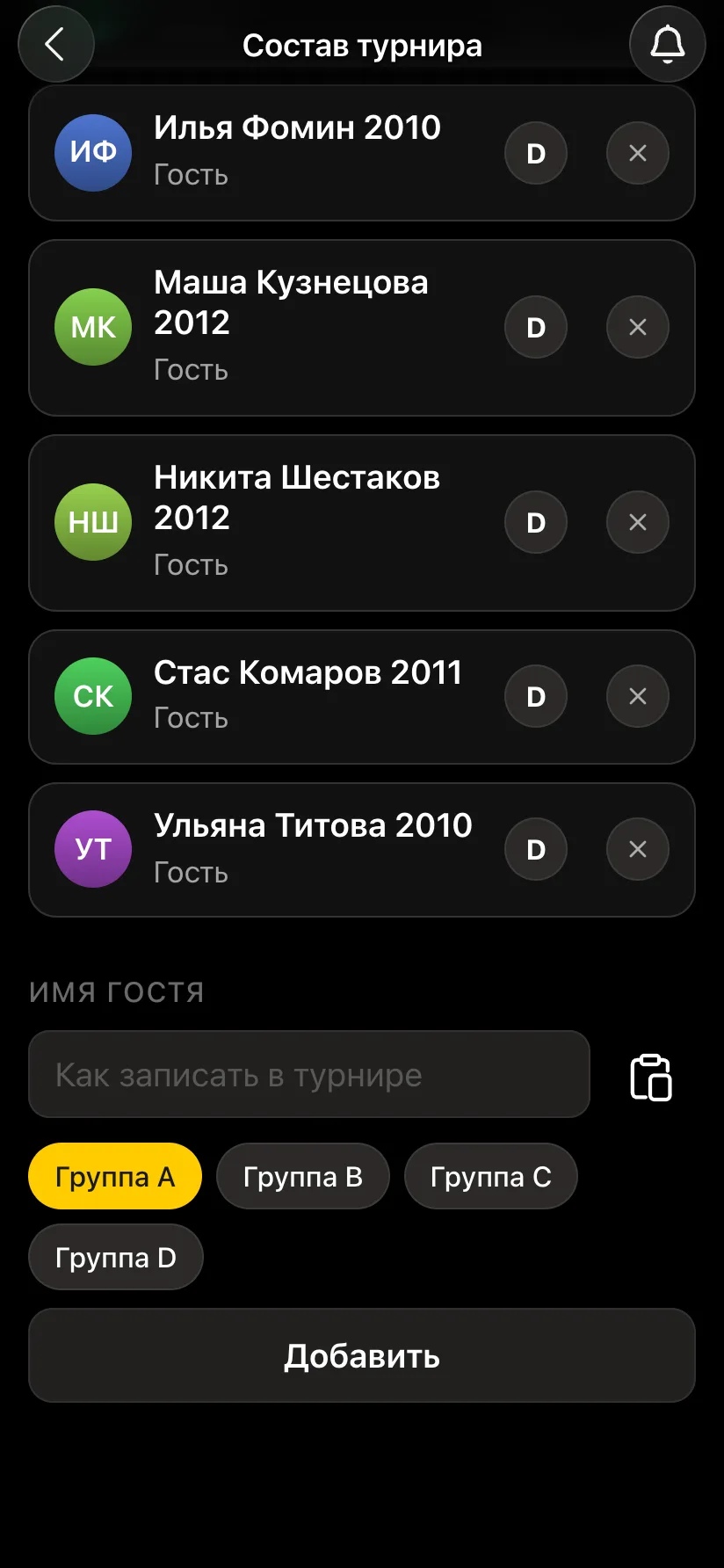
Take children who have played with you before from the "My guests" list - the button next to the name field. Older children with their own Telegram sign up themselves through the tournament link or QR code. Working with guests in detail - a kids' chess tournament in the app.
On the player list screen press "Split into groups" - "Group A" and "Group B" appear. The third and later groups are added with "Add group": C, D and on through the alphabet. Everyone who was in the tournament before the split ends up in group A.
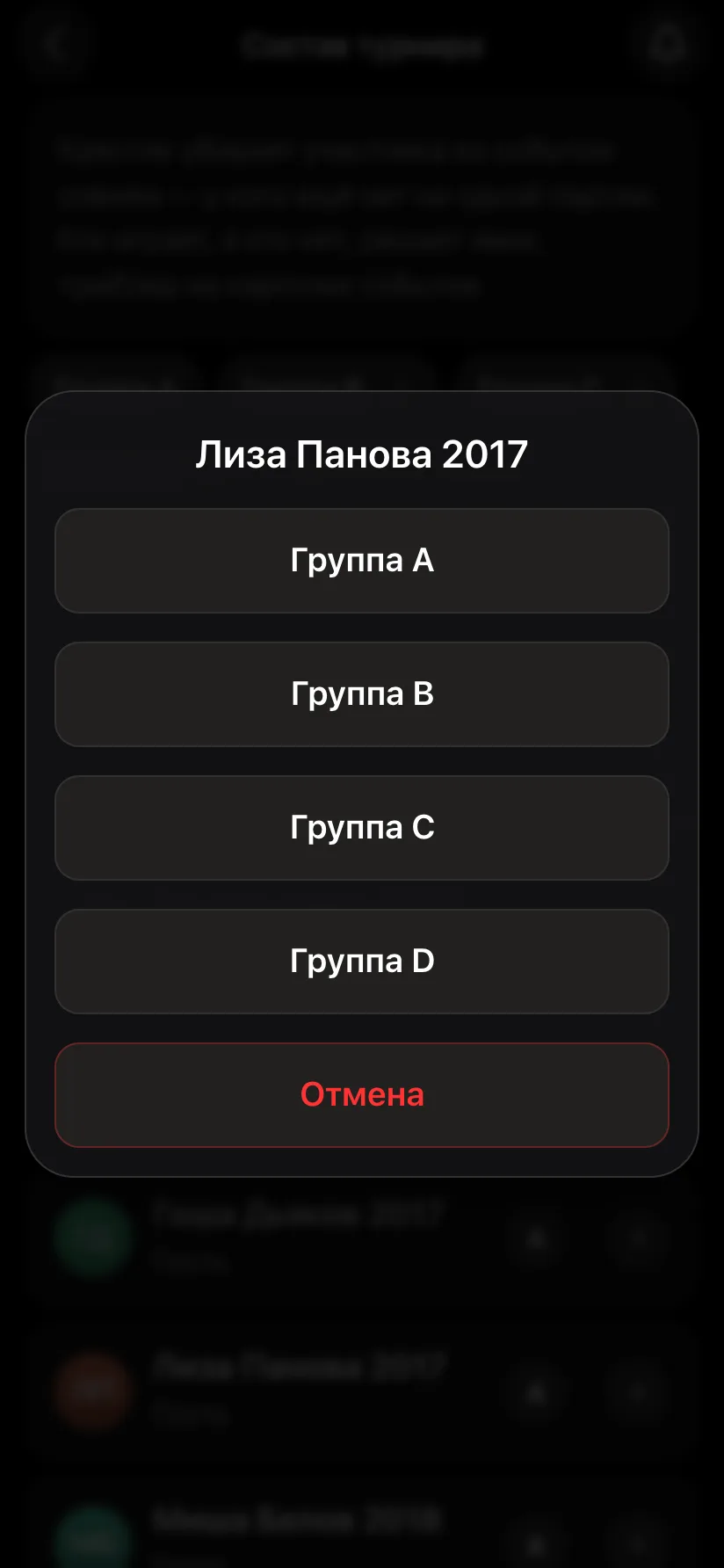
Each player has the letter of their group on the right. Tap it and a window with all the groups opens - pick the right one. The list rebuilds at once: under each group heading you see its players and how many there are.
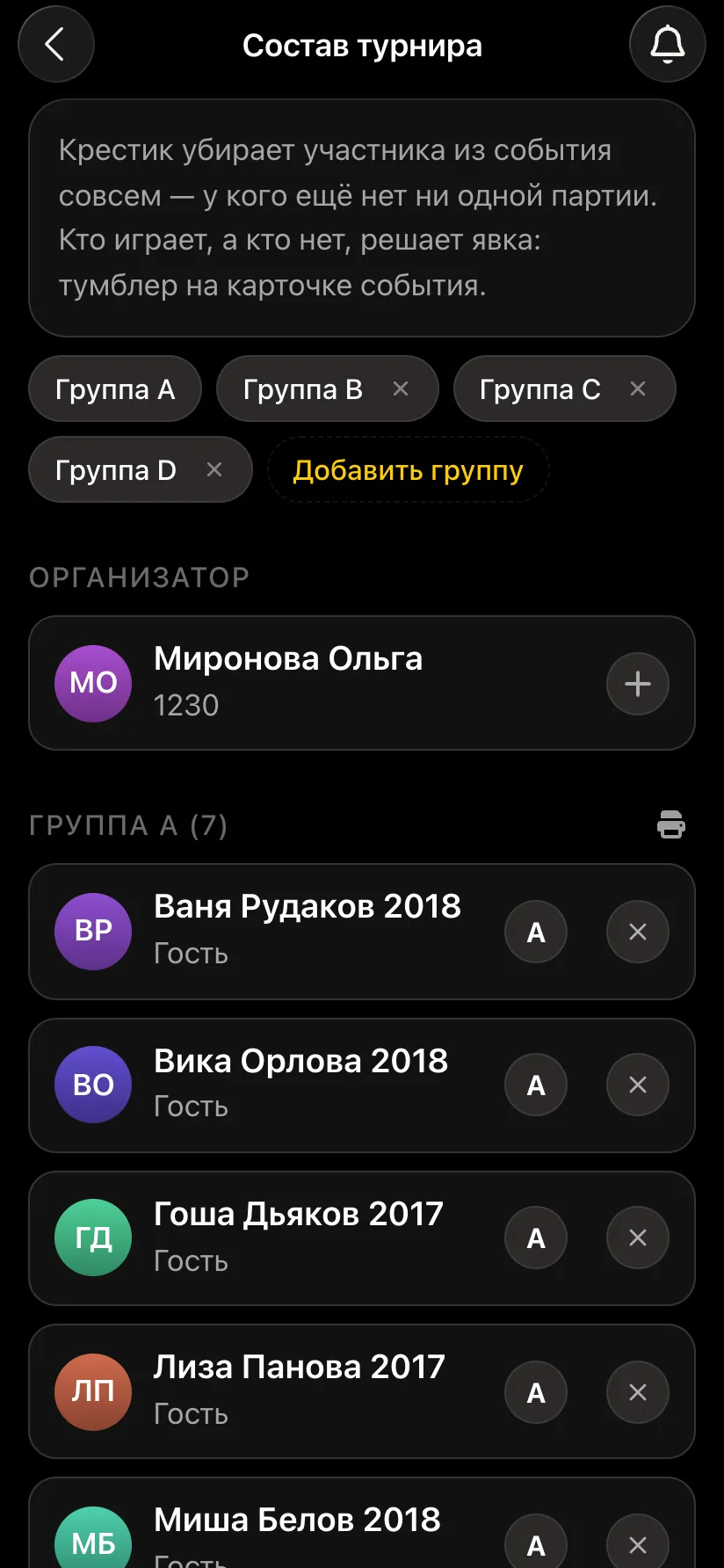
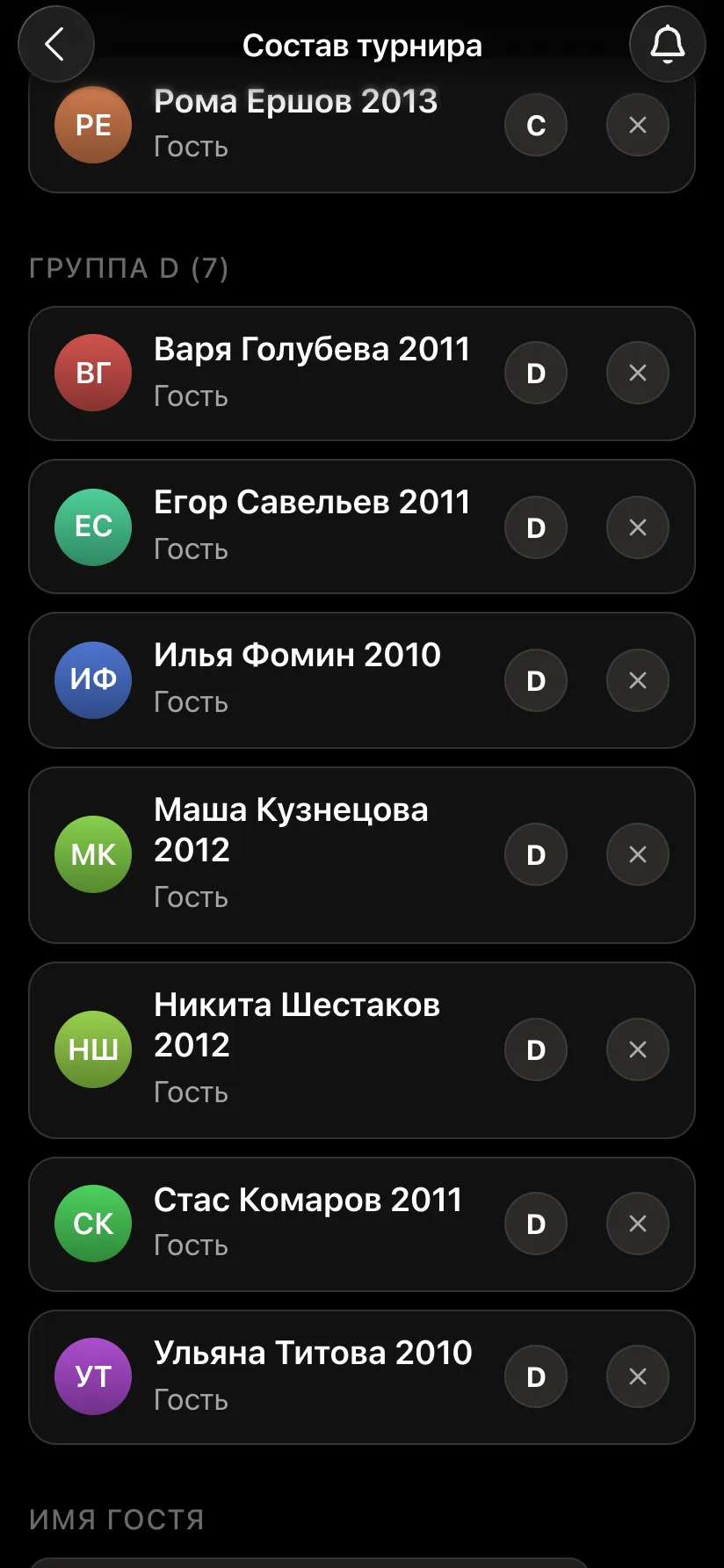
The tournament card shows the players by group. Tick those who have arrived: only ticked players go into the pairing. At the bottom is the "Pairing" block - check the number of boards and press "Start the tournament".
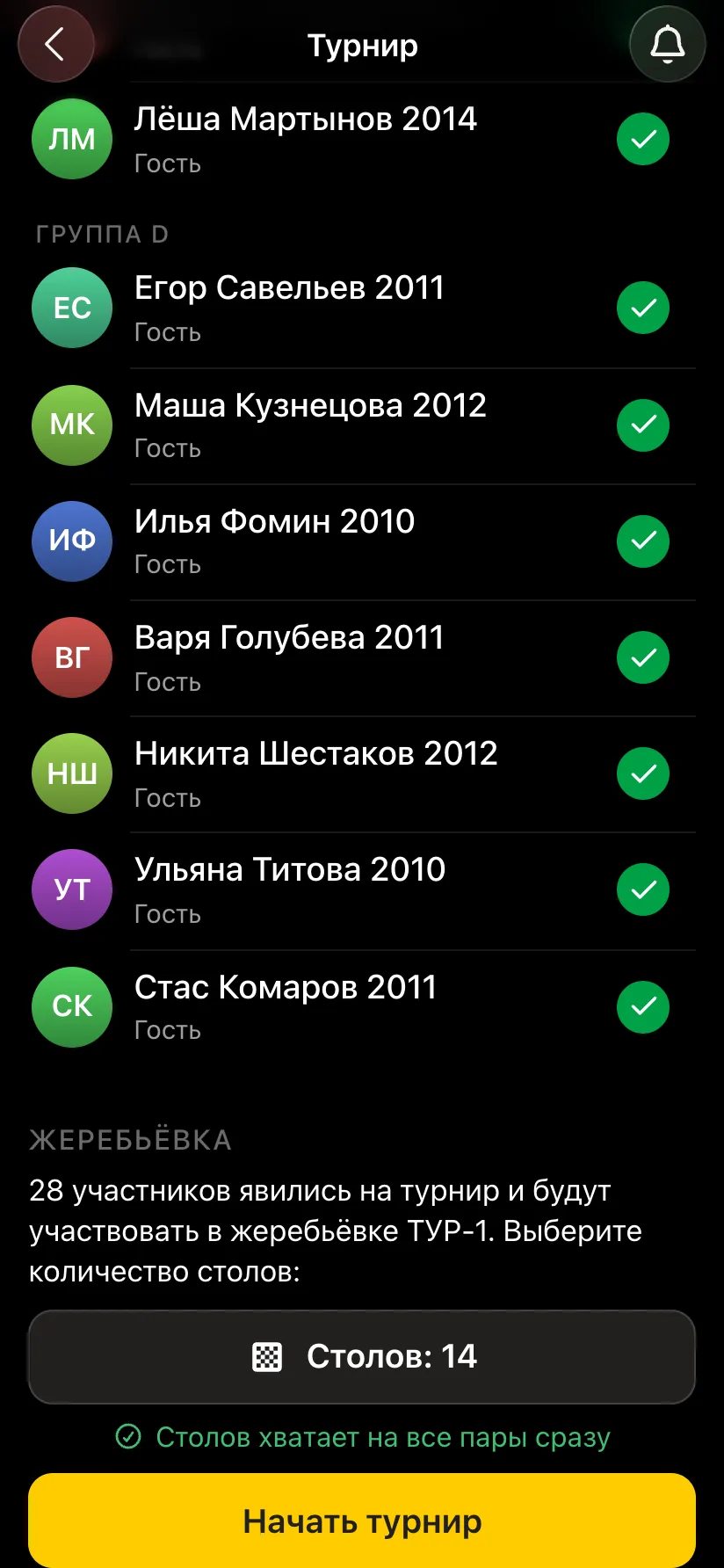
The first pairing appears straight away. Pairs are listed in blocks by group, and board numbers run on: group A has boards 1-3, B has 4-6, C has 7-9, D has 10-12. If a group has an odd number of children, one of them sits out the round and gets a point - each group has its own bye, and no child gets a bye twice.
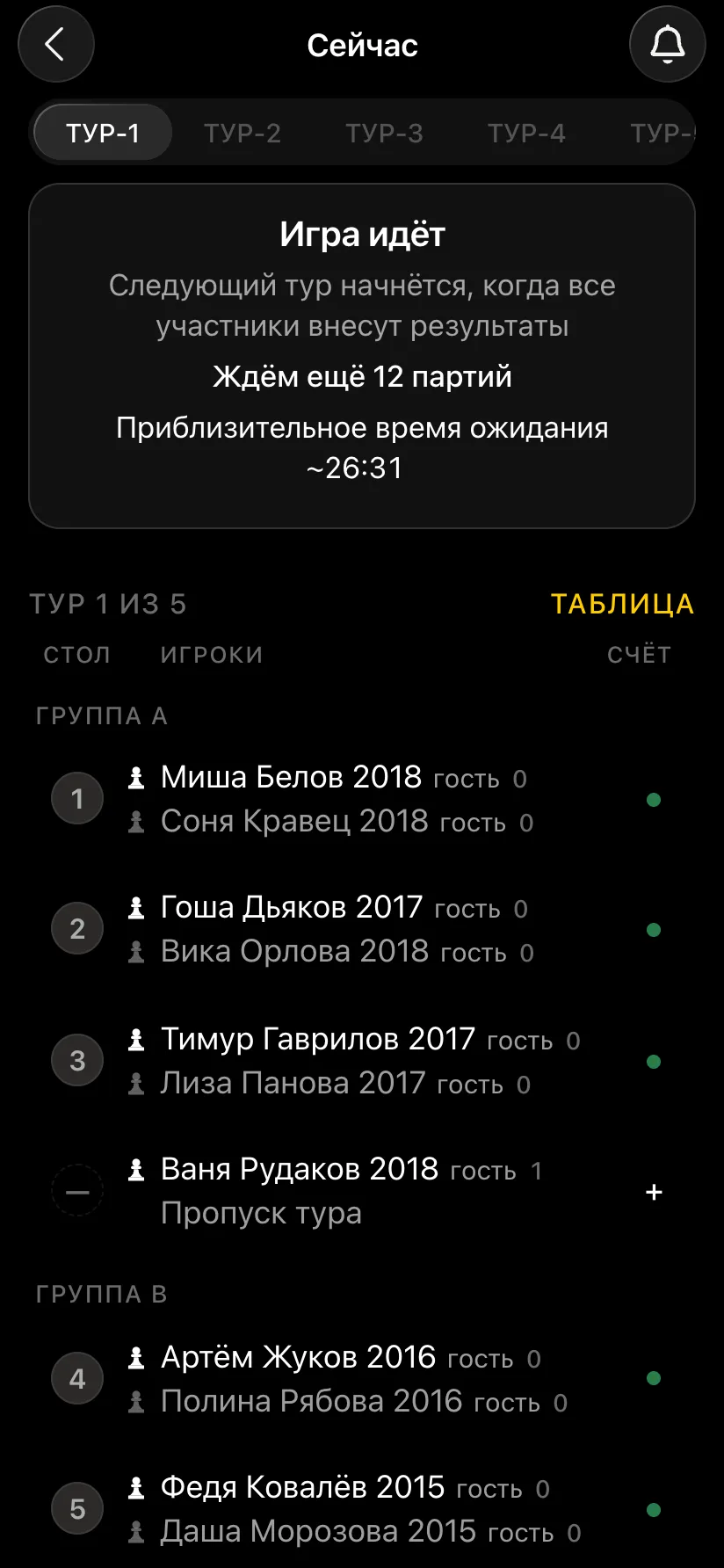
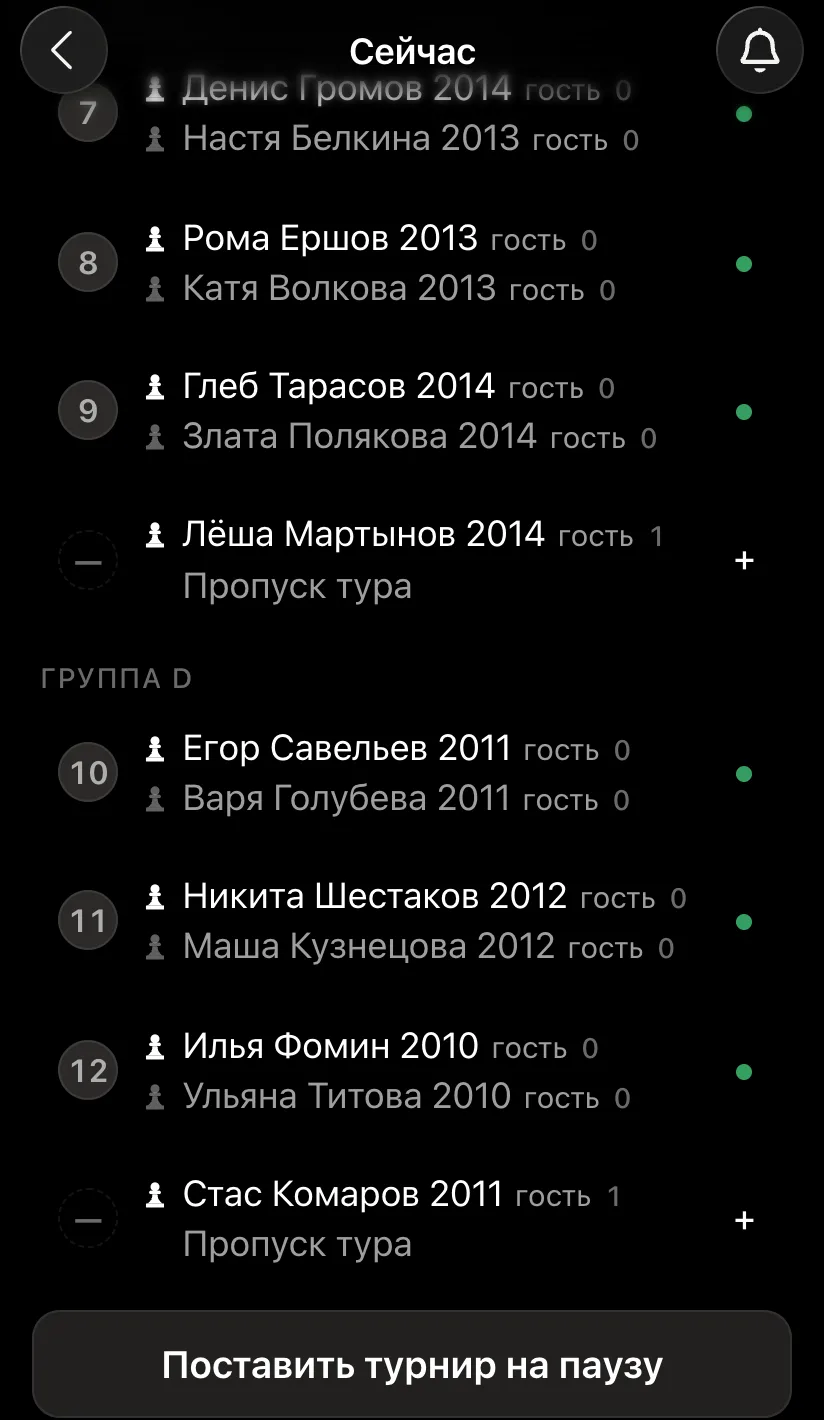
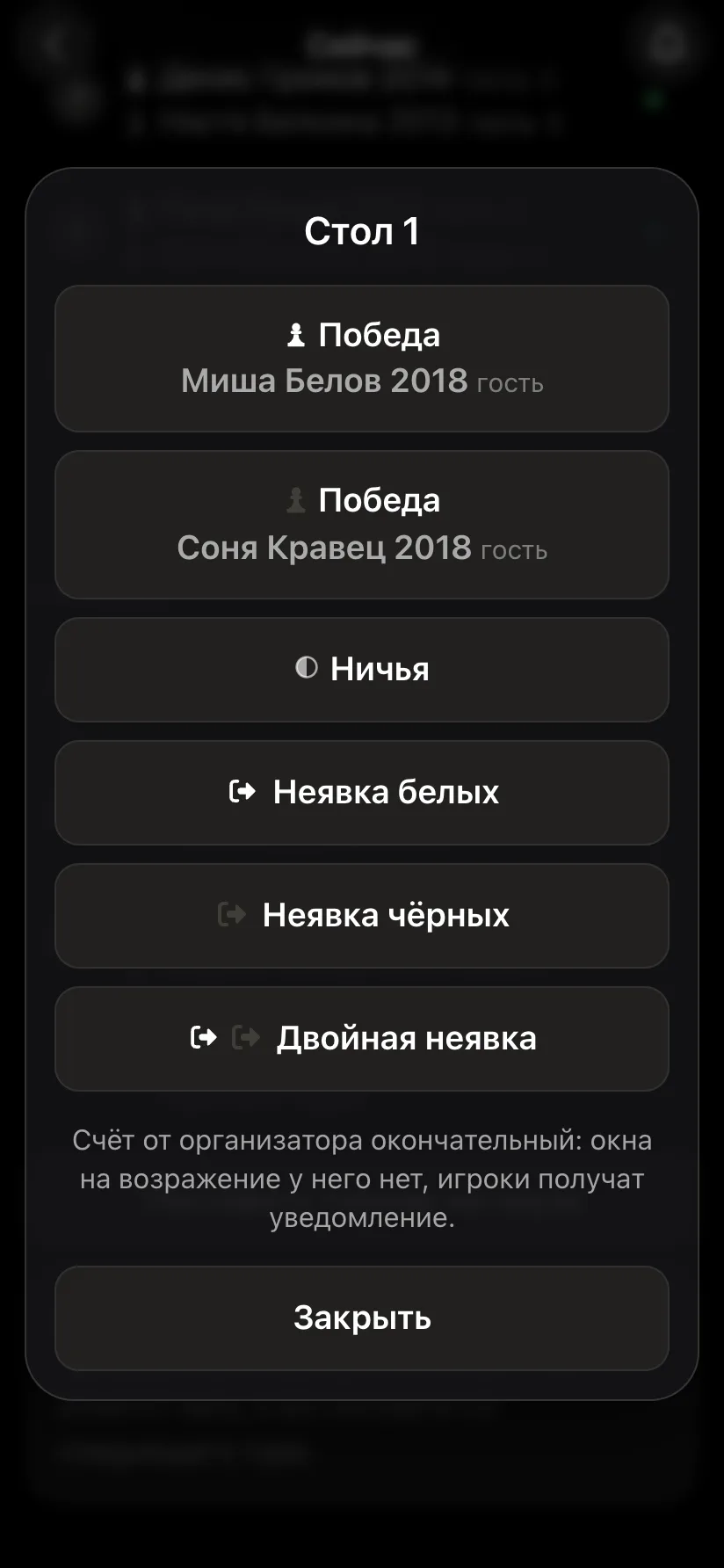
The organiser enters the results: tap a board and choose the outcome. If older children have their own accounts, they report the score themselves. The next round starts automatically once every group's results are in. So a round lasts as long as the longest game in the whole hall: while the older children finish, the younger ones rest.
From there the Swiss does its job: in each group children with a similar score meet, and the points going into the round are shown next to each name.
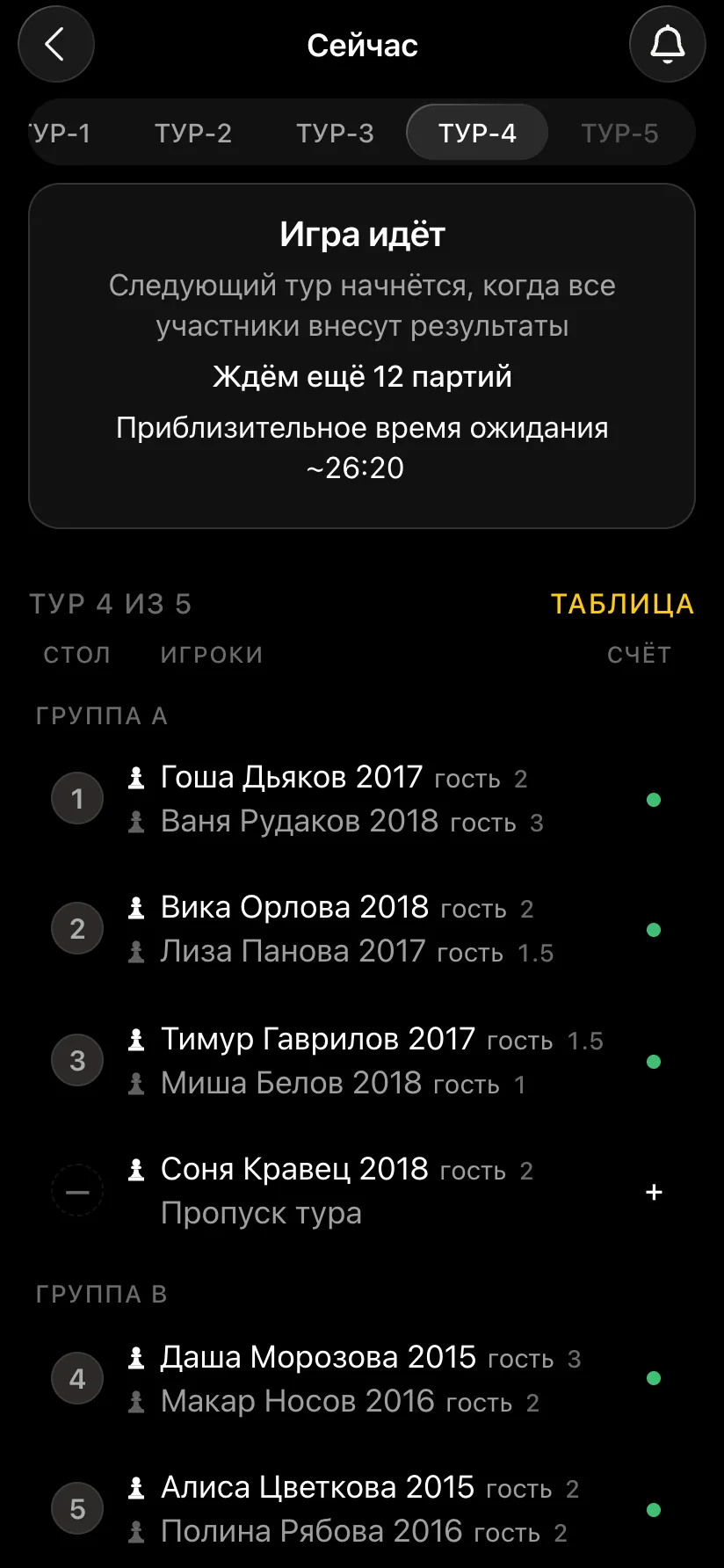
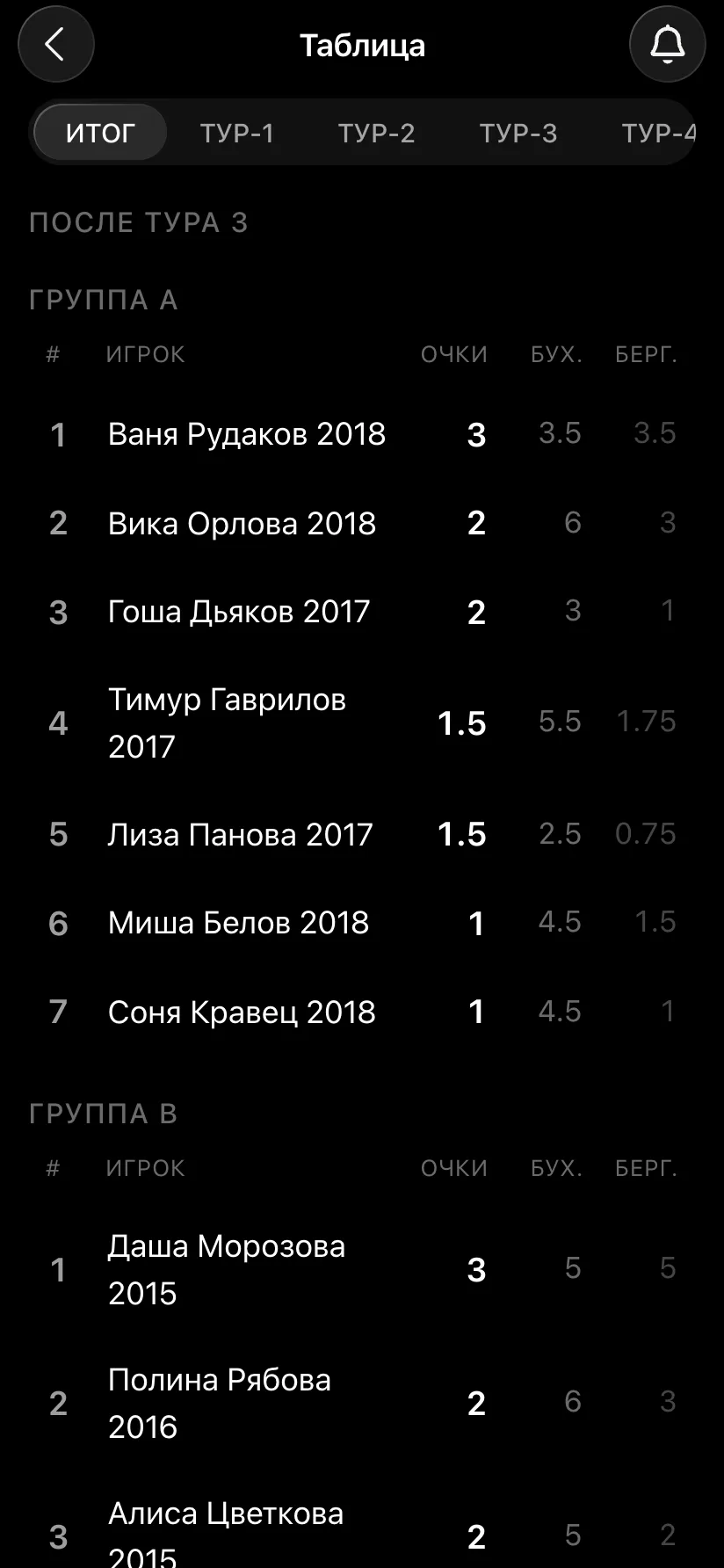
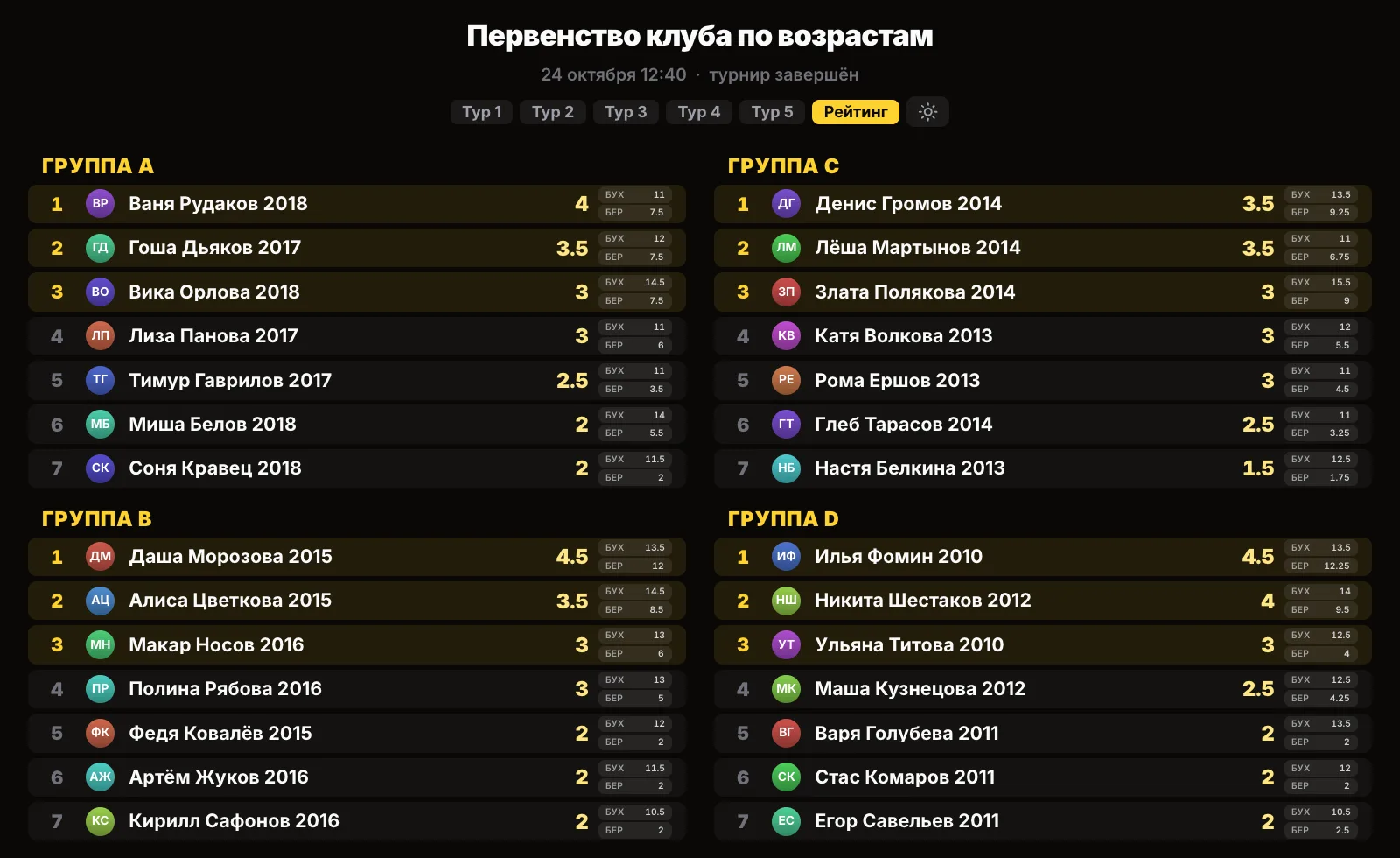
On the tournament card press "Show the tournament on a screen" and open the link on the computer connected to the projector or TV. The page refreshes by itself. Round pairings are shown in blocks - "Group A", "Group B" and so on - and the "Rating" tab has four tables side by side. Every child finds themselves by their group.
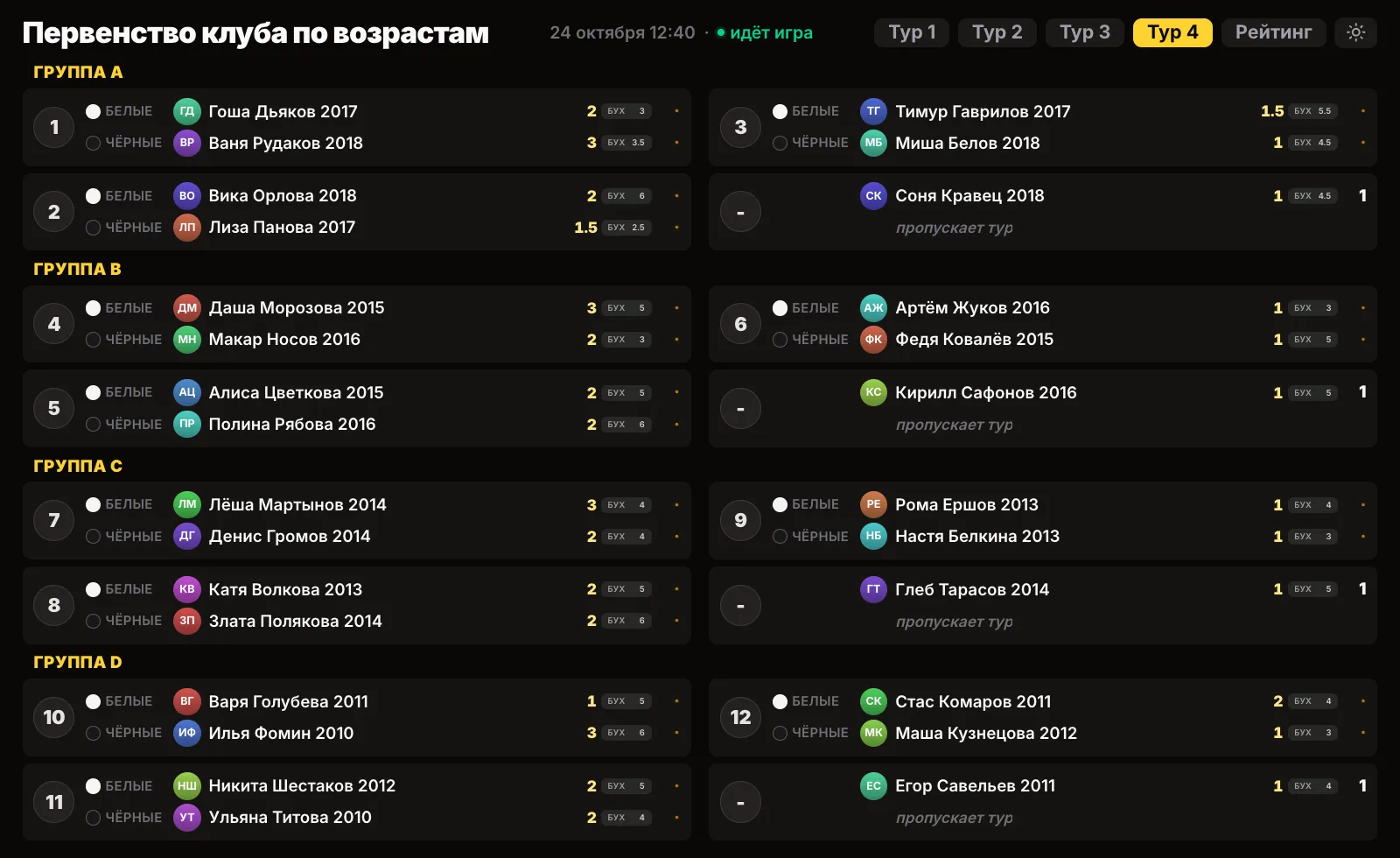
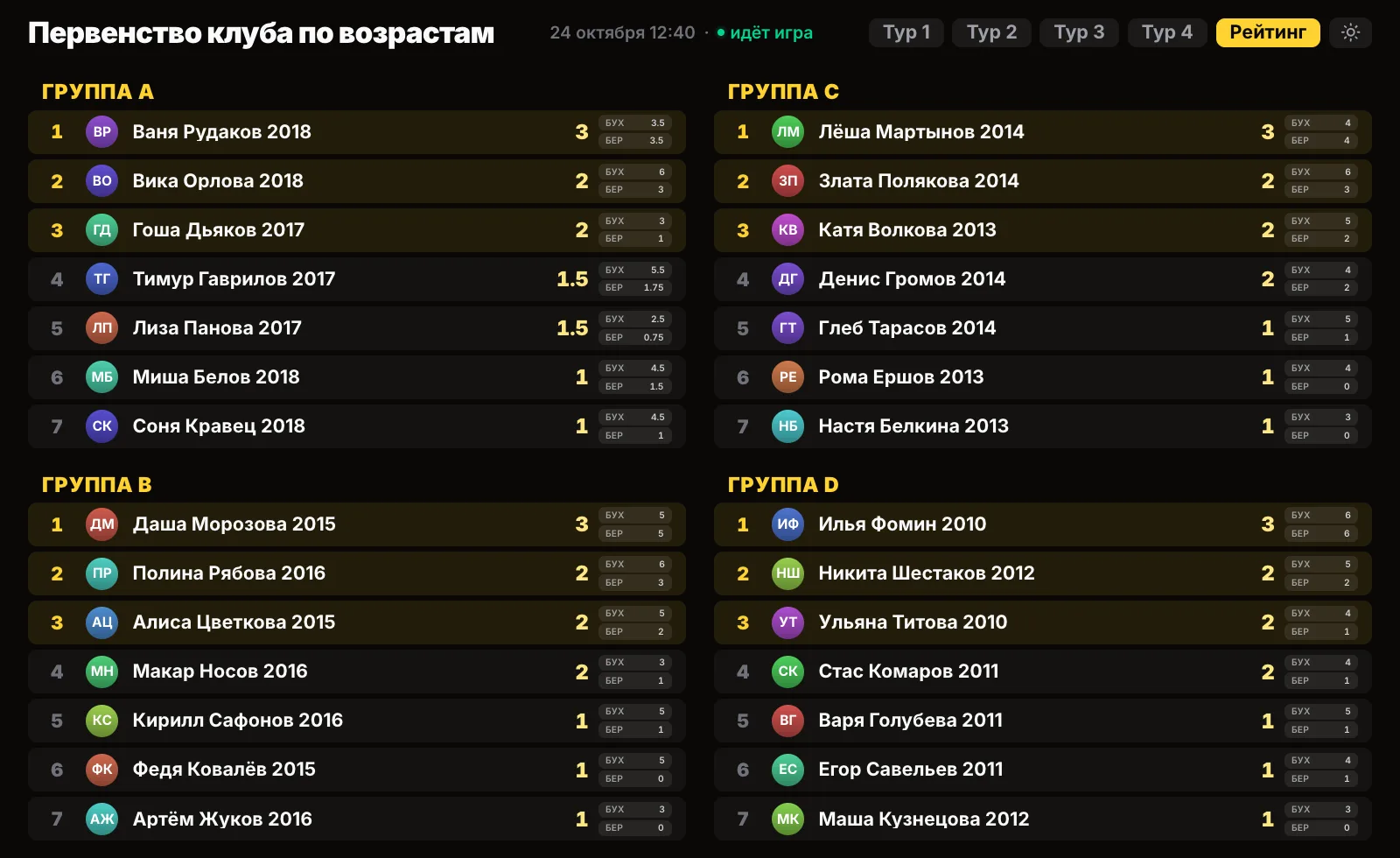
For children's tournaments you can turn on "No photos on the screen": the hall will see names only.
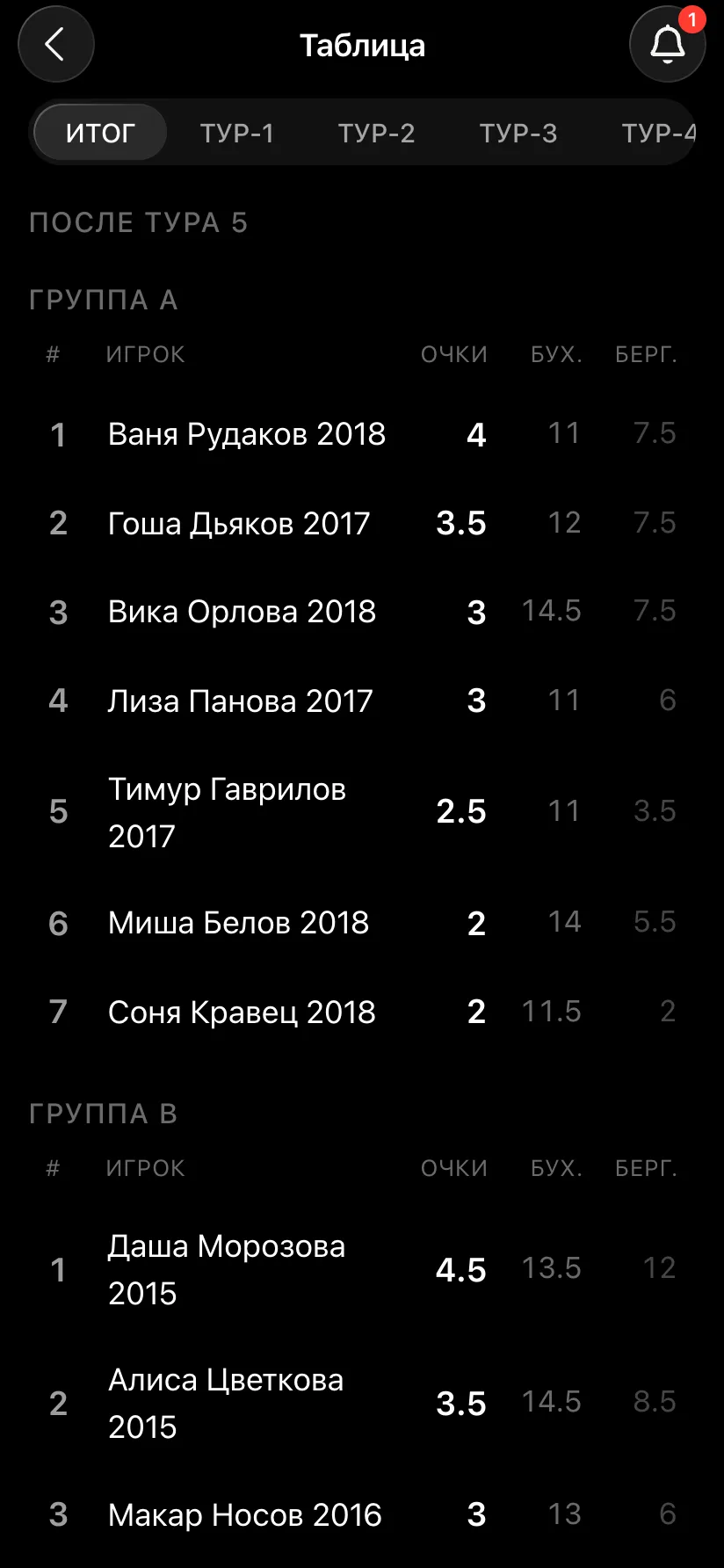
After the last round the tournament finishes by itself. On the card each group has its own medals, and in "Final standings" its own places, points, Buchholz and Berger. Award prizes by group: first, second and third place in A, in B, in C and in D.
The "Results as PDF" button sends an A4 sheet to Telegram: the groups come in order, each with its own places and tie-breaks, followed by the pairings round by round. It is handy to print for the notice board and for certificates. The TRF report for the federation is exported as a separate file for each group: for rating purposes they are separate tournaments.
Yes. In the Vibe Chess app a tournament can be split into groups A, B, C, D and beyond. Each group runs its own Swiss system: pairings only within the group, its own standings and its own prize winners. The rounds, the hall screen and the results sheet are shared.
No, it is one tournament with four groups. On the hall screen the round pairings and the standings are shown in blocks by group, and board numbers run straight through.
As many as you need: "Add group" adds the next letter. Each group must have at least two players by the start.
No. The pairing only makes pairs within a group, and points are counted only inside it.
The number of rounds is set by the largest group. If a small group runs out of opponents earlier, it plays the rounds it can and waits for the others - without a bye point. If a group has an odd number of children, one of them gets a bye point each round.
Only a latecomer, and only until they have played a game. A child who has played is not moved: their points and opponents stay in the original group.
No, the time control and the system are the same for the whole tournament. If groups need different controls, run separate tournaments.
Nothing. Groups, pairings, the hall screen, the results sheet and the TRF report are free. The app opens in Telegram through the @vibechessbot bot, and on a computer at playvibechess.com/app.
There are no club or arbiter roles in the app: the create button is available to everyone. You can announce a tournament today and run it this weekend.
when there are more than ten players and nobody should be knocked out
when the field is small and fairness matters most
when you simply want to get together and play
The bot is constantly improved based on real tournaments. If you need a feature that isn't there yet, message the developers right inside the bot with the /support command. Many features appeared exactly because organizers asked for them, and useful ideas get added quickly.
Two groups, boys and girls - a separate tournament for boys and girls. A whole children's tournament, from guests to certificates - a kids' chess tournament in the app. A school championship for every year group - a school tournament in the app. How the system itself works - the Swiss system, the Buchholz score and the bye. The general guide - running a chess tournament.

At the board since childhood: hazy about his rating, precise about every rook he has blundered. Counts an evening as a good one if the opponent stayed to talk afterwards instead of rushing off to check with an engine. Message →
