A children's coach ran tournaments in schools, and once, at one school on one day, he ran two separate tournaments: the boys on the Swiss system, the girls as a round robin. Two events, two links, two screens. Afterwards he asked: could we make it so that, in one tournament, girls play only girls?
That is how groups inside a tournament appeared in the app. Now boys and girls are groups A and B of a single event, and the organiser runs it with one button.
Before splitting, decide what you actually need: separate games or just separate prizes.
Boys play only boys, girls play only girls. Separate standings and prize winners, but shared rounds, screen and results sheet.
When you want two fair championships in the same hall at the same time.
Everyone plays together, no groups. You award the best girls from the overall final standings.
When there are only a few girls, but you still want a prize for the best result among girls.
Two events, two links, two screens, two "next round" buttons.
Only if boys and girls have different time controls or play on different days.
The rest of this article is about the first option: it gives you two full tournaments without doubling the organiser's work.
Open the Vibe Chess bot in Telegram and press the app button - or go to the web version on a computer. On the "Games" tab press "Create your own game" and choose the Swiss system. The venue is the school, for example "School No. 12, assembly hall". The time control and the number of rounds are shared by both groups: for children in school years 3-4 it is usually 10+5 rapid and five rounds.
The number of boards is how many sets with clocks the hall has for everyone together. If there are fewer boards than pairings, the extra pairs wait and sit down at the first free board.
Press "Edit" next to the list of players. Add children without phones as guests in the "Guest name" field at the bottom - name and year of birth: "Ksyusha L. 2016". Take children who have played with you before from the "My guests" list. Older children with their own Telegram sign up themselves through the link or QR code.
If you are arbiting and not playing, untick yourself: you stay the organiser but don't go into the pairing. More about guests in a kids' chess tournament in the app.
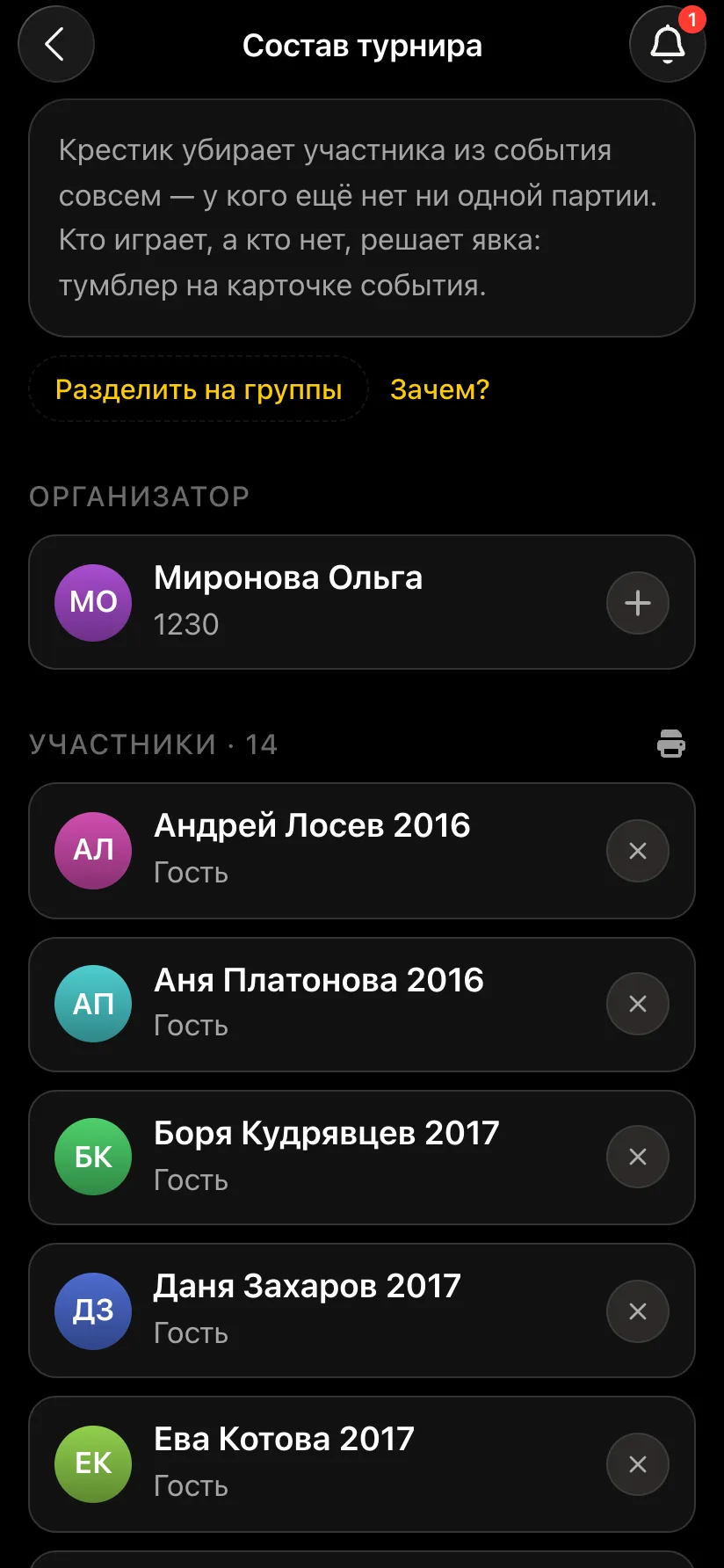
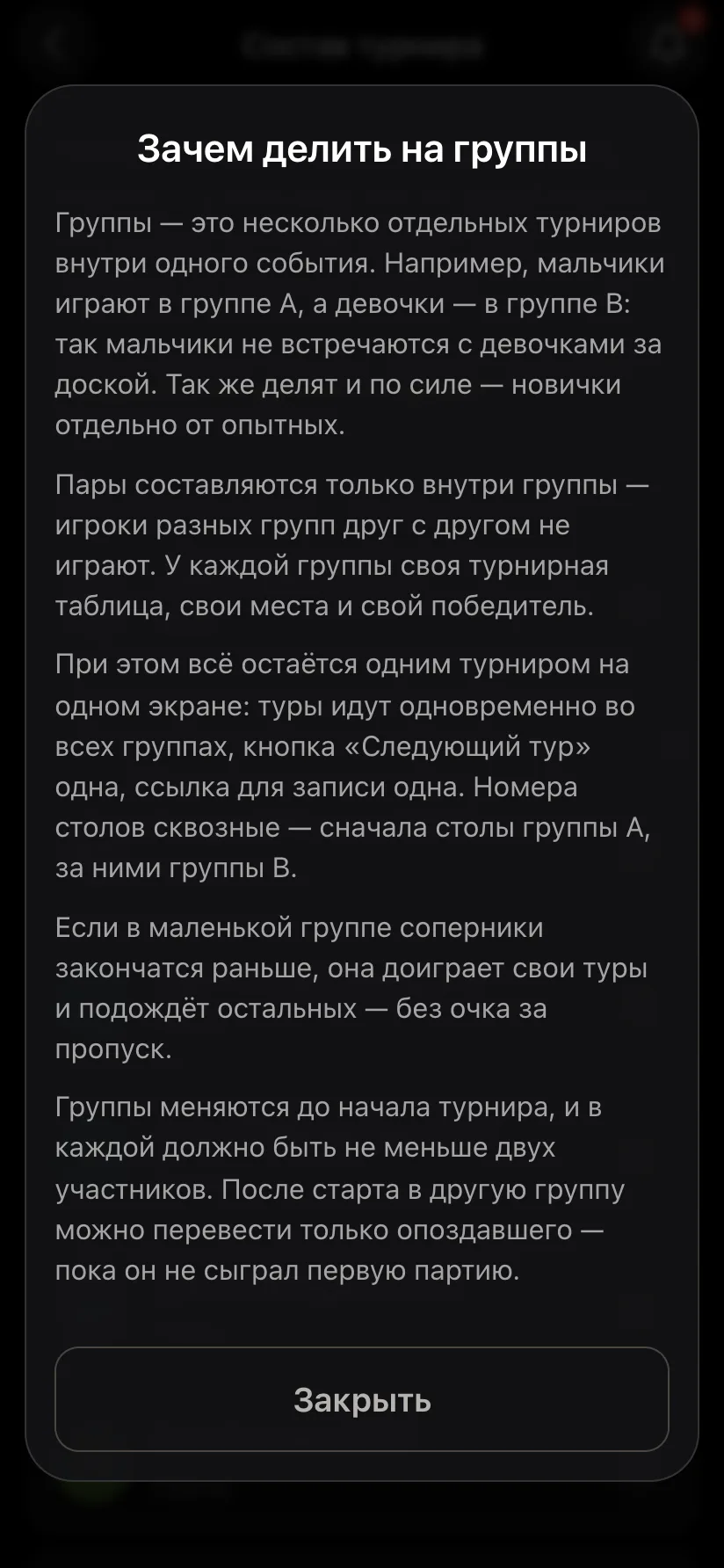
On the player list screen, under the explanation, there is "Split into groups", and next to it "Why?" with an explanation of how groups work. Press "Split into groups": "Group A" and "Group B" appear, and for now all the children are in group A.
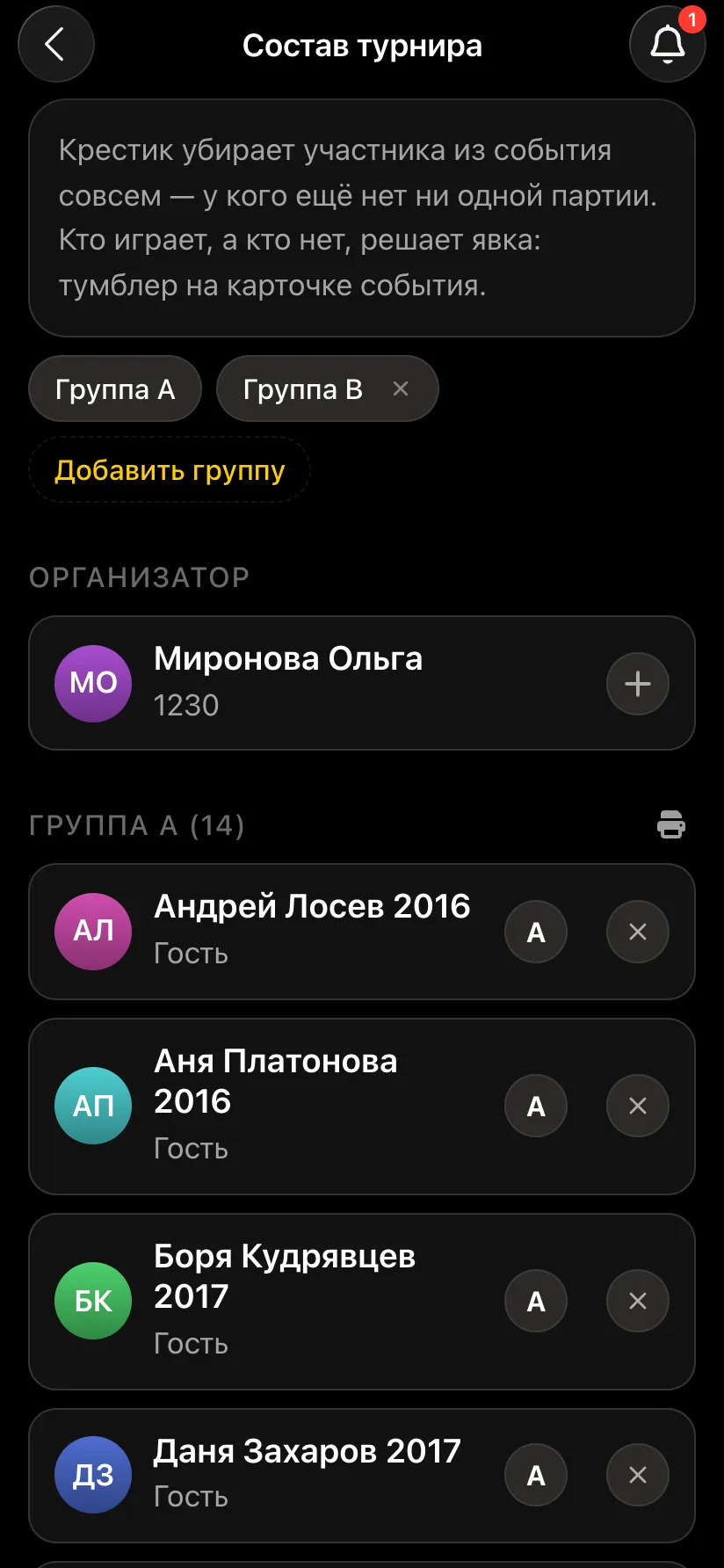
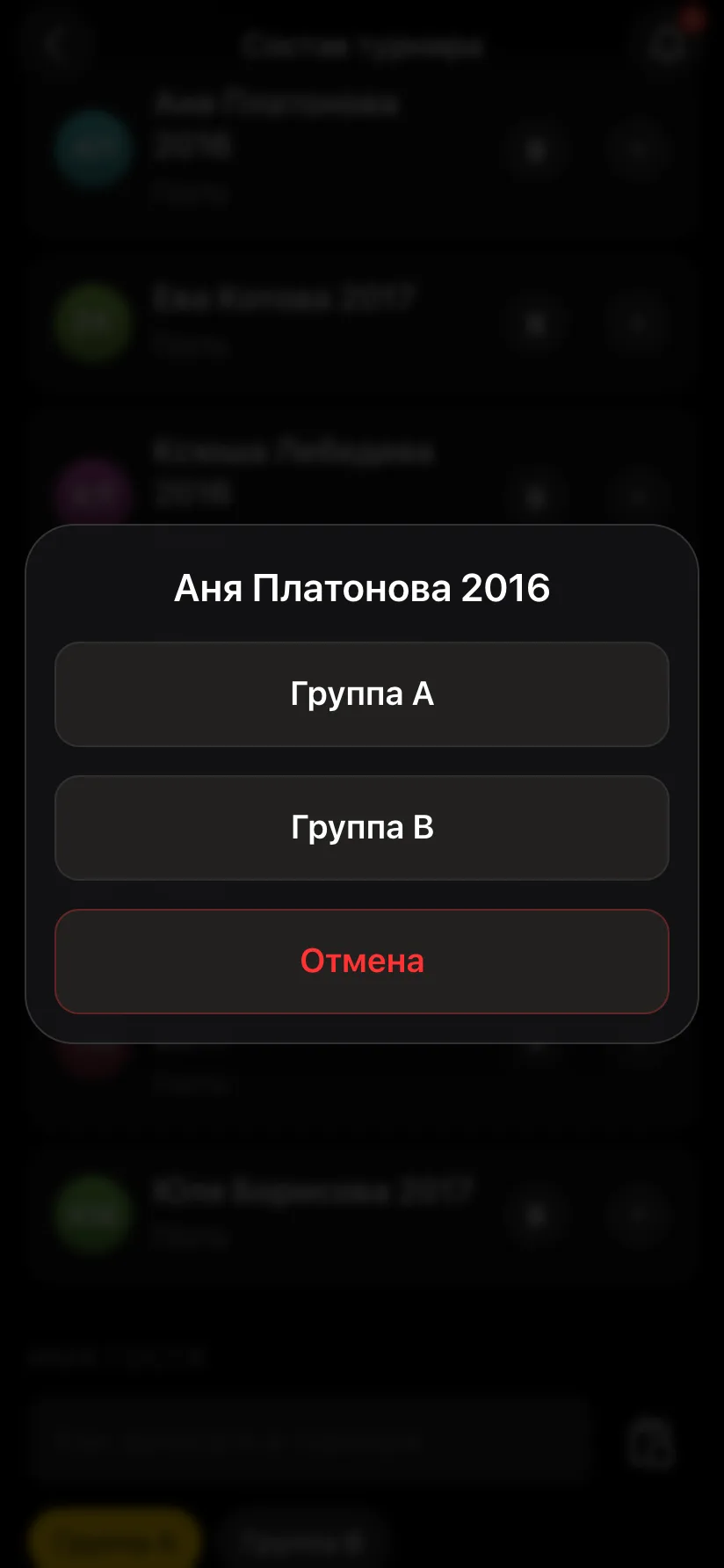
Now each child has the group letter on the right. Tap the letter next to a girl and choose "Group B" - she moves straight to the group B section. You can move children in any order, and each group heading shows how many children it has.
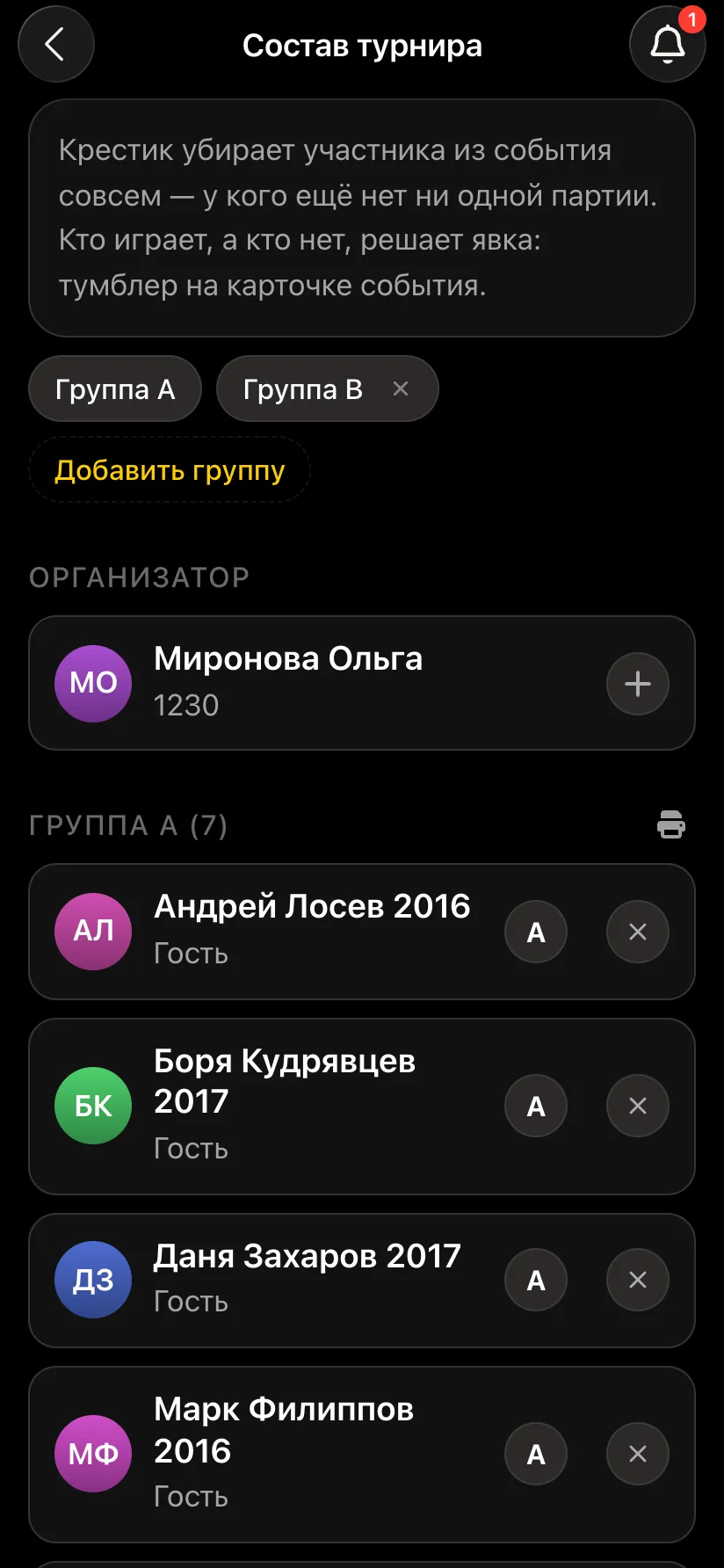
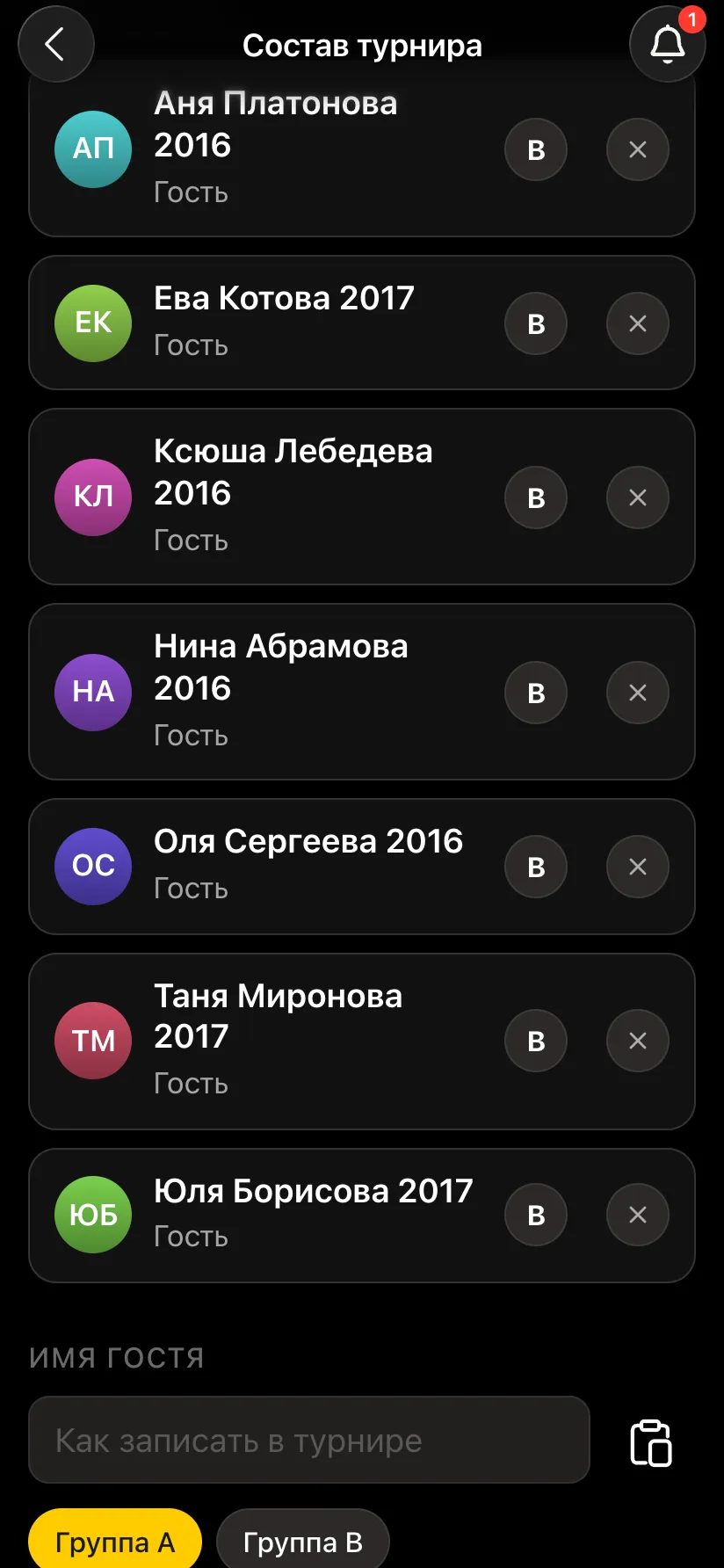
Once groups exist, a letter picker appears under the "Guest name" field: a girl who arrives late can be added straight into group B. Each group needs at least two players by the start. Groups can be changed before the tournament begins; after the start you can only move a latecomer to another group, and only until they have played a game.
Mark attendance on the tournament card and press "Start the tournament". In each round the pairs come in two blocks: group A first, then group B. Board numbers run straight through - the boys at boards 1-3, the girls at 4-6 - so the hall never has two "board 1"s. If a group has an odd number of children, one of them sits out the round and gets a point.
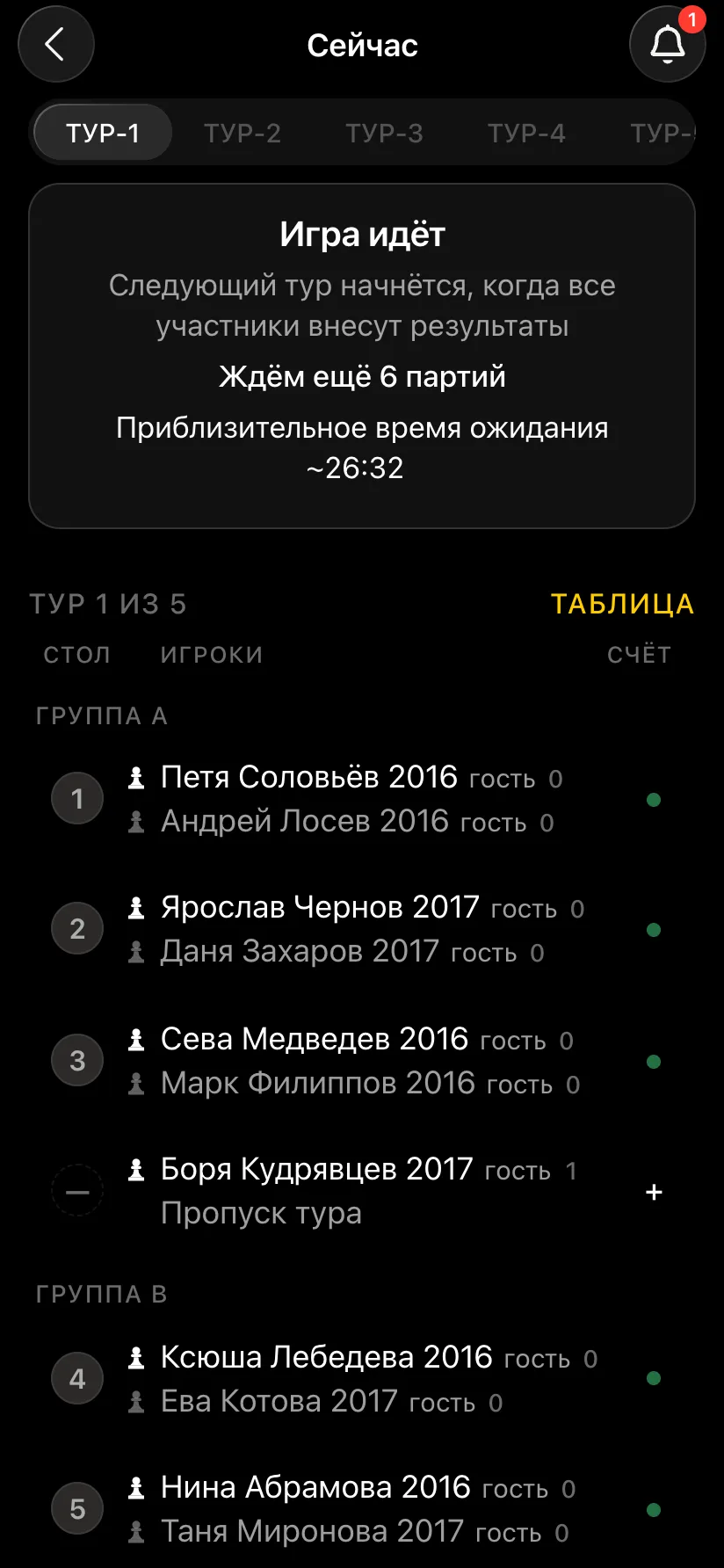
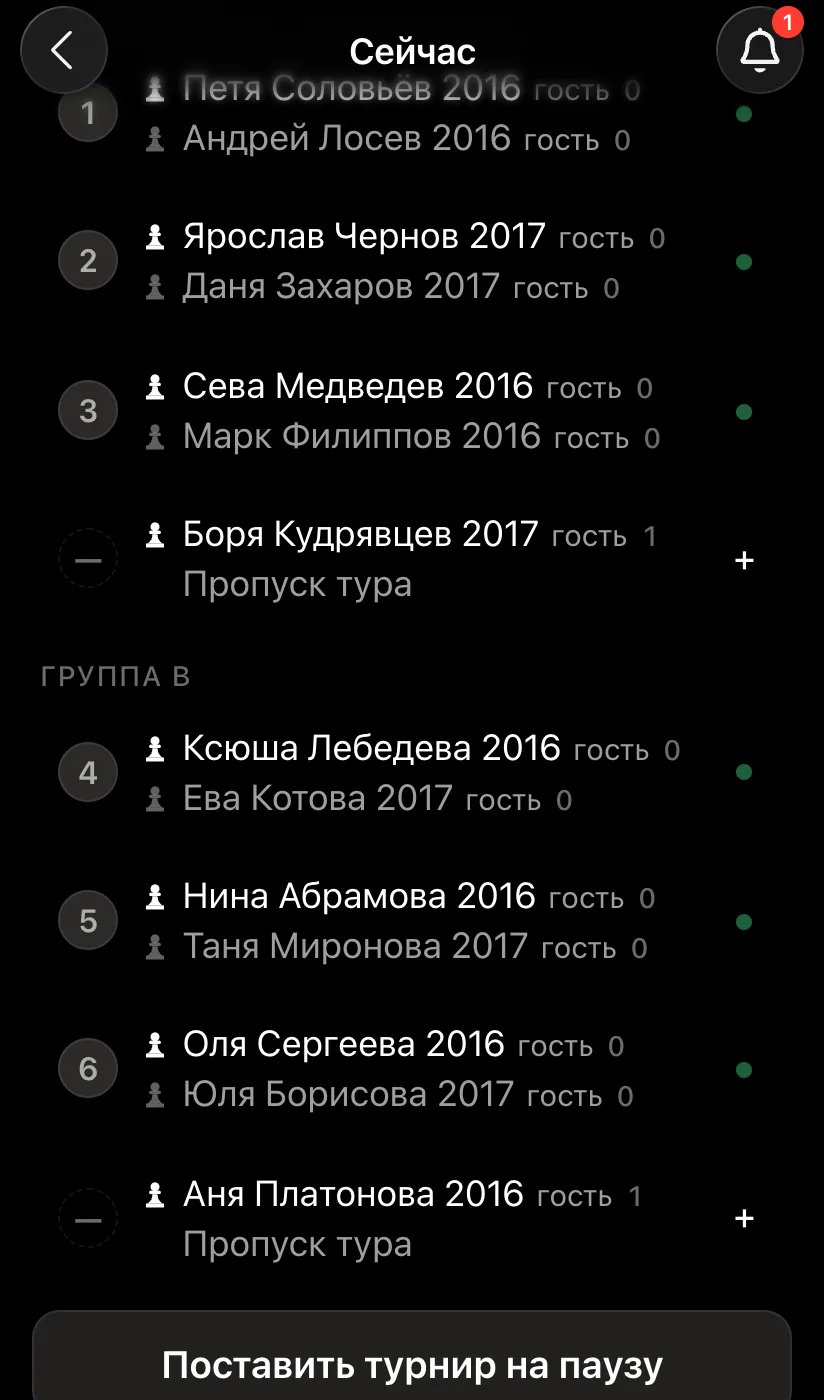
The organiser enters the results - tap a board and choose the outcome. The next round starts by itself once both groups have finished. If there are noticeably fewer girls than boys, their group may finish earlier: once it runs out of opponents, it plays the rounds it can and waits - without a bye point.
"Show the tournament on a screen" on the tournament card gives you a link for a projector or TV. On the screen the round pairings and the standings are split by group: the boys see their group A, the girls their group B. At a school, turn on "No photos on the screen": only names will be shown.
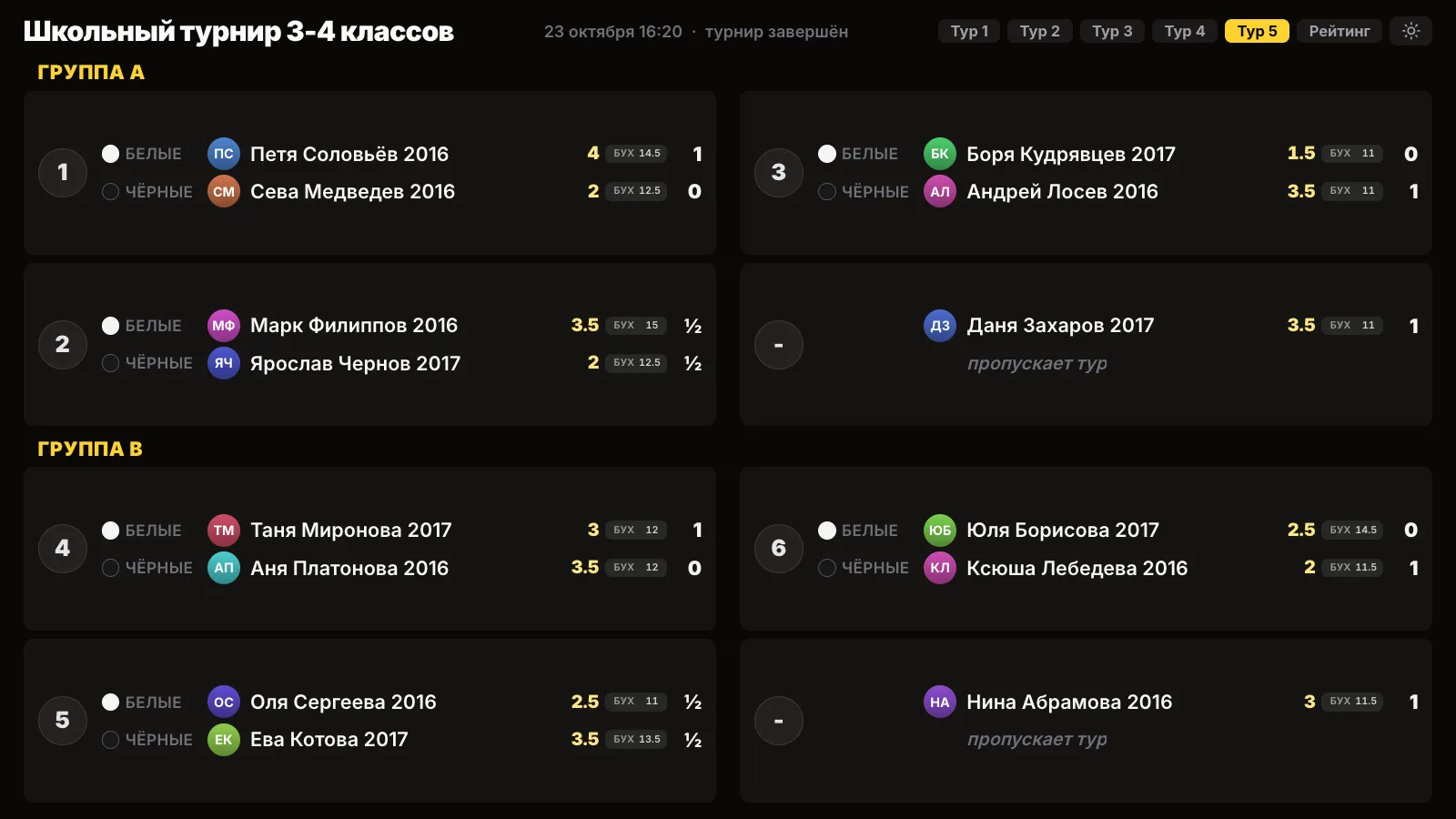
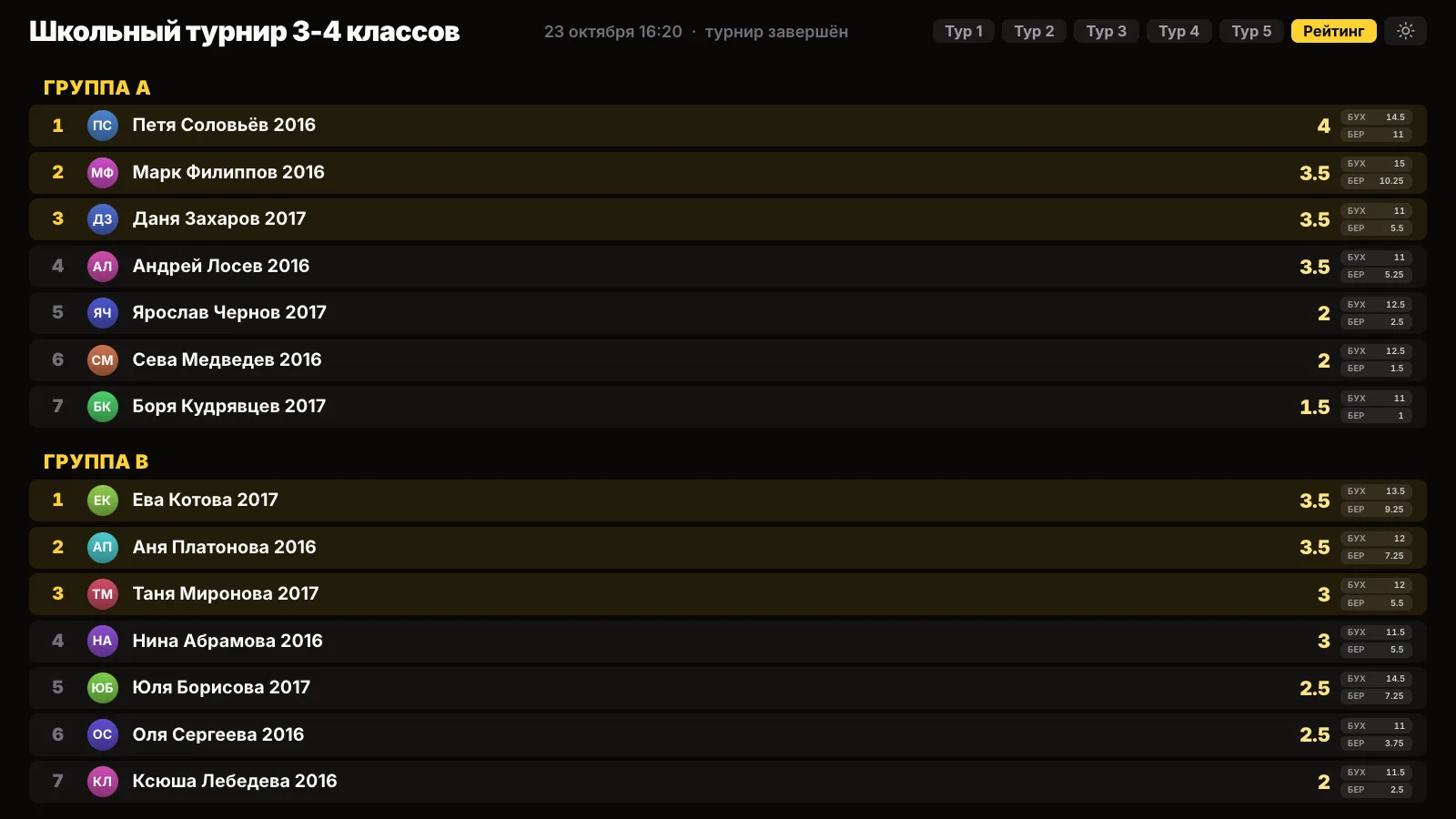
After the last round each group has its own places and its own medals. Award two championships: first, second and third place among the boys and among the girls. "Results as PDF" sends an A4 sheet with both groups one after the other - handy to put up on the notice board.
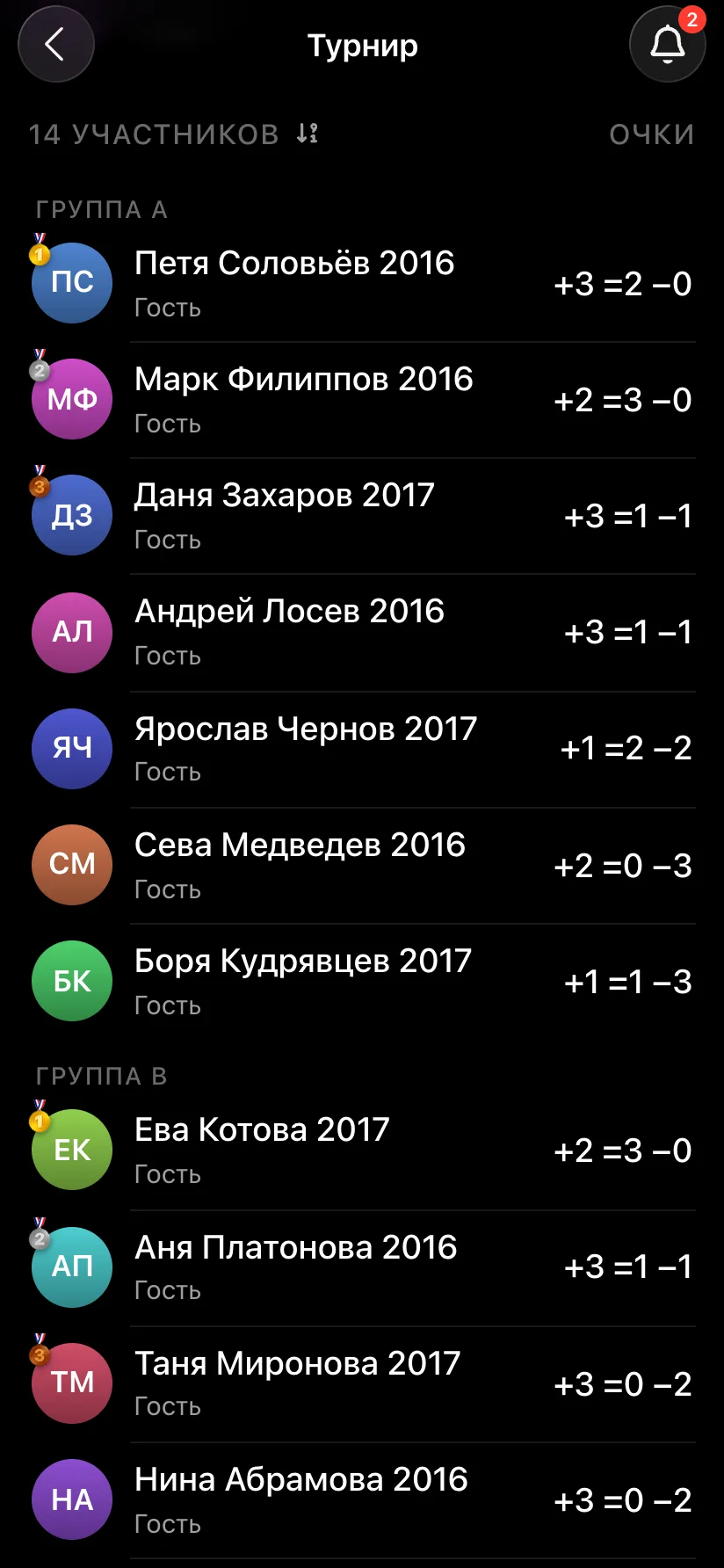
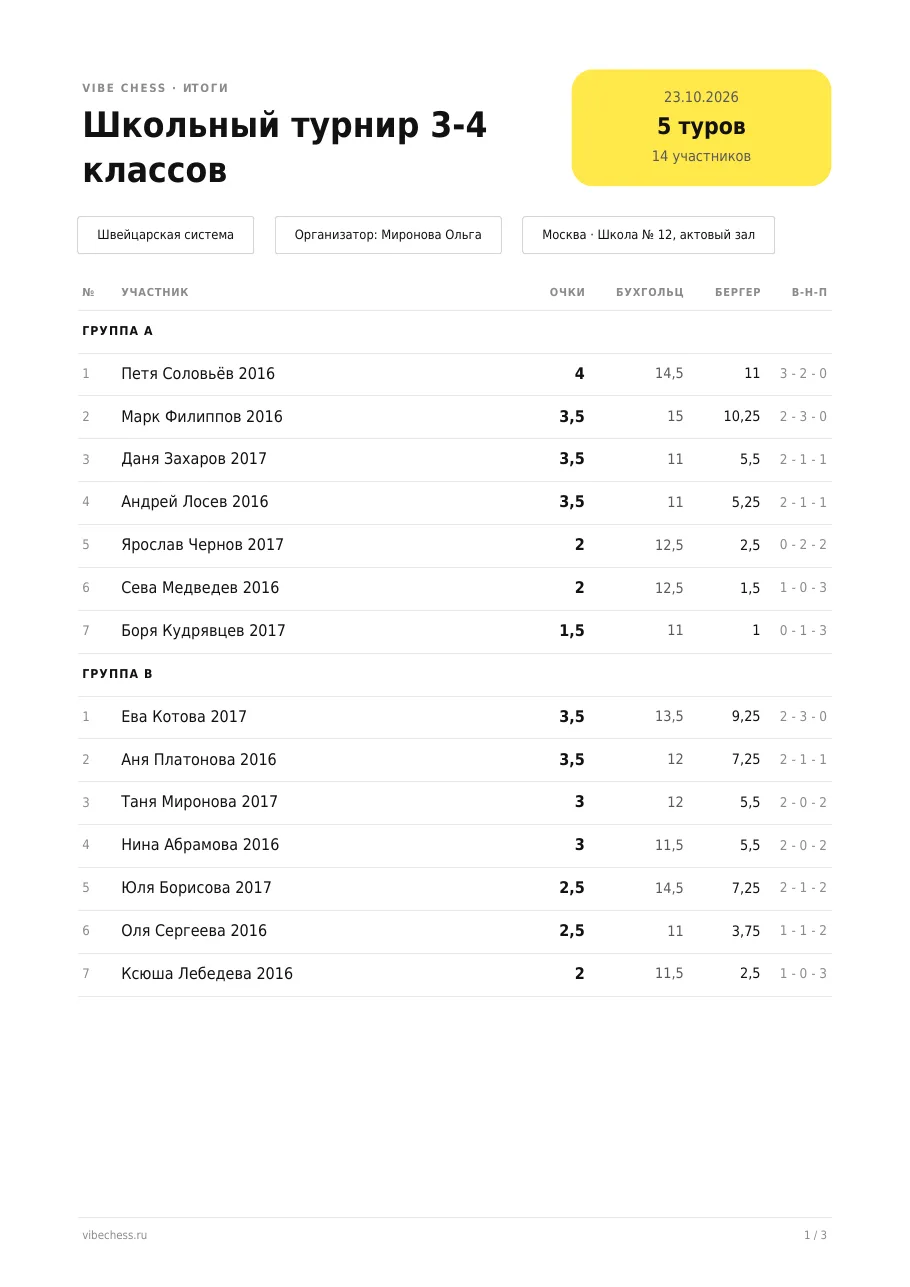
You can have more than two groups. If the tournament has both younger and older children, split it into four: A - boys in years 1-2, B - girls in years 1-2, C - boys in years 3-4, D - girls in years 3-4. Everything else works the same way: pairings within a group, shared rounds, four tables on one screen.
More on a tournament with several groups - how to run one chess tournament for several age groups at once.
Yes. Split the tournament into groups A and B and give the girls the letter B. Pairings are made only within a group, boys and girls have their own standings and prize winners, and the rounds run at the same time.
No, one tournament with two groups: one sign-up link, one "next round" button, one hall screen and one results sheet. In effect, two Swiss-system championships run inside it.
The number of rounds is set by the largest group. A small group plays as many rounds as its size allows and waits for the others without a bye point. If there are only three or four girls, it is easier to run one tournament and give a separate prize to the best girls from the overall standings.
Only a latecomer, and only until they have played a game. A child who has played is not moved: their points and opponents stay in the original group.
Yes, you can have more than two groups: for example, A and B for younger boys and girls, C and D for older ones. The "Add group" button on the player list screen adds the next letter.
Nothing. Groups, pairings, the hall screen and the results sheet are free. The app opens in Telegram through the @vibechessbot bot, and on a computer at playvibechess.com/app.
No arbiter skills required. The app takes over the part that usually stops people from running tournaments at all: who plays whom in each round and who finishes first.
works for ten players and for fifty
for a small group that wants to play everyone
for those who do not need a bracket at all
The bot is constantly improved based on real tournaments. If you need a feature that isn't there yet, message the developers right inside the bot with the /support command. Many features appeared exactly because organizers asked for them, and useful ideas get added quickly.
Several groups by age - a tournament with age groups. A school championship for every year group - a school tournament in the app. A whole children's tournament - a kids' chess tournament in the app. How the system works - the Swiss system and how many rounds you need.

At the board since childhood: hazy about his rating, precise about every rook he has blundered. Counts an evening as a good one if the opponent stayed to talk afterwards instead of rushing off to check with an engine. Message →
