Vibe ChessVibe ChessApp

The arbiter's panel in the Vibe Chess app: every button and when to press it

Alexey Mudry · updated October 26, 2026
The tournament organiser in the Vibe Chess app has an arbiter's panel: everything an arbiter decides in the hall, they decide from their phone, and the app immediately takes it into account in the table and the pairings. There are not many buttons, but each is needed in its own situation. Below - three tables: what to press before the start, during the tournament and after - and the situations that most often bring the arbiter over.

Before the start: player list, groups, attendance

ButtonWhat it doesWhen
Player listwho signed up; withdraw or reinstate a playerbefore the start - as often as you like
Add a guesta player without a phone: a child, a club guestat any time; the guest goes straight into the chosen group
The organisertake yourself off the list if you are only arbitratingbefore the start
Split into groupsgroups A, B, C… with their own pairings and tablebefore the start; move a player while they have no pairing yet
Attendancemark who has come; only those marked are pairedbefore the start and between rounds
Show the tournament on a screena link to the hall screen; the No photos on the screen toggleeven before the start - while people gather
List of players as PDFa blank results sheet to fill in by handif you need a paper copy
Start the tournamentround one pairing, pairings go out to playersonce attendance is marked
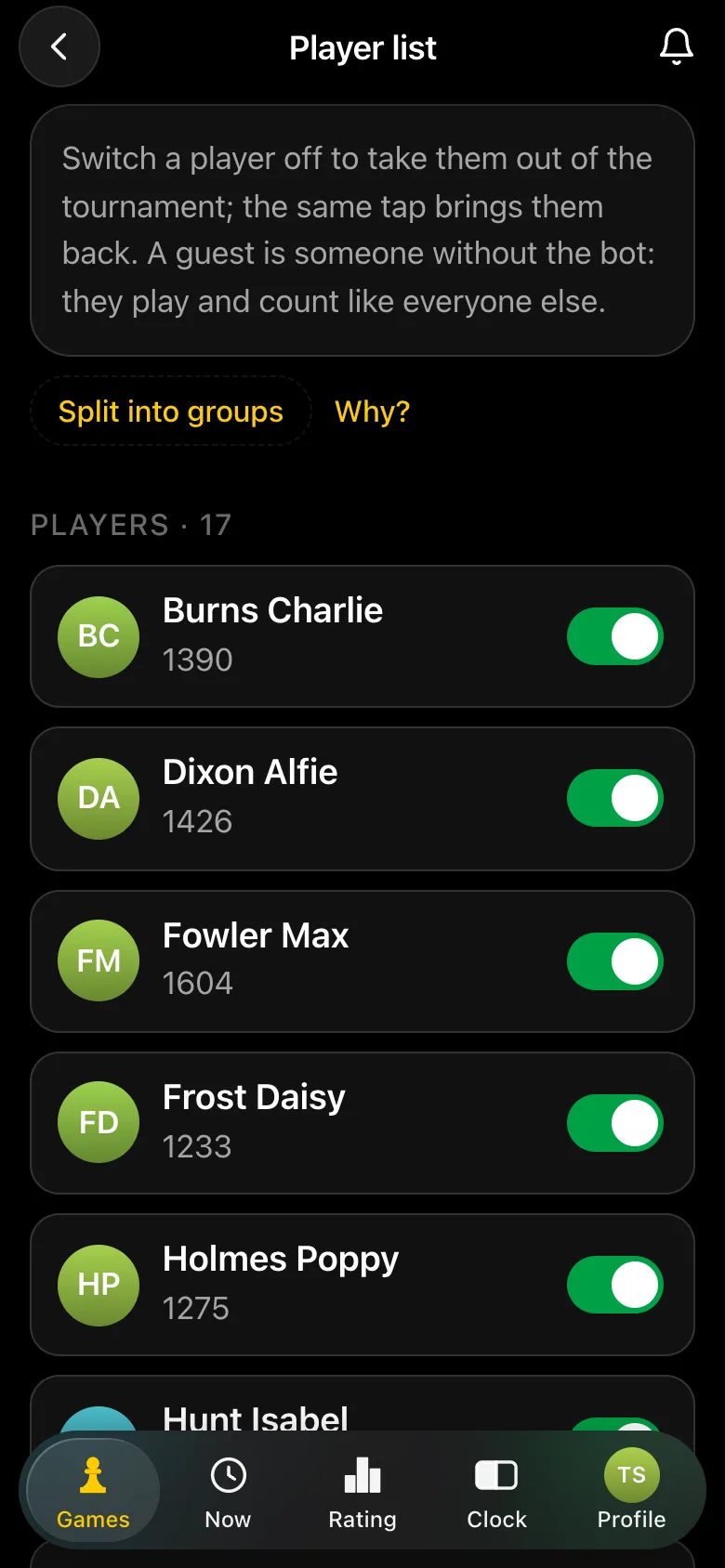
The Player list: 17 players with ratings and toggles, a Split into groups button
The list: those who signed up and a guest.
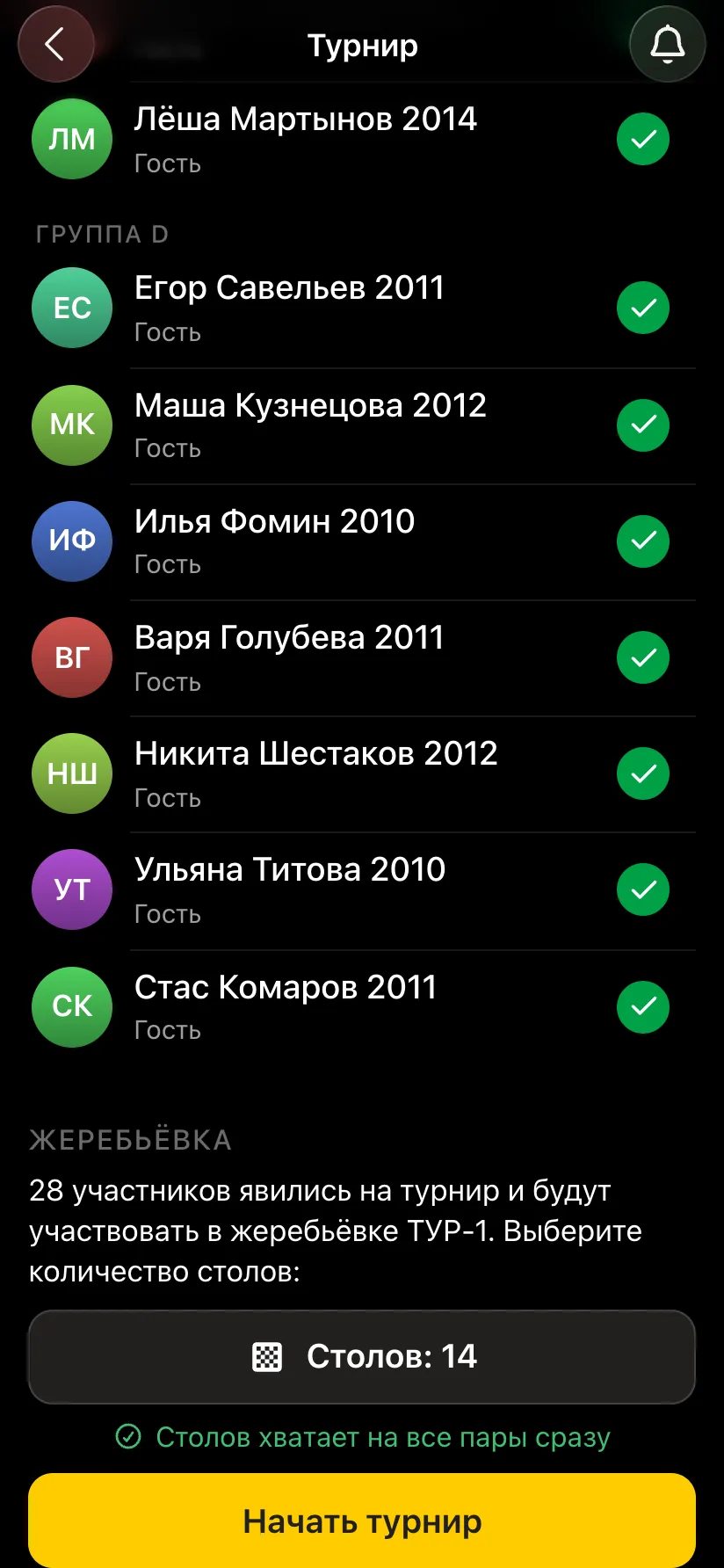
A tournament card: group D with green attendance ticks, a pairing block - 28 players, 14 tables, a Start the tournament button
Attendance marked - ready to start.
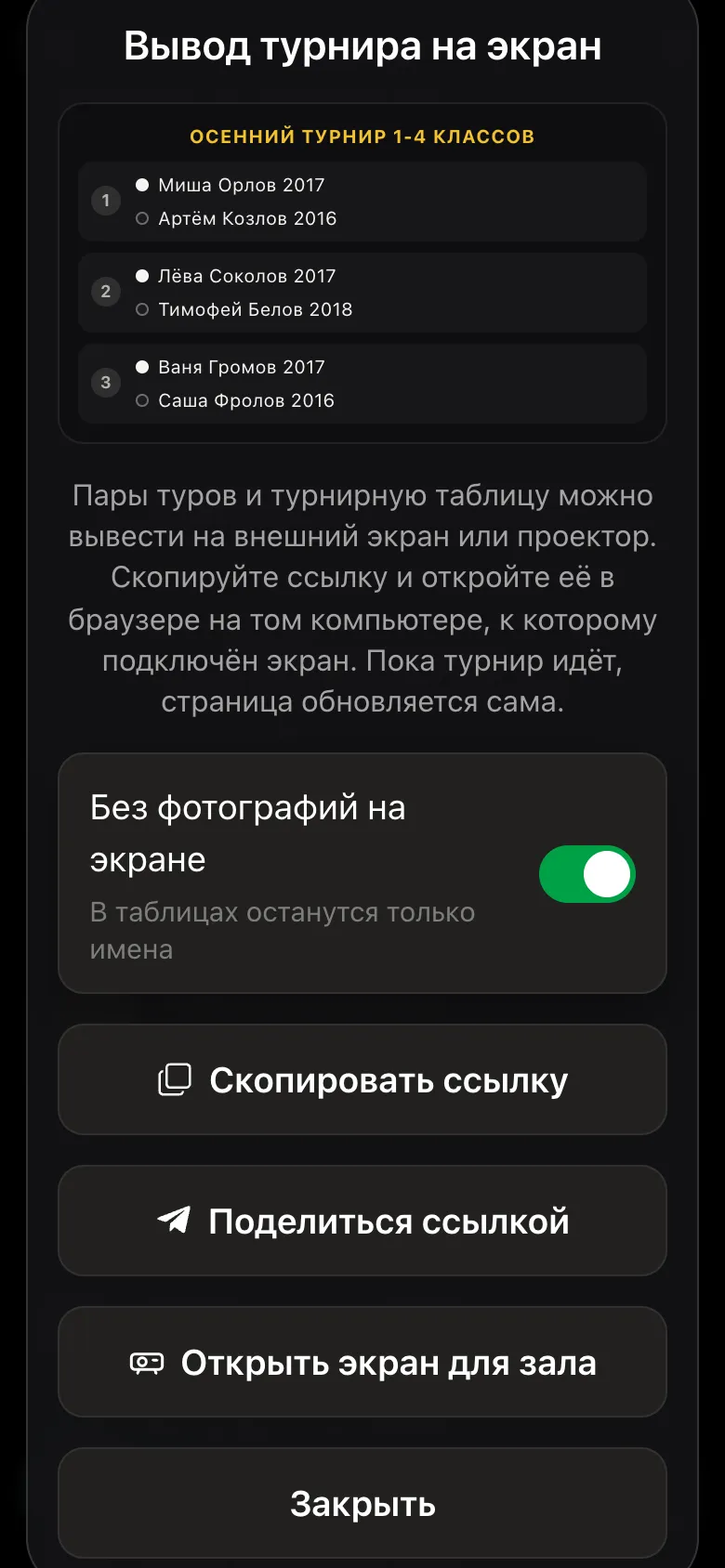
The Show the tournament on a screen window: the No photos on the screen toggle is on, buttons Copy link and Open the hall screen
The hall screen - even before the start.

During the tournament: scores, no-shows, pause

ButtonWhat it doesWhen
Score for any pairWhite wins or Black wins, a draw, White or Black no-show, a double forfeita dispute, a dead phone, a player cannot enter it
No-showmarked by the arbiter - immediate and final; the absent player is withdrawnthe opponent did not come to the table
Double forfeitzero for both, both are withdrawnnobody sat down at the board
Correct a no-showenter the real score - the withdrawn player returns to the tournament by themselvesa mistake: the player was at another table
Correct a past roundrewrite the score of any gamethe current round does not shift, the correct score goes into the next pairing
Withdraw and reinstatea player left or came backa returning player plays from the next round
Pausethe next round will not start; games in progress are finisheda break, lunch, the internet dropped, end of the playing day
Resumeif the round is finished, the next one starts by itselfthe break is over
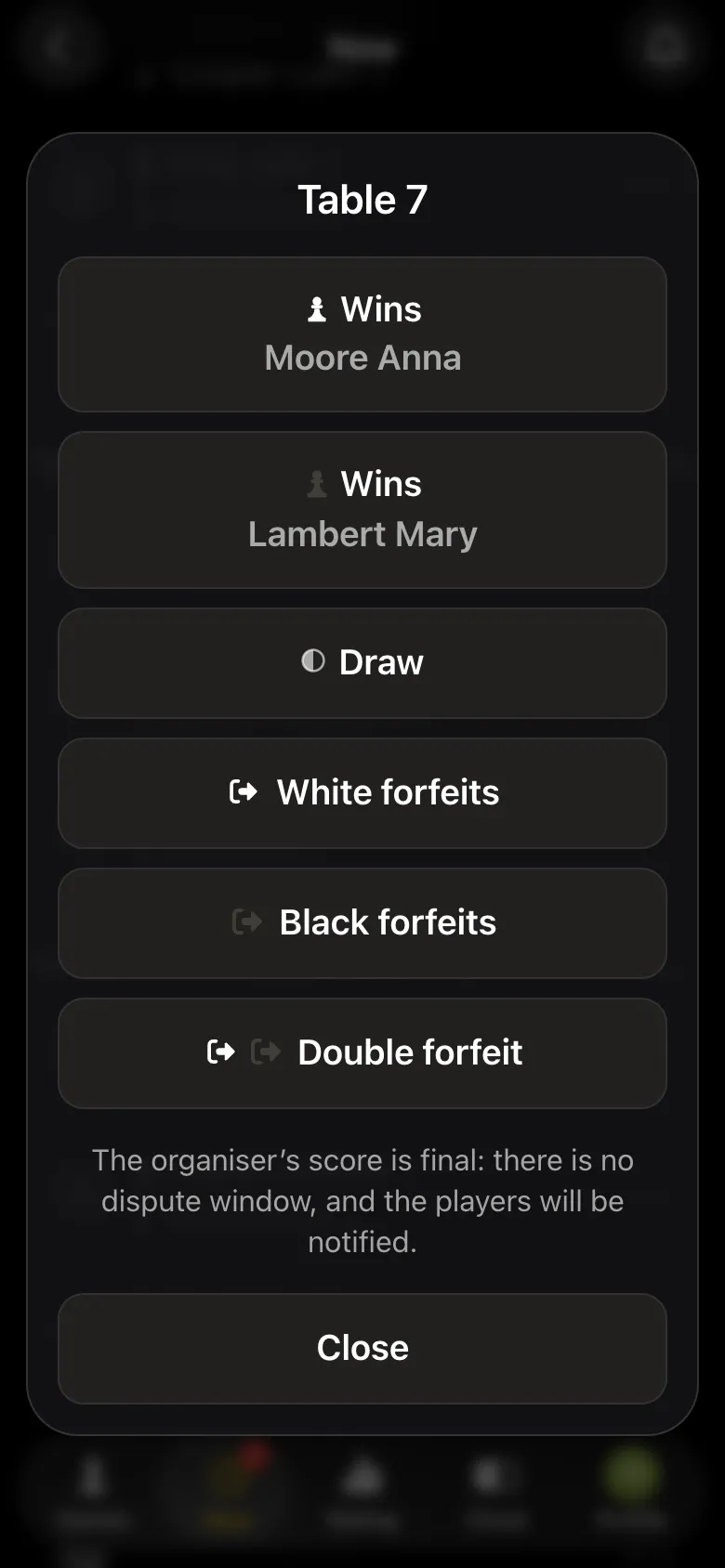
The arbiter's score is final: it replaces the players' marks and closes the objection window. So listen to both players first, then enter the score.
The arbiter's score window: White wins, Black wins, draw, White no-show, Black no-show, double forfeit; the organiser's score is final
Six outcomes in the score window.
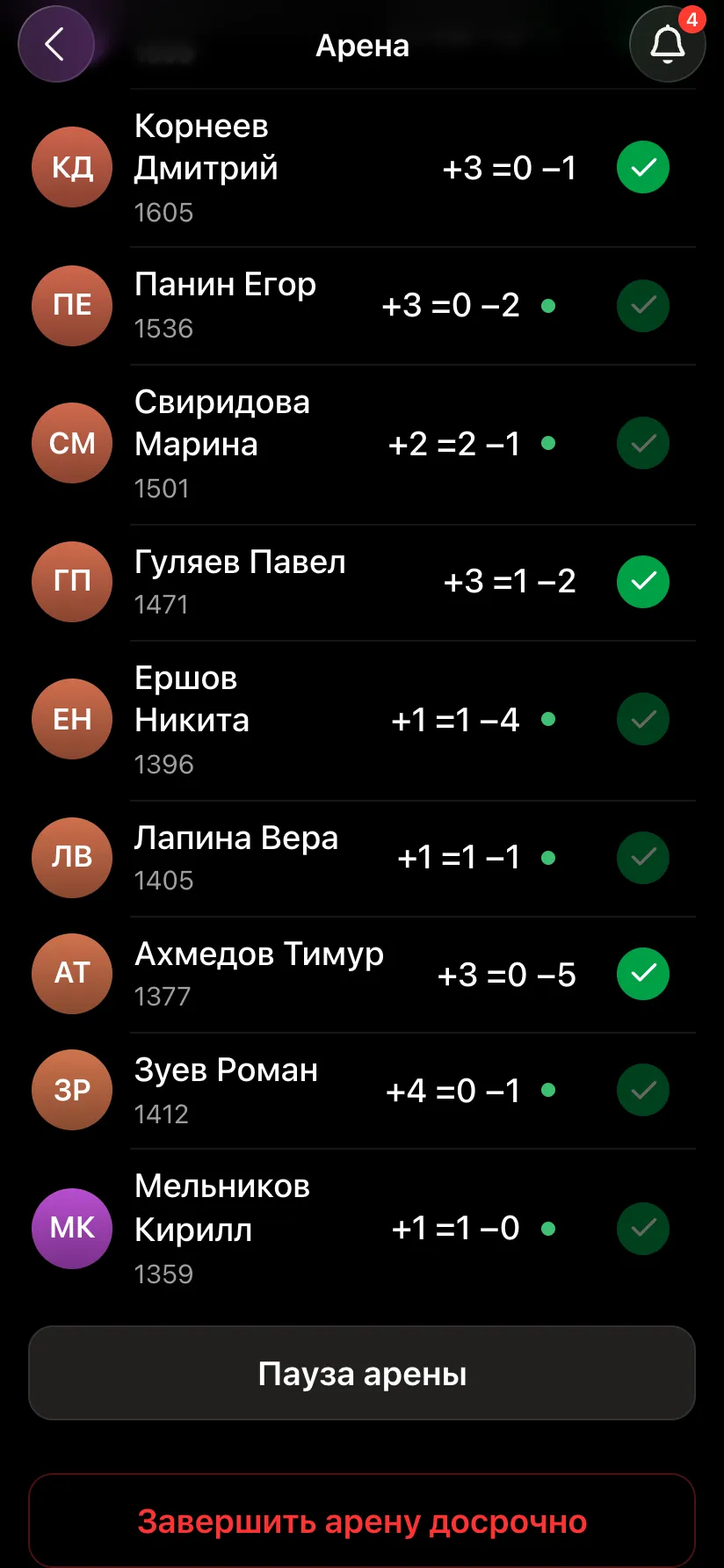
An arena card on the organiser's screen during play: players with wins, draws and losses, buttons to pause the arena and to finish it early
Pause - on the screen of a running tournament.

After the tournament: standings, PDF, TRF

ButtonWhat it givesWhy
Final standingsplaces, points, tiebreaks, by groupvisible to all players
Export PDF reportthe table and pairings of all rounds on one sheetfor the prize-giving and the report
Export TRF reporta file for the federationfor rated tournaments
Show on a screenthe final standings on the hall screenat the prize-giving
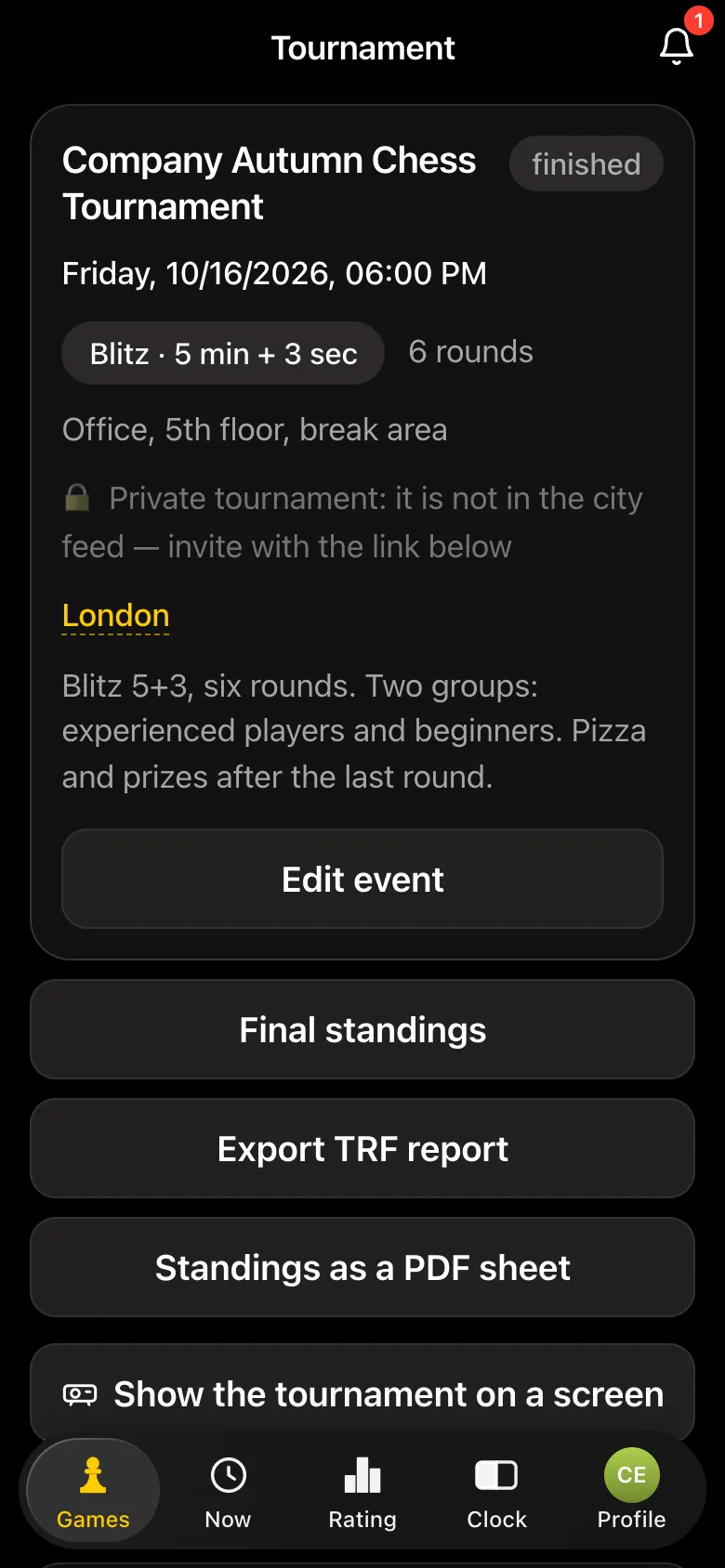
A finished tournament card with buttons Final standings, Export TRF report, Export PDF report, Show the tournament on a screen
All results - on the tournament card.

Common situations

  • • Players dispute the result.One marked a win, the other tapped "I disagree, dispute it". Hear both, decide by the rules and enter the score from your panel. Worked cases: an illegal move, a fallen flag.
  • • The opponent did not come. Mark a no-show - the player who came wins, the absent one is withdrawn and not paired in the next round. If both are absent - a double forfeit.
  • • A player's phone died. The game is finished on a spare clock, and the arbiter enters the score. More - plan B: internet and phones.
  • • A mistake in a past round. Correct the score of that game. The current round does not shift, and the next pairing uses the correct result. More - a pairing error.
  • • A latecomer arrived. If late sign-up is open, they join from the next round; you can add them as a guest or reinstate them if they were withdrawn.
  • • You need a break. Pause: games in progress are finished, the next round waits.

What the panel does not have yet

  • • manual rearranging of pairs - pairings are always calculated from the tournament data;
  • • an "add a minute to the opponent" button on the clock;
  • • an appeals committee - the final decision is the arbiter's.

Why, and how to manage without them - manual pairing changes, the appeals committee. Need one of these features - write to the developers, the link is at the bottom of the page.

An arbiter with a phone instead of paperwork

Create a tournament in Vibe Chess - the arbiter's panel appears for you automatically. Free.

Frequently asked questions about the arbiter's panel

How do I enter a result for the players?

In the arbiter's panel open the pair and choose the outcome: White or Black wins, a draw, a no-show by one or a double forfeit. The arbiter's score is final.

How do I mark who came to the tournament?

Mark attendance in the tournament's player list. Only those marked are paired, and during the tournament attendance changes the next round's pairing.

How do I withdraw a player and reinstate them?

Both are done from the player list. A returning player plays from the next round.

Can I correct a past round's result?

Yes. The current round does not shift, and the next pairing takes the corrected result into account.

Can the organiser just arbitrate without playing?

Yes. The organiser takes themselves off the list before the start and runs the tournament as the arbiter.

How do I take a break during the tournament?

Pause the tournament: games in progress are finished, and the next round will not start until you resume.

The app instead of arbiter software

Pairings are computed by bbpPairings, an open-source engine implementing the Dutch system by FIDE rules: score groups, floats on an odd field, colour alternation. Free to use.

  • Swiss system
    proper rounds with correct pairings, not random matchups
  • Round robin
    a full circle, with the round count derived from the field
  • Free meetup
    a light format with no tournament machinery

More than a bot: the app, FIDE rules and a TRF report

  • The app. Besides the bot there is an app - inside Telegram and simply at playvibechess.com/app: what is on in your city, the player list, a live table, the current round, your profile and game history - everything that is awkward to read as chat messages.
  • Pairings by FIDE rules. Pairings are computed by bbpPairings, an open-source engine implementing the Dutch system: score groups, floats on an odd field, colour alternation, no rematches, and no player gets a bye twice.
  • A TRF report. A finished tournament exports as a single file in the FIDE data exchange format - the one arbiter software and federations accept. Your profile stores the FIDE ID, national federation code, title, sex and date of birth for it.
  • Free. All of the above, with no subscriptions, paid plans or limits on the number of tournaments and players.

Full overview

Missing a feature? Message the developers

The bot is constantly improved based on real tournaments. If you need a feature that isn't there yet, message the developers right inside the bot with the /support command. Many features appeared exactly because organizers asked for them, and useful ideas get added quickly.

Alexey Mudry
Alexey Mudry · hosted 37 events for Vibe Chess · 157 reviews · rating 5.0

At the board since childhood: hazy about his rating, precise about every rook he has blundered. Counts an evening as a good one if the opponent stayed to talk afterwards instead of rushing off to check with an engine. Message →