Vibe ChessVibe ChessApp

The internet dropped, the phones died: plan B for a tournament with an app

Alexey Mudry · updated October 26, 2026
A tournament with an app gets rid of paperwork but adds a dependency: on the internet and on phone batteries. The good news is that most of the tournament survives a dropped connection calmly: the clock runs on the phone itself, and games are played to the end. Below - what keeps working offline, a table of failures with fixes and an emergency kit. General force majeure, like a closed venue or half the people turning up, is covered in when things go wrong at a tournament.

What works offline and what waits for a connection

WhatOfflineWhy
Chess clockworkstime is counted on the phone itself
Games in progressare finishedthe board and the clock do not need internet
Entering the resultwaits for a connectionthe score goes to the server
Next round pairingswait for a connectionthe server calculates the pairing
Table, hall screen, broadcastwait for a connectionthe data comes from the server
A dropped connection mid-round is hardly a problem: games are finished on the clocks, and results can be entered later. A drop between rounds is the dangerous one - without a network the next round cannot be paired.

Failures and fixes: a table

What happenedWhat to do
The venue Wi-Fi droppedswitch to mobile data; share a hotspot from the organiser's phone with those who have none
All connectivity in the hall droppedfinish the round on the clocks, write the results on paper, enter them when at least one phone has a signal again
The clock phone died mid-gamestop the game, move the time to a spare clock or the opponent's phone, play on
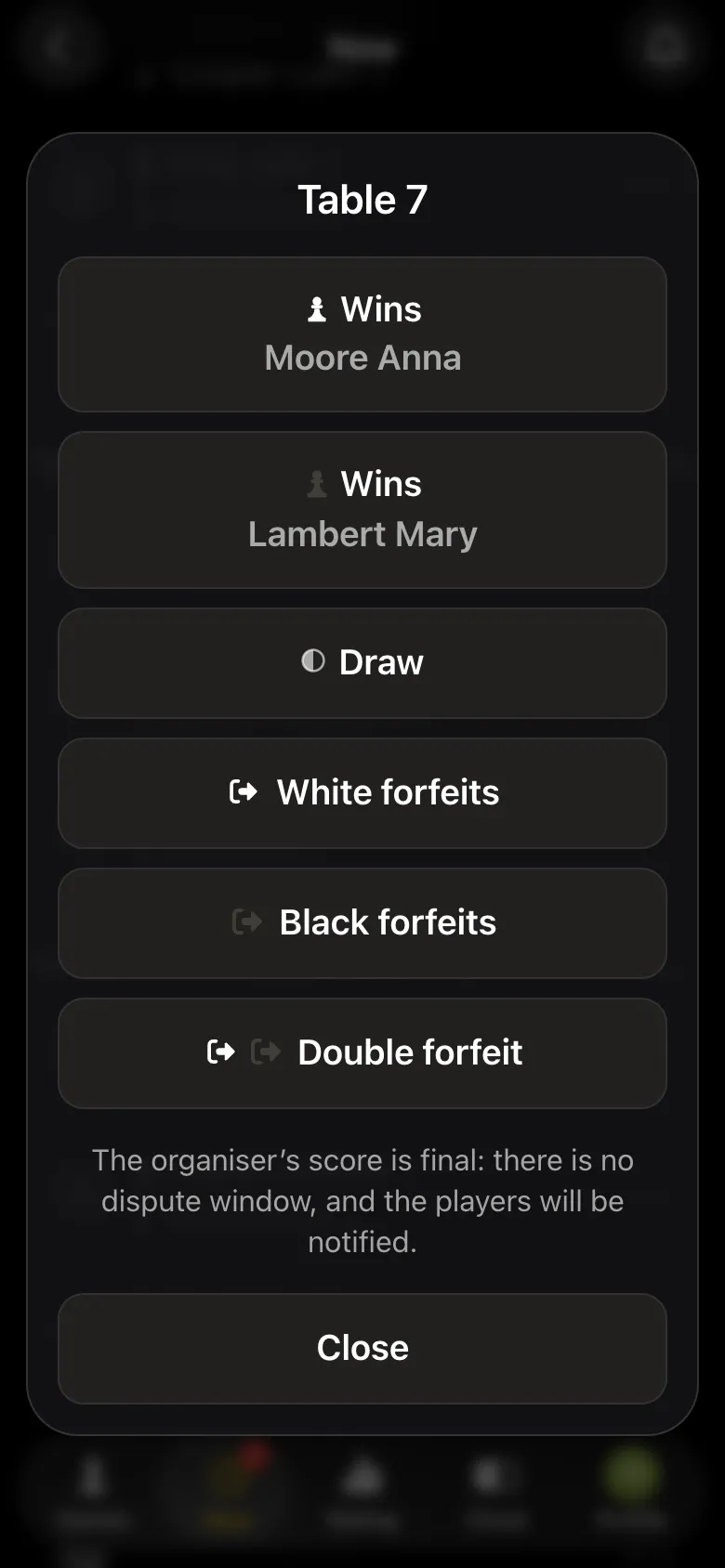
A player cannot enter the scorethe arbiter enters it from their panel
The projector failedeveryone has the pairings on their phone; table numbers and a spoken announcement
The connection came back slowly and it is time for the next roundpause the tournament, announce a break, resume when the connection is stable

The clock phone died mid-game

The most common failure at a tournament with an app. The procedure:

  1. 1. Stop the game and call the arbiter - do not touch the pieces.
  2. 2. Note how much time each player had left: if the phone went dark, the time is taken from both players' memory, and in a dispute the arbiter decides.
  3. 3. Set that time on a spare clock or on the opponent's phone.
  4. 4. Play on, and enter the result from the opponent's phone or through the arbiter.

If the app was simply minimised or the phone locked, the clock pauses and comes back with the same time - nothing needs resetting. How to prepare phones so this does not happen - which phone works for Vibe Chess.

No connection at all

Sometimes nobody in the hall has a signal: a basement, an overloaded cell at a big event. The tournament can still be finished:

  • • the current round is played to the end on the clocks;
  • • results are written on paper by table number;
  • • the organiser goes somewhere with a signal, enters all the results from the arbiter's panel and resumes the tournament;
  • • the next round's pairings are read out or shown from their phone.

Check the connection at the venue in advance - at the far table, at the time of day of the tournament. How - internet at a chess tournament.

An emergency kit for a tournament with an app

What to bringFor what
A power bank and USB-C and Lightning cablesphones ran flat
An extension leada player with a flat phone - to a socket
One or two spare chess clocksthe clock phone died
Mobile data for the organiser with plenty of allowancethe Wi-Fi dropped
Paper and a penrecording results without a connection
Printed table numbersthe screen failed

The full arbiter's kit - the arbiter's kit.
What helps in the Vibe Chess app

  • • a clock that works offline - the game does not depend on the connection;
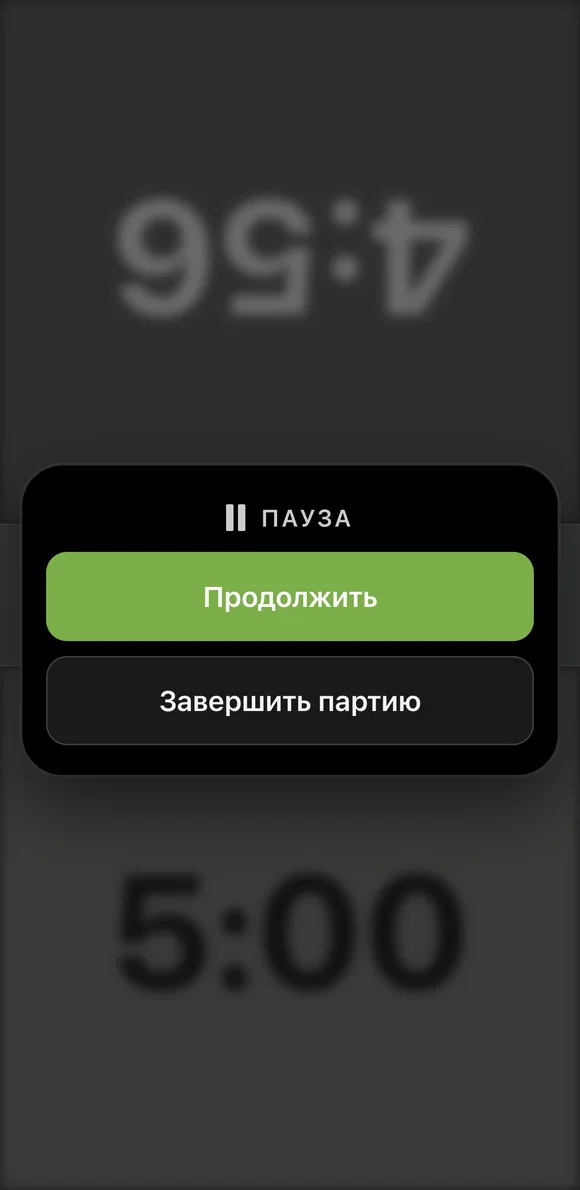
  • • clock pause - minimise the app or lock the screen, and no time is lost;
  • • you stay signed in - starting without a connection shows Try again, not the sign-in screen;
  • • the arbiter's panel - the organiser enters the score for any pair, even for players whose phone died;
  • • tournament pause - the next round does not start until the organiser resumes.
Pause on the Vibe Chess clock: both players' time frozen, buttons to continue or finish the game
The clock paused: time is kept.
The arbiter's score window: White wins, Black wins, draw, White no-show, Black no-show, double forfeit; the organiser's score is final
The score for any pair - from the arbiter's panel.
The app cannot currently record results offline and send them when the network comes back - that is what the paper sheet is for. If your tournament needs such a mode - write to the developers, the link is at the bottom of the page.

A tournament that survives a dropped connection

In Vibe Chess the clock works without internet, and the arbiter enters the score for any pair and holds the round with a pause. Create a tournament for free.

Frequently asked questions about a tournament without internet

Does the app's chess clock work without internet?

Yes. Time is counted on the phone itself, so the game is played to the end without a connection.

What if the internet drops between rounds?

Pause the tournament, write the results on paper and enter them as soon as at least one phone has a connection. After resuming, the round starts by itself.

What if the clock phone dies?

Stop the game, note both players' remaining time, set it on a spare clock or the opponent's phone and play on. The score can be entered from the opponent's phone or through the arbiter.

How do I enter a result for a player whose phone died?

The arbiter does it: their panel lets them enter the score for any pair.

What should I bring in case things break?

A power bank and cables, an extension lead, spare clocks, mobile data for the organiser, paper and a pen, printed table numbers.

Create your own tournament for free

The Vibe Chess app opens from a link and needs no installation. Setting up a tournament takes a minute: pick the system, set the date, the venue and the time control - the app handles the rest.

  • Swiss system
    for a large field: opponents are matched by score, you choose the number of rounds
  • Round robin
    for a small circle: everyone plays everyone, the round count follows from the field
  • Free meetup
    no rounds, no pairings: players sign up and pick opponents at the table

More than a bot: the app, FIDE rules and a TRF report

  • The app. Besides the bot there is an app - inside Telegram and simply at playvibechess.com/app: what is on in your city, the player list, a live table, the current round, your profile and game history - everything that is awkward to read as chat messages.
  • Pairings by FIDE rules. Pairings are computed by bbpPairings, an open-source engine implementing the Dutch system: score groups, floats on an odd field, colour alternation, no rematches, and no player gets a bye twice.
  • A TRF report. A finished tournament exports as a single file in the FIDE data exchange format - the one arbiter software and federations accept. Your profile stores the FIDE ID, national federation code, title, sex and date of birth for it.
  • Free. All of the above, with no subscriptions, paid plans or limits on the number of tournaments and players.

Full overview

Missing a feature? Message the developers

The bot is constantly improved based on real tournaments. If you need a feature that isn't there yet, message the developers right inside the bot with the /support command. Many features appeared exactly because organizers asked for them, and useful ideas get added quickly.

Alexey Mudry
Alexey Mudry · hosted 37 events for Vibe Chess · 157 reviews · rating 5.0

At the board since childhood: hazy about his rating, precise about every rook he has blundered. Counts an evening as a good one if the opponent stayed to talk afterwards instead of rushing off to check with an engine. Message →