Vibe ChessVibe ChessApp

How a game result is recorded: players, the clock, the camera and the arbiter

Alexey Mudry · updated October 26, 2026
The game is over - and the most boring part of the tournament begins: the result has to be written down, checked and passed on to the pairing. At a paper tournament that means scoresheets, signatures and an arbiter going round the tables. In the app - a button for the player, a confirmation for the opponent, and sometimes the result is recorded by itself: by the clock or the camera. Below - every path by which a result reaches the table, how long to wait for confirmation and what to do if the players disagree.

How results are recorded without an app

MethodHowWeak spot
Scoresheets and signaturesboth players sign both scoresheets with the result (Article 8.7)a signed result stands, even if wrong - unless the arbiter decides otherwise
Going round the tablesthe arbiter or a secretary collects the results from every tableat a big tournament - the main delay between rounds
A paper recordthe result is written on the round sheet and copied into the programtwo copies - two chances to make a mistake

Hence the main delay at an amateur tournament: the next round cannot be paired until every result is in, and one person collects them.

Every path of a result in the Vibe Chess app

In the app a result reaches the table by one of six paths:

What happenedWhen the result is finalWhy
A player marked their own lossat oncenobody makes a mistake against themselves
A player marked a win or a drawafter 15 seconds, if the opponent does not objectthe opponent is at the same board and sees the mark at once
The flag fell on the app's clockat oncethe clock ended the game, both were looking at the same phone
Checkmate or stalemate recorded by the cameraat oncethe result is visible on the board
The arbiter entered the scoreat once, finalthe arbiter's decision is the last word
A pairing with a guest without a phoneat oncethere is nobody to object
The objection window is 15 seconds, not a minute: the player who disagrees sees the mark at once, standing at the same board. And while the window is open, the table counts as busy - so a long wait would cost every pairing half a minute of idle time.

Marking and confirming

After the game one of the players marks the result on the game card. The opponent gets the mark with two buttons - Confirm and I disagree, dispute it. Confirmed, or silent for 15 seconds - the result is accepted.
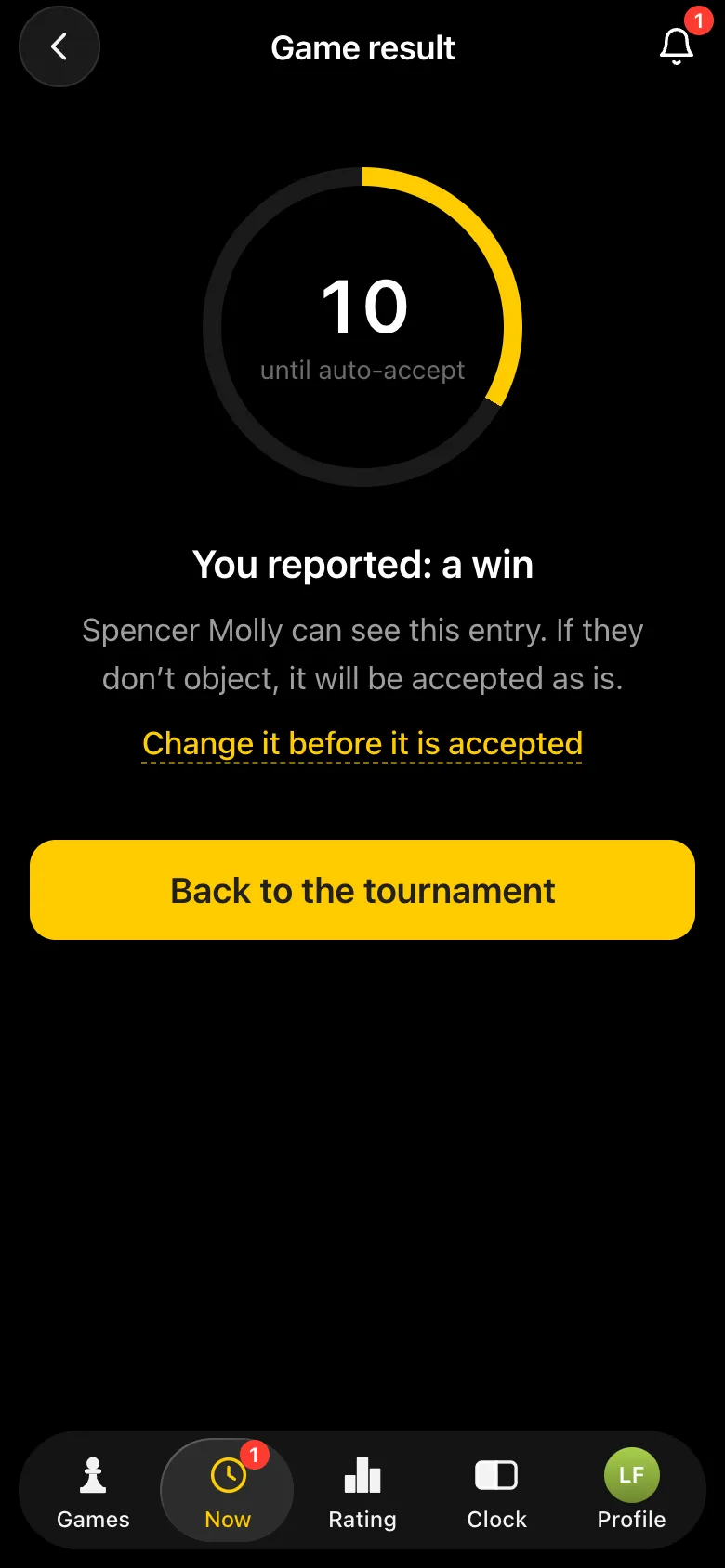
The screen after marking You marked: win - a countdown to automatic acceptance, the opponent sees the mark
Marked: the countdown to acceptance is running.
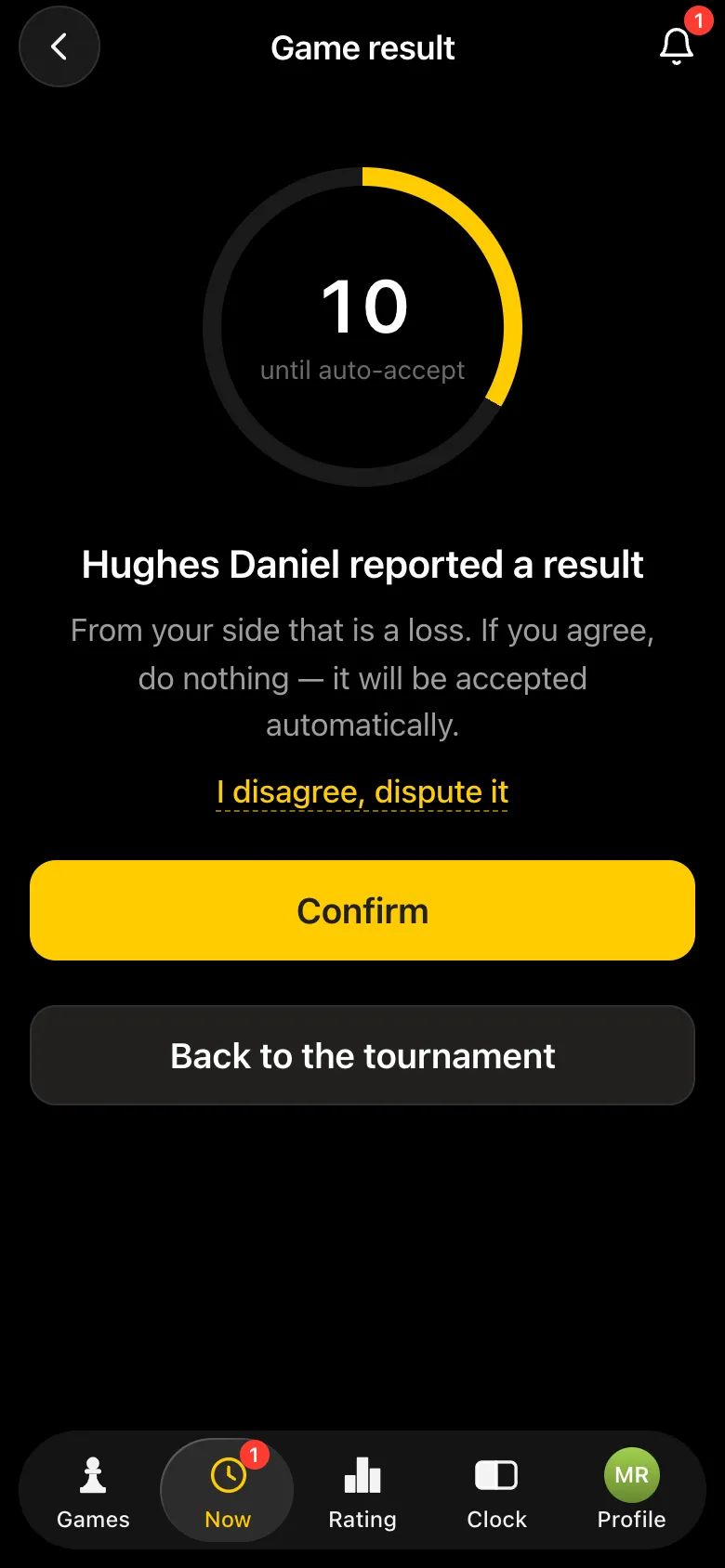
The player's window: the opponent has marked the result, Confirm and I disagree, dispute it buttons
The opponent confirms or disputes.
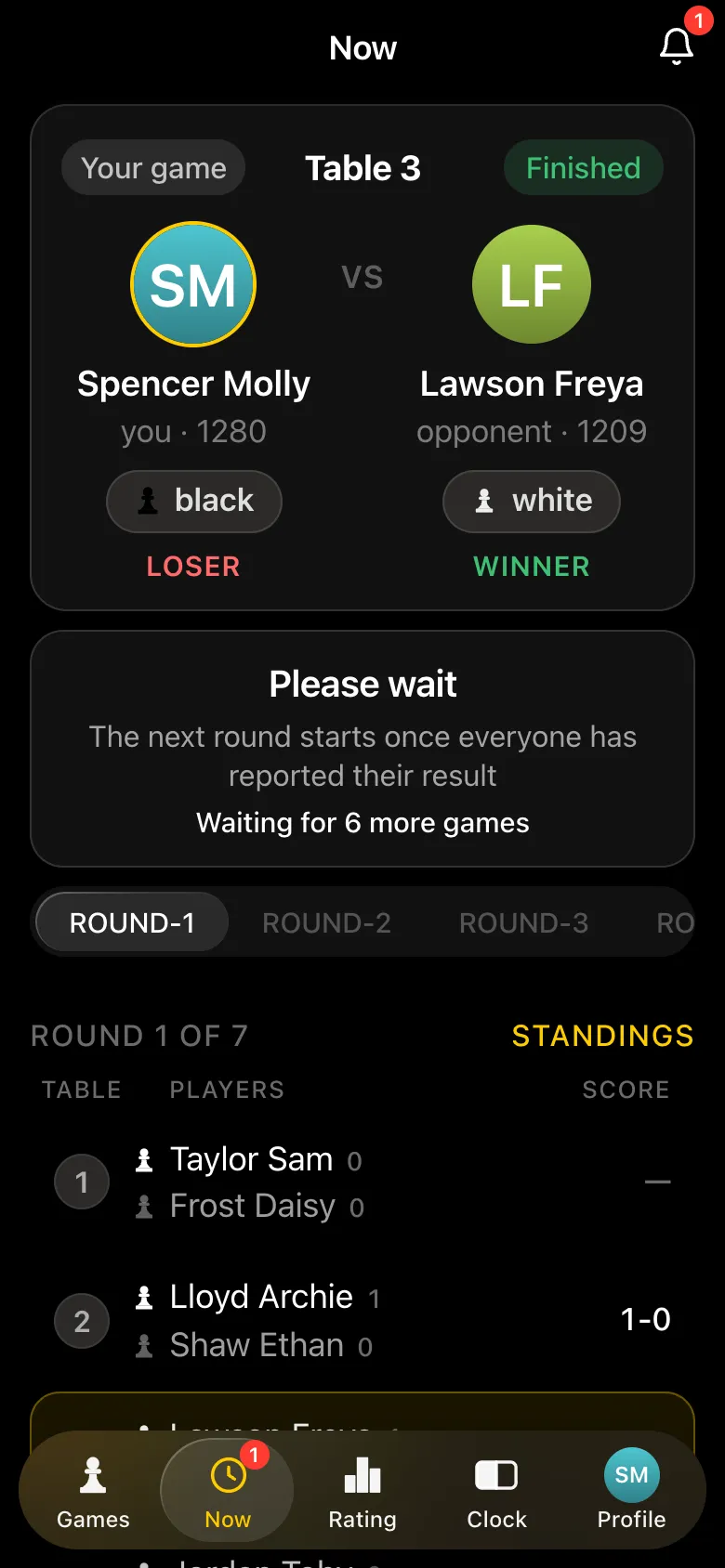
The screen after an accepted result: wait, the next round starts when all players have entered their results; 7 games to go
Accepted - waiting for the other tables.

If the players disagree

  1. 1. The opponent presses I disagree, dispute it - the mark is removed and the game is "no result" again.
  2. 2. The players agree at the board and mark the result again.
  3. 3. If they cannot agree, they call the arbiter. The arbiter's score is final and replaces any marks.

Most often the dispute is not about who won but about what happened: an illegal move, a fallen flag, a touched piece. The arbiter settles these by the rules and, if there is one, by the record of the game.

What a move record can and cannot show in a dispute: a game record as evidence.
When the result records itself

  • • The flag fell.If the game was played on the app's clock and a player ran out of time, the result is recorded at once, with no objection window. The exception is insufficient material for the opponent: that draw is given by the arbiter.
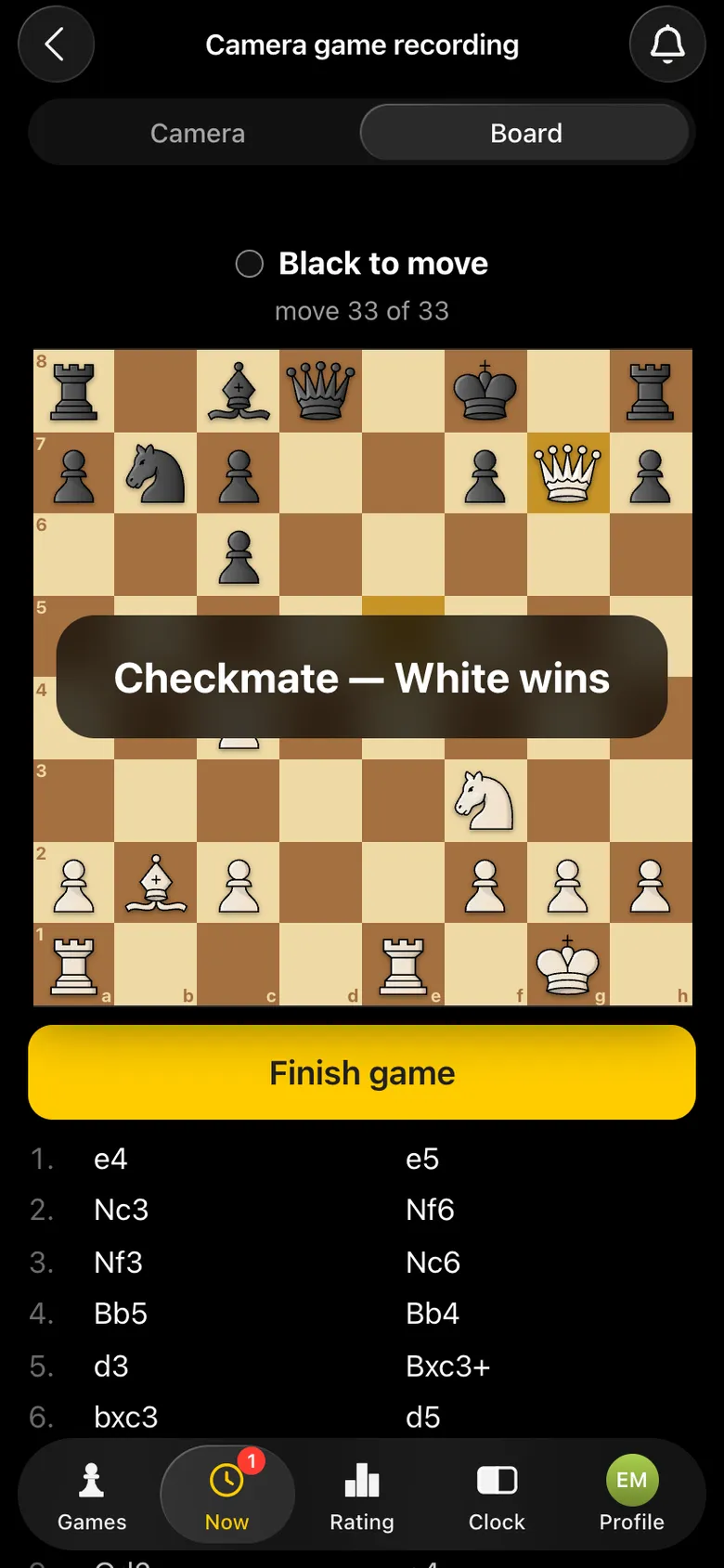
  • • Checkmate or stalemate by the camera. If the game was recorded by a phone camera and there is checkmate or stalemate on the board, the score is final at once.
A checkmate - White wins label over the board, move 33 of 33
Checkmate on the board - the result recorded itself.
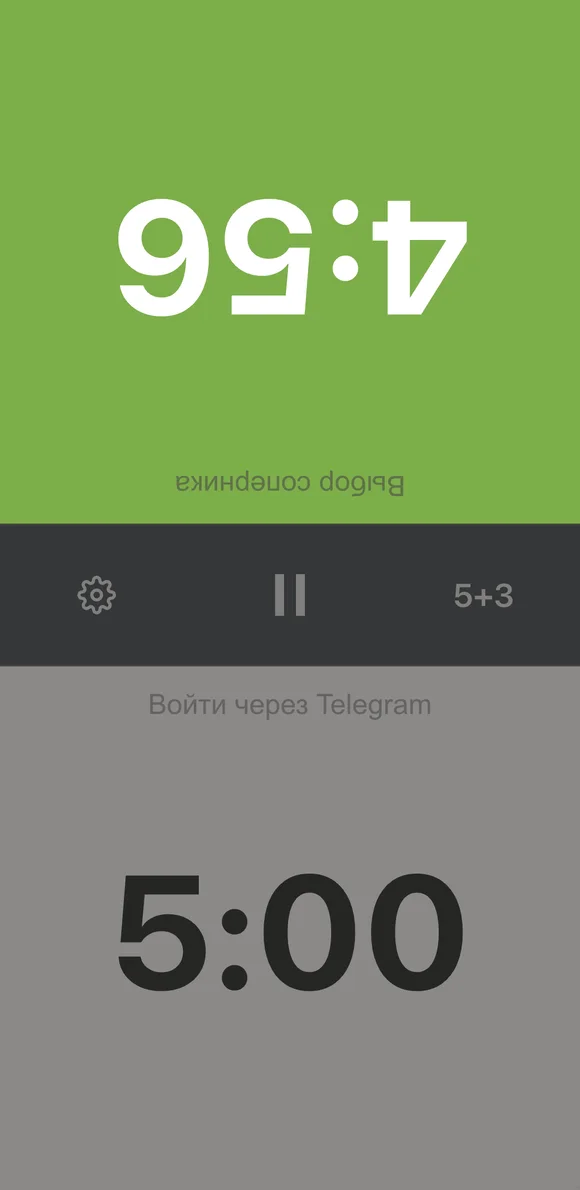
The Vibe Chess chess clock running: the active side highlighted green, time counting down
The clock: the flag fell - the result recorded itself.

The arbiter has the last word

The tournament organiser can enter the score for any pairing from their panel: a win, a draw, a no-show by one player or a double forfeit. Their score is final - it replaces the players' marks and closes the objection window. A result from a previous round can be corrected too: the current round does not move, and the correct score goes into the next pairing.
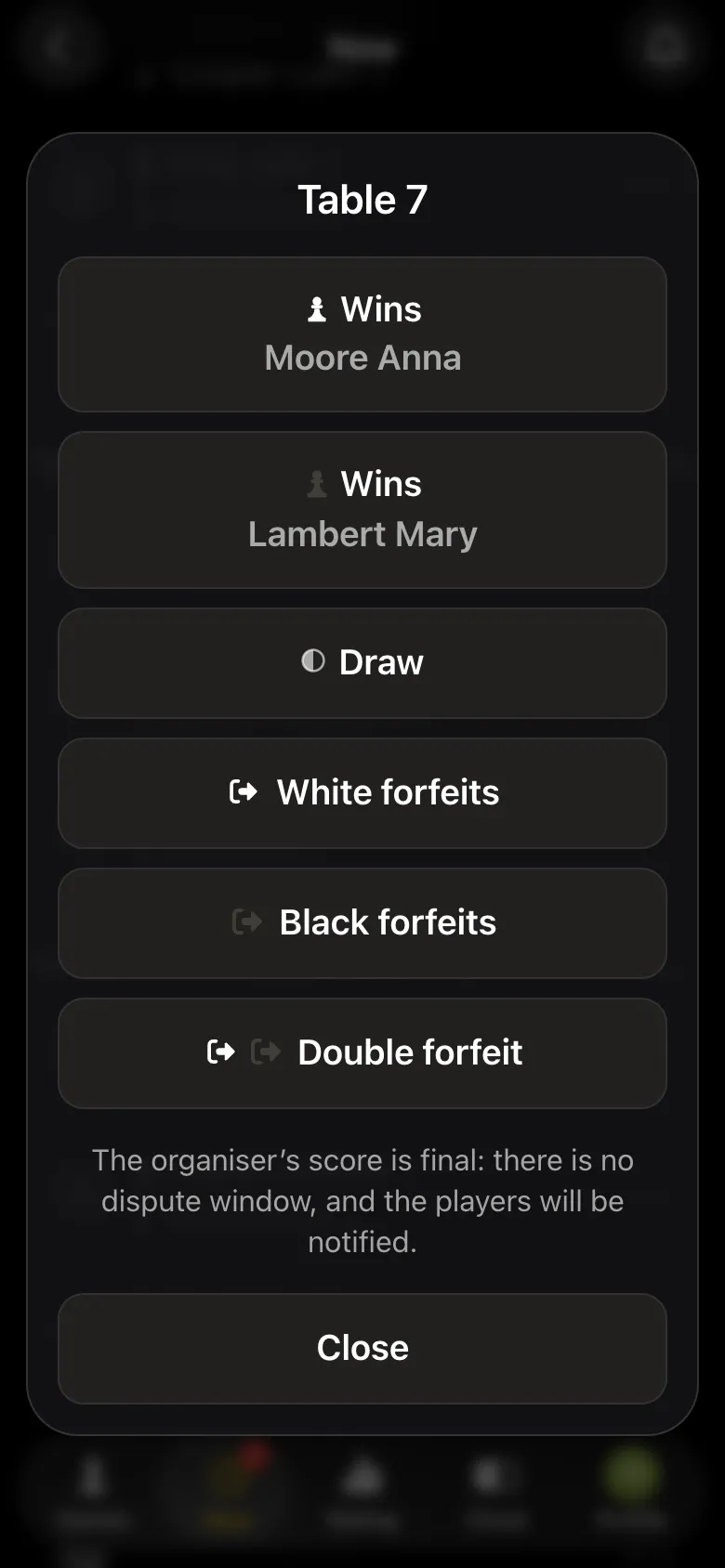
The arbiter's score window: White wins, Black wins, draw, White no-show, Black no-show, double forfeit; the organiser's score is final
The arbiter's score is final.

How to run a tournament in the app - the organiser's guide.

Results that nobody has to collect

In the Vibe Chess app results are marked by the players, the clock and the camera, and the next round starts by itself. Create a tournament for free.

Frequently asked questions about recording results

How is a game result recorded in the Vibe Chess app?

A player marks the result, the opponent confirms or stays silent for 15 seconds - and the result is accepted. Your own loss, a fallen flag on the app's clock and checkmate or stalemate by the camera are recorded at once.

How long do I have to dispute a result?

15 seconds in a tournament game. For a one-on-one game outside a tournament the window is longer.

What if the opponent marked the wrong result?

Press I disagree, dispute it: the mark is removed. Then agree at the board and mark it again, or call the arbiter.

Can the arbiter change a result?

Yes. The arbiter's score is final and replaces the players' marks. A result from a previous round can be corrected too.

When does the next round start?

By itself, once every table of the current round has closed its result.

How is a result recorded in a classical tournament without an app?

Both players sign both scoresheets with the result. A signed result stands even if wrong, unless the arbiter decides otherwise.

The app instead of arbiter software

Pairings are computed by bbpPairings, an open-source engine implementing the Dutch system by FIDE rules: score groups, floats on an odd field, colour alternation. Free to use.

  • Swiss system
    proper rounds with correct pairings, not random matchups
  • Round robin
    a full circle, with the round count derived from the field
  • Free meetup
    a light format with no tournament machinery

More than a bot: the app, FIDE rules and a TRF report

  • The app. Besides the bot there is an app - inside Telegram and simply at playvibechess.com/app: what is on in your city, the player list, a live table, the current round, your profile and game history - everything that is awkward to read as chat messages.
  • Pairings by FIDE rules. Pairings are computed by bbpPairings, an open-source engine implementing the Dutch system: score groups, floats on an odd field, colour alternation, no rematches, and no player gets a bye twice.
  • A TRF report. A finished tournament exports as a single file in the FIDE data exchange format - the one arbiter software and federations accept. Your profile stores the FIDE ID, national federation code, title, sex and date of birth for it.
  • Free. All of the above, with no subscriptions, paid plans or limits on the number of tournaments and players.

Full overview

Missing a feature? Message the developers

The bot is constantly improved based on real tournaments. If you need a feature that isn't there yet, message the developers right inside the bot with the /support command. Many features appeared exactly because organizers asked for them, and useful ideas get added quickly.

Alexey Mudry
Alexey Mudry · hosted 37 events for Vibe Chess · 157 reviews · rating 5.0

At the board since childhood: hazy about his rating, precise about every rook he has blundered. Counts an evening as a good one if the opponent stayed to talk afterwards instead of rushing off to check with an engine. Message →