Vibe ChessVibe ChessApp

Chess board recognition with a phone camera

Alexey Mudry · updated October 13, 2026
The phone stands next to the board and understands every move by itself - even with wooden pieces, evening light and fast play. No electronic board, no special pieces, no stickers on the squares. The Vibe Chess app recognises the position on an ordinary board with high accuracy, and all you do is play. This is chess game recognition for tournaments - of any system, with or without pairings - and for ordinary one-on-one chess matches. Below is the whole journey in screenshots of the app. How to record your own game - recording a chess game with the camera.

What recognition can do

  • Finds the board by itself. Point the camera, and in a couple of seconds the board is marked out - nothing to mark by hand.
  • Sees every move. The app follows the game from the first move to the last and records the moves by itself.
  • Knows all the rules. Castling, en passant, promotion, check, checkmate and stalemate are recognised like any ordinary move.
  • Works out where White is.It doesn't matter which side the phone stands on.
  • Doesn't interrupt the game. No beeps and no questions: you look at the board, not at the screen.

What it looks like: a game from the first move to checkmate

Let's play a game for two: Daniel and Ethan, blitz 5+3. You need two phones - one for the clock, one for the camera. Everything below is real screens of the app.

1. The first player puts down the phone with the clock

Daniel opens the game in his app and taps “Open the timer”. The phone with the clock goes next to the board, like an ordinary chess clock.
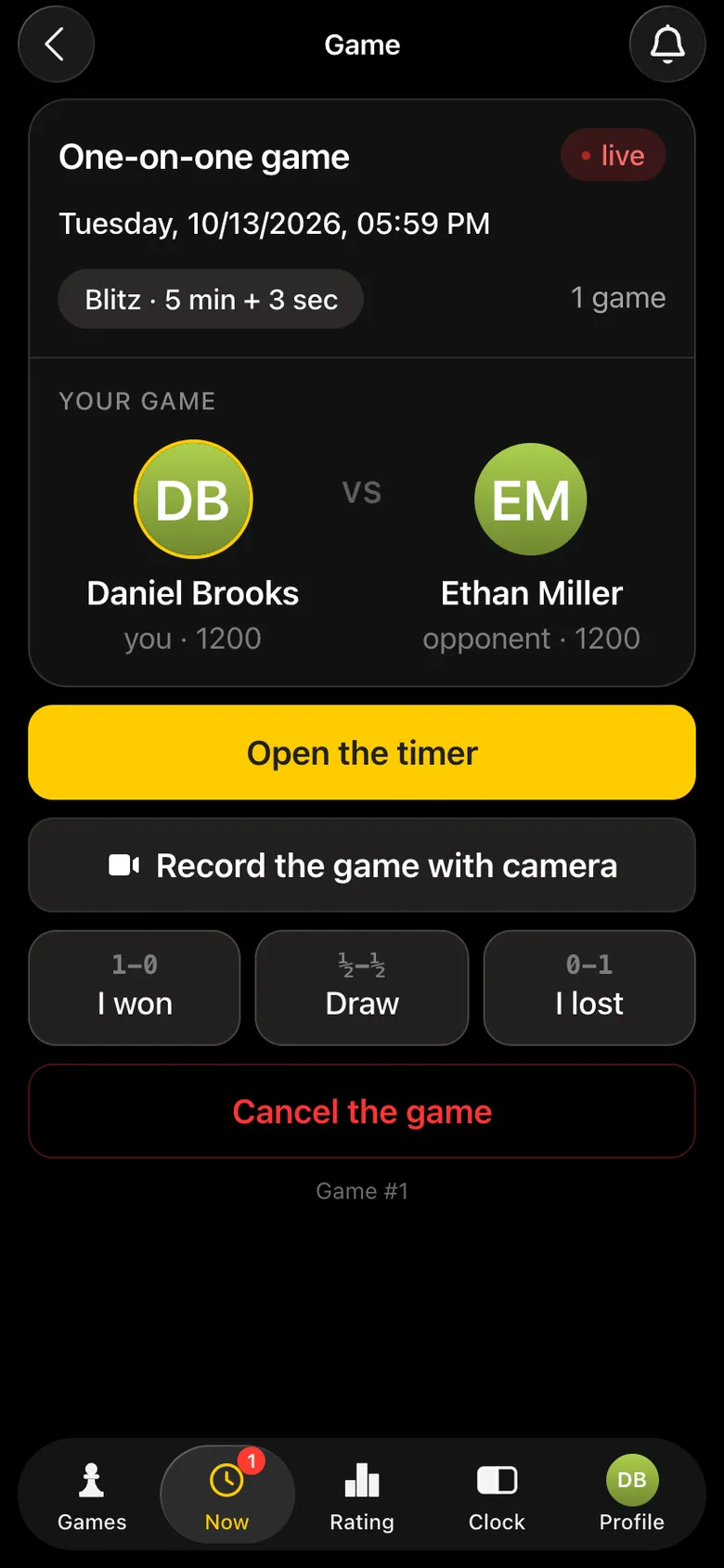
Daniel's game screen: “Open the timer”, “Record the game with camera”, result buttons
Daniel taps “Open the timer”.
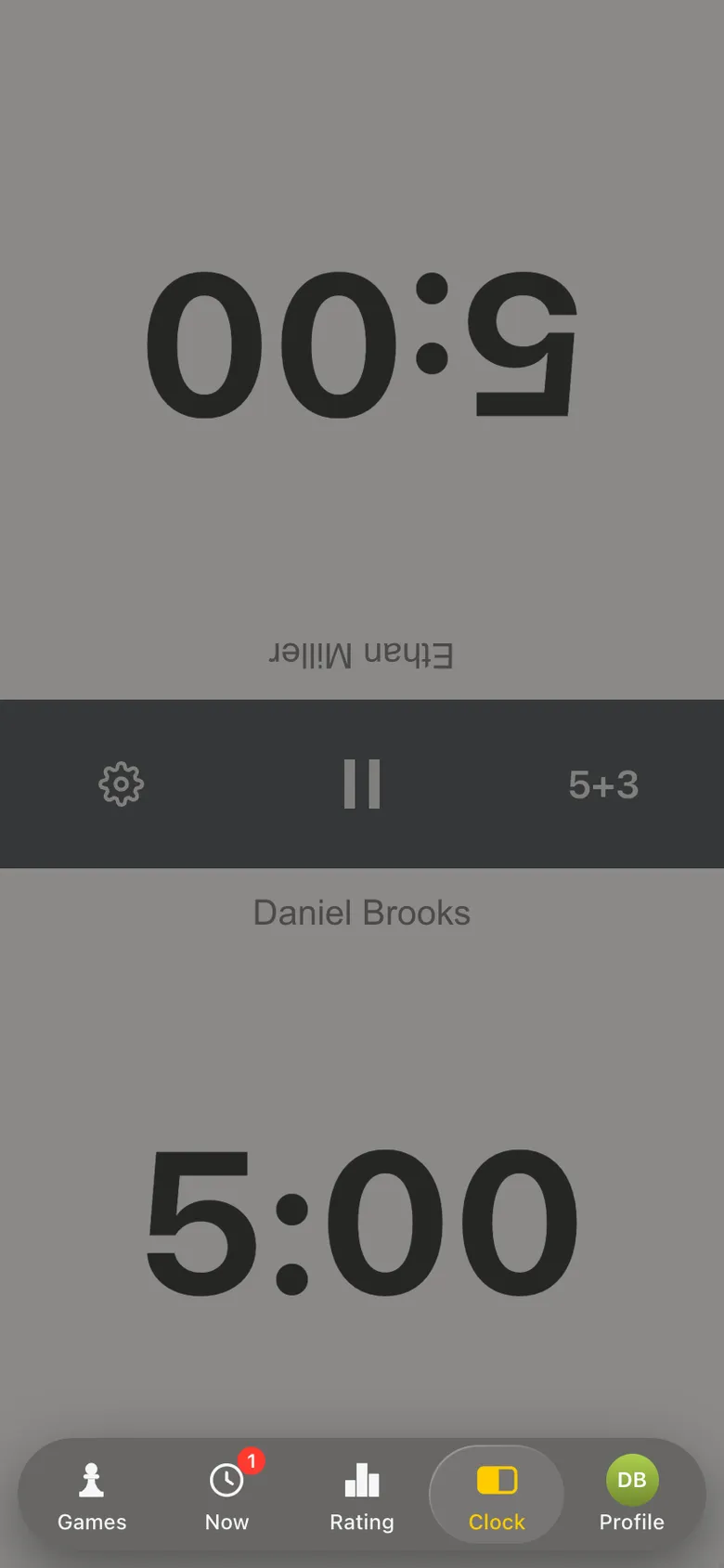
The chess clock in the app: 5:00 for each player, 5+3
The clock is ready, 5 minutes each.

2. The second player opens camera recording

Ethan opens the same game on his phone and taps “Record the game with camera”. He puts the phone on a stand so that the whole board is in the frame.
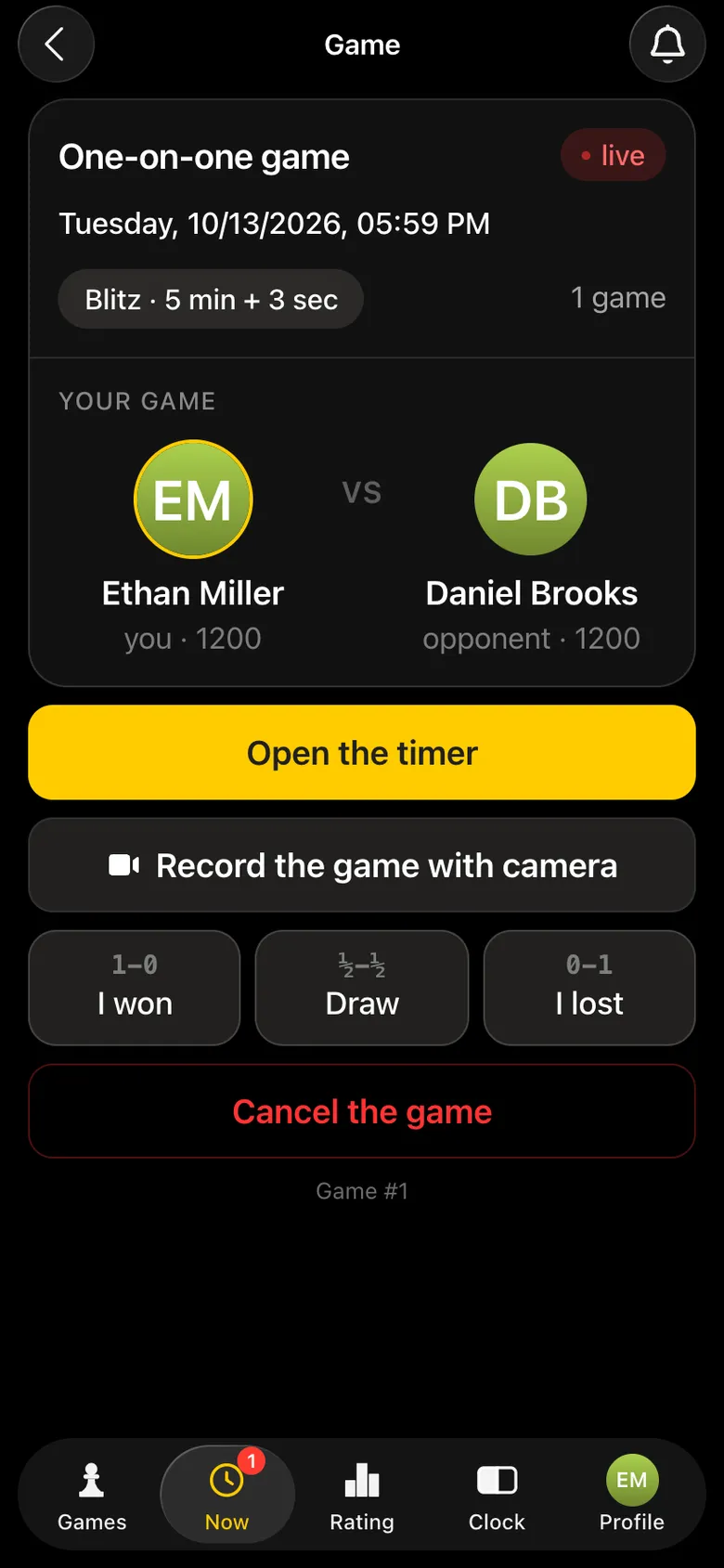
Ethan's game screen: “Record the game with camera” under “Open the timer”
Ethan taps “Record the game with camera”.

3. The app finds the board

The viewfinder opens straight away. In a couple of seconds a green frame with dots in the corners lies on the edges of the board, and the squares are marked with a grid. If the frame sits crooked, there are “Auto calibration” and “Calibrate manually”.
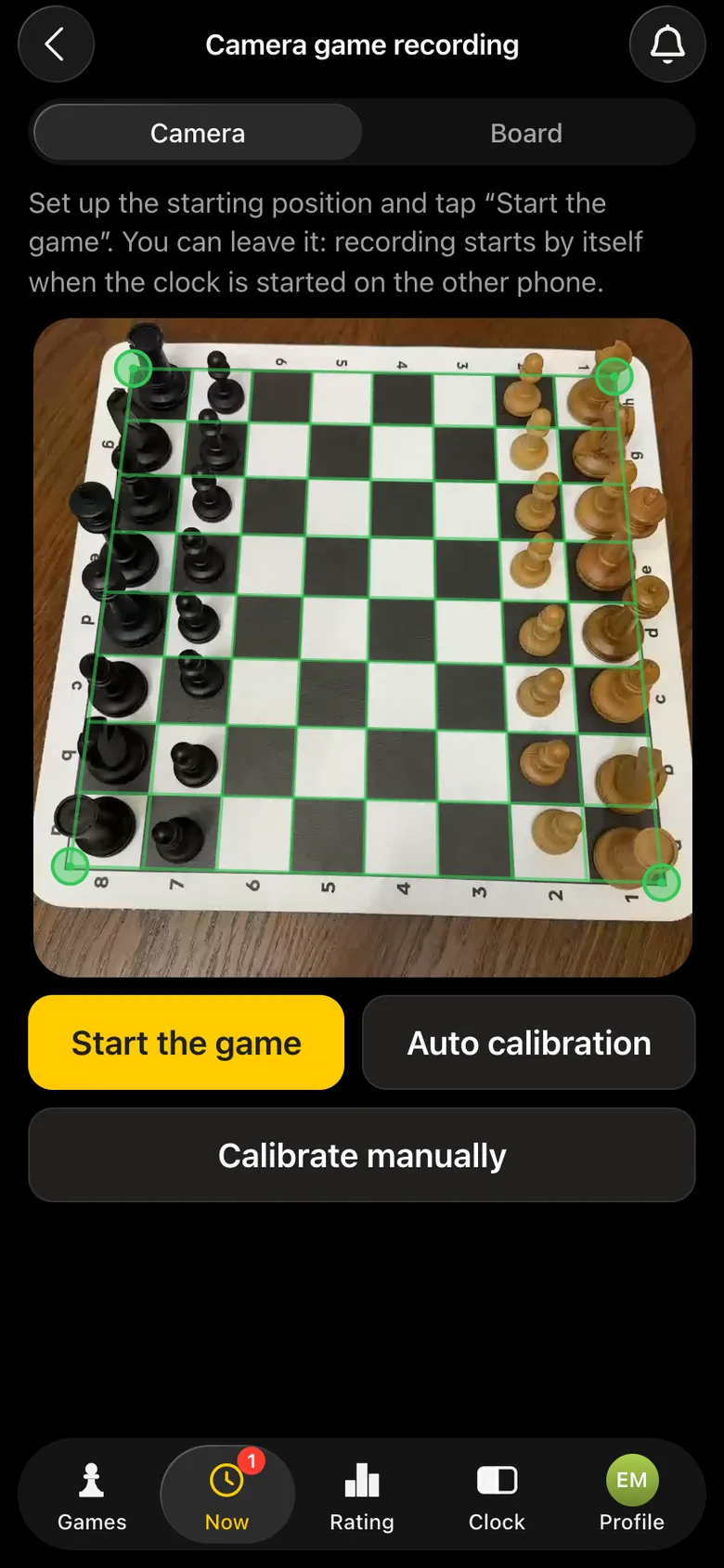
Camera viewfinder: the board in the starting position, a green frame on the corners, buttons “Start the game”, “Auto calibration”, “Calibrate manually”
The board is found, ready to start.

4. The start: every piece is labelled

Ethan taps “Start the game” - or taps nothing: recording starts by itself as soon as Daniel starts the clock. From this moment every piece in the frame carries a label, and the labels move together with the pieces.
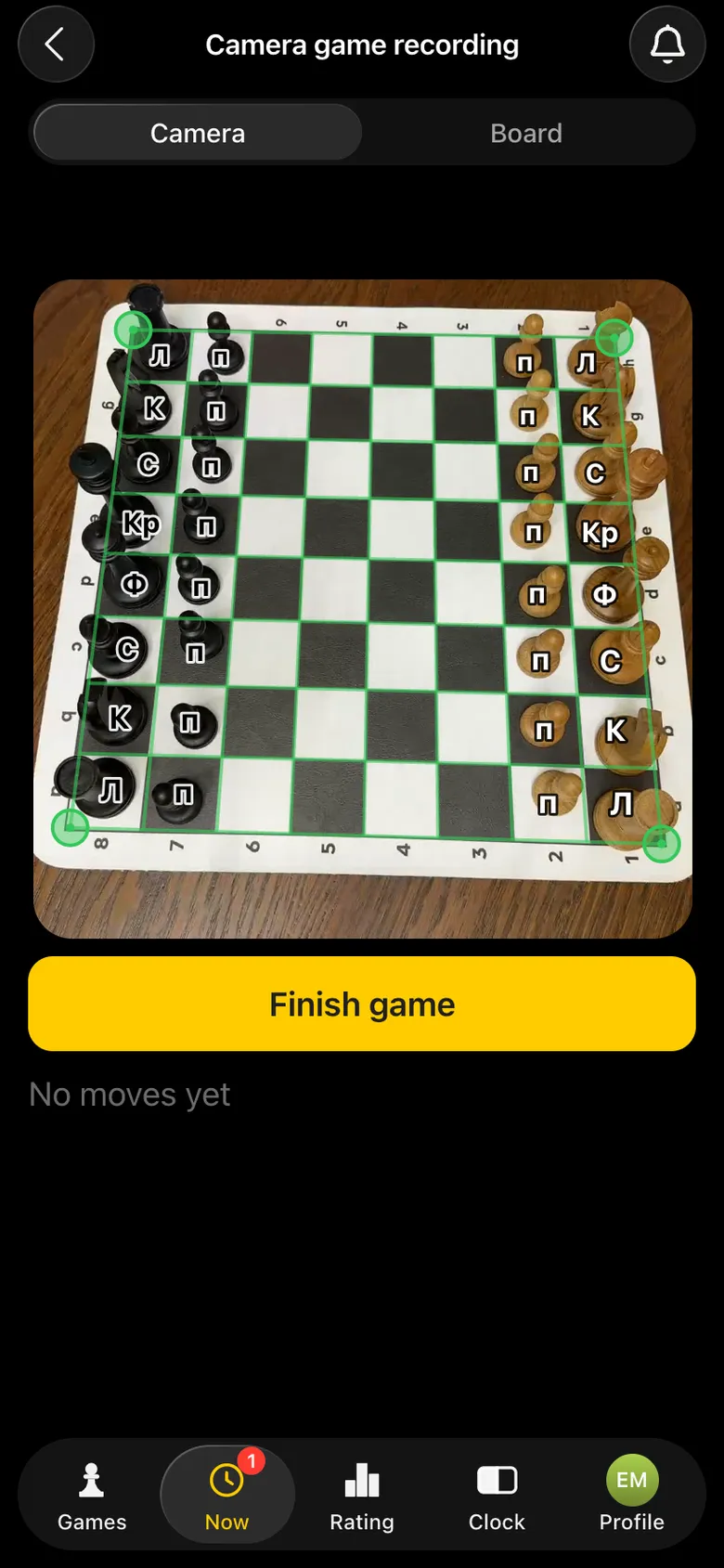
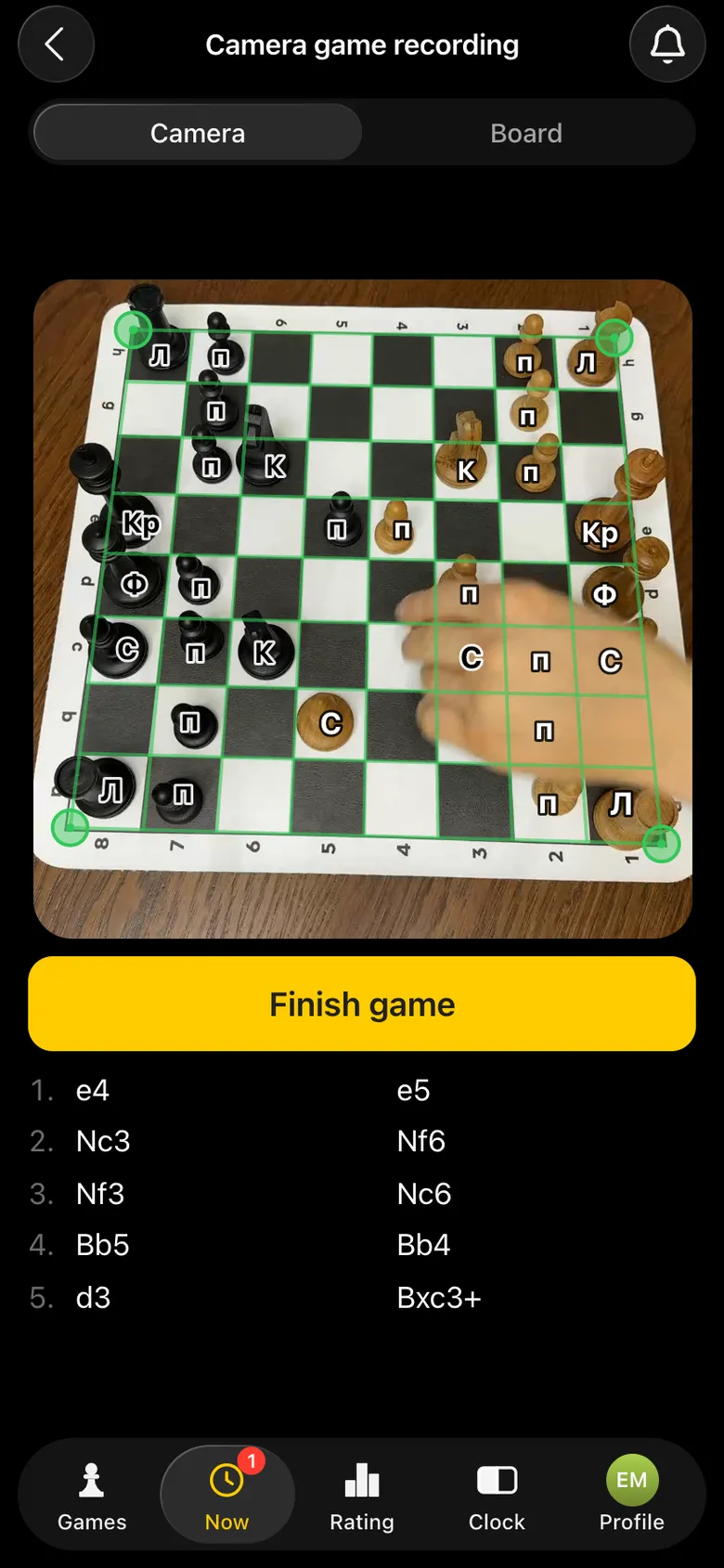
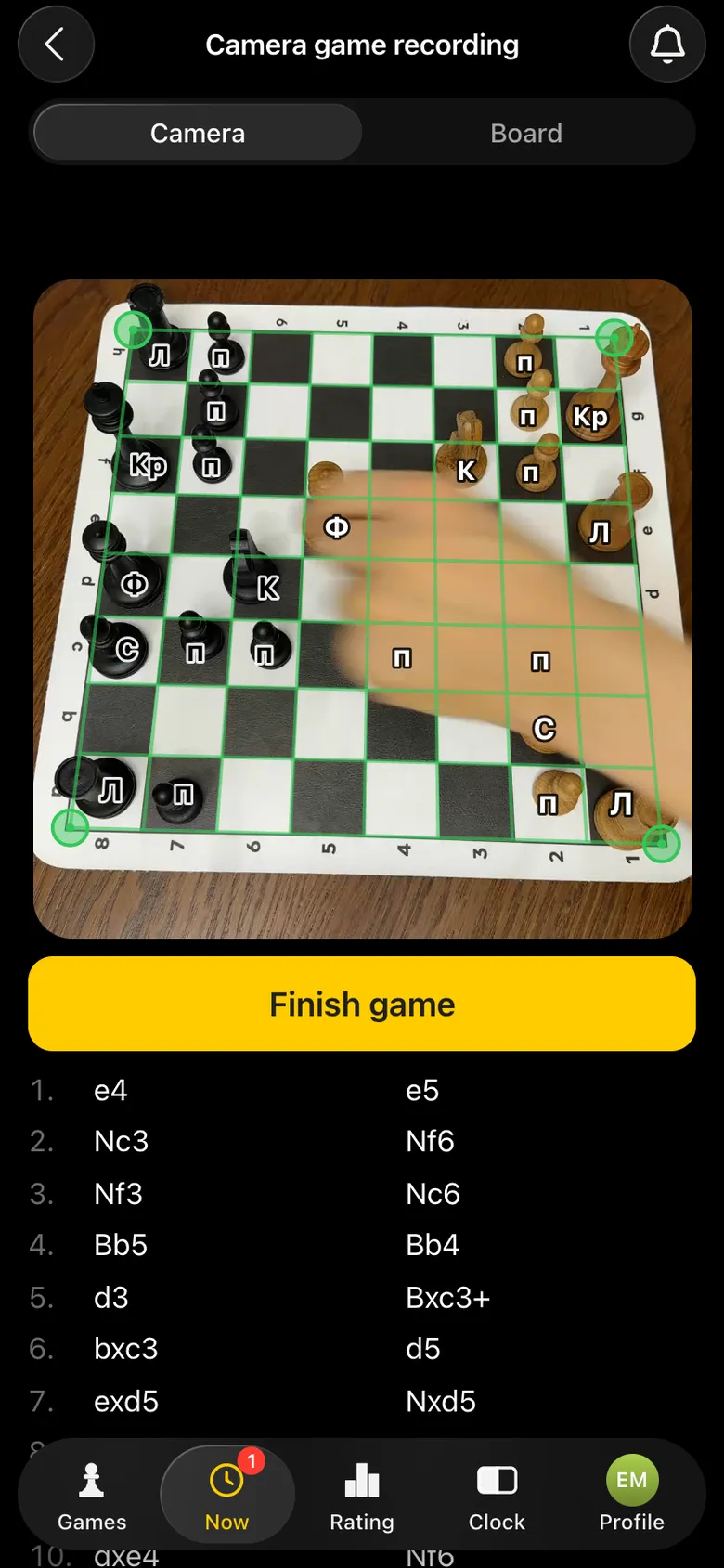
Camera view after the start: every piece carries a round label
Every piece is labelled.
Camera view mid-game: the labels have moved with the pieces, the move list below the board
Mid-game: the labels follow the pieces.
Camera view: a player makes a move over the marked-out board
The players just play.

5. The game goes on - the moves write themselves

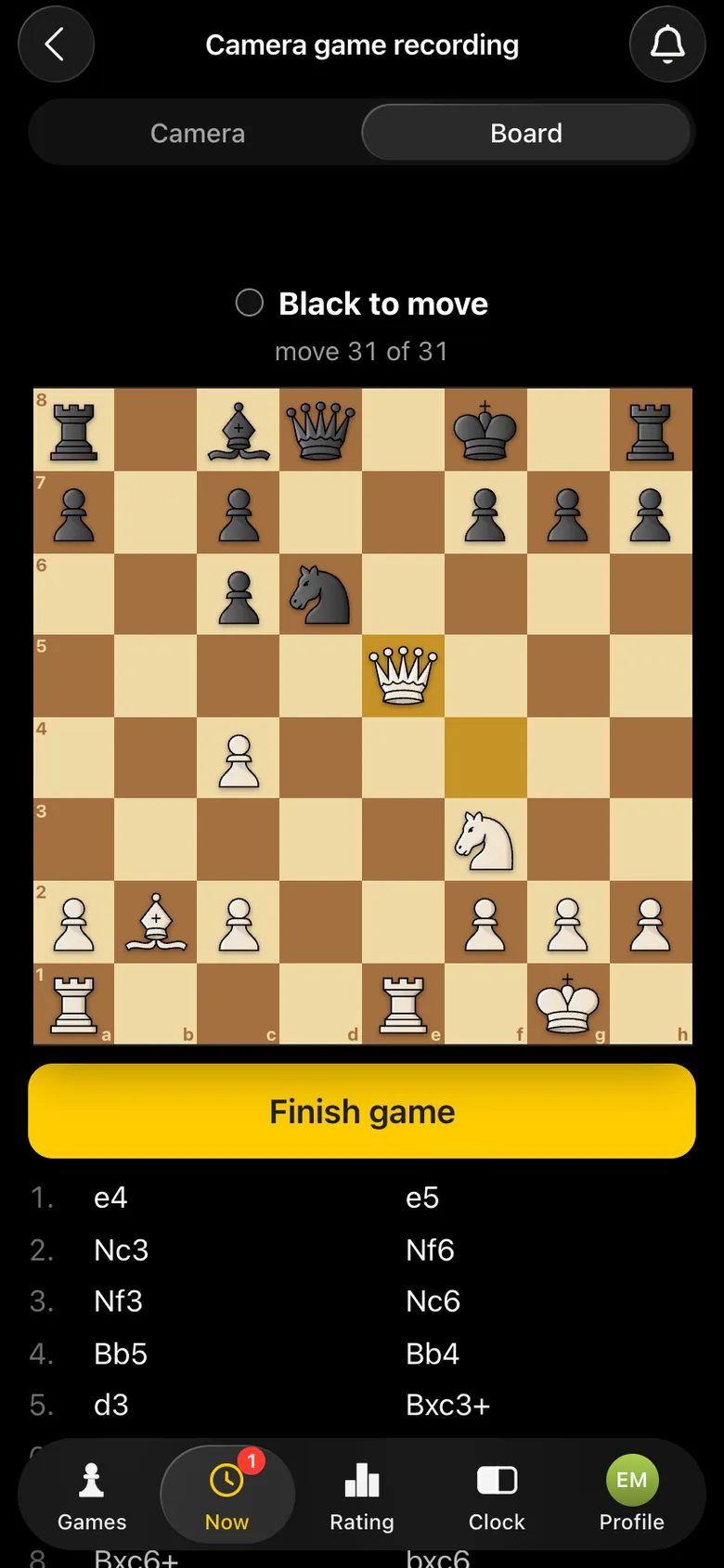
The “Board” tab shows the same game as an ordinary position: whose move it is, how many moves have been played, the last move highlighted. The game record is below. You don't need to watch the screen: the phone stands to the side, the players look at the board.
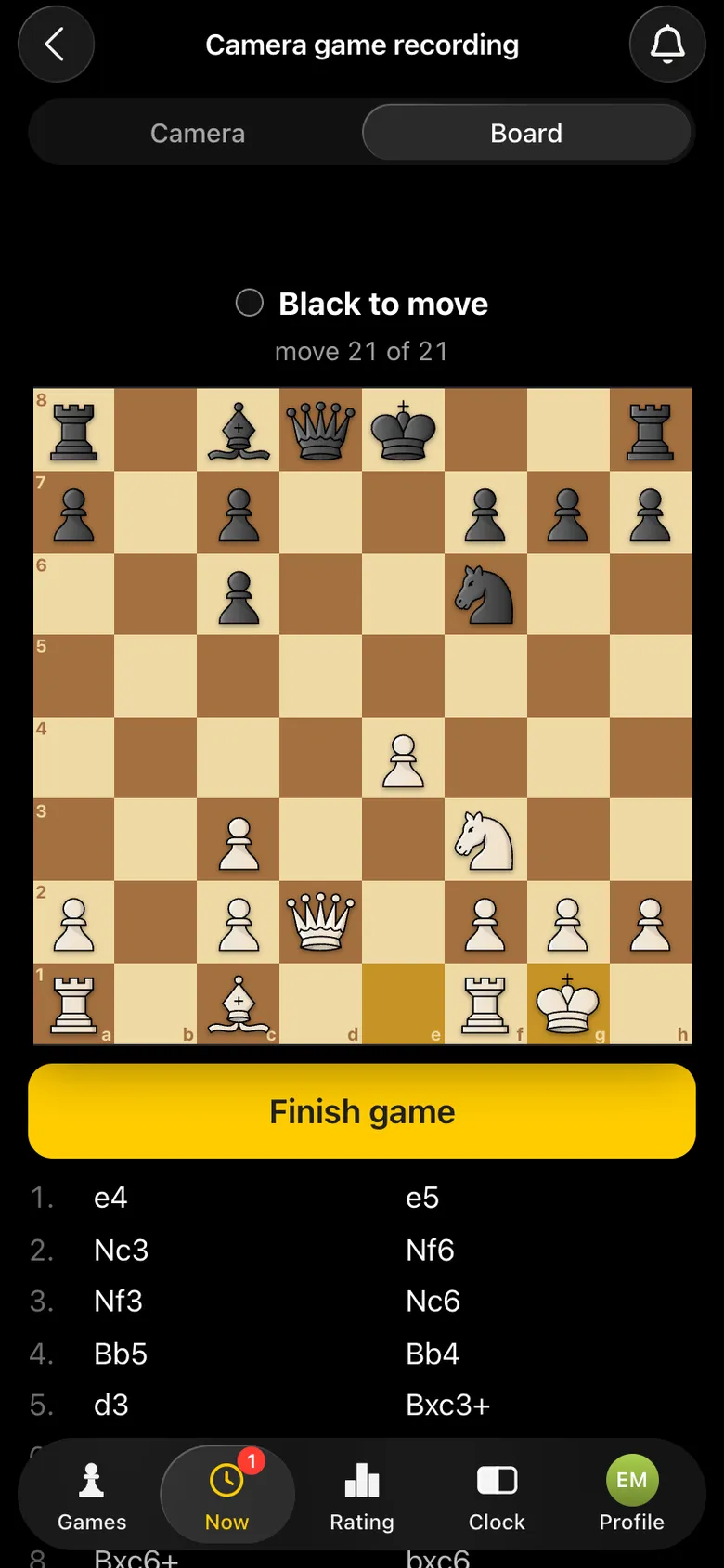
The “Board” tab: the position after 21 moves, Black to move, the last move highlighted
Move 21 of 21.
The “Board” tab: the position after 31 moves, the white queen on e5
31 moves - all recorded.
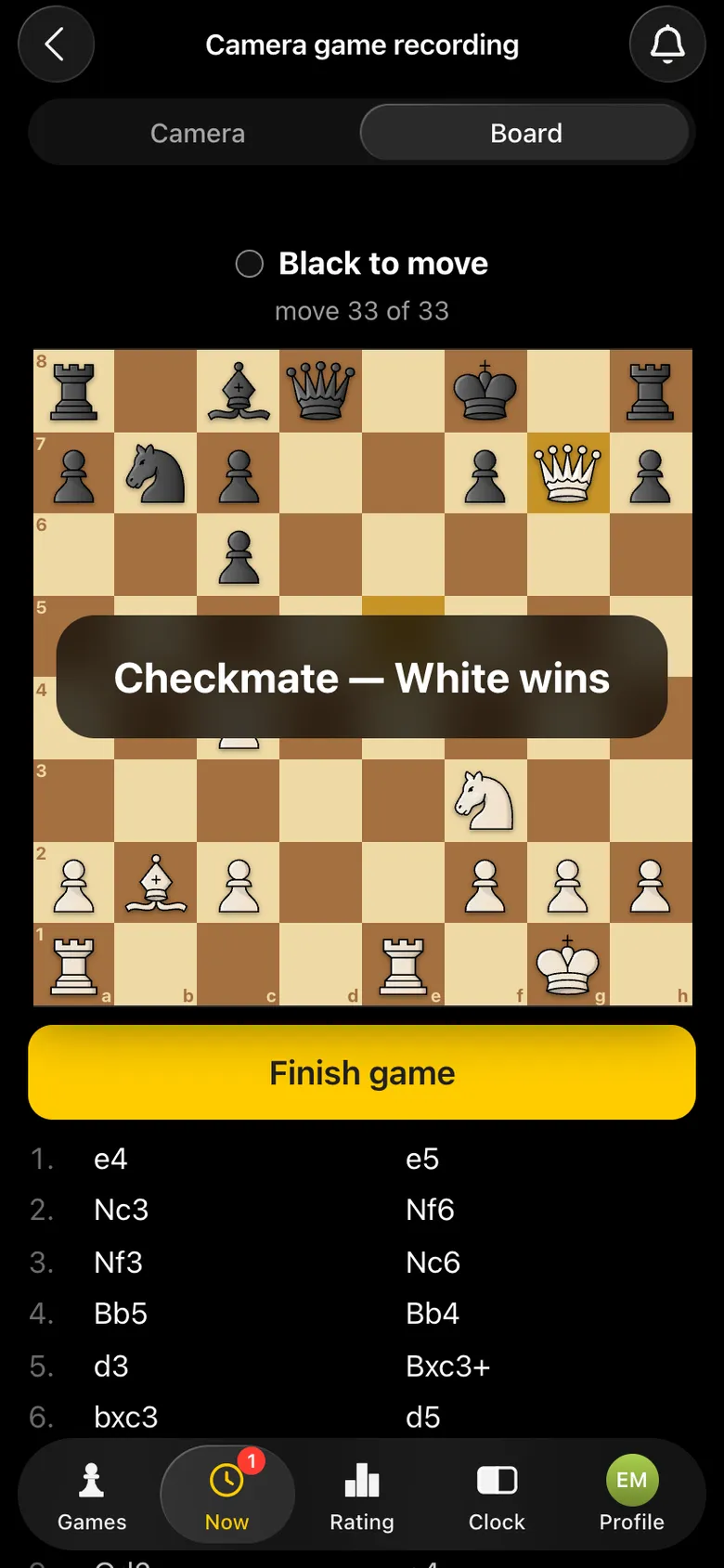
“Checkmate - White wins” over the board, move 33 of 33
Checkmate. The recording ended by itself.

6. The game in its card

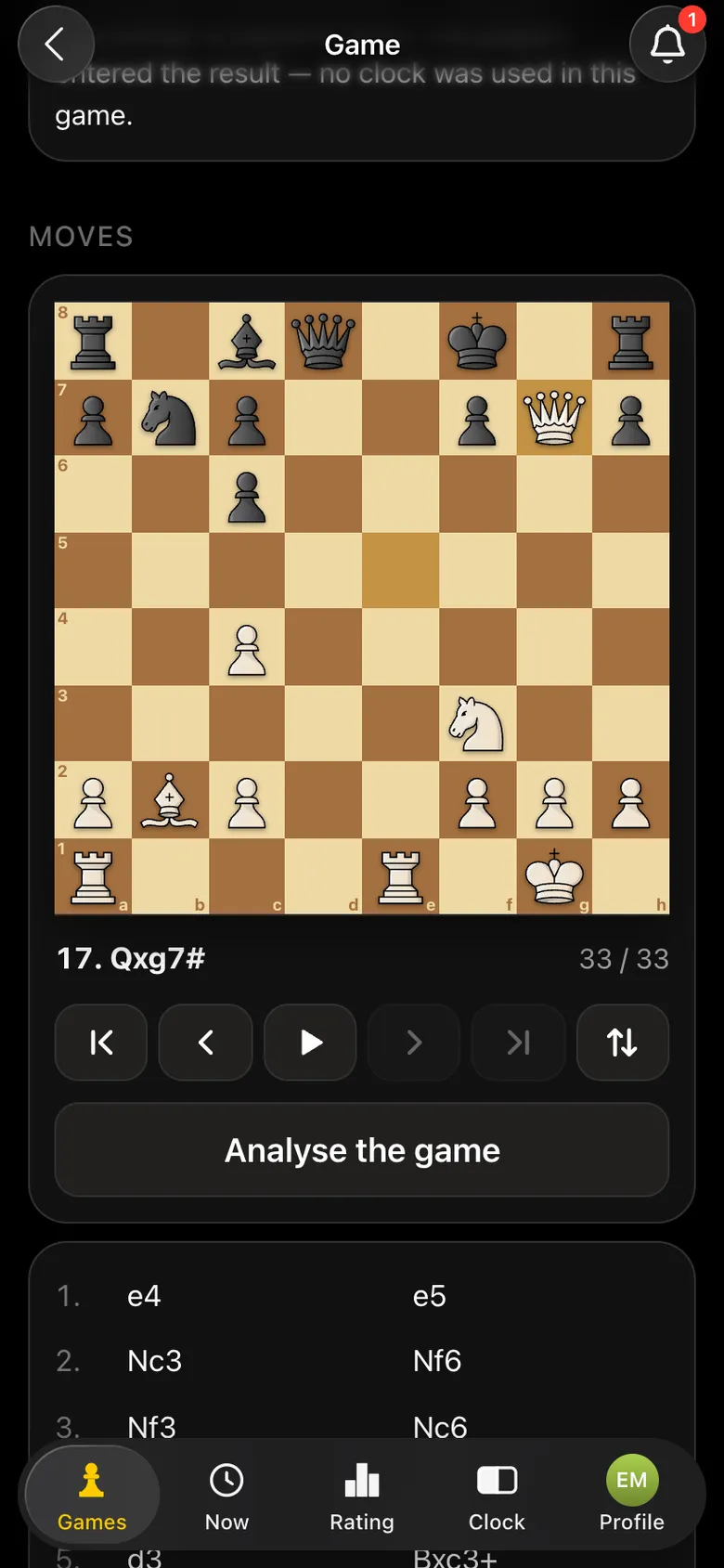
After the checkmate the app went back to the game screen by itself. The result is marked - and the game card holds all 33 moves: you can replay them on a board and analyse them with an engine.
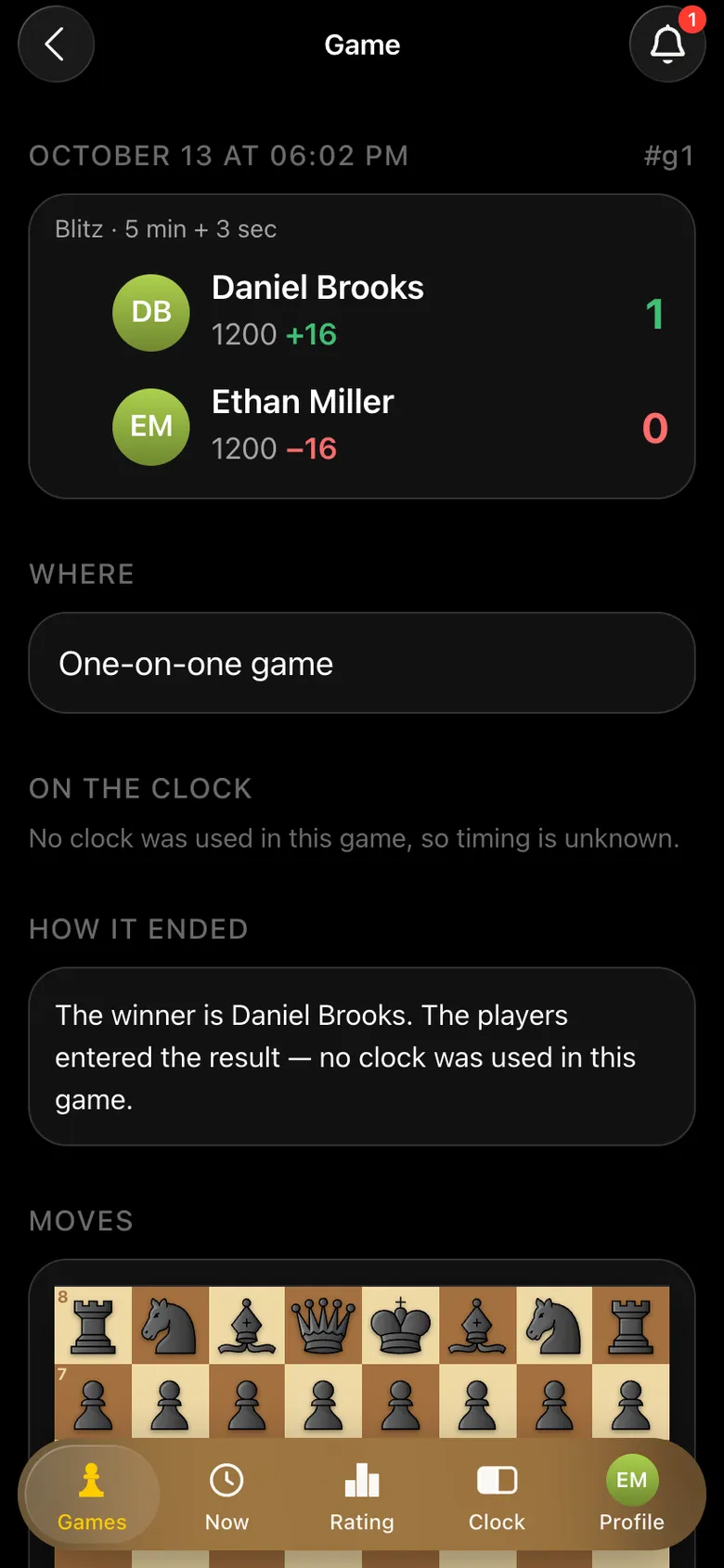
Game card: Daniel Brooks 1, Ethan Miller 0, rating change +16 and -16
Result and rating.
The board with replay controls in the game card: the final position after 17. Qxg7#, the “Analyse the game” button
The whole game on a board you can replay.

The app recorded this game in full by itself: 33 moves with castling, captures and checks, without a single correction.

Castling and special moves too

Special moves are the hardest part of any automatic recording. In castling two pieces move at once; in en passant the pawn removed is not on the square where the capturing pawn lands. The app records these moves correctly and by itself.

87654321
abcdefgh
The position after 1.e4 e5 2.Nf3 Nc6 3.Bb5 Nf6. White castles.
87654321
abcdefgh
After 4.O-O the game record shows kingside castling - as one move, as it should.

Any boards, any pieces, any angle

We tested recognition on real games at different boards: wooden and vinyl, tournament and home sets. We filmed from above and from the side, from White's and Black's side, in daylight and evening light. In all these conditions the app reads the position of the pieces with high accuracy.

Recognition keeps improving: every game played with the camera makes it even more accurate.

All you need to do

  • A stand or a tripod for the phone.
  • The whole board in the frame - all 64 squares.
  • The starting position before recording begins.

The app does the rest. Step by step - how to record a game with the camera.

How it differs from recognising a position from a photo

Some programs recognise a position from a single photo - say, a picture of a diagram in a book. They show one position. Camera recording in Vibe Chess follows a live game from start to finish: you end up not with a snapshot but with the whole game move by move, which you can replay and analyse with an engine - game analysis in the app.

Try it on your own board

Put the phone on a stand, open the game in the app and tap “Record the game with camera”. After the game you can analyse it with an engine.

Questions about board recognition

Is recognition suitable for tournaments?

Yes. Camera recording is available in tournaments of any system, at the club's casual meetups and in one-on-one games. Each board needs its own phone on a stand.

Can a phone recognise a chess board?

Yes. The Vibe Chess app recognises an ordinary chess board with the phone camera and records every move of the game. All you need is a phone stand and the whole board in the frame.

Do I need special pieces or an electronic board?

No. Ordinary pieces of any design and any board will do: wooden, vinyl, tournament or home.

Are castling and en passant recognised?

Yes. Castling, en passant, pawn promotion, check, checkmate and stalemate are recorded by themselves, just like ordinary moves.

How accurate is the recognition?

We tested it on dozens of games on different boards, in different light and at different angles - the position of the pieces is read with high accuracy. Every new game makes recognition even more accurate.

Can it recognise a position from a single photo?

Recording in Vibe Chess is made for a live game: it follows play from the starting position and saves every move. The app does not recognise single snapshots.

How to run a tournament without being an arbiter

No arbiter skills required. The app takes over the part that usually stops people from running tournaments at all: who plays whom in each round and who finishes first.

  • Swiss system
    works for ten players and for fifty
  • Round robin
    for a small group that wants to play everyone
  • Free meetup
    for those who do not need a bracket at all

More than a bot: the app, FIDE rules and a TRF report

  • The app. Besides the bot there is an app - inside Telegram and simply at playvibechess.com/app: what is on in your city, the player list, a live table, the current round, your profile and game history - everything that is awkward to read as chat messages.
  • Pairings by FIDE rules. Pairings are computed by bbpPairings, an open-source engine implementing the Dutch system: score groups, floats on an odd field, colour alternation, no rematches, and no player gets a bye twice.
  • A TRF report. A finished tournament exports as a single file in the FIDE data exchange format - the one arbiter software and federations accept. Your profile stores the FIDE ID, national federation code, title, sex and date of birth for it.
  • Free. All of the above, with no subscriptions, paid plans or limits on the number of tournaments and players.

Full overview

Missing a feature? Message the developers

The bot is constantly improved based on real tournaments. If you need a feature that isn't there yet, message the developers right inside the bot with the /support command. Many features appeared exactly because organizers asked for them, and useful ideas get added quickly.

What to read next

How to record a game step by step - recording a game with the camera. What to do with the recorded game - game analysis in the app. How electronic boards work - electronic chess boards. The rules of castling and en passant - castling and how the pawn moves.

Alexey Mudry
Alexey Mudry · hosted 25 events for Vibe Chess · 118 reviews · rating 5.0

At the board since childhood: hazy about his rating, precise about every rook he has blundered. Counts an evening as a good one if the opponent stayed to talk afterwards instead of rushing off to check with an engine. Message →