Vibe ChessVibe ChessApp

Which smartphone suits Vibe Chess: requirements for the clock, bullet and the camera

Alexey Mudry · updated October 26, 2026
Vibe Chess runs in the browser and in Telegram, so most tasks need neither an app store nor a powerful phone. But the tasks differ: you can sign up for a tournament and check the standings on any smartphone, play bullet on the clock on a responsive one, and record a game with the camera best on a modern one. Below - phone requirements by task, how to install the app and sign up, and the main rule of a tournament: the weak phone goes under the clock, the strong one on the camera.

Four tasks - four levels of requirements

The phone you need depends on what you are going to do in the app. The further down the list, the more demanding the task:

1

The app and tournaments

Signing up for events, pairings, standings, rating, trainers. Practically any smartphone will do.
2

The chess clock

Blitz and rapid on the clock - any phone too. The clock works even without internet.
3

Bullet on the clock

1+0 and 1+1 - you need a responsive screen with no tap delay.
4

Camera and broadcast

The most demanding task: you need a modern smartphone from recent years.

Phone requirements: a table

TaskWhat you needPhoneInternet
App, tournament sign-up, standingsany smartphone with an up-to-date Safari, Chrome or Telegramanyneeded
Trainersany smartphoneanyneeded for the leaderboard
Chess clock: blitz, rapidany smartphoneanynot needed
Chess clock: bullet 1+0, 1+1a responsive screen, the phone not overloadedmid-range and abovenot needed
Notifications on iPhonethe installed app, iOS 16.4 or lateranyneeded
Camera recording and broadcasta recent iPhone or Android, the main camerastrongneeded, stable

Common to every task: an updated system and browser (Safari on iPhone, Chrome on Android) or Telegram, free space for the app - it weighs less than an ordinary photo - and a charged battery.

For the app simply to work

For signing up for tournaments and meetups, pairings, standings, rating, the profile and the trainers, practically any smartphone that opens a modern website will do. The app is light: it pulls nothing from third-party servers, and a repeat launch runs from the phone's memory.

  • • iPhone - with an up-to-date iOS and Safari.
  • • Android - with an updated Chrome.
  • • Or Telegram - the app opens right inside it, on any phone where the messenger works.
  • • Internet - needed: pairings, scores and standings go through the server.

To play on the clock, including bullet

The chess clock in the app works on any phone and even without internet: time is counted right on the device. For blitz and rapid an old phone will do.

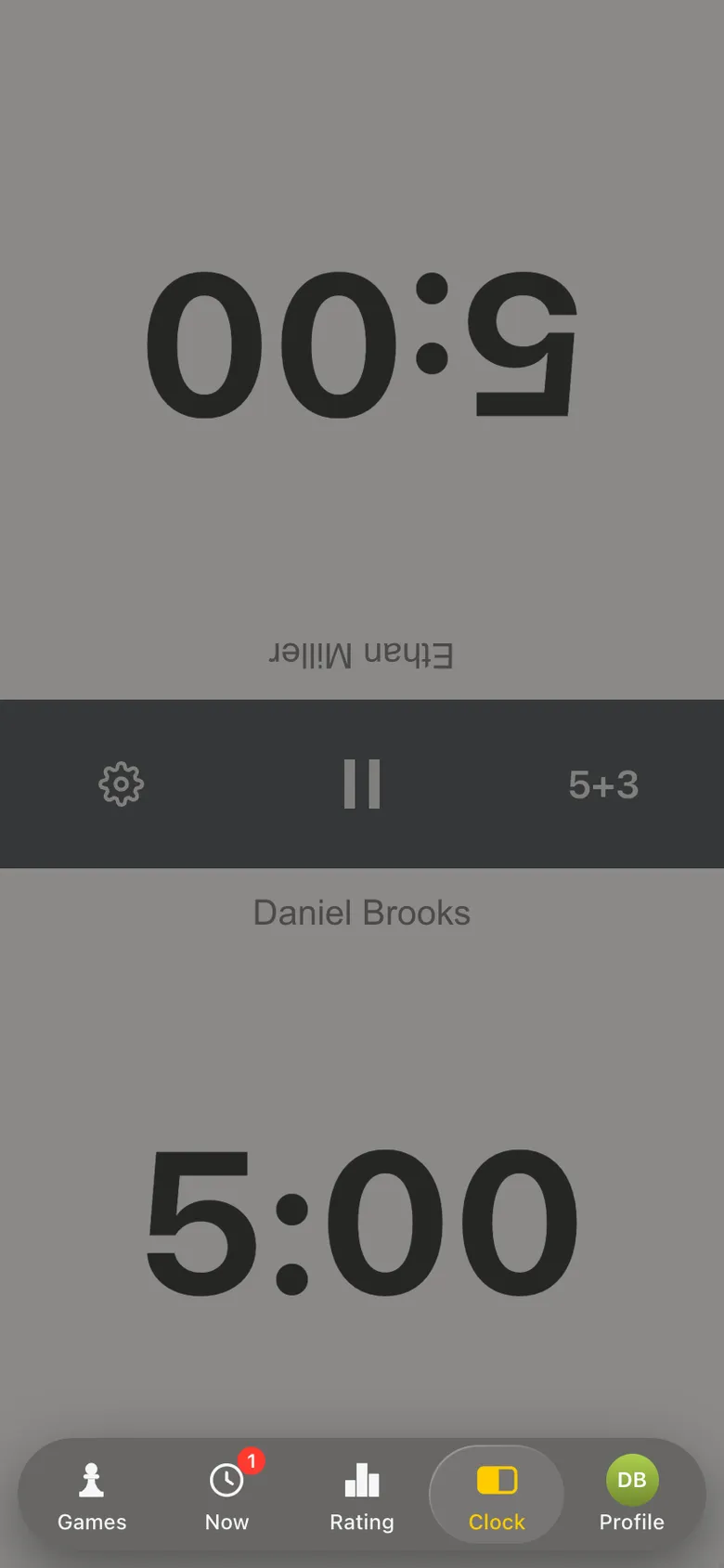
For bullet (1+0, 1+1) response speed matters: strong players pass the move several times a second, and every tap must switch the clock at once. The clock in the app is tuned not to lose fast taps and not to count an accidental finger "bounce". From the phone you need:
  • • a responsive touch screen with no delay - usually a mid-range phone or better;
  • • background apps closed - so nothing slows down at the moment of the tap;
  • • heavy battery saving off - it slows the screen down;
  • • Do Not Disturb on - a call in the middle of bullet costs you the game.
The chess clock in the Vibe Chess app: two halves of the screen, control 5+3
The chess clock: works on any phone and offline.

More about the clock - a chess clock on your phone.

To record a game with the camera

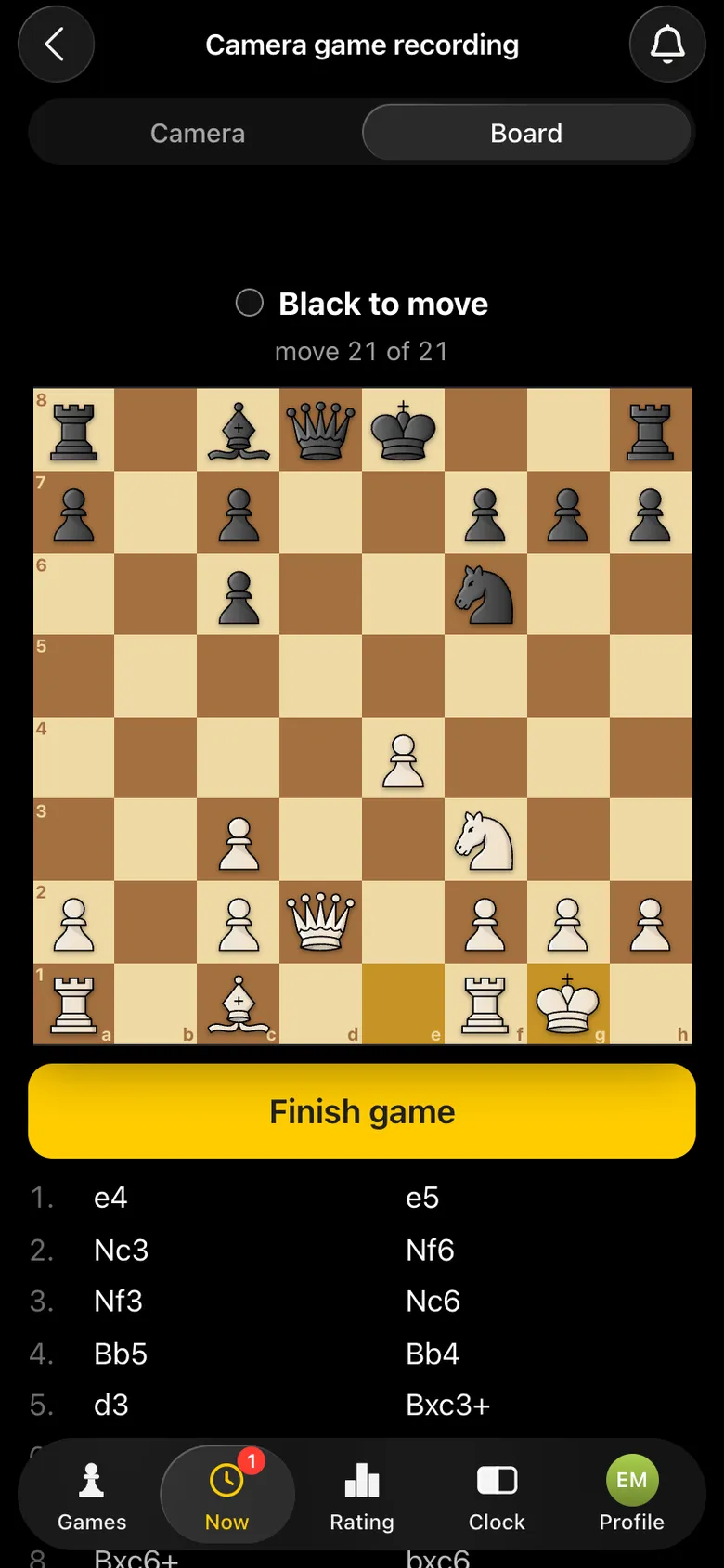
Camera recording is the most demanding task in the app. Throughout the game the phone looks at the board and records the moves by itself, processing the picture right on the device. That takes a modern smartphone: a recent iPhone or Android, mid-range or flagship.
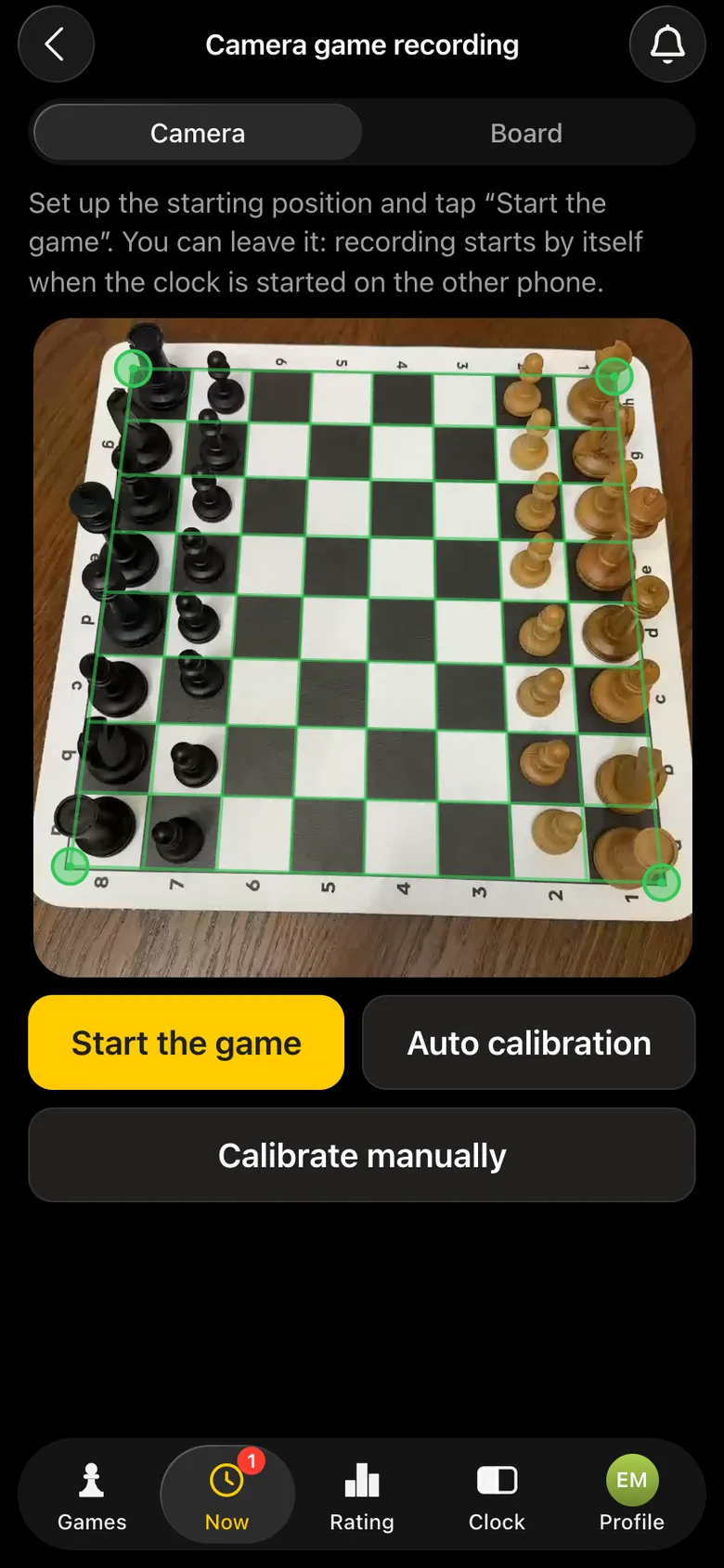
  • • The main camera without zoom: the whole board in the frame.
  • • Charge - the camera and screen work the whole game, so it is better to plug in a power bank.
  • • Stable internet - if the game is broadcast: moves go on air over the network.
  • • A stand - the phone must stay still.
The phone camera has found the chessboard: a green frame on the corners of the board
The camera has found the board - recording is ready.
The Board tab: the recorded position and the list of moves
Moves are recorded as the game goes on.

How recording works - recording a chess game with a phone camera.

How the phone's power shows in practice

⏱️

The clock needs no power

The clock just counts time and switches sides on a tap. A five-year-old phone can do that - and it works even without internet.
📷

The camera does

Throughout the game the camera processes the picture right on the phone. The faster the phone, the faster and more accurately moves are recorded.
🐢

A weak phone on the camera

Recording may lag, moves appear in the broadcast later, and fast exchanges more often need a correction.
🚀

A strong phone on the camera

Moves are recorded almost as soon as the piece lands on its square, and go on air straight away.

We checked this on live games: the same tournament was recorded without errors by a fast phone, while a slow one lagged and got confused in fast exchanges noticeably more often. So the camera phone deserves attention first.

The main rule: the weak one under the clock, the strong one on the camera

There are usually two phones at a table - the opponents', or a player's and a volunteer's. Compare them and assign them like this:
⏱️

The weaker phone - on the clock

It lies by the board screen up. The clock needs no power, only a responsive screen.
📷

The stronger phone - on the camera

It goes on a stand with its main camera on the board. Here power decides how fast and accurately the moves are recorded.
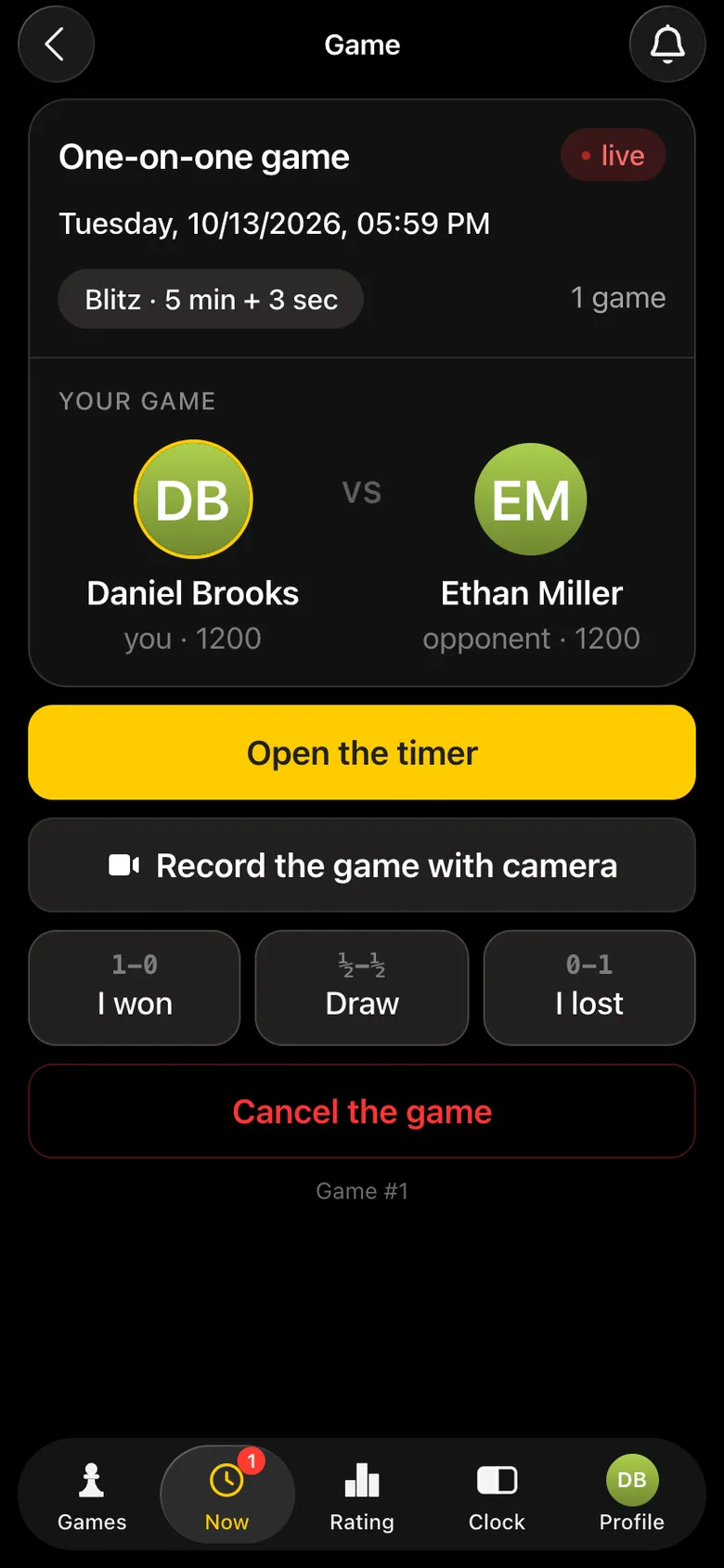
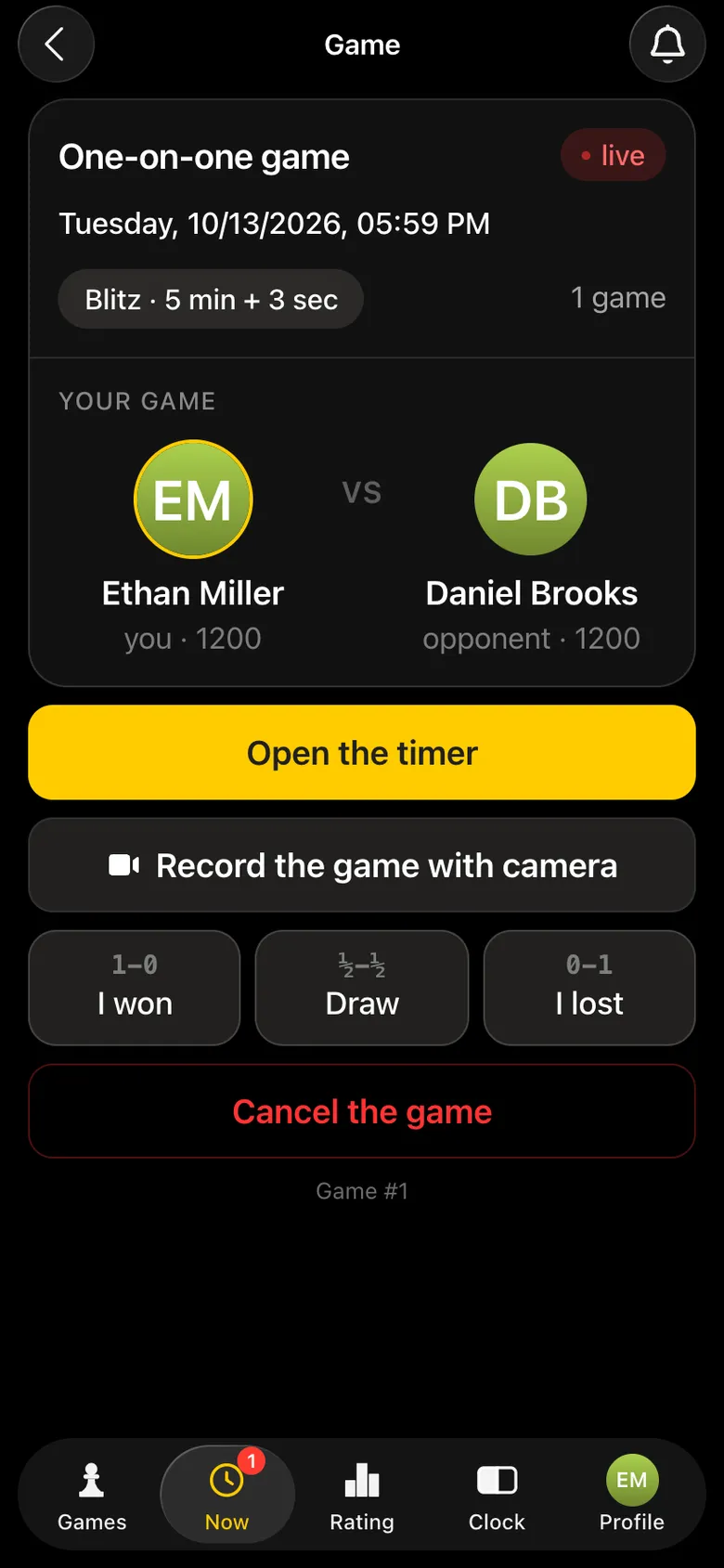
Game card: the Open the timer button - for the clock phone
Phone 1 (weaker): Open the timer.
Game card: the Record the game with camera button - for the phone on the stand
Phone 2 (stronger): Record the game with camera.
Not sure which one is stronger? Usually the newer one is. If in doubt, play a trial game: if moves appear on the Board tab straight after the piece lands on its square, the phone copes. If it lags, swap the phones.

How to install the app

Vibe Chess installs straight from the browser, without the App Store or Google Play: its own icon on the screen, its own launch, no address bar. The installed app works directly - without Telegram and without a VPN.
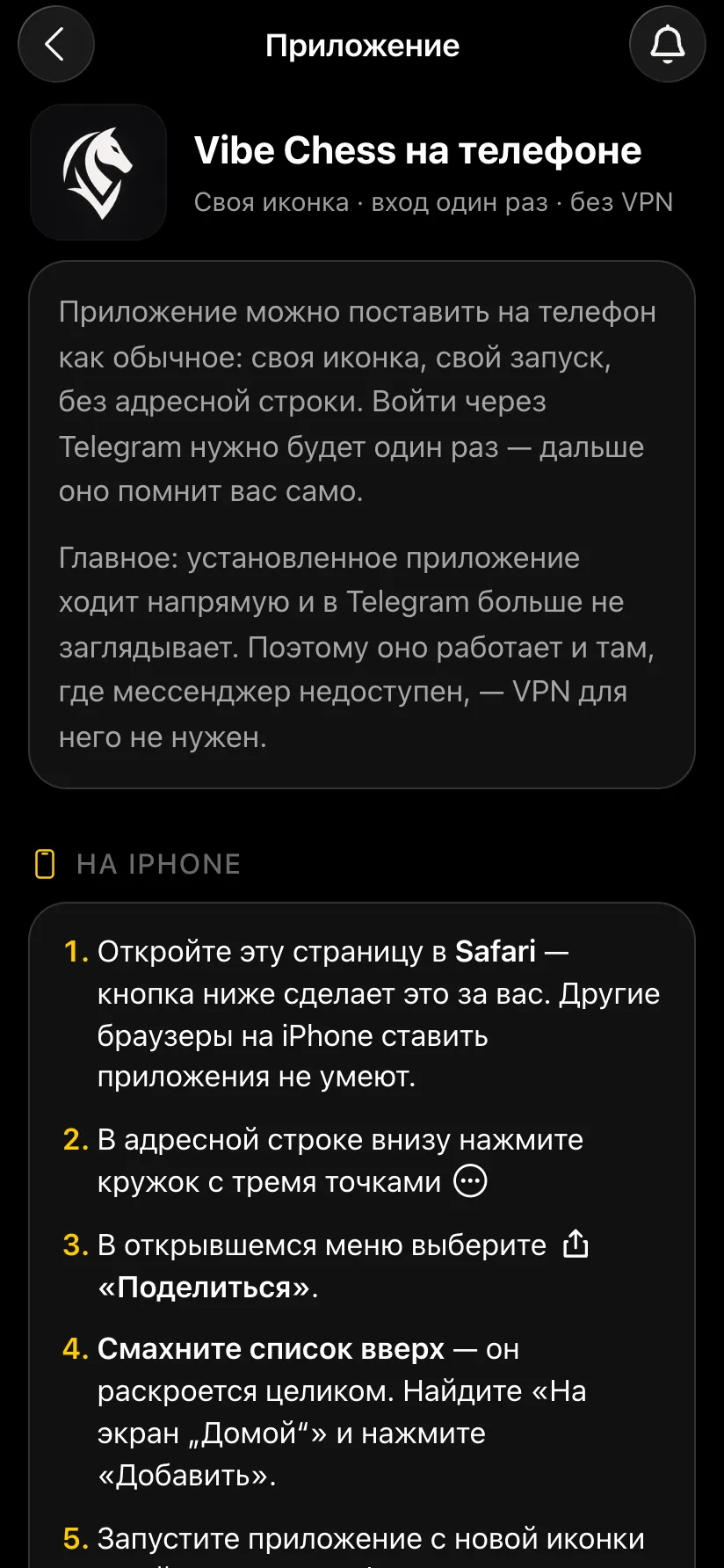
On iPhone

Open playvibechess.com/app in Safari → the circle with three dots → Share → Add to Home Screen → Add. Other browsers on iPhone cannot install apps.

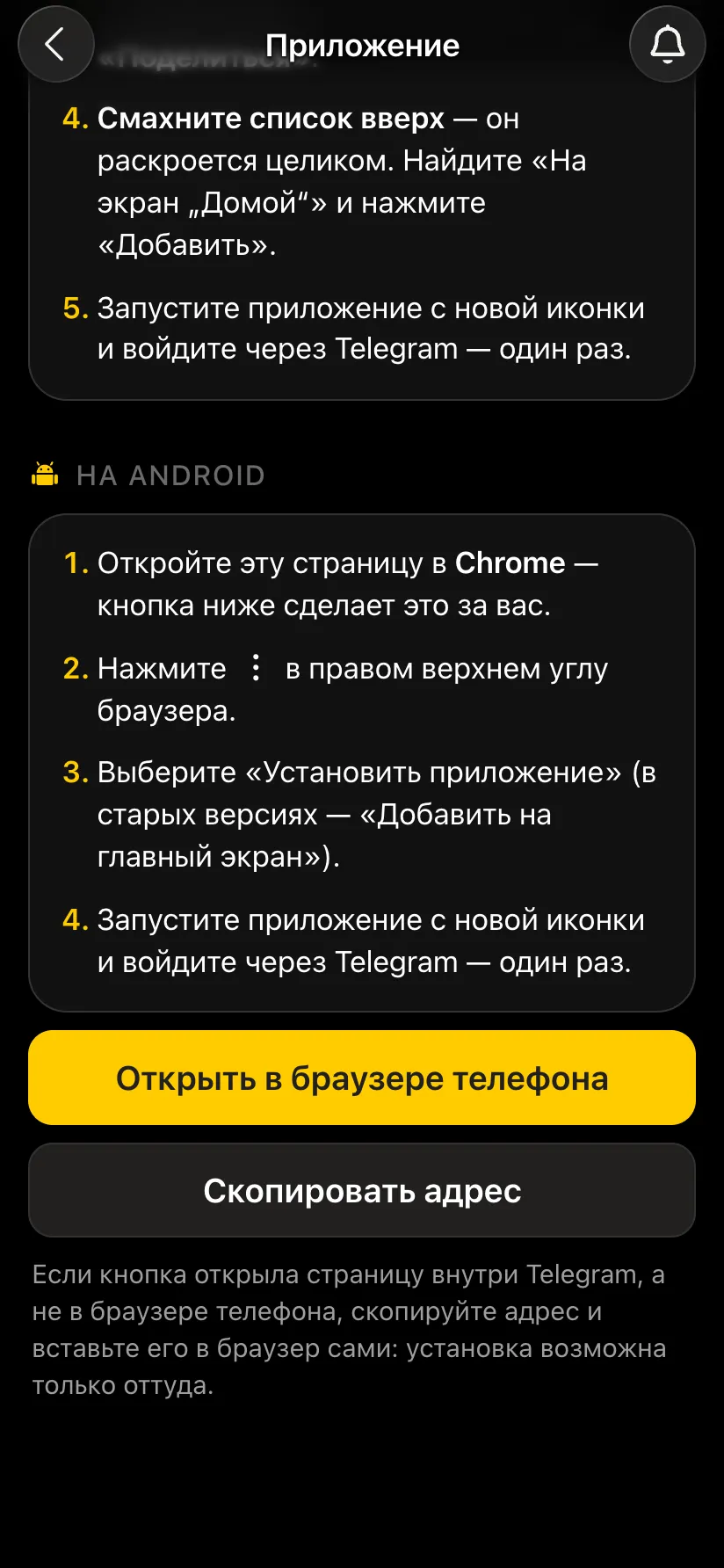
On Android

Open playvibechess.com/app in Chrome → three dots in the top right → Install app (in older versions - Add to Home screen).
The Vibe Chess on your phone screen with step-by-step instructions for iPhone
Instructions for iPhone - inside the app.
Instructions for Android and the Open in phone browser and Copy address buttons
Instructions for Android.

The instructions for your phone are also in the app itself: Profile → Install the app.
How to sign up

  1. Launch the app from the icon or open @vibechessbot in Telegram.
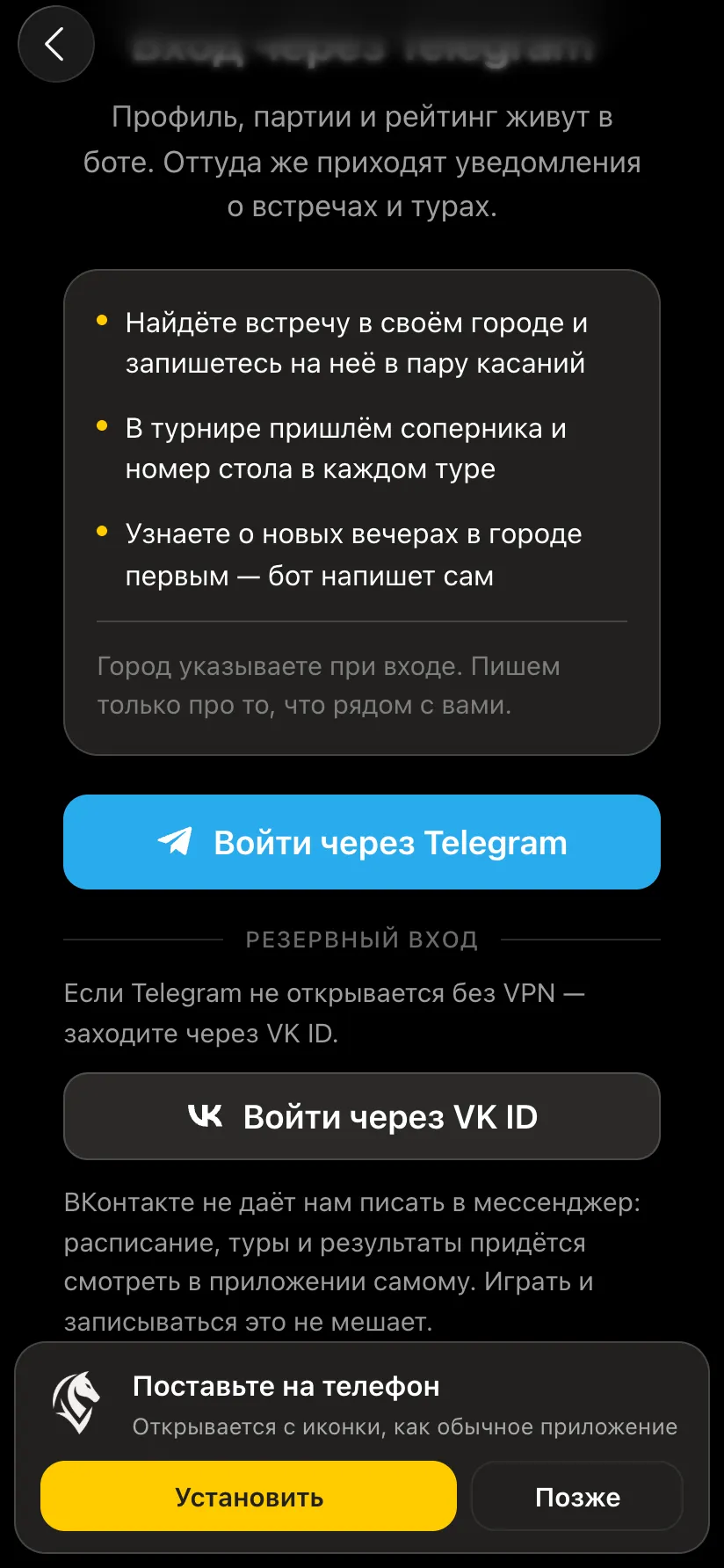
  2. Press Sign in with Telegram - the bot sends a code. Check it against the code on screen and confirm.
  3. If Telegram does not open - sign in with VK ID (the backup sign-in).
  4. Choose your city - the app will show events near you.
  5. Done: you sign in once, and after that the app remembers you.
The sign-in screen: Sign in with Telegram, backup sign-in with VK ID and an Install on your phone banner
Sign in with Telegram or VK ID.

After installing, turn on notifications: Profile → Settings → App notifications. On iPhone notifications arrive only for the installed app and on iOS 16.4 or later.
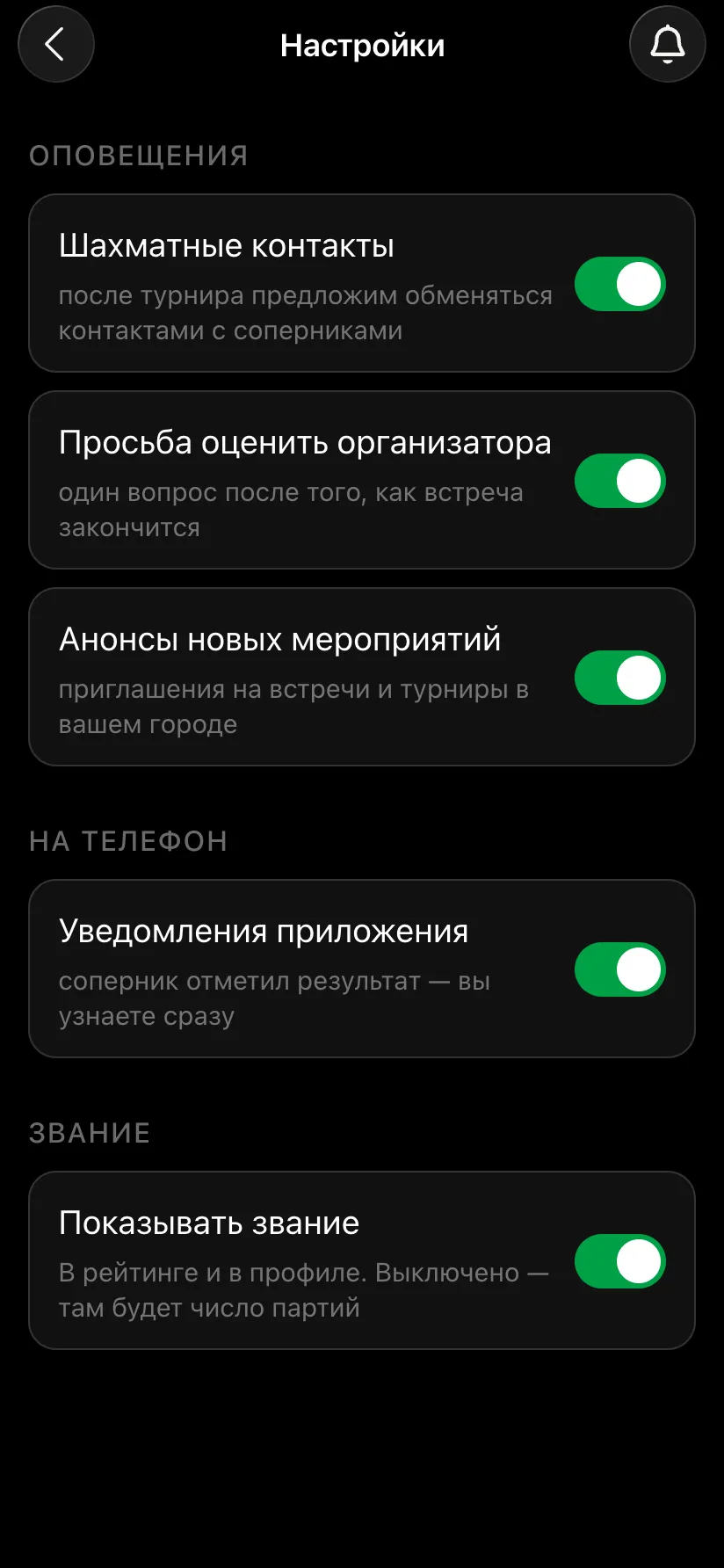
App settings: the App notifications switch is on
App notifications on.

Before the tournament: get your phone ready

  • • Update the system and the browser - in advance, not in the hall.
  • • Install the app and sign in.
  • • Charge the phone to 100% and take a power bank, especially if the phone will be the camera.
  • • Close background apps and turn on Do Not Disturb.
  • • Check the internet in the hall - in detail in internet for a chess tournament broadcast.

Not sure your phone will do? Write to us

We build the app ourselves. Tell us your phone model - we will tell you whether it can handle the camera and help set up recording for your tournament.

Write to the developers on Telegram

Test your phone in action

Open @vibechessbot, install the app and play a trial game with the clock and the camera. Questions - write to the developers.

Frequently asked questions about a phone for Vibe Chess

Which smartphone do I need for Vibe Chess?

For tournament sign-up, standings, trainers and the chess clock practically any smartphone with an up-to-date Safari, Chrome or Telegram will do. To record a game with the camera you need a recent iPhone or Android.

Can I play bullet on the Vibe Chess clock?

Yes. For bullet 1+0 and 1+1 you need a responsive screen with no tap delay - usually a mid-range phone or better. Close background apps and turn off heavy battery saving.

Does the clock work without internet?

Yes, the chess clock counts time right on the phone. Internet is needed for tournament sign-up, pairings, scores and the broadcast.

Which phone goes on the camera and which on the clock?

The stronger one on the camera: its power decides how fast and accurately the moves are recorded. The weaker one on the clock: it needs no power.

Do I need to download the app from the App Store or Google Play?

No. Vibe Chess installs from the browser: on iPhone through Safari (Add to Home Screen), on Android through Chrome (Install app). You can also use it right inside Telegram.

How do I sign up for Vibe Chess?

Press Sign in with Telegram and confirm with the code in the bot, or sign in with VK ID, then choose your city. You sign in once.

What happens if I record a game with a weak phone?

Recording may lag, moves appear in the broadcast later, and fast exchanges more often need a correction. Better put the stronger phone on the camera.

Three event formats in one app

The Vibe Chess app is built for an evening over the board, not for online play: it keeps the sign-up list, the pairings and the table while you deal with people and the venue. All of it free.

Swiss system

score groups, no rematches, no second bye

Round robin

everyone plays everyone, the app works out the number of rounds

Free meetup

who is free and who is already at a board is shown under Now

How the tournament runs
  1. 1Create the event and save the venue for next time
  2. 2Open sign-up, players arrive through the link
  3. 3Start the tournament and the app announces the pairings
  4. 4Keep entering results, then take the final table and the TRF file

More than a bot: the app, FIDE rules and a TRF report

  • The app. Besides the bot there is an app - inside Telegram and simply at playvibechess.com/app: what is on in your city, the player list, a live table, the current round, your profile and game history - everything that is awkward to read as chat messages.
  • Pairings by FIDE rules. Pairings are computed by bbpPairings, an open-source engine implementing the Dutch system: score groups, floats on an odd field, colour alternation, no rematches, and no player gets a bye twice.
  • A TRF report. A finished tournament exports as a single file in the FIDE data exchange format - the one arbiter software and federations accept. Your profile stores the FIDE ID, national federation code, title, sex and date of birth for it.
  • Free. All of the above, with no subscriptions, paid plans or limits on the number of tournaments and players.

Full overview

Missing a feature? Message the developers

The bot is constantly improved based on real tournaments. If you need a feature that isn't there yet, message the developers right inside the bot with the /support command. Many features appeared exactly because organizers asked for them, and useful ideas get added quickly.

What to read next

Recording moves - recording a game with a camera. Broadcasting - chess tournament live broadcast, a broadcast checklist. Running a tournament in the app - the organiser's guide.

Alexey Mudry
Alexey Mudry · hosted 37 events for Vibe Chess · 157 reviews · rating 5.0

At the board since childhood: hazy about his rating, precise about every rook he has blundered. Counts an evening as a good one if the opponent stayed to talk afterwards instead of rushing off to check with an engine. Message →
