Vibe ChessVibe ChessApp

Record a chess game with your phone camera

Alexey Mudry · updated October 13, 2026
You play with ordinary pieces on an ordinary board, and a phone on a stand next to it records the game move by move. No scoresheet, no electronic board, no reconstructing the moves from memory afterwards. When the game is over, every move is already in the app, and you can analyse it with an engine: mistakes, blunders and each player's accuracy. This is chess game recognition for tournaments - recording works in tournaments of any system and at casual meetups - and for ordinary one-on-one chess matches. Below is how it works and how to record your first game.

What camera recording does

  • Writes the moves by itself. The camera watches the board, the app understands which move was made and adds it to the game. Castling and en passant too.
  • Stays out of the way. No beeps and no questions: the phone stands to the side, you look at the board, not at the screen.
  • Knows when the game is over. Checkmate or stalemate - the recording stops and returns to the game screen.
  • Keeps the game for you. The moves are attached to the game card: you and your opponent see them and can replay them on a board.
  • Analyses it with an engine.The “Analyse the game” button in the card shows each player's accuracy, a graph of the game and every mistake - game analysis in the app.
  • Works wherever people play.In one-on-one games, in tournaments of any system and at the club's casual meetups.

How to record a game: five steps

  1. Put the phone on a stand.Any tripod or phone holder will do. The camera must see all 64 squares. Any reasonable angle works: from above, from the side at 45°, from White's or Black's side.
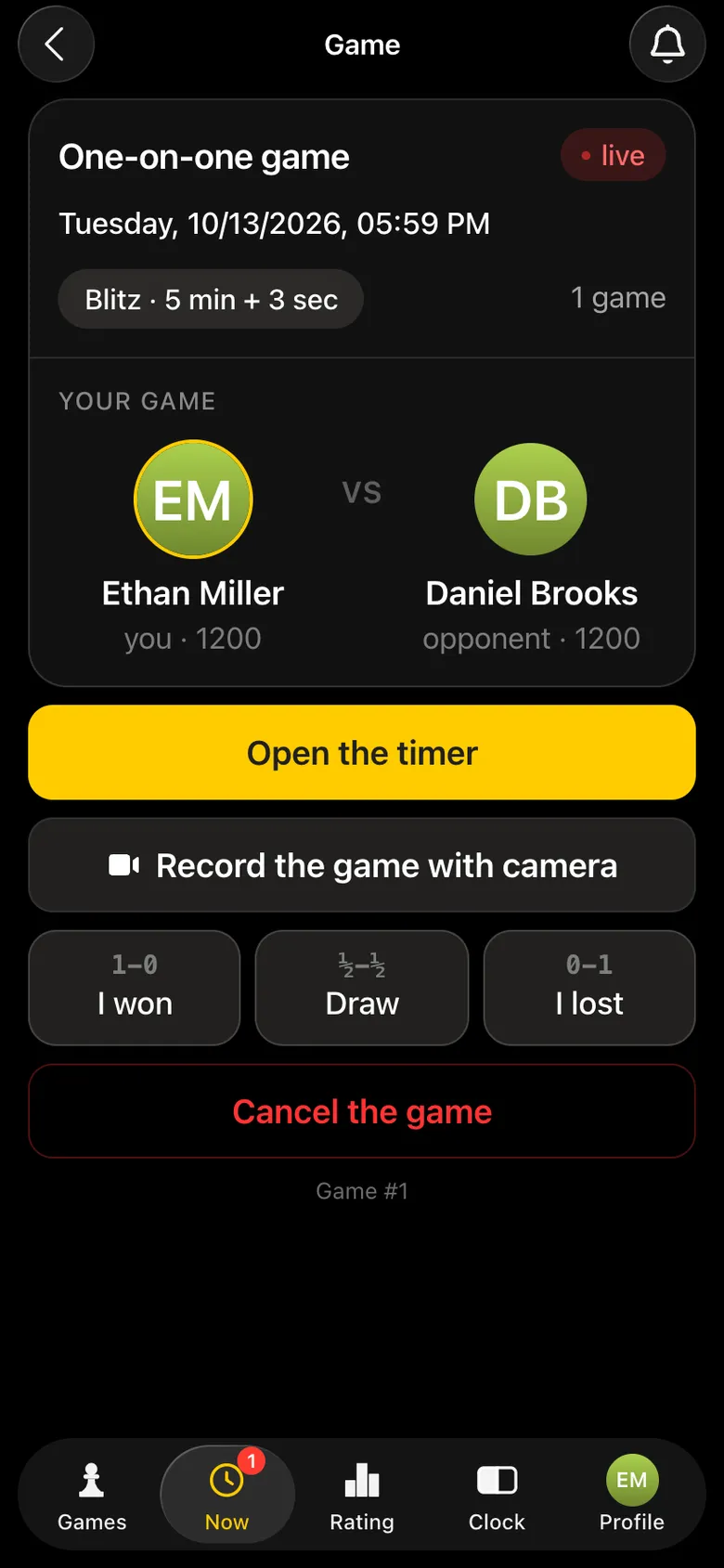
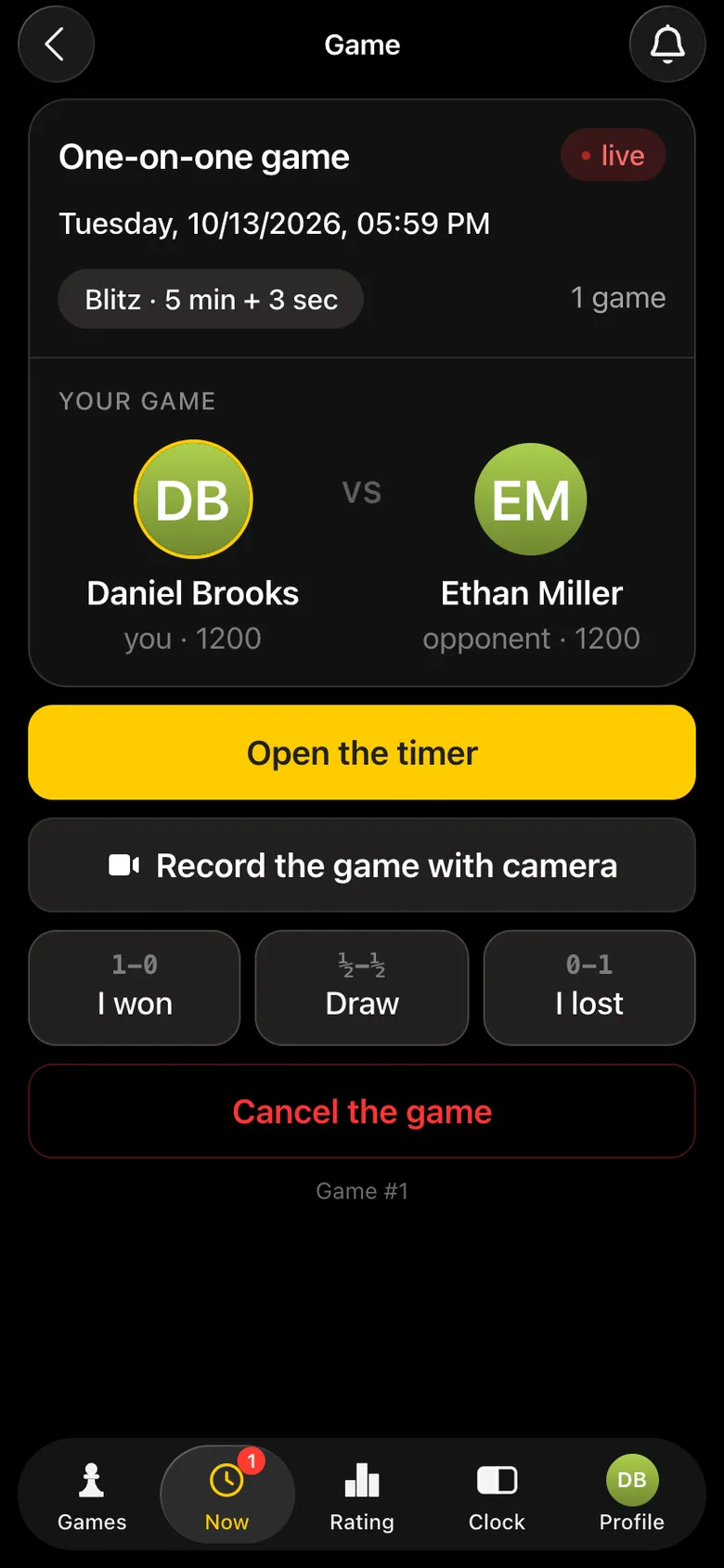
  2. Open the game in the app and tap “Record the game with camera”. The button is on the game screen, right under “Open the timer”.
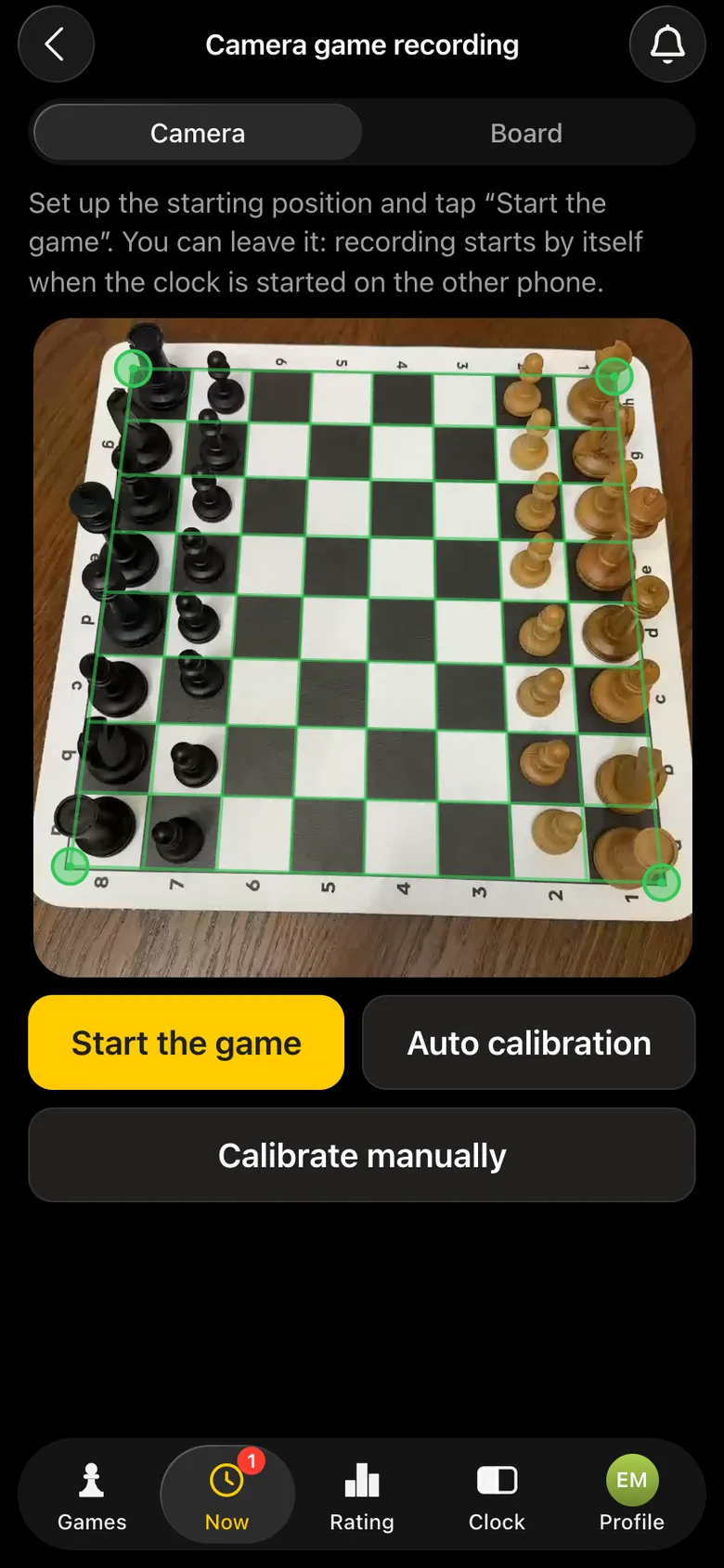
  3. Wait for the app to find the board.It finds the board in the frame by itself - a couple of seconds on a phone. If it doesn't, tap “Auto calibration” again or “Calibrate manually”.
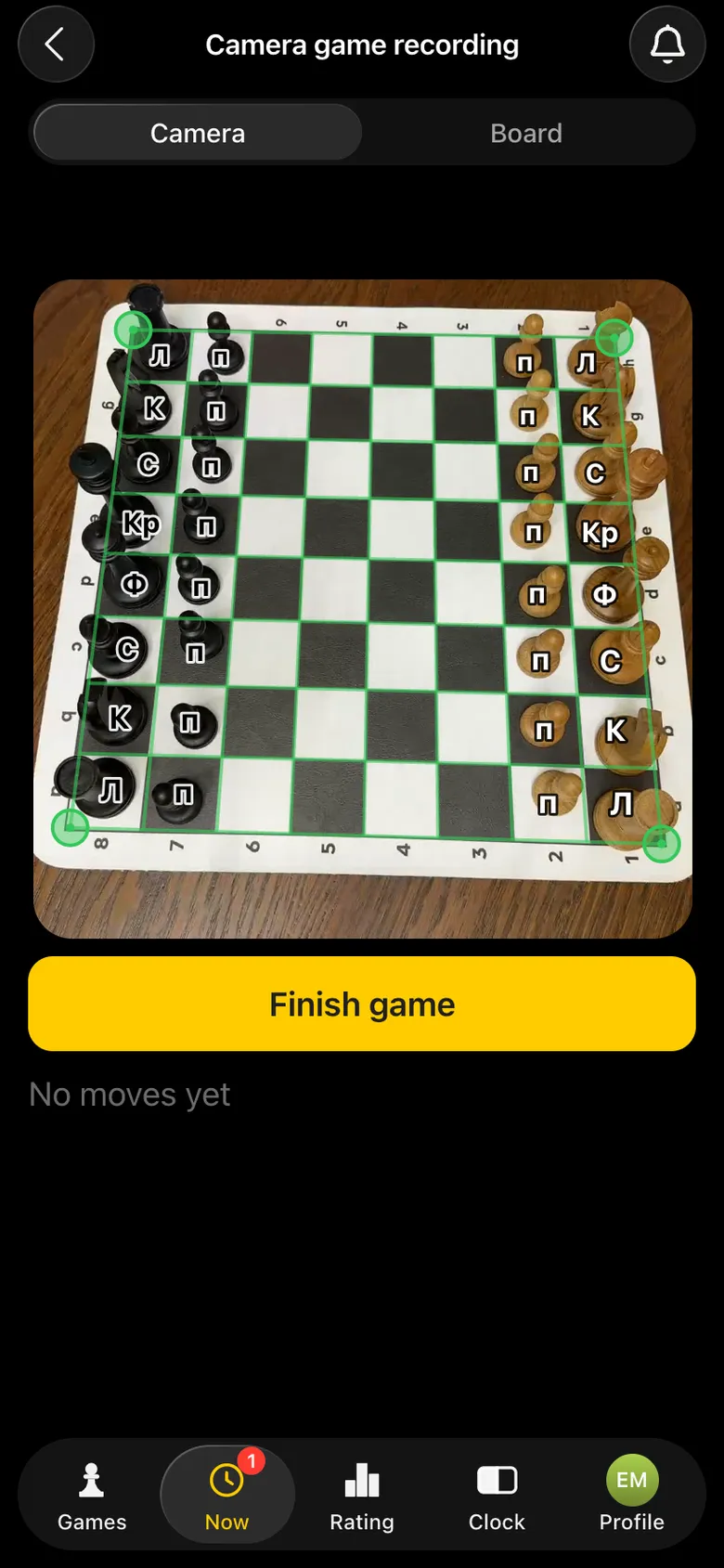
  4. Set up the pieces and tap “Start the game”. From this moment every move is recorded. The app works out which side is White by itself.
  5. Play. If the game ends in checkmate or stalemate, the recording stops by itself. Resignation, an agreed draw or a flag - tap “Finish game”.
One-on-one game screen: “Open the timer”, “Record the game with camera” and the result buttons
Step 2. The game screen: “Record the game with camera” under the timer.
The phone camera has found the board: a green frame on its corners, buttons “Start the game”, “Auto calibration”, “Calibrate manually”
Step 3. The board is found - the frame sits on its edges.
Camera view after the start: every piece carries a label
Step 4. Recording: every piece on the screen is labelled.

The clock runs separately, on a second phone or right in the app - online chess clock. The easiest set-up: one player opens the timer on their phone, the other puts their phone with the camera by the board. Then you don't even need to tap “Start the game”: recording starts by itself as soon as the clock is started on the other phone.
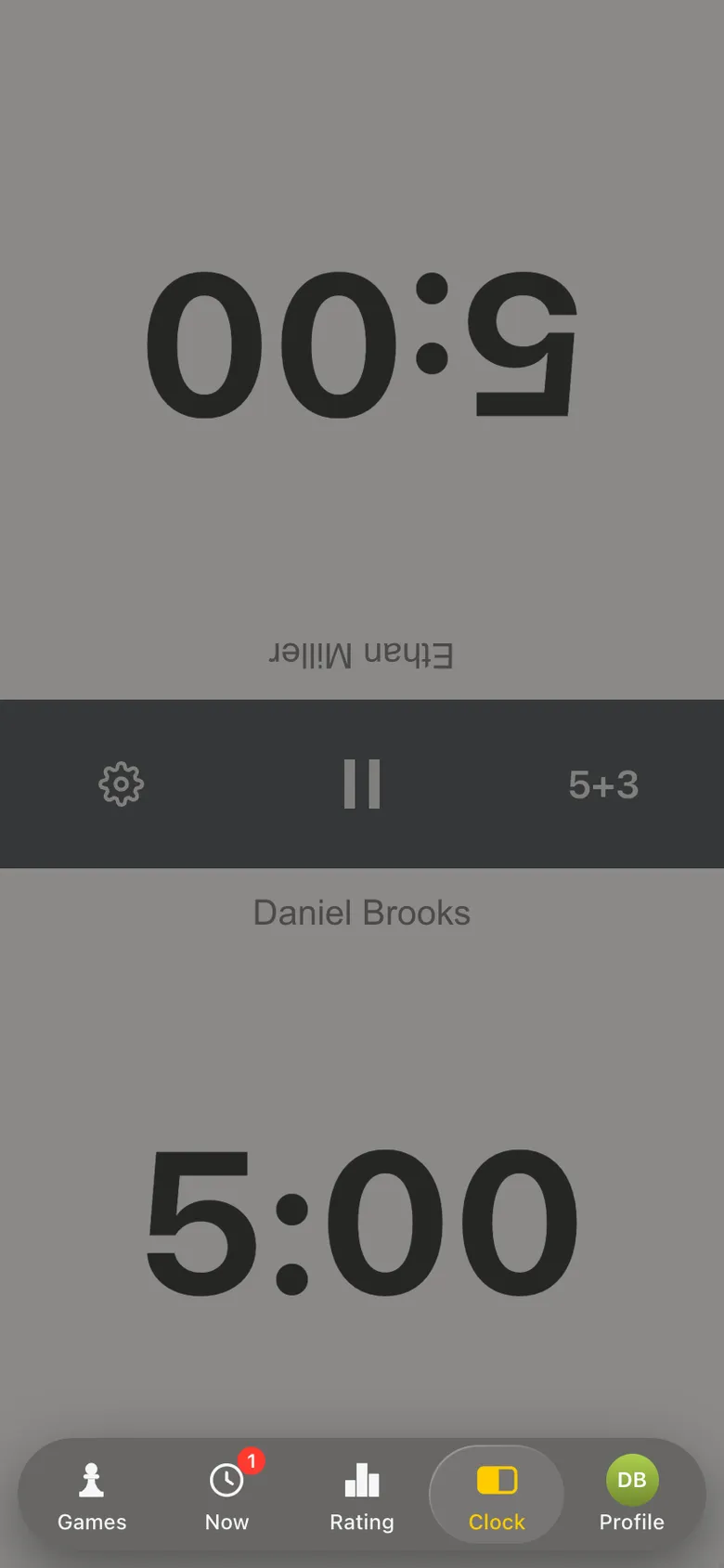
The opponent's game screen: the “Open the timer” button
The first player opens the timer...
The chess clock in the app: 5 minutes each, 5+3 time control
...and puts the phone with the clock by the board.

What recording looks like during the game

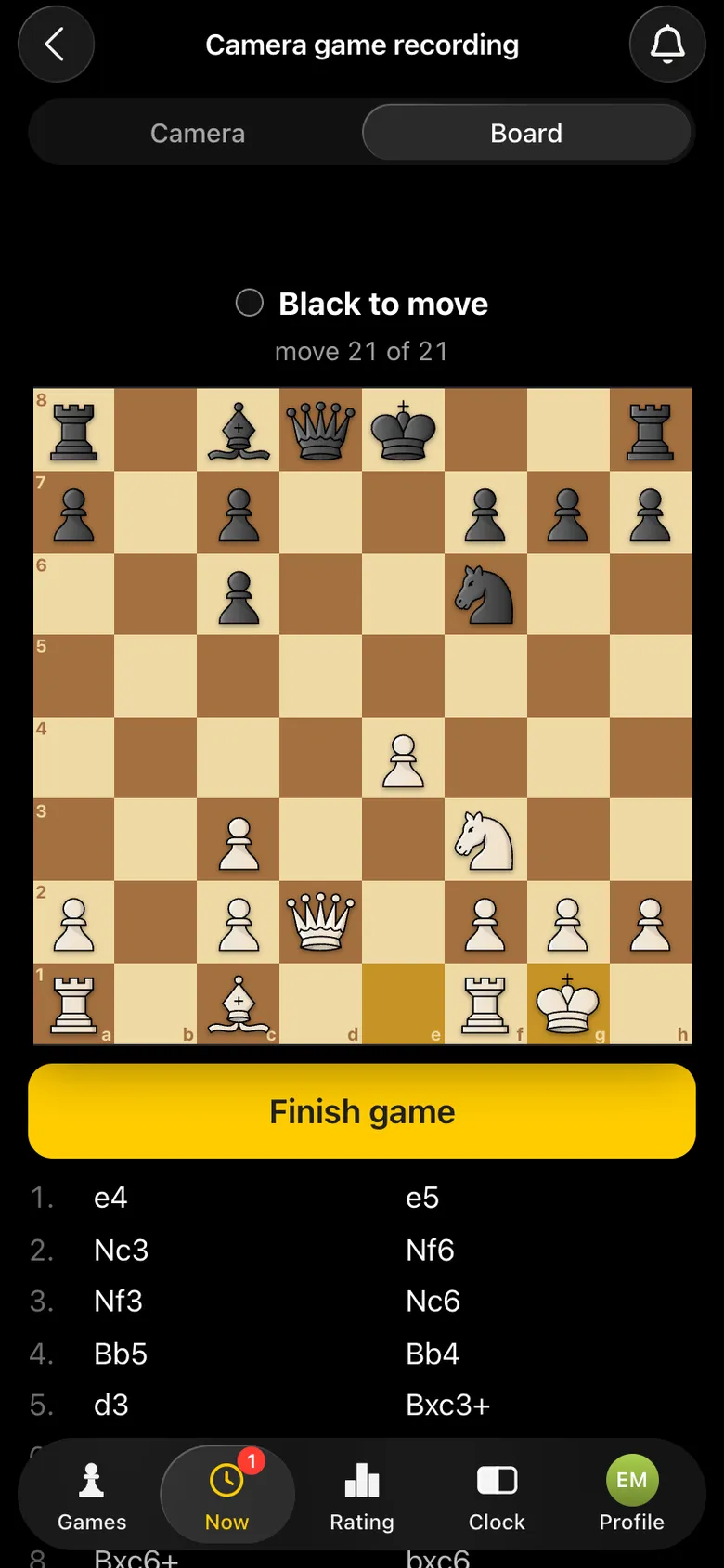
There are two views, switched at the top. “Camera” is what the camera sees: the board with the frame and labelled pieces. “Board” is a clean position, as in any chess app, with a move counter. The game record grows underneath. You don't need to look at the phone while playing - this is for the curious.
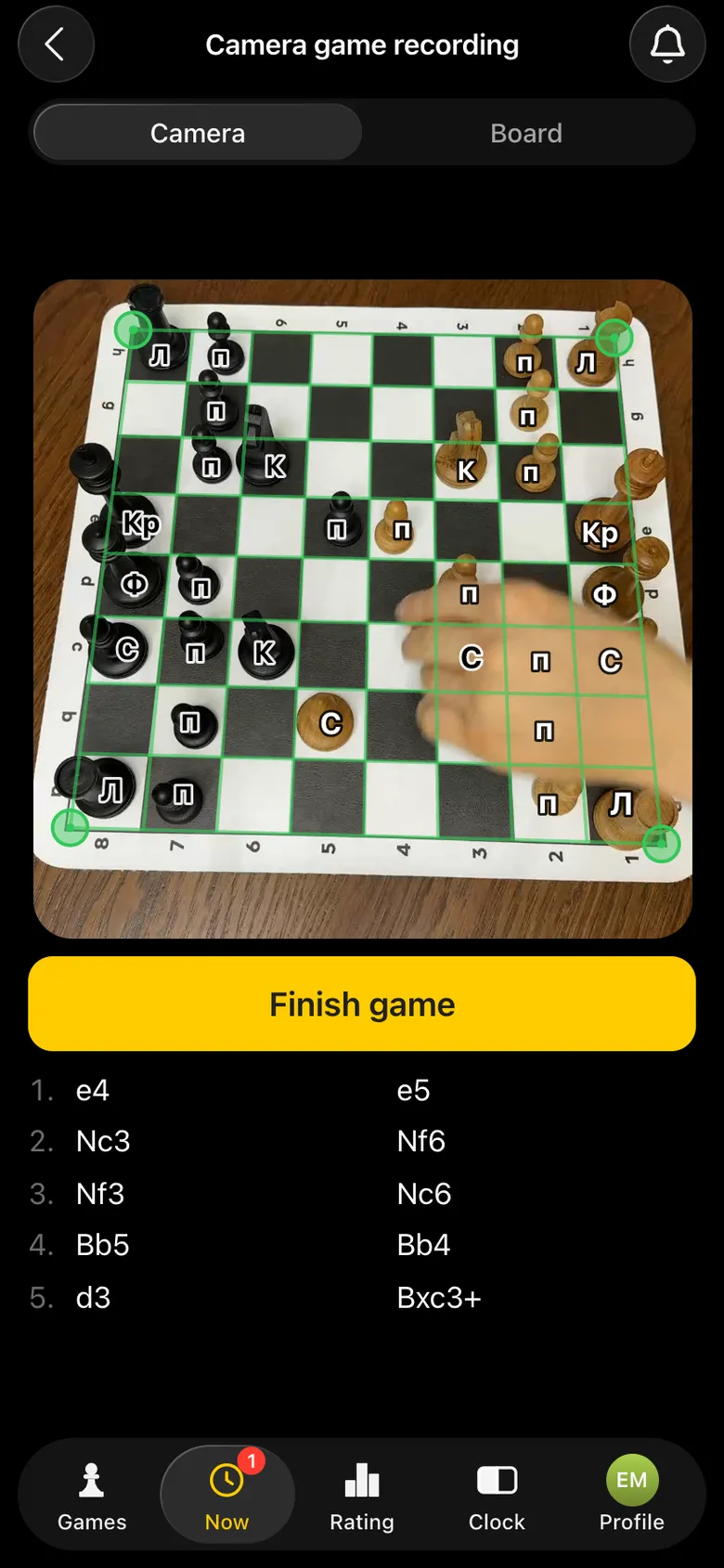
Camera view in the middle of the game: labelled pieces and the growing move list
“Camera”: mid-game, the moves are already recorded.
The “Board” view: the position after 21 moves, Black to move
“Board”: the same game as a normal position.
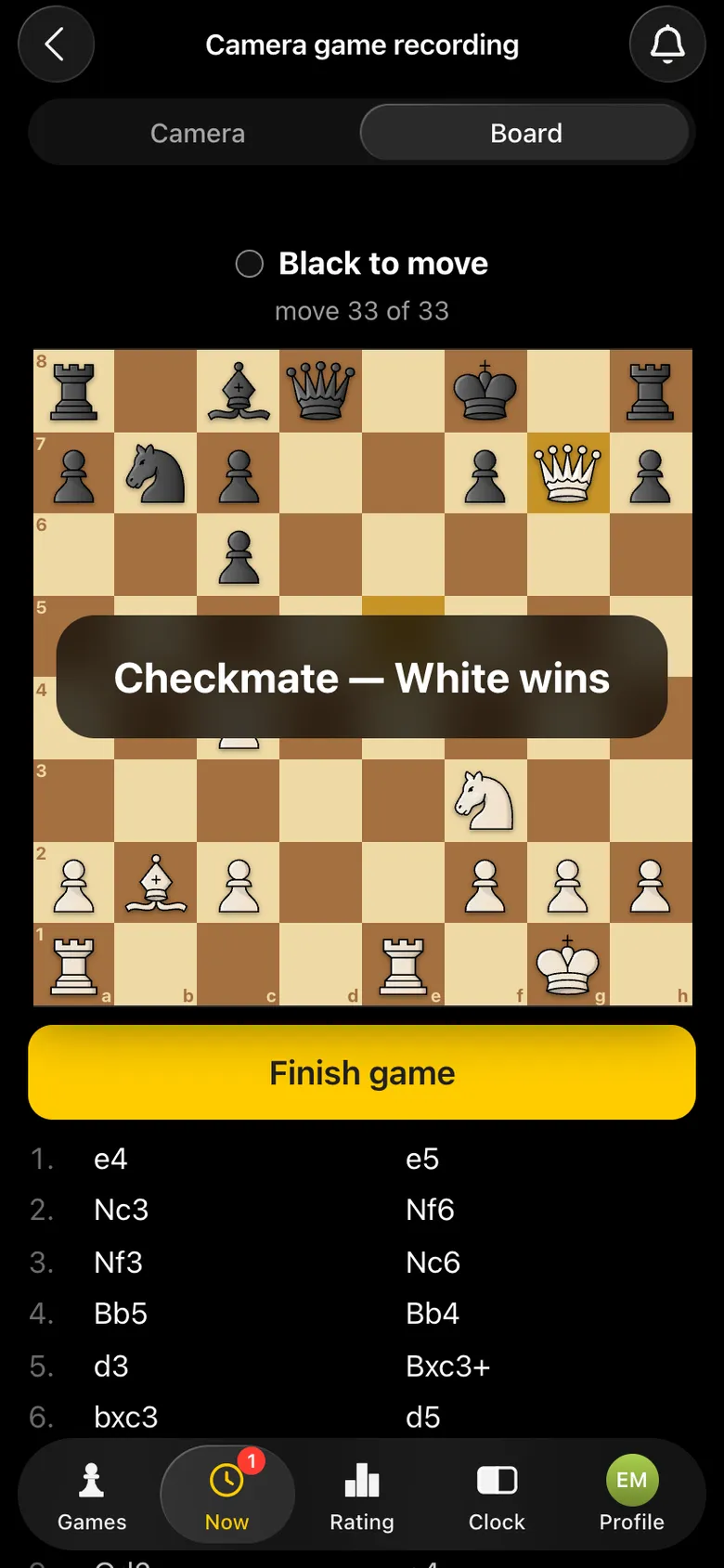
“Checkmate - White wins” over the board, move 33 of 33
Checkmate - the recording ended by itself.

After the checkmate the app goes back to the game screen by itself. All that is left is to mark the result, and the game with all its moves appears in its card.
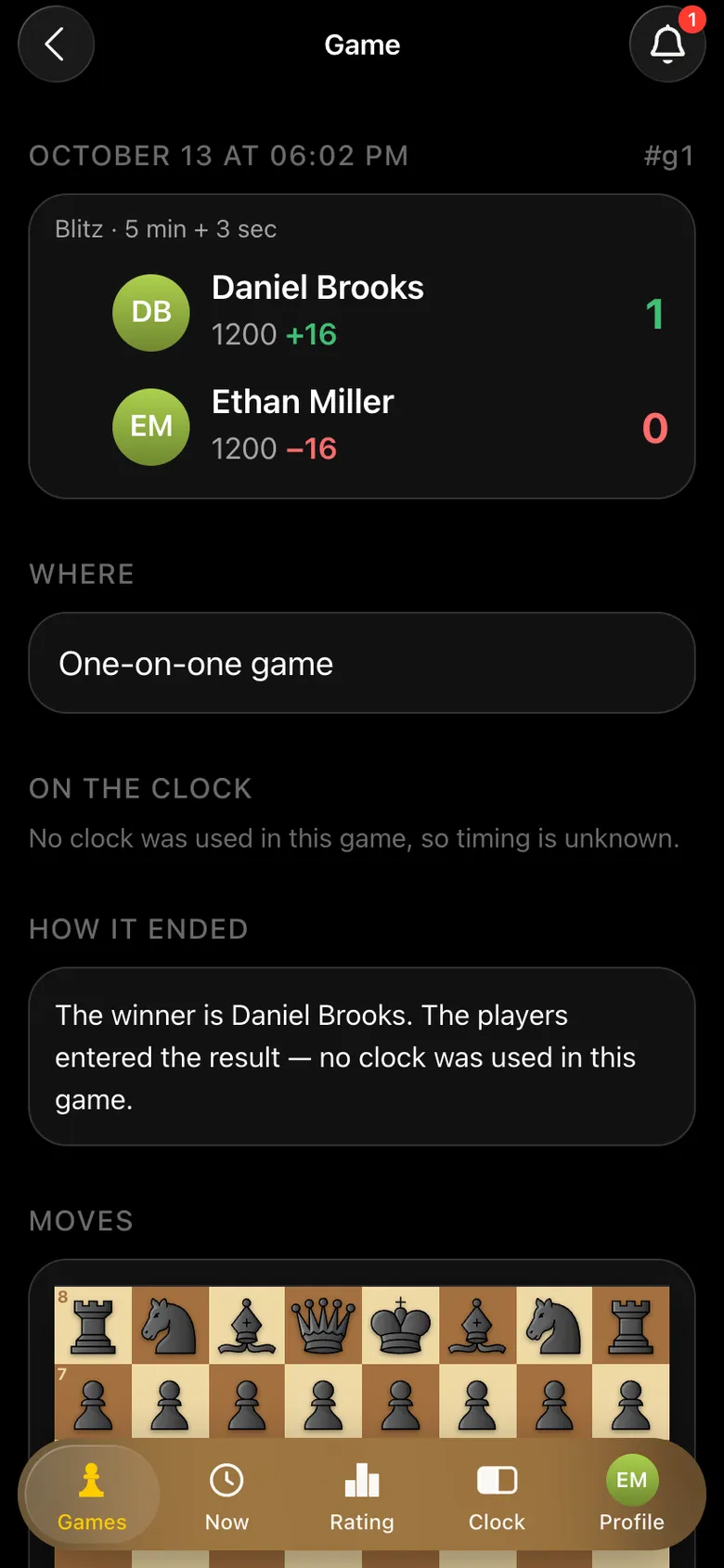
Card of the finished game: Daniel Brooks 1, Ethan Miller 0, rating change
The game card: result and rating.
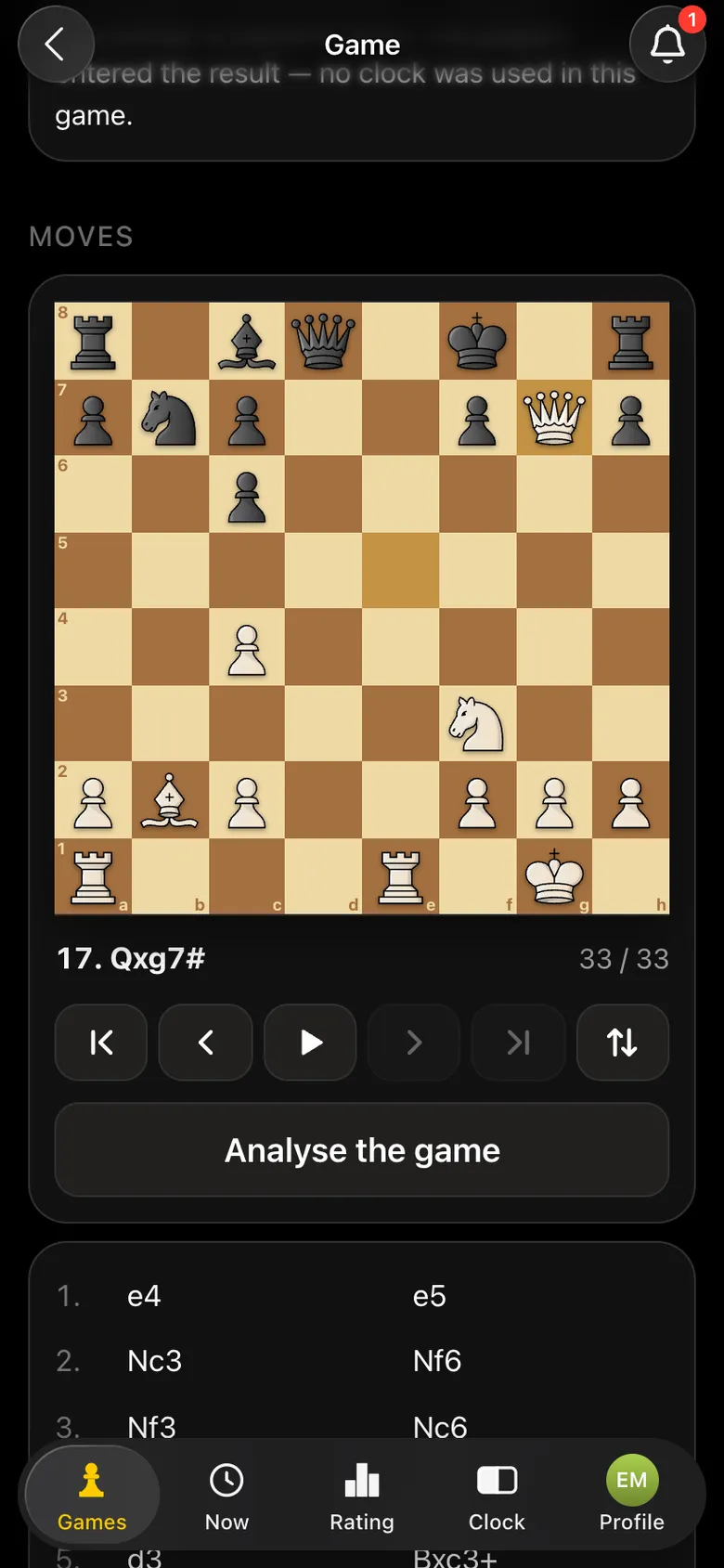
The moves on a board with replay controls, the position after 17. Qxg7#, the “Analyse the game” button
All 33 moves on a board you can replay.

How to place the phone for accurate recording

  • Use a stand or a tripod rather than holding the phone.
  • Get the whole board in the frame - all 64 squares.
  • Play as usual. Nothing special is needed: the app adapts to the board, the pieces and the light by itself.

If the phone gets bumped by accident, the recording carries on.

How accurately the camera records moves

We tested recording on dozens of real games played on ordinary boards: different boards and pieces, daylight and evening light, the camera above and to the side. In all these conditions the app reads the position of the pieces with high accuracy.

Recognition keeps improving: every game played with the camera makes it even more accurate. More about what it can do - chess board recognition with a camera.

How it compares with a scoresheet and an electronic board

ScoresheetElectronic boardPhone camera
What you needa pen and a scoresheeta special board and piecesa phone and a stand
Who writes the movesthe player, after every movethe boardthe app
Distracts from the gameyesnono
Your own board and piecesyesno, only its own setyes
Engine analysistype the moves in by handvia the board's softwarea button in the app

The scoresheet is still the rule in FIDE-rated tournaments, where players keep score themselves - chess notation and scoresheets. Electronic boards are for broadcasting the top boards of big events - electronic chess boards. The phone camera covers everything else: a club night, an amateur tournament, training, a chess match with a friend.

What's next: broadcasting the game

Recording is the first step. The next one we are working on is showing the game live while it is being recorded: on a screen in the hall and by link, so it can be followed from anywhere in the world. The app cannot do this yet. How broadcasting is set up today - demo board and broadcasting.

Record your first game

You need two things: a phone on a stand and an opponent. Open the game in the app and tap “Record the game with camera”.

Questions about camera recording

Can I record a chess game with my phone camera?

Yes. In the Vibe Chess app the game screen has a “Record the game with camera” button. Put the phone on a stand so it sees the whole board, and the app records every move by itself and saves the game in its card.

Do I need an electronic board?

No. Any ordinary board and any pieces will do: wooden, plastic, tournament or home sets.

How should I place the phone?

On a stand or a tripod, so that all 64 squares are in the frame. You can film from above or from the side at an angle, from either player's side.

Are castling and en passant recorded?

Yes. Castling, en passant and pawn promotion are recorded by themselves, just like ordinary moves.

How accurate is the recording?

Highly accurate: we tested it on dozens of games on different boards, in different light and at different angles. Every new game makes recognition even more accurate.

How do I analyse the recorded game?

In the game card tap “Analyse the game”. The engine calculates each player's accuracy, shows a graph of the game and the best move in every position, and marks inaccuracies, mistakes and blunders.

Can I broadcast the game to a screen or online?

Not yet. Showing the recorded game on a screen in the hall and by link is the next step we are working on.

Three event formats in one app

The Vibe Chess app is built for an evening over the board, not for online play: it keeps the sign-up list, the pairings and the table while you deal with people and the venue. All of it free.

  • Swiss system
    score groups, no rematches, no second bye
  • Round robin
    everyone plays everyone, the app works out the number of rounds
  • Free meetup
    who is free and who is already at a board is shown under Now

More than a bot: the app, FIDE rules and a TRF report

  • The app. Besides the bot there is an app - inside Telegram and simply at playvibechess.com/app: what is on in your city, the player list, a live table, the current round, your profile and game history - everything that is awkward to read as chat messages.
  • Pairings by FIDE rules. Pairings are computed by bbpPairings, an open-source engine implementing the Dutch system: score groups, floats on an odd field, colour alternation, no rematches, and no player gets a bye twice.
  • A TRF report. A finished tournament exports as a single file in the FIDE data exchange format - the one arbiter software and federations accept. Your profile stores the FIDE ID, national federation code, title, sex and date of birth for it.
  • Free. All of the above, with no subscriptions, paid plans or limits on the number of tournaments and players.

Full overview

Missing a feature? Message the developers

The bot is constantly improved based on real tournaments. If you need a feature that isn't there yet, message the developers right inside the bot with the /support command. Many features appeared exactly because organizers asked for them, and useful ideas get added quickly.

What to read next

What recognition can do - chess board recognition. What to do with a recorded game - game analysis in the app and how to analyse your own games. Classic recording - notation and scoresheets.

Alexey Mudry
Alexey Mudry · hosted 25 events for Vibe Chess · 118 reviews · rating 5.0

At the board since childhood: hazy about his rating, precise about every rook he has blundered. Counts an evening as a good one if the opponent stayed to talk afterwards instead of rushing off to check with an engine. Message →