Vibe ChessVibe ChessApp

How to record and broadcast your own game at any tournament

Alexey Mudry · updated October 26, 2026
Everyone wants to record their own game: to go through it with a coach, show it to friends, see where the turning point was. There is no time to keep a scoresheet in a fast game, and an hour later you cannot recall half the moves from memory. A phone camera on a stand records the moves by itself, and friends can watch the game online while you play. Below - where that is allowed, where you need to ask first, and how to do it at any tournament.

Where you can record

Where you playThe gameWhat you need
A Vibe Chess meetup or tournamentthe game is already in the appput the phone on a stand and press record - nothing to agree
A club or amateur tournamentthe game is not in the appthe organiser's and the opponent's consent, a one-on-one game in the app
An official FIDE- or federation-rated tournamentphones in the hall are banned by the rulesonly with the chief arbiter's permission; without it - a scoresheet
A friendly game, traininga one-on-one gameagree with your opponent - and play
At official events the FIDE Laws forbid a player to have an electronic device in the playing area unless the arbiter has approved it. A phone on a stand by the board is such a device, even if it only records. Without the chief arbiter's permission it can cost you the game.

Why a phone at the board is allowed at Vibe Chess meetups - phones in the tournament hall.

At a Vibe Chess meetup or tournament

Everything is ready here: the game is set up by the app, the clock is on a phone. Put a second phone on a stand, open your game and press Record the game with camera. Recording works at meetups, at tournaments and in one-on-one games.
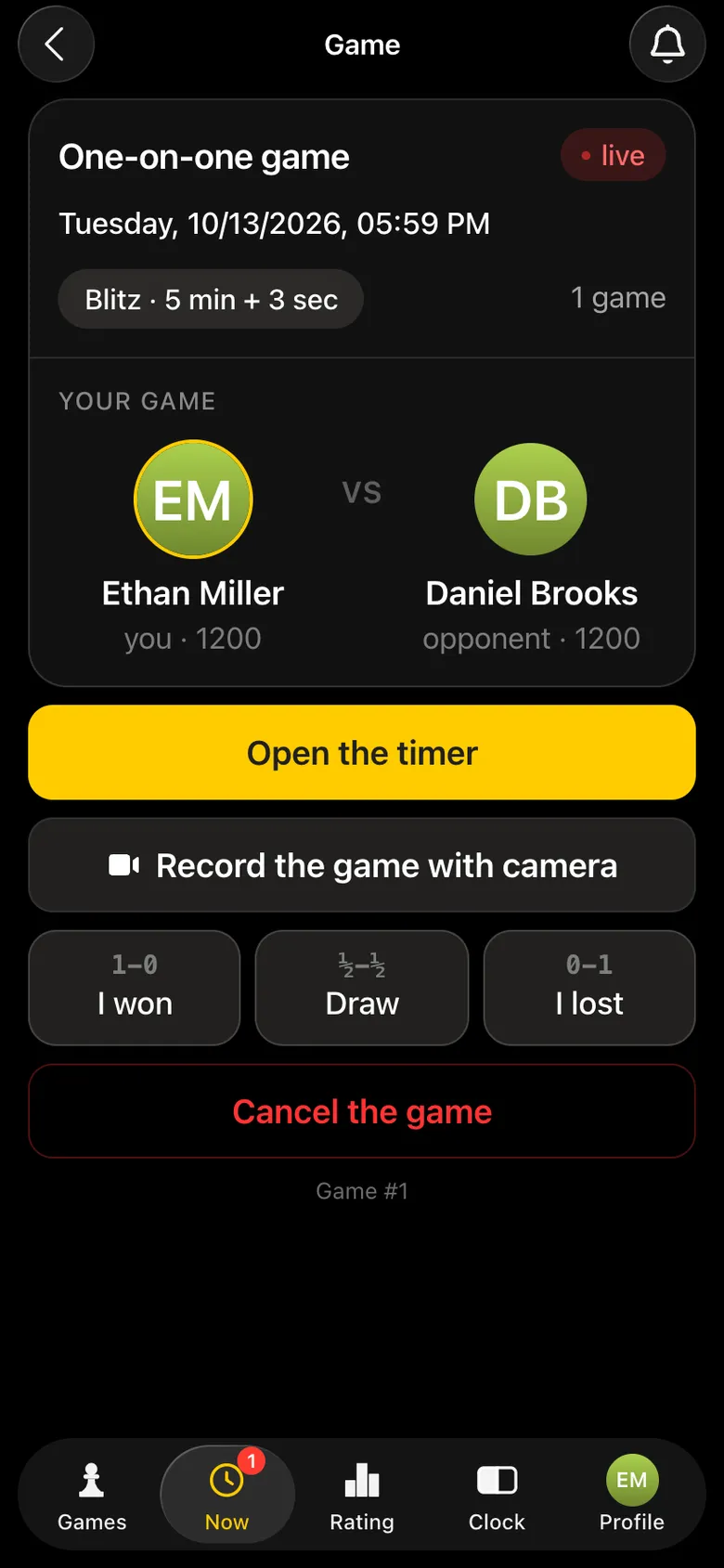
One-on-one game screen: Open the timer, Record the game with camera and the result buttons
Record the game with camera - on the game screen.
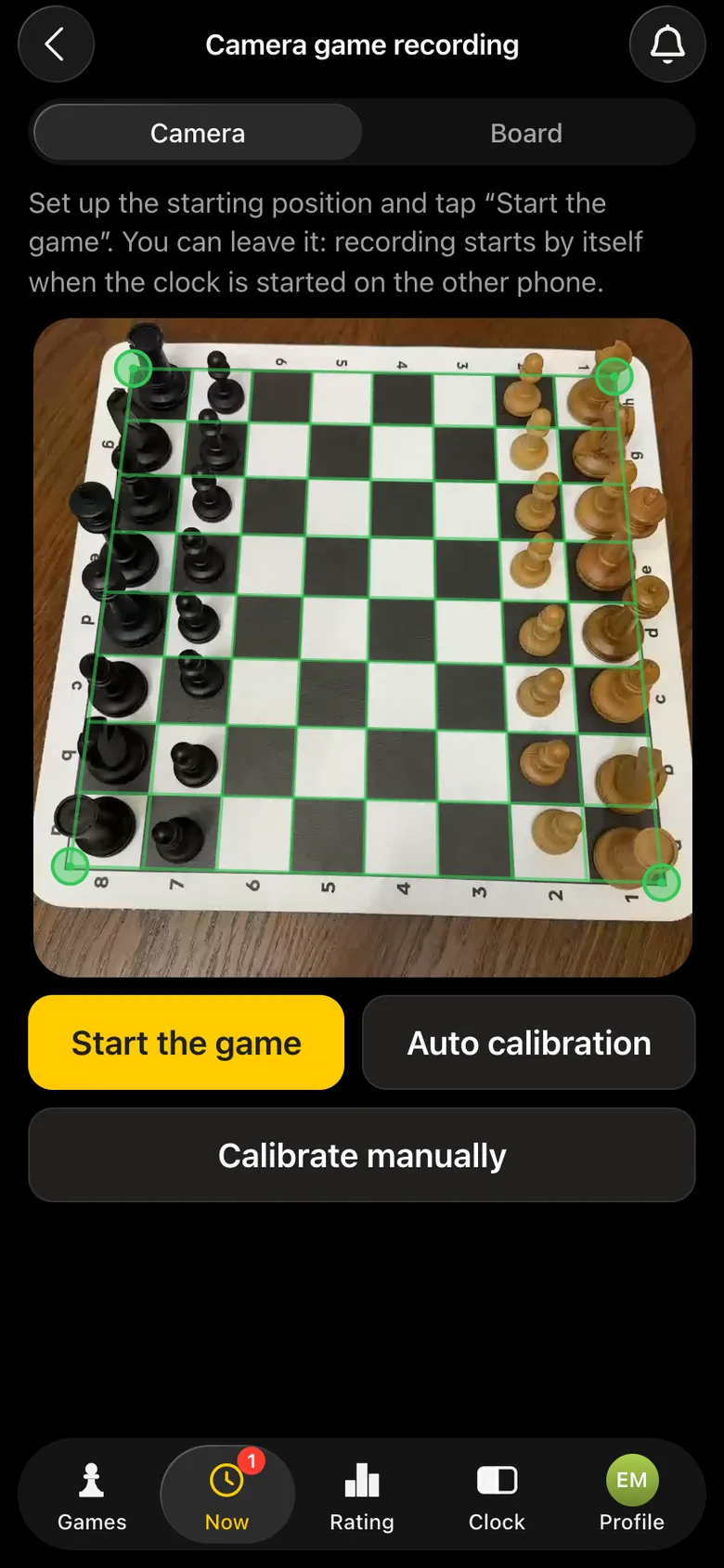
The phone camera has found the board: a green frame on the corners, Start the game, Auto calibration and Calibrate manually buttons
Board found - you can play.

At a tournament not run in Vibe Chess

  1. 1. Before the round, ask the organiser or the arbiter whether you may put a phone by the board.
  2. 2. Ask your opponent: the recording and the broadcast concern their game too.
  3. 3. Set up a one-on-one game in the app: find your opponent in the rating and challenge them - they confirm in their own app.
  4. 4. Put the phone on a stand and press Record the game with camera.
  5. 5. The tournament result goes into the tournament record as usual, and you and your opponent mark the result in the app.

A one-on-one game in the app counts towards the Vibe Chess rating, so your opponent has to be in the app and agree to it.

How to place the phone

  • • on a stand or a tripod - not in your hand, and there is no need to;
  • • beside the board, so all 64 squares are in the frame;
  • • without disturbing your opponent and neighbours, the charging cable not across the aisle;
  • • the camera phone's screen can be dimmed so it does not distract - recording continues.

More about recording, camera angles and stands - recording a chess game with a phone camera.

The broadcast: where friends watch the game

A game being recorded by the camera appears by itself on live.playvibechess.com: the board, the moves in real time and the result. Friends only need to open the link and find you by name - no sign-in or registration.
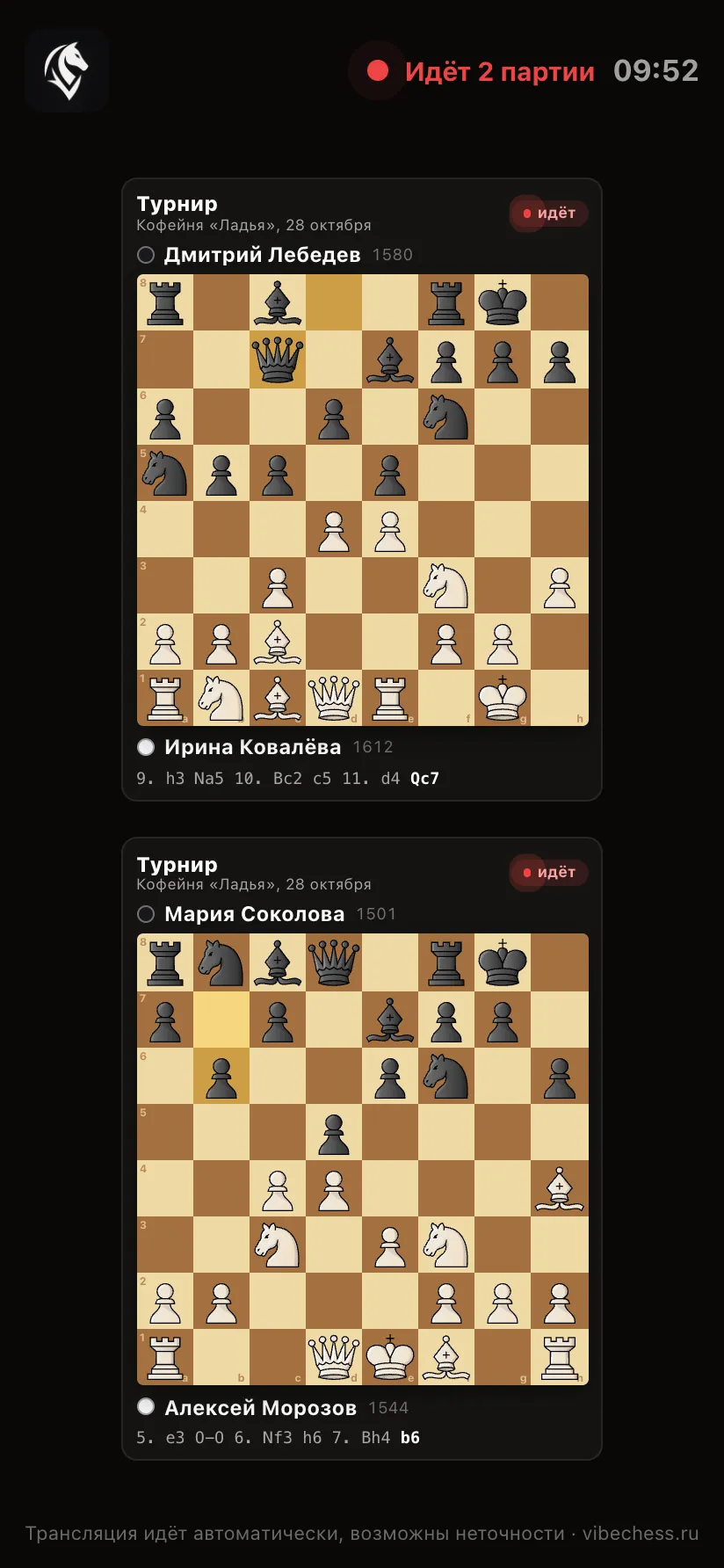
The broadcast platform on a phone screen: two games one under another
The broadcast opens by link.
Both players' names are visible on the broadcast. Tell your opponent in advance that the game will be visible online. How to use the broadcast page - how to watch a chess tournament broadcast.

After the game: analysis

The recorded moves are attached to the game. On its card - Moves: step through move by move, and Game analysis: the best moves, inaccuracies and mistakes of both players.
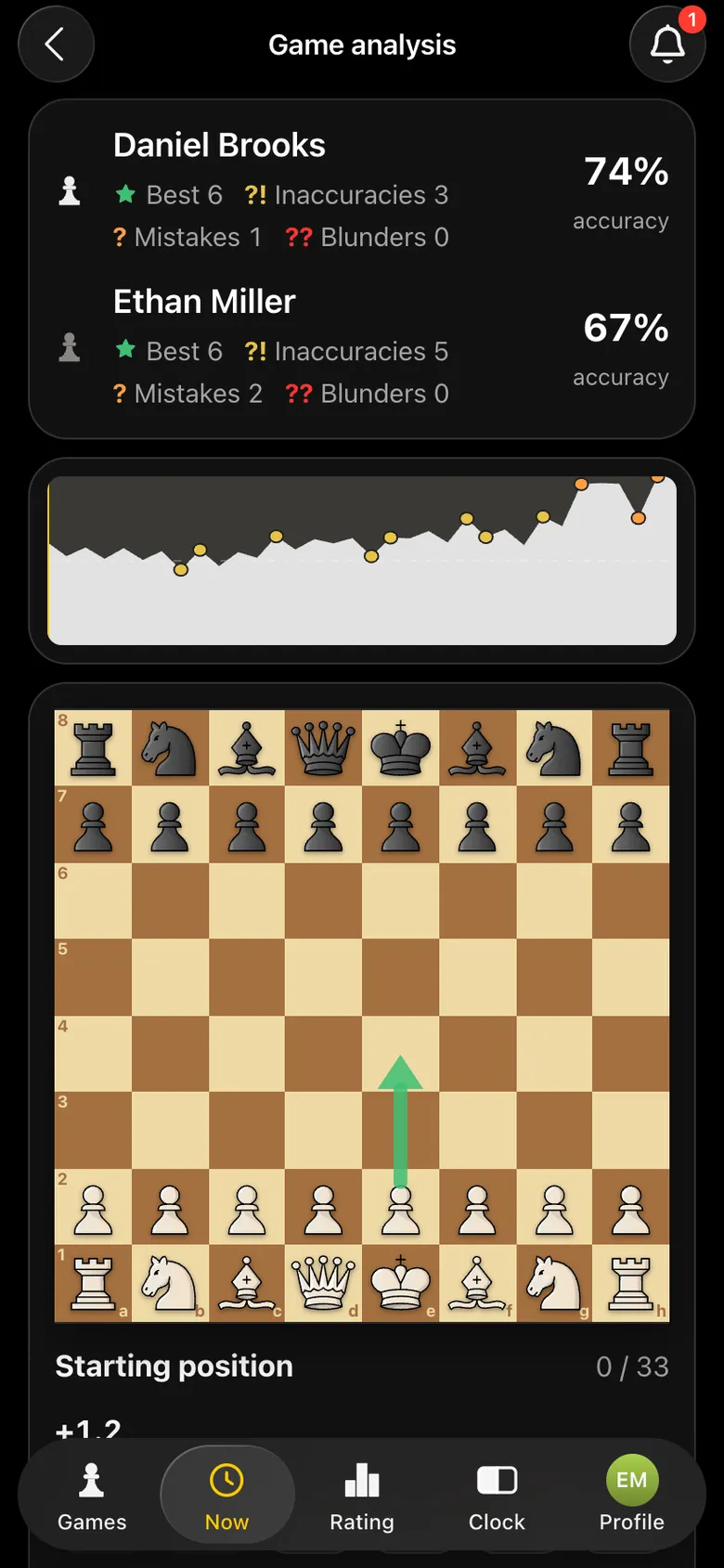
Game analysis: player accuracy, mistakes, game graph
Analysis of the recorded game.

What the analysis shows - chess game analysis in the app.

Your own game - recorded and analysed

Open Vibe Chess, challenge an opponent to a one-on-one game and turn on camera recording. Free.

Frequently asked questions about recording your own game

Can I record my game with a phone at a chess tournament?

At Vibe Chess meetups and tournaments - yes, the phone at the board serves as the clock and the camera. At official tournaments - only with the chief arbiter's permission: the FIDE Laws forbid electronic devices in the playing area without the arbiter's approval.

Do I need my opponent's consent to record?

Yes, ask in advance: the recording and the broadcast concern their game too. At a tournament not run in Vibe Chess the opponent also confirms the one-on-one game in the app.

Where can my friends watch my game?

On live.playvibechess.com - it shows every game currently being recorded by a camera. No sign-in needed.

Where do I find the recorded game later?

On the game card in the app: Moves and Game analysis with the best moves and mistakes.

Do I need a second phone?

It is easier with two: one runs the clock, the other is the camera on a stand by the board.

How to run a tournament without being an arbiter

No arbiter skills required. The app takes over the part that usually stops people from running tournaments at all: who plays whom in each round and who finishes first.

  • Swiss system
    works for ten players and for fifty
  • Round robin
    for a small group that wants to play everyone
  • Free meetup
    for those who do not need a bracket at all

More than a bot: the app, FIDE rules and a TRF report

  • The app. Besides the bot there is an app - inside Telegram and simply at playvibechess.com/app: what is on in your city, the player list, a live table, the current round, your profile and game history - everything that is awkward to read as chat messages.
  • Pairings by FIDE rules. Pairings are computed by bbpPairings, an open-source engine implementing the Dutch system: score groups, floats on an odd field, colour alternation, no rematches, and no player gets a bye twice.
  • A TRF report. A finished tournament exports as a single file in the FIDE data exchange format - the one arbiter software and federations accept. Your profile stores the FIDE ID, national federation code, title, sex and date of birth for it.
  • Free. All of the above, with no subscriptions, paid plans or limits on the number of tournaments and players.

Full overview

Missing a feature? Message the developers

The bot is constantly improved based on real tournaments. If you need a feature that isn't there yet, message the developers right inside the bot with the /support command. Many features appeared exactly because organizers asked for them, and useful ideas get added quickly.

Alexey Mudry
Alexey Mudry · hosted 37 events for Vibe Chess · 157 reviews · rating 5.0

At the board since childhood: hazy about his rating, precise about every rook he has blundered. Counts an evening as a good one if the opponent stayed to talk afterwards instead of rushing off to check with an engine. Message →

