Vibe ChessVibe ChessApp

How to watch a chess tournament broadcast: for spectators and parents

Alexey Mudry · updated October 26, 2026
Your child is playing a tournament, and you are in the fan zone or not even there. A friend has gone to their first tournament, and you want to see how they did. That is what the broadcast is for: games recorded by phone cameras at the tables go online in real time. Below - how to open the broadcast on any screen, what the labels on the game cards mean and how to read the result.

Where to get the link

  • • the shared broadcast of all Vibe Chess games - live.playvibechess.com;
  • • the Russian version - live.vibechess.ru;
  • • the organiser can give a link or a QR code in the announcement and in the fan zone;
  • • no sign-in or registration - the page opens straight away.
The page shows every game currently being played in the Vibe Chess app - not only your tournament. Find the board you want by the players' names, the tournament name and the venue on the card.

On a phone, a computer or a TV

  • • Phone. Open the link in a browser - the boards stack one under another.
  • • Computer. The Full screen button or the F key; the buttons and the cursor hide by themselves if you do not move the mouse.
  • • TV. Open the link in the TV's browser or mirror a laptop screen; the screen does not go dark in the middle of a game.

The layout adjusts itself: two games side by side and large, twelve in a grid, no scrolling.
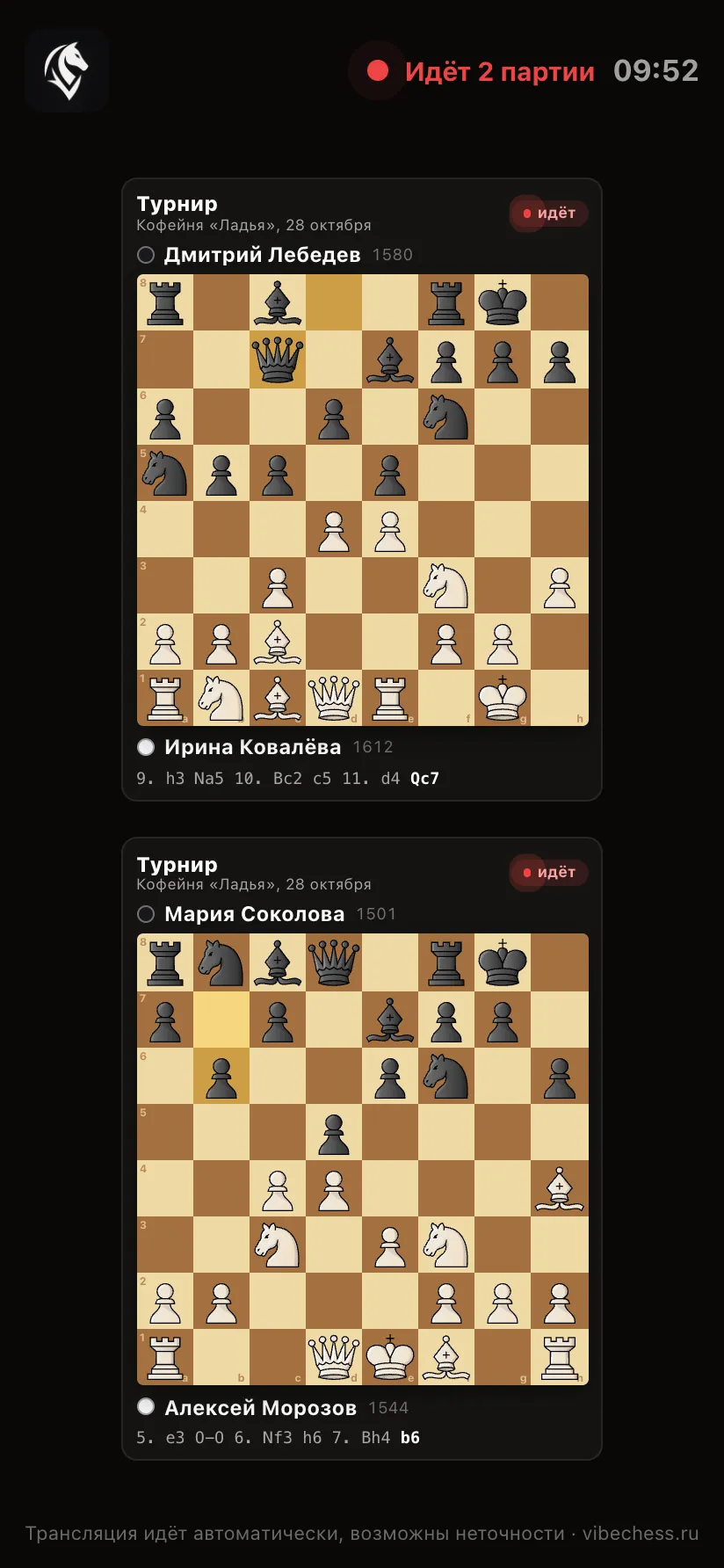
The broadcast platform on a phone screen: two games one under another
On a phone - by link, no sign-in.
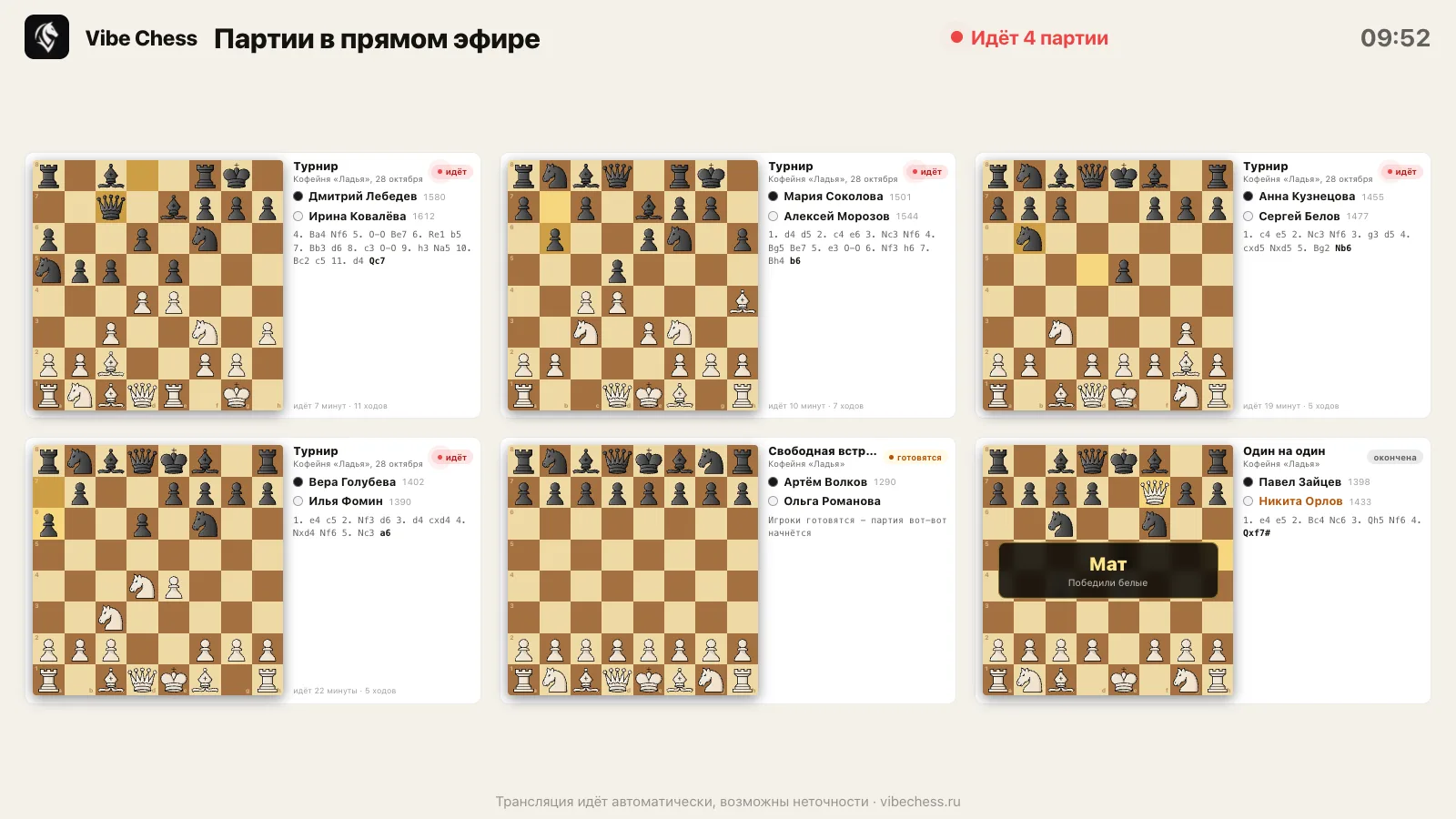
The broadcast platform in the light theme: six boards on a light background for a projector in daylight
Light theme - for daytime.

What the labels on a card mean

LabelWhat it meansWhat else you see
livethe game is being played right nownext to it - how many minutes it has run and how many moves
getting readythe players have sat down, the game is about to startno moves yet
No moves yetthe game has started but the first move has not been madeit usually appears within seconds
finishedthe game is overthe result is shown large, and the card leaves after a minute

Under the board - the latest moves of the game, the last one in bold, and the last move is highlighted on the board itself.

How to read the result

CaptionWhat happened
Checkmatethe game ended in checkmate on the board
Stalemate - drawthe side to move has no moves and is not in check
White (Black) ran out of timethe clock ended the game
Draw agreed by the playersthey agreed a draw
Result entered by the playersa resignation or a result entered by the players themselves
The opponent did not show upa no-show
The broadcast runs automatically, and in fast exchanges a move may appear with a short delay or a correction. The tournament result is in the final standings, not on the broadcast screen.
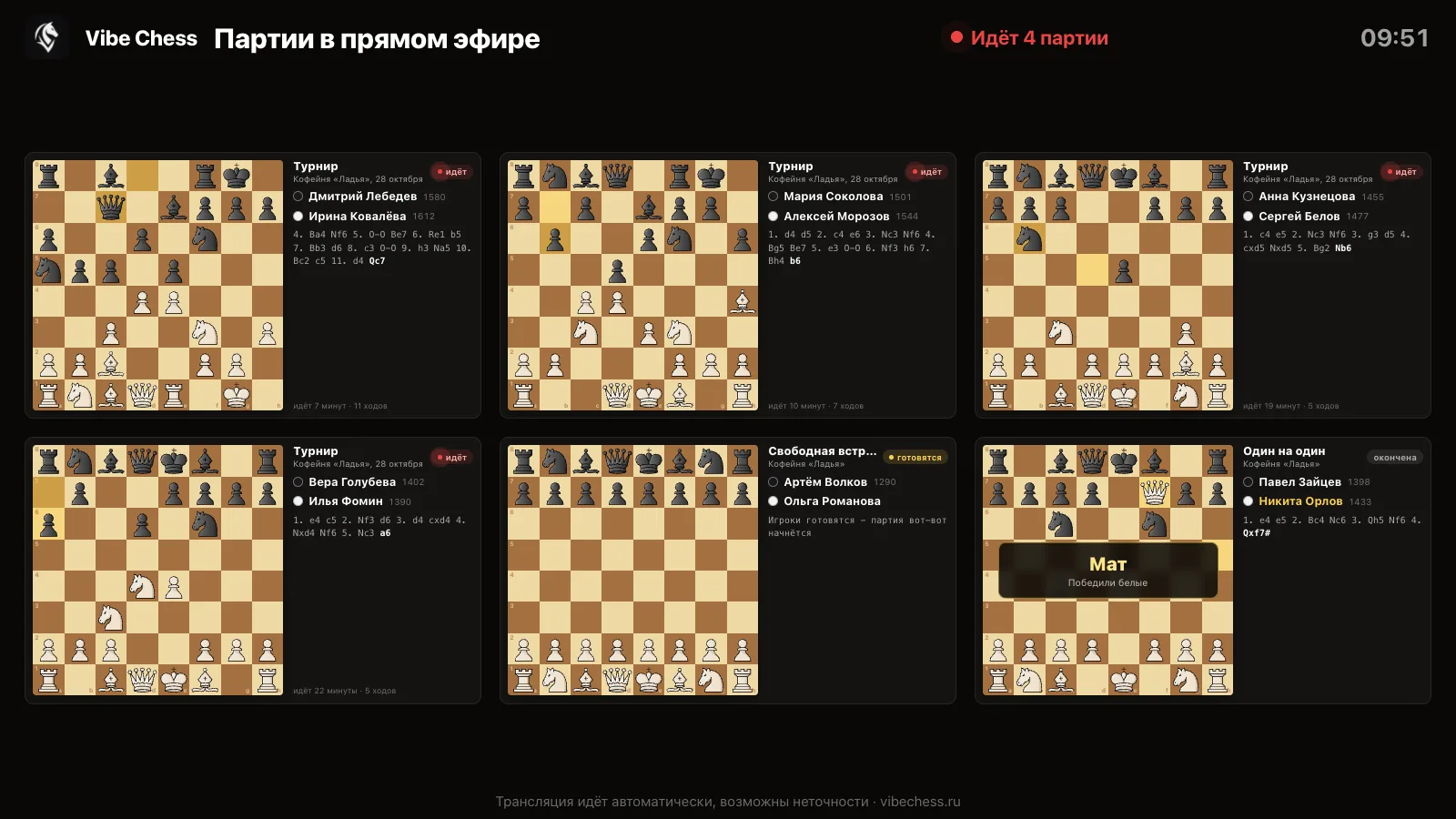
The broadcast platform: six boards - a tournament, a free meetup and a one-on-one game, players with ratings, moves and a checkmate result
Six games, one of them ended in checkmate.

For parents: what to know

  • • it is easiest to watch from the fan zone or from home - you cannot go up to the tables;
  • • do not message your child during the game: the phone at the table is a clock and a camera, nothing should distract;
  • • there are no photos on the broadcast page - only names, boards and moves;
  • • after the game you can go through it together: the moves are saved in the app, along with a game analysis.

What else parents should know - parents at a junior tournament, broadcasting a junior tournament.

The broadcast opens by link

Open live.playvibechess.com on a phone or a TV - the games appear by themselves as soon as play starts at the board.

Frequently asked questions from spectators

Where can I watch a Vibe Chess tournament broadcast?

On live.playvibechess.com. It shows every game currently being played in the Vibe Chess app. No sign-in or registration needed.

How do I find my child's game?

By the player's name, the tournament name and the venue on the game card.

Can I watch on a TV?

Yes. Open the link in the TV's browser or mirror a laptop screen to it and press Full screen.

Why does a game not appear?

The broadcast shows games recorded by a phone camera. If there is no camera at the table, the card shows only the names, without moves.

Can I see the time on the players' clocks?

No, the page shows the board, the moves and the result. The players' time is on their clock in the hall.

Are there photos of the players on the broadcast?

No. Only names, boards and moves.

Free

The app instead of arbiter software

Pairings are computed by bbpPairings, an open-source engine implementing the Dutch system by FIDE rules: score groups, floats on an odd field, colour alternation. Free to use.

  1. 1The event is created in the app in a minute
  2. 2Players register themselves through the link
  3. 3The engine pairs every round, not the organizer
  4. 4The finished tournament exports as a TRF file that arbiter software accepts
  • Swiss system. proper rounds with correct pairings, not random matchups
  • Round robin. a full circle, with the round count derived from the field
  • Free meetup. a light format with no tournament machinery

More than a bot: the app, FIDE rules and a TRF report

  • The app. Besides the bot there is an app - inside Telegram and simply at playvibechess.com/app: what is on in your city, the player list, a live table, the current round, your profile and game history - everything that is awkward to read as chat messages.
  • Pairings by FIDE rules. Pairings are computed by bbpPairings, an open-source engine implementing the Dutch system: score groups, floats on an odd field, colour alternation, no rematches, and no player gets a bye twice.
  • A TRF report. A finished tournament exports as a single file in the FIDE data exchange format - the one arbiter software and federations accept. Your profile stores the FIDE ID, national federation code, title, sex and date of birth for it.
  • Free. All of the above, with no subscriptions, paid plans or limits on the number of tournaments and players.

Full overview

Missing a feature? Message the developers

The bot is constantly improved based on real tournaments. If you need a feature that isn't there yet, message the developers right inside the bot with the /support command. Many features appeared exactly because organizers asked for them, and useful ideas get added quickly.

Alexey Mudry
Alexey Mudry · hosted 37 events for Vibe Chess · 157 reviews · rating 5.0

At the board since childhood: hazy about his rating, precise about every rook he has blundered. Counts an evening as a good one if the opponent stayed to talk afterwards instead of rushing off to check with an engine. Message →