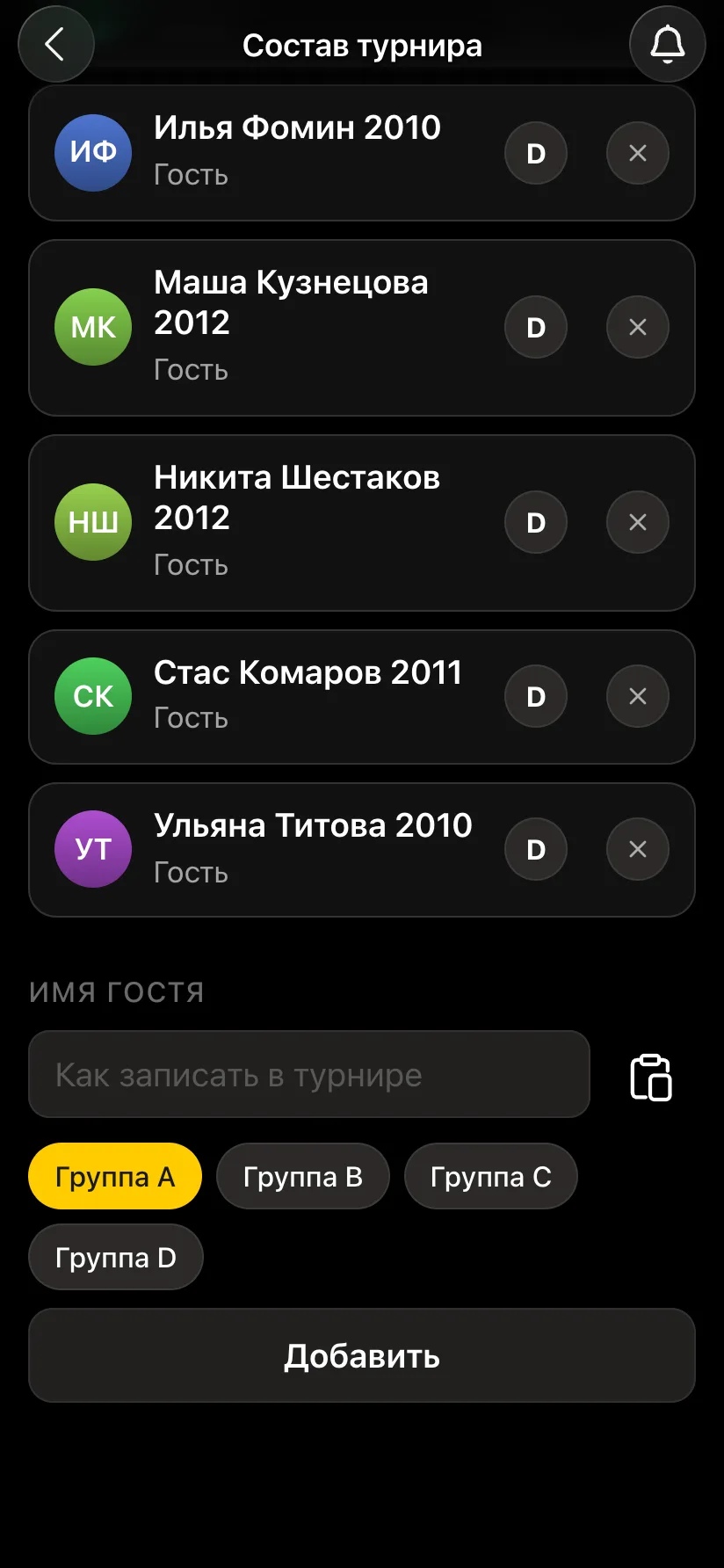
The tournament's player list on the organiser's side has a Guest name field. Type a name - and the guest is on the list. If the tournament is split into groups, choose the group letter under the field. Guests can be added before the start or during the tournament - a latecomer joins from the next round.
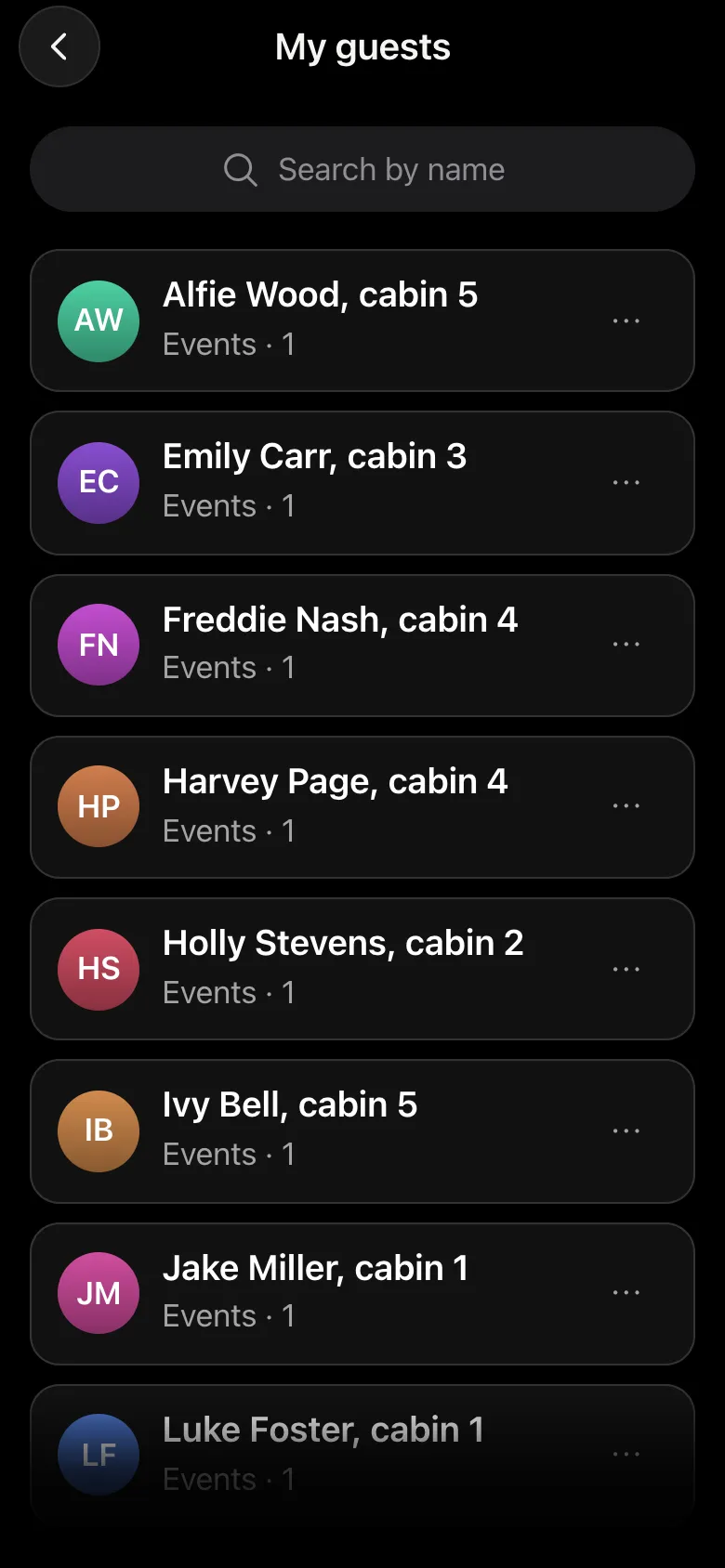
A guest is created once. After that they are kept in the organiser's My guests list, and at the next tournament they are added with one tap, without typing the name again. That saves minutes before the start, when half the players are the same people as last week, and it also stops the name from drifting into different spellings. Only the organiser can see the list.
| Player with the app | Guest | |
|---|---|---|
| Who adds them | signs up themselves | the organiser |
| Pairing and table | arrive on the phone | announced by the organiser or shown on the hall screen |
| Result | entered by the player, confirmed by the opponent | entered by the opponent or the arbiter, recorded at once |
| Table and places | yes | yes, on equal terms |
| Vibe Chess rating | changes after games | a guest is unrated; a game against a guest does not change the rating |
| Results and notifications | arrive on the phone | do not arrive: there is no phone |
The main difference: everything a player does on their own phone is done for a guest by the opponent or the arbiter. And a guest learns their pairing from the hall screen: the tournament hall screen.
If the guest's opponent has the app, they enter the result. If both players are guests or the opponent cannot do it, the arbiter enters the score from their panel. A pair with a guest has no objection window: there is nobody to object, so the result is recorded at once. That means it should be entered carefully.
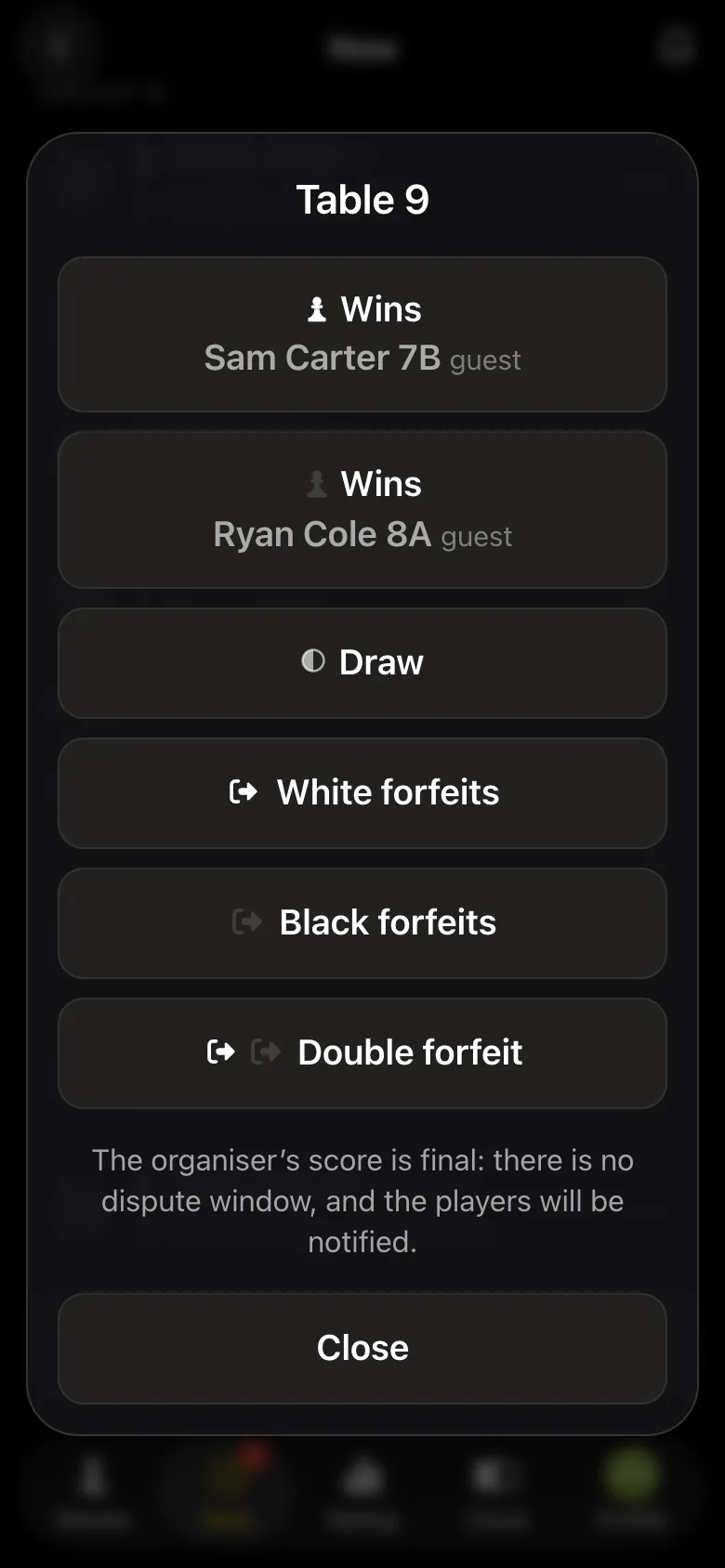
All the arbiter's buttons - the arbiter's panel in the app, how a result is recorded - how chess game results are recorded.
A junior tournament is the main case for guests: sixteen children can be added in a couple of minutes, split into age groups, and the pairings shown on the screen without photos. How a children's tournament works - a children's chess tournament. Which children's data may be published - parental consent for photos and data.
Yes. The organiser adds such a player as a guest, and they play on equal terms with everyone: in the pairings, the table and the results.
Pairings do not reach them by phone, so the organiser announces them out loud or shows them on the hall screen.
The opponent with the app or the arbiter. The result of a pair with a guest is recorded at once, without an objection window.
No. A guest is unrated, and a game against a guest does not change the opponent's rating. In the tournament table a guest stands on equal terms with everyone.
No. The guest stays in the organiser's My guests list and is added again with one tap.
Everything people usually keep in a spreadsheet is already in the app: pairings, points, tie-breaks, round order. Free, with no subscriptions and no cap on the number of players.
The bot is constantly improved based on real tournaments. If you need a feature that isn't there yet, message the developers right inside the bot with the /support command. Many features appeared exactly because organizers asked for them, and useful ideas get added quickly.
More about the app: a children's chess tournament, the arbiter's panel in the app, the hall screen and tournament results as PDF.

At the board since childhood: hazy about his rating, precise about every rook he has blundered. Counts an evening as a good one if the opponent stayed to talk afterwards instead of rushing off to check with an engine. Message →
