Vibe ChessVibe ChessApp

Summer camp chess tournament in the Vibe Chess app

Alexey Mudry · updated September 29, 2026
Chess at camp is not one tournament but a whole session: an opening tournament, games on a rainy day, a final at the closing ceremony. In the Vibe Chess app all of it is run by one chess counsellor with a phone. Children play without their own phones - they are added as guests once, and every new tournament of the session is then put together from the "My guests" list. Pairings, standings and rounds are handled by the app. Below is a whole session, with a screenshot of every step. How to fit chess into the camp routine, with no app involved, is covered in summer camp chess tournament.

Why the app suits a camp

Children do not need phones

At camp phones are often handed in. Children are added as guests by name and the counsellor enters the results - only the counsellor needs a phone.

Add once - for the whole session

Every child goes into the "My guests" list. The second and third tournaments of the session are put together from that list in a minute.

Cabins do not get mixed up

Groups inside a tournament: younger cabins separate from older ones. Their own pairings, their own standings, their own prize winners.

A tournament for any weather

It started raining? Put together a round robin for six from the list in five minutes.

A screen on the porch without faces

Pairings and standings on a TV or projector, with the "No photos on the screen" switch - names only.

Certificates at the closing

An A4 results sheet in PDF with places by group - certificates are signed from it, and it goes on the camp noticeboard.

FIDE pairing rules

Swiss pairings come from the bbpPairings engine, round robins from Berger tables. No working out pairings in the staff room at night.

Free

Everything runs through the Telegram bot @vibechessbot, and on a laptop through the web version.

Step 1. The opening tournament

Open the Vibe Chess bot and its app button, or the web version. Games - "Create your own game" - "Swiss-system tournament". Venue - the porch or the camp hall, date and time, 10+5 rapid and five rounds: a game takes 15-25 minutes, and the tournament fits between rest hour and dinner. The number of tables is the number of boards with clocks the camp has. Switch on "Private tournament" so it does not appear in the city feed.
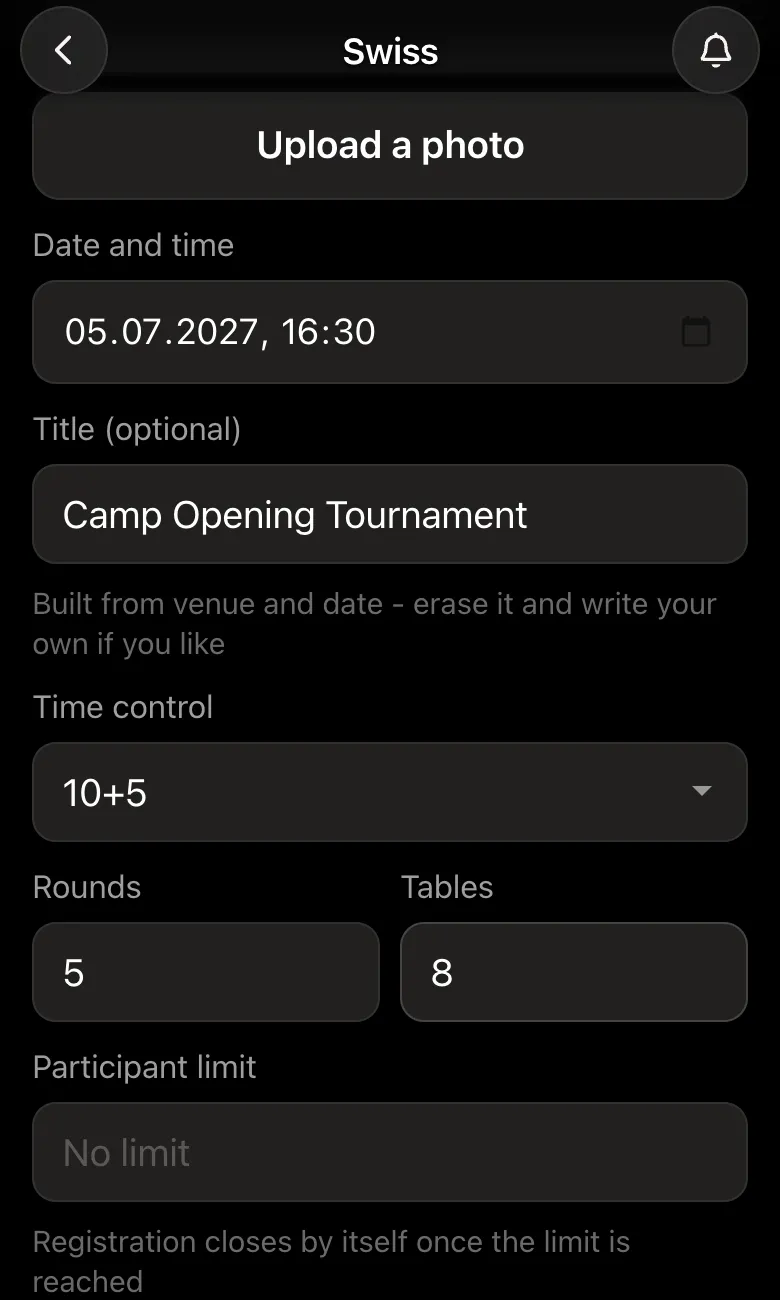
Tournament form: date 05.07.2027, 16:30, Camp Opening Tournament, 10+5 rapid, 5 rounds, 8 tables
The opening tournament: 10+5 rapid, five rounds.

Step 2. Add the children and split the cabins

On the player list screen the counsellor types the children into the guest name field - best with the cabin straight away: "Jake Miller, cabin 1". A guest plays like everyone else, and the counsellor enters their result. If the counsellor is not playing, they switch themselves off next to their own name.

Younger cabins get little out of playing older ones. "Split into groups" - and each child gets a letter: A for cabins 1-3, B for cabins 4-5. Pairings are made only inside a group, each has its own standings and prize winners, and the rounds run at the same time.
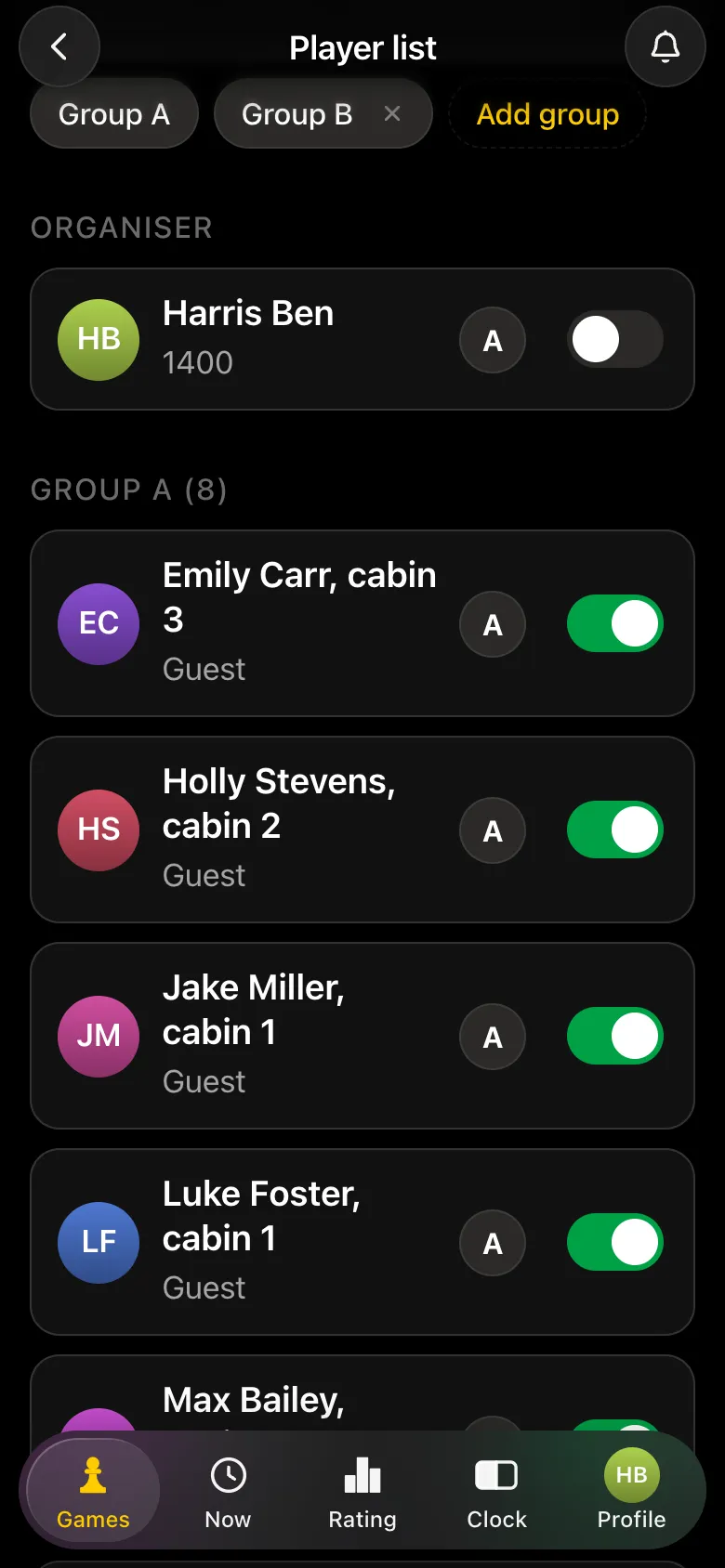
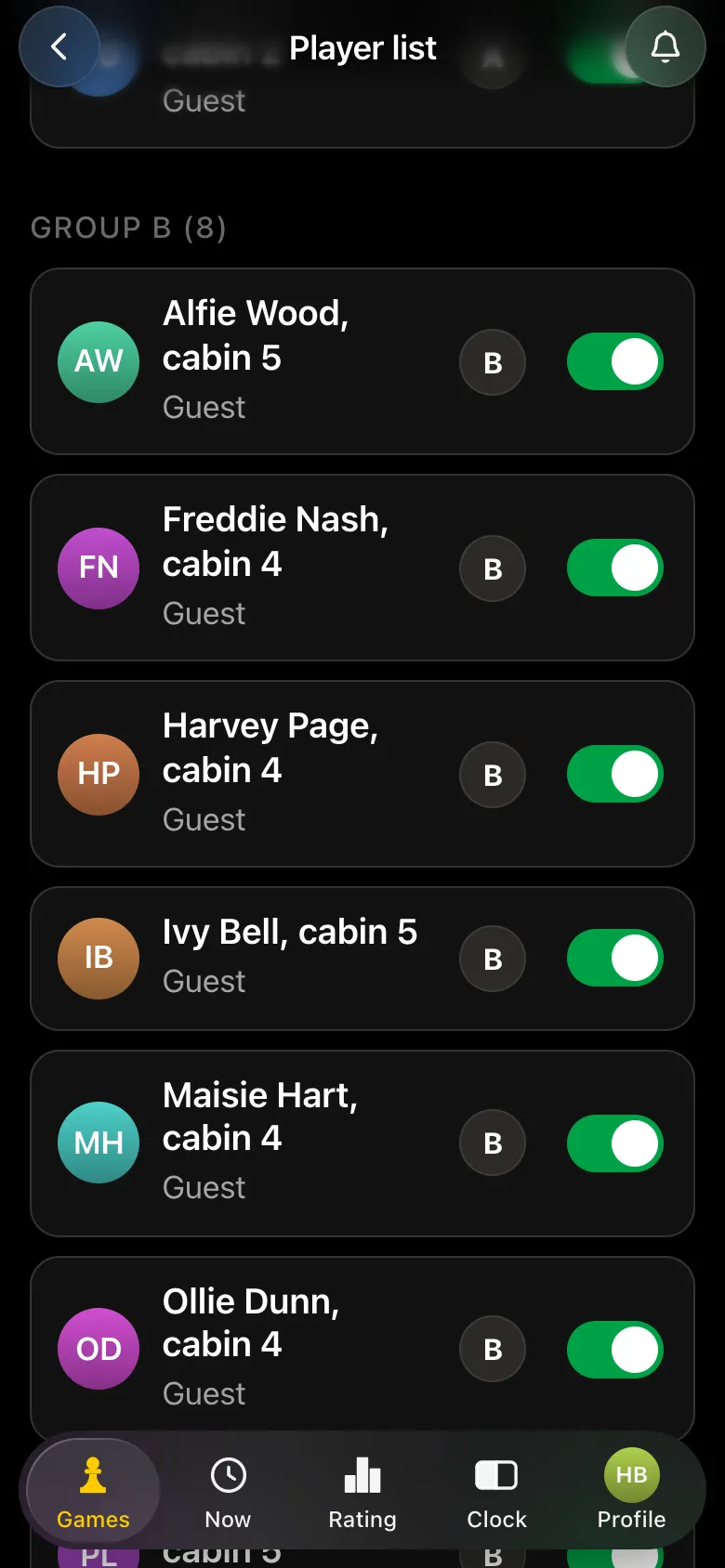
Player list: the counsellor switched off, group A from the older cabins, each child with their cabin in the name
Group A - the older cabins. The counsellor is not playing.
Group B: children from cabins 4 and 5 added as guests
Group B - the younger cabins.

Step 3. Rounds: the counsellor enters the results

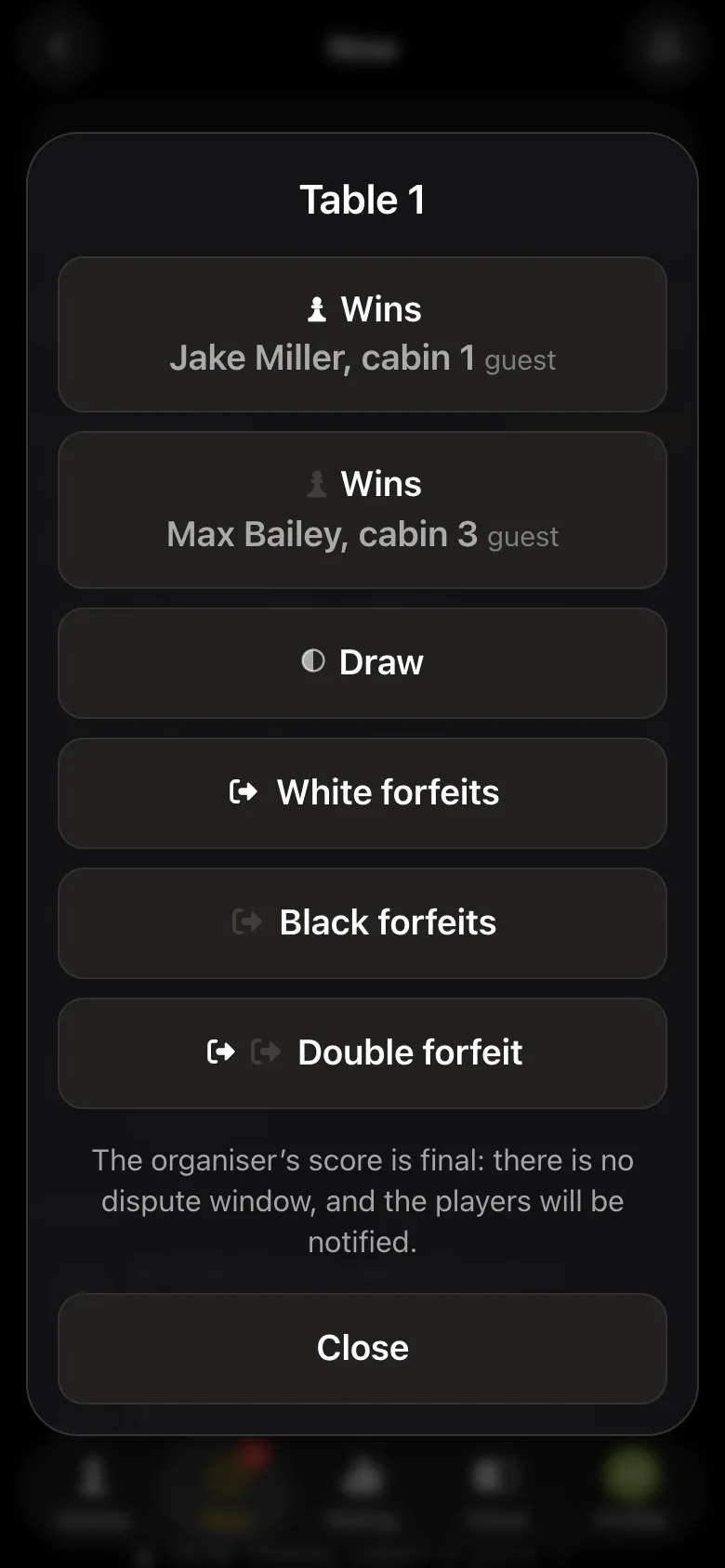
"Close registration" - "Start the tournament", and round one is announced. When a game ends, the counsellor taps the table in the pairings list and picks the outcome: a win for white or black, a draw, a forfeit. The counsellor's word is final, with no dispute window. When the last result of a round is in, the next one starts by itself. Need a break for snack time? "Pause the tournament".
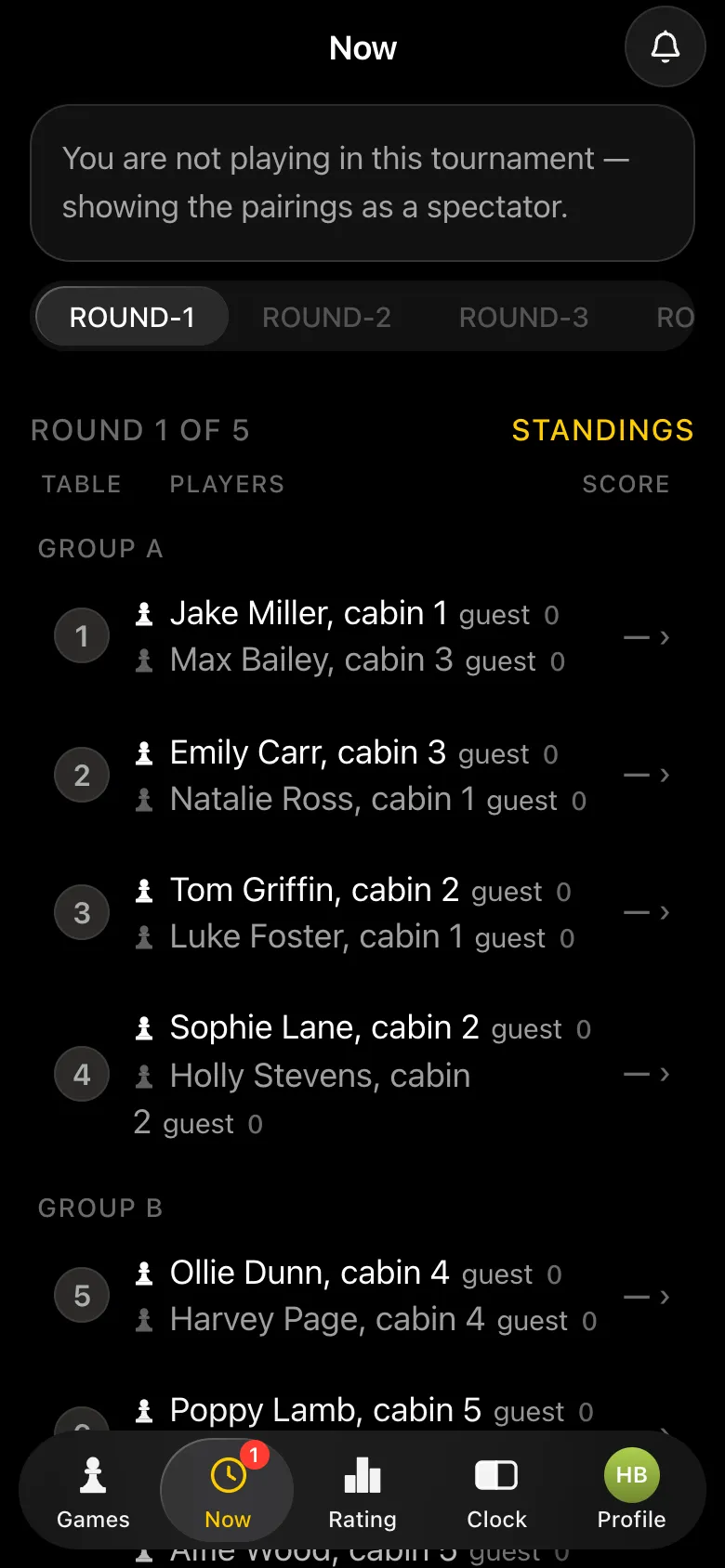
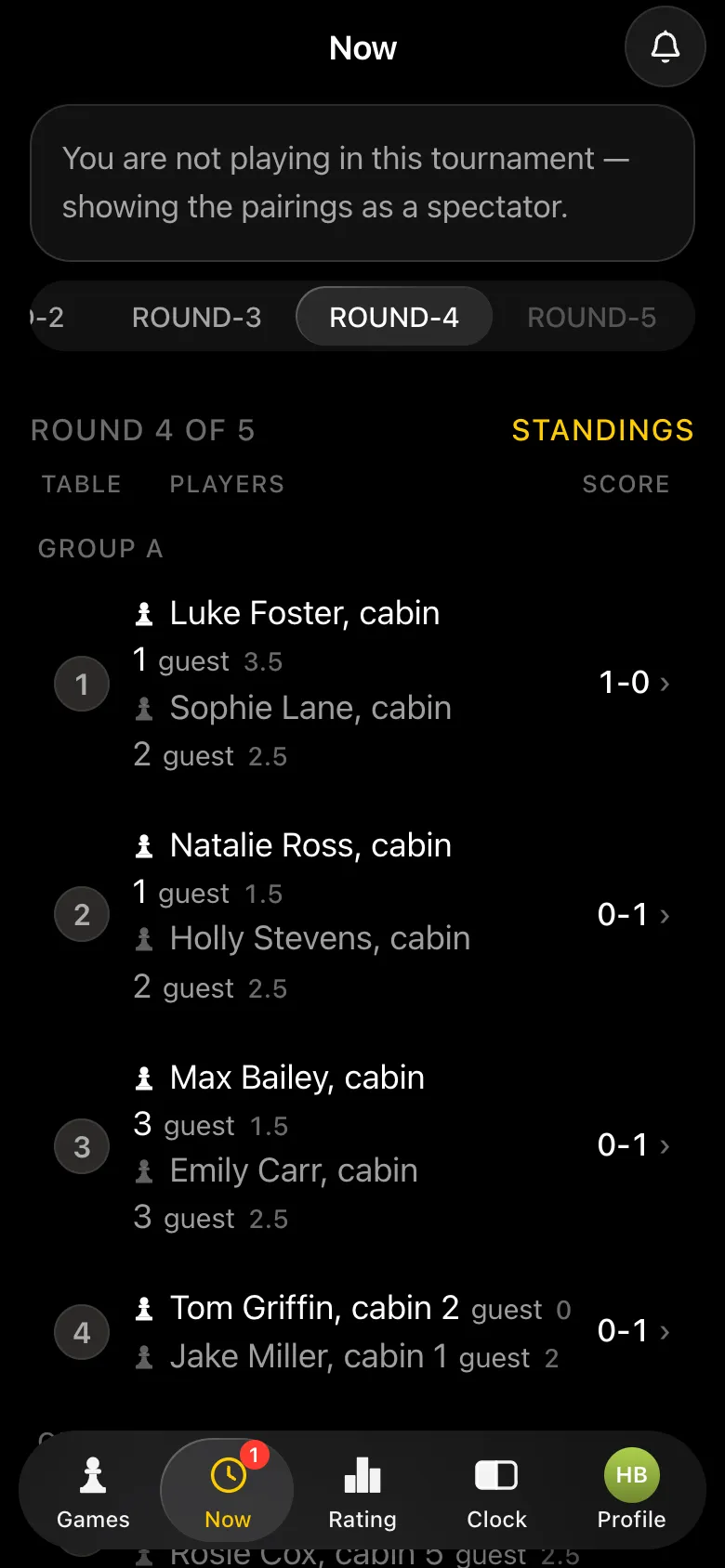
Round one: group A pairings on tables 1-4 with each child's cabin in the name
Round one: tables numbered straight through, group A first.
Result window for table 1: Jake Miller wins, Max Bailey wins, draw, forfeits
A result is one tap from the counsellor.
Round four: results are in on every group A table
The counsellor sees which tables have finished.

A screen on the porch - without photos

The tournament card has "Show the tournament on a screen". Switch on "No photos on the screen" and open the link on the laptop by the TV or projector: pairings and standings by group, names only, and the page updates by itself. Children who have finished watch the screen instead of crowding round other people's boards.
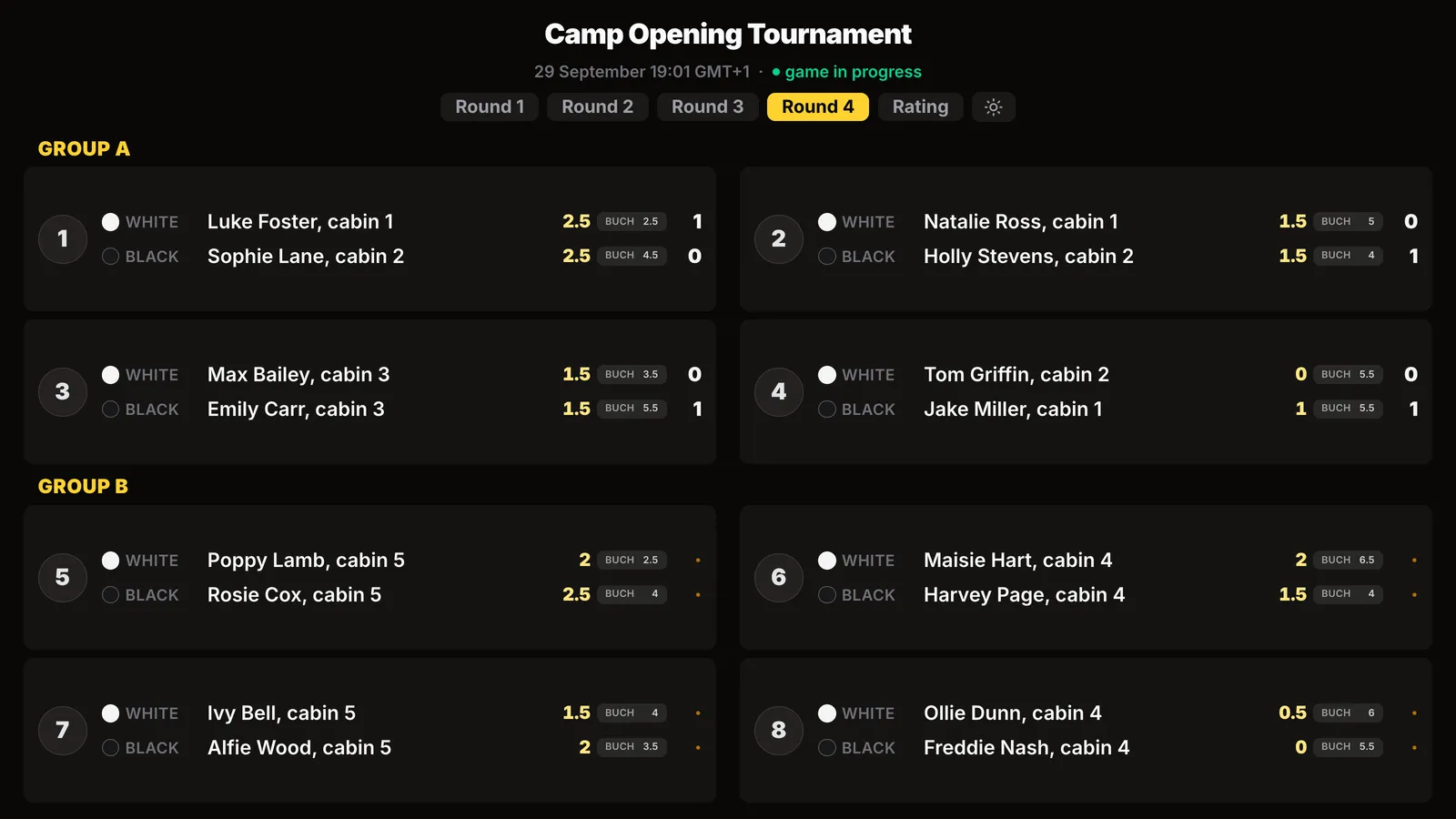
Screen on the porch: round four pairings in groups A and B, only the children's names with their cabin, no photos
Round pairings on the screen - by group, no faces.
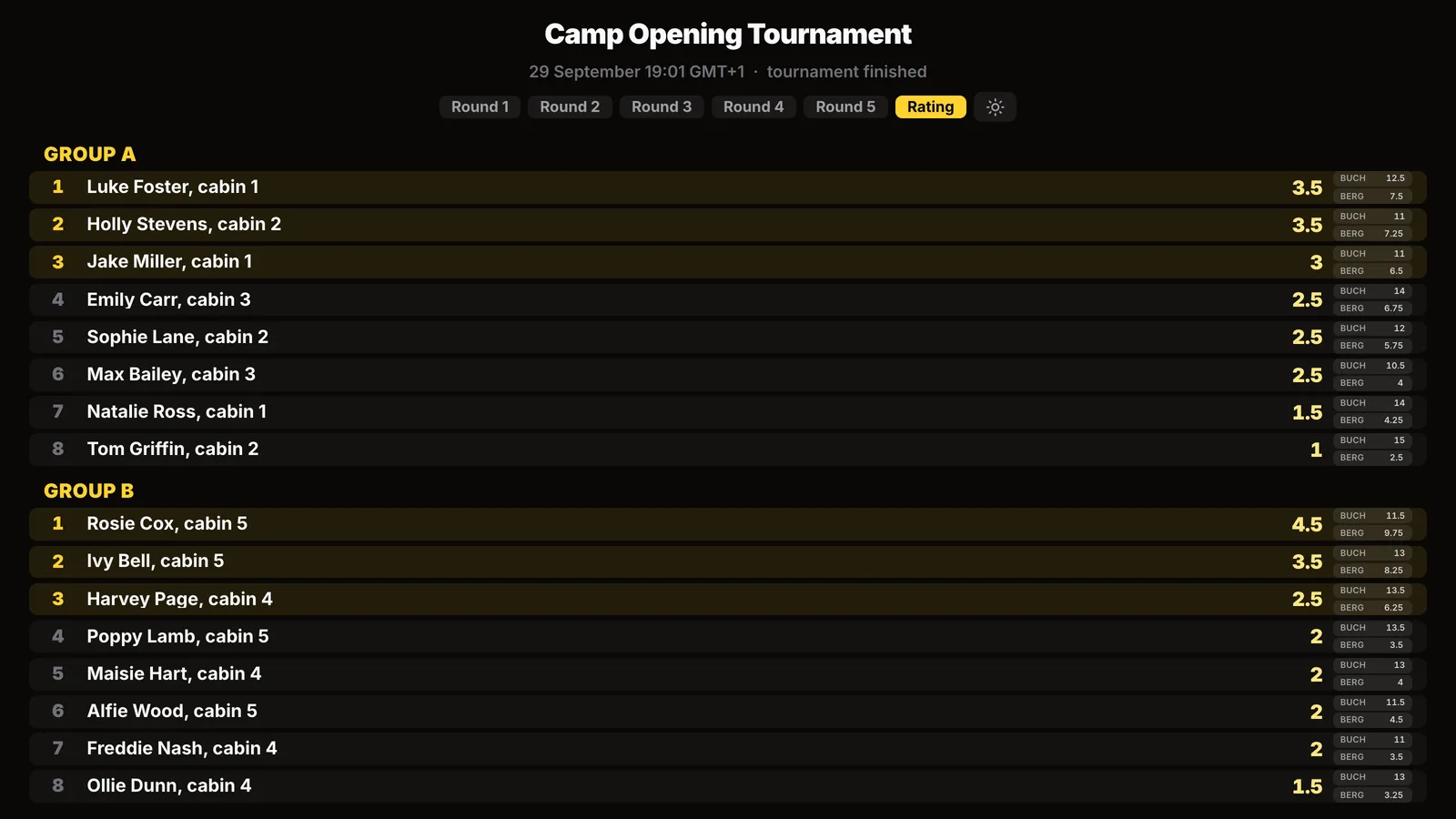
Final standings on the screen: group A and group B, each with its own prize winners
Opening tournament results on the screen.

Step 4. Opening tournament results

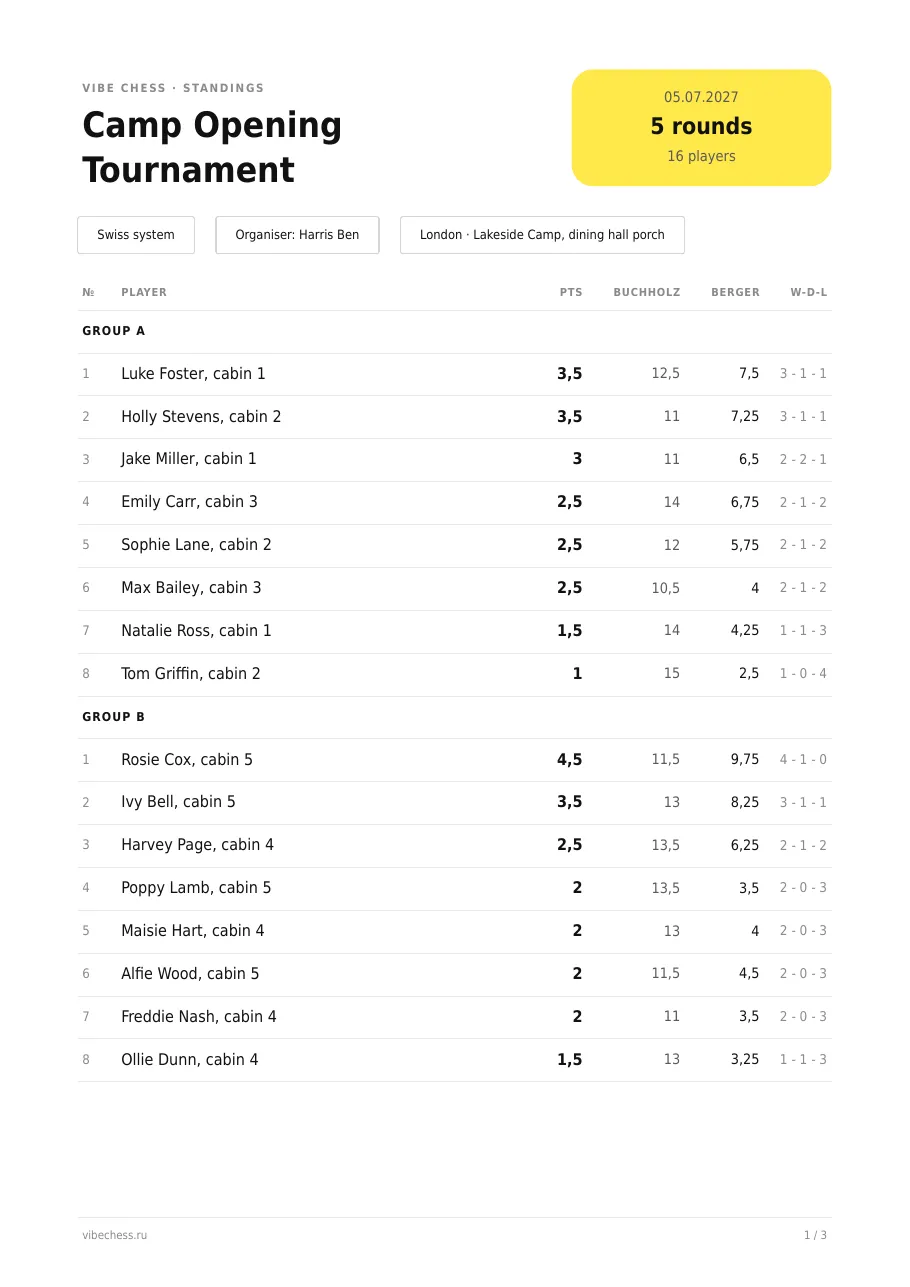
After the last round the tournament finishes on its own. "Final standings" works out places separately in each group, and ties on points are broken by the Buchholz score and Berger. "Standings as a PDF sheet" sends an A4 sheet for the cabin noticeboard.
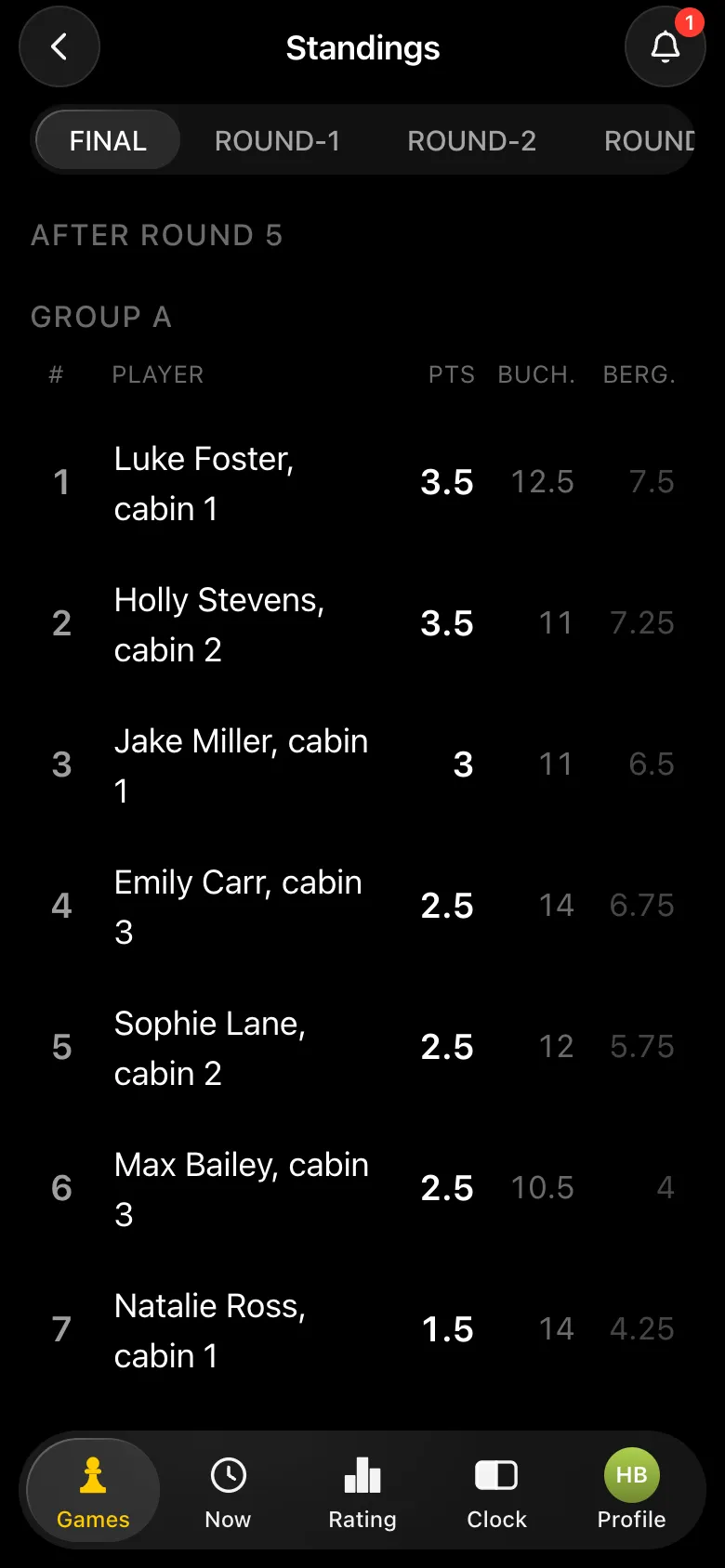
Final standings, group A: Luke Foster and Holly Stevens 3.5 points each, Jake Miller 3
Results for the older cabins.
PDF results sheet Camp Opening Tournament: groups A and B with places and points
The results sheet for the camp noticeboard.

Step 5. A rainy day: a tournament from the list

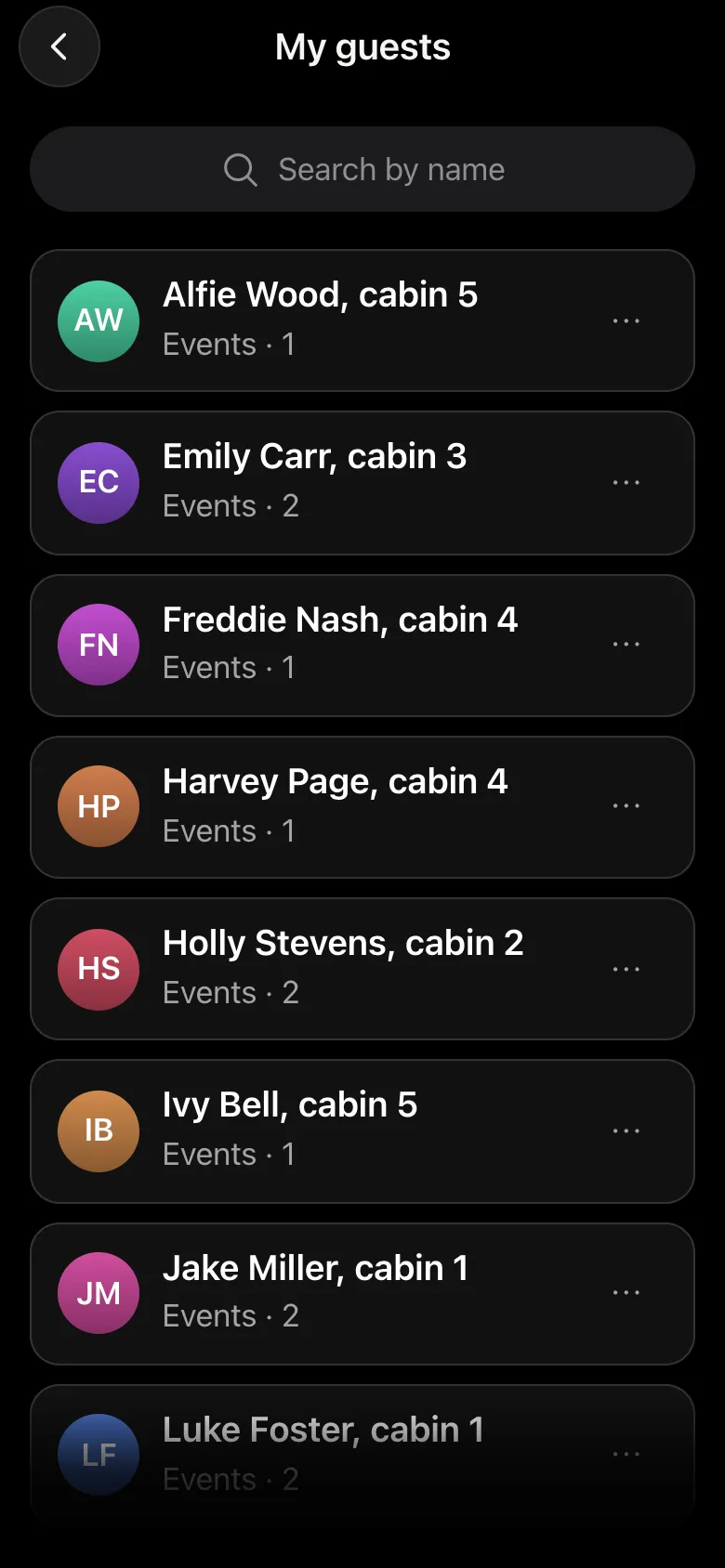
It is raining and nobody can go outside - the perfect time for chess. Create a round robin for six: everyone plays everyone, and the app works out the number of rounds itself - five for six players. On the player list screen tap the "My guests" button next to the name field: every child you have added is there - tap a name and the child is in the line-up. No retyping.
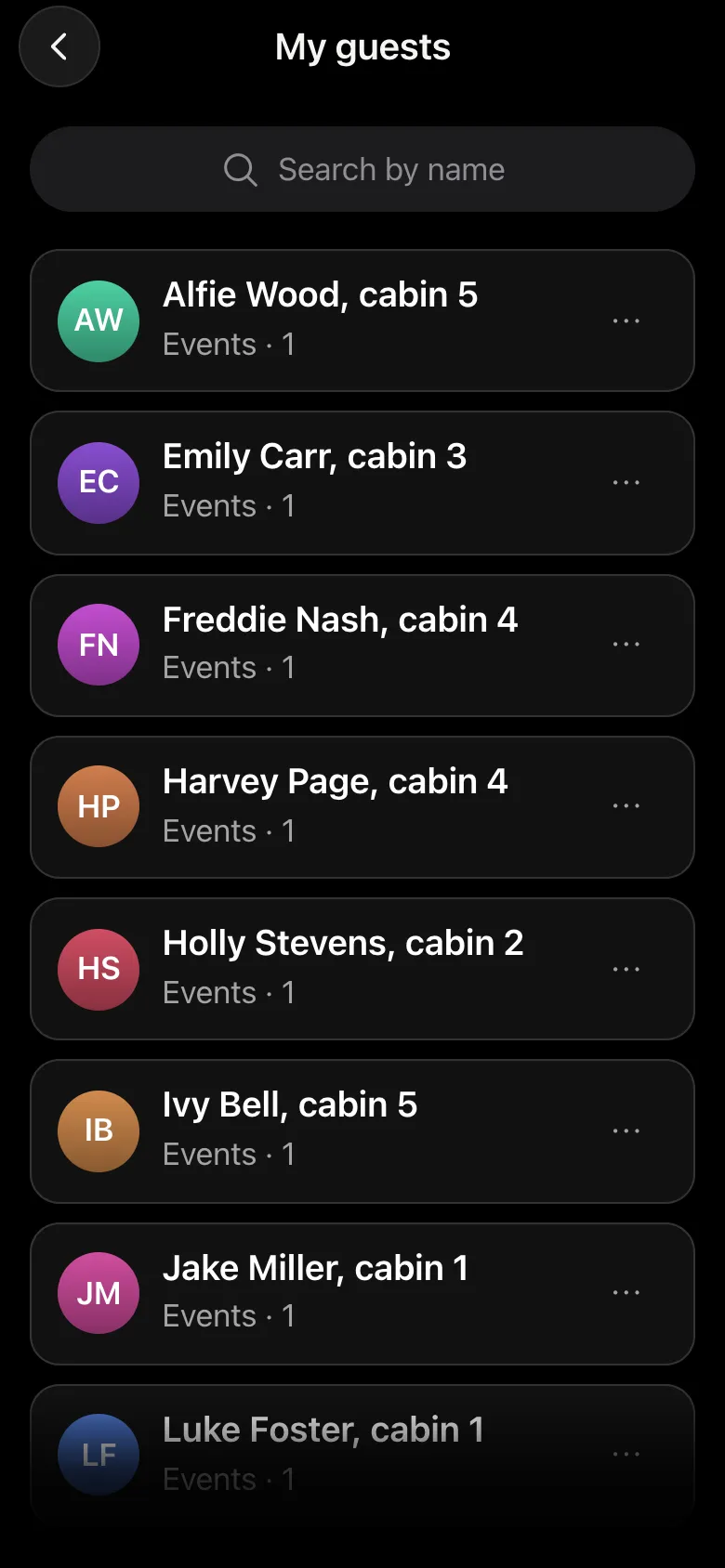
My guests list: children with their cabin in the name, each with Events · 1
My guests: everyone who played in the opening tournament.
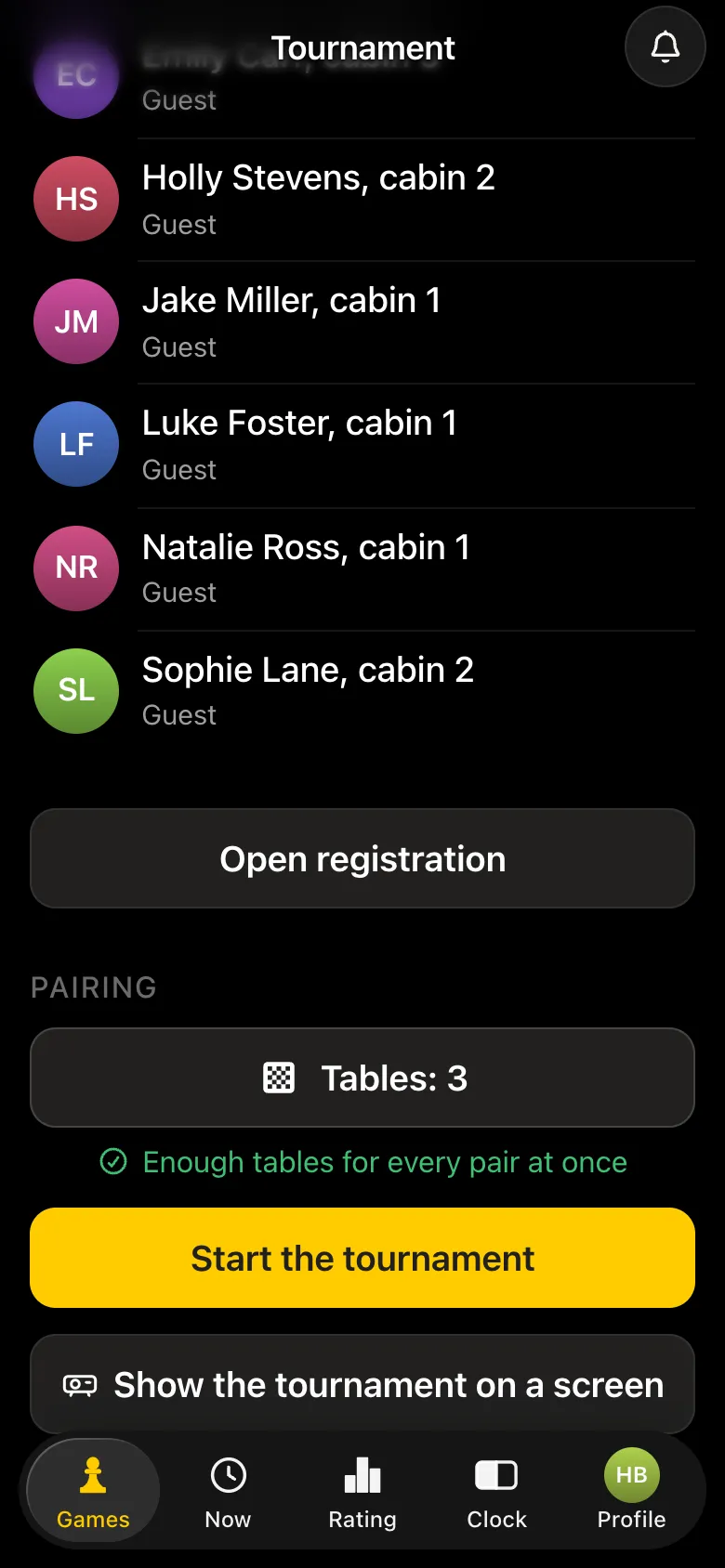
Rainy Day round robin: six children from the list, 3 tables, Enough tables for every pair at once
Six older children from the list, three boards.
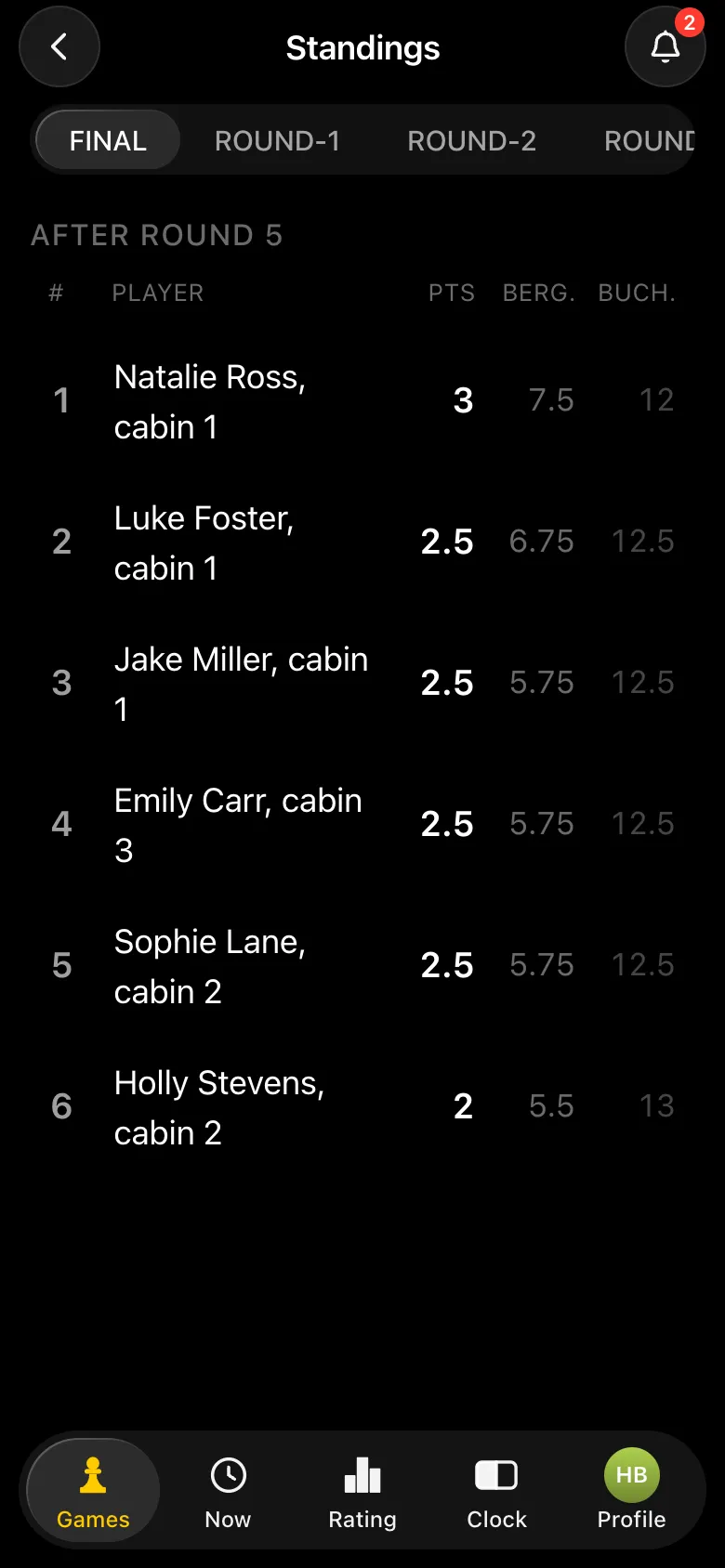
Round robin final standings: Natalie Ross 3 points, Luke Foster, Jake Miller, Emily Carr and Sophie Lane 2.5 each
Rainy day results.

How a round robin schedule works is covered in Berger tables.

Step 6. Closing the session

For the final tournament of the session the children are gathered the same way, from the list. If you start typing a name by hand, the app tells you such a guest already exists - so no duplicates appear in the list. Each child's entry keeps count of the session's tournaments: you can see at once who played in all of them - and give them a separate certificate for persistence.
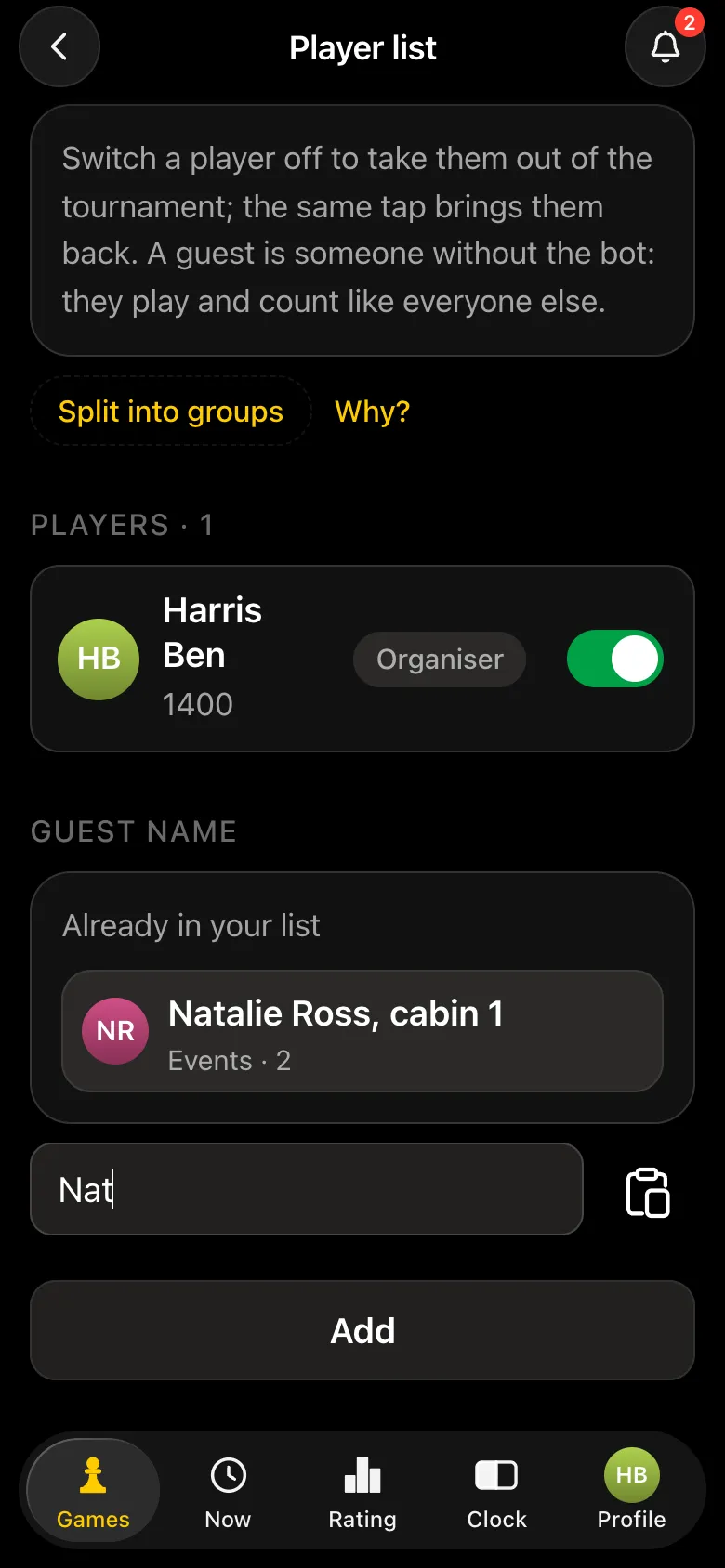
Hint while typing Nat: Already in your list - Natalie Ross, cabin 1, Events · 2
Typed "Nat" - the app found her in the list.
My guests list at the end of the session: older children with Events · 2, younger ones with Events · 1
By the end of the session you can see who played how often.

The final is run just like the opening tournament: groups, rounds, a screen without faces, final standings and a PDF results sheet for certificates at the closing ceremony.

Tips from practice

  • The cabin in the guest's name."Jake Miller, cabin 1" - namesakes do not get mixed up, and you can see at once which group they go in.
  • Three tournaments a session.An opening, one or two "weather" tournaments and a final - children look forward to the next one and practise in between.
  • A small group - a round robin. Five to eight children are better off playing everyone than playing a Swiss.
  • Check the signal in advance. The counsellor needs internet on their phone. At a camp with a weak signal, pick a spot where mobile data works, or share it from another phone.
  • Rules at the first session. For first-timers - how the chess pieces move and explaining the rules in five minutes.

What the app does not do

  • Organiser helpers. Guest results are entered by one person - the tournament organiser. There are no separate rights for a second counsellor.
  • Work offline. The organiser needs internet on their phone for the whole tournament.
  • Ratings for guests. Children added as guests play unrated.
  • Team scoring for cabins. The app keeps individual standings; groups are separate tournaments, not teams.

Run a chess session at your camp

Open @vibechessbot in Telegram or the app in your browser and create the opening tournament of the session. Questions about the app - message us on Telegram.

Common questions about chess at camp in the app

Can we run a tournament if the children's phones are handed in?

Yes. Children are added as guests by name, and the counsellor enters the results. Only the counsellor needs a phone with internet.

How do I avoid typing the same children into every tournament of the session?

Every child you add goes into the My guests list. In the next tournament you pick them from the list, and while you type a name the app tells you such a guest already exists.

How do I keep younger and older cabins apart?

Split the tournament into groups: for example, A for cabins 1-3 and B for cabins 4-5. Pairings are made only inside a group, and each group has its own standings and prize winners.

What if the camp has a poor signal?

Only the counsellor's phone needs internet. Pick a spot where mobile data works, or share it from another phone. The app does not work offline.

Can we show the pairings to the children without showing their faces?

Yes: Show the tournament on a screen with No photos on the screen switched on. Only names stay on the TV or projector.

Can a second counsellor enter results?

No, the app has no separate helper rights: guest results are entered by the tournament organiser.

How much does it cost?

The app is free: tournaments, pairings, the screen and the PDF results sheet. It runs in Telegram through the @vibechessbot bot, and on a laptop at playvibechess.com/app.

Anyone can be the organizer

There are no club or arbiter roles in the app: the create button is available to everyone. You can announce a tournament today and run it this weekend.

  • Swiss
    when there are more than ten players and nobody should be knocked out
  • Round robin
    when the field is small and fairness matters most
  • Free meetup
    when you simply want to get together and play

More than a bot: the app, FIDE rules and a TRF report

  • The app. Besides the bot there is an app - inside Telegram and simply at playvibechess.com/app: what is on in your city, the player list, a live table, the current round, your profile and game history - everything that is awkward to read as chat messages.
  • Pairings by FIDE rules. Pairings are computed by bbpPairings, an open-source engine implementing the Dutch system: score groups, floats on an odd field, colour alternation, no rematches, and no player gets a bye twice.
  • A TRF report. A finished tournament exports as a single file in the FIDE data exchange format - the one arbiter software and federations accept. Your profile stores the FIDE ID, national federation code, title, sex and date of birth for it.
  • Free. All of the above, with no subscriptions, paid plans or limits on the number of tournaments and players.

Full overview

Missing a feature? Message the developers

The bot is constantly improved based on real tournaments. If you need a feature that isn't there yet, message the developers right inside the bot with the /support command. Many features appeared exactly because organizers asked for them, and useful ideas get added quickly.

What to read next

With no app involved - summer camp chess tournament and running a chess club for kids. The same app for other audiences - school, beginners', student and corporate tournaments.

Alexey Mudry
Alexey Mudry · hosted 15 Vibe Chess events

At the board since childhood: hazy about his rating, precise about every rook he has blundered. Counts an evening as a good one if the opponent stayed to talk afterwards instead of rushing off to check with an engine. Message →