Employees have phones and Telegram, so almost all the work of a tournament can be handed to the players themselves. The organiser only has to create the tournament, invite people and press "Start" - after that they can sit down at a board too.
It does not appear in the city feed; the only way in is the invite link from your company chat.
A QR code on the office TV or a link in the work chat. An employee opens it in Telegram - and they are in.
Players report results on their own phones, and the opponent can dispute them. Rounds are announced automatically.
Groups inside one tournament: each group has its own pairings, its own standings and its own prize winners, while the evening stays shared.
The Swiss pairings come from the bbpPairings engine: by score, with colours alternating and no repeat games.
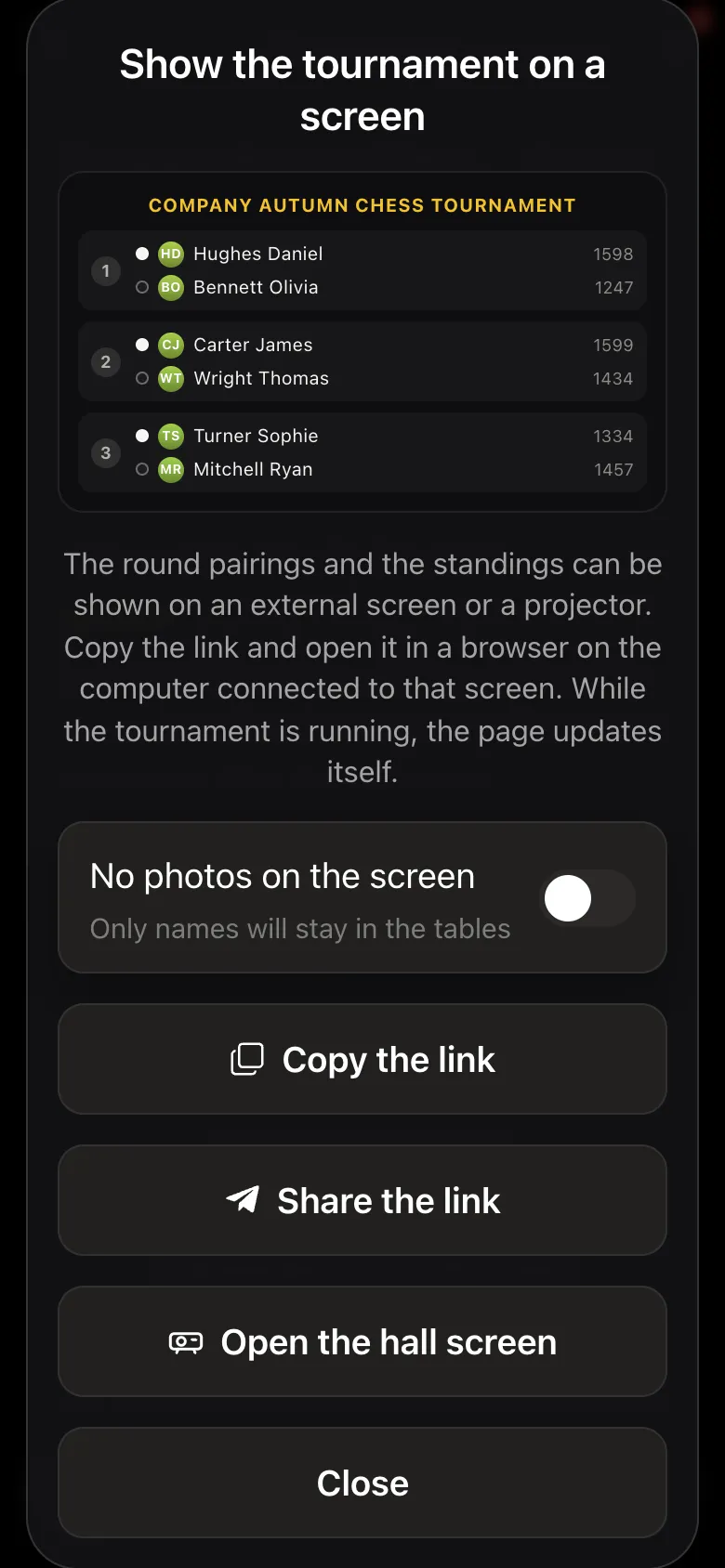
Pairings and standings on the TV update by themselves. Faces can be hidden if there is filming or company policy requires it.
Anyone who is not on Telegram, HR adds as a guest by name - and they play on equal terms with everyone.
An A4 results sheet as a PDF for the intranet or the notice board - one button.
A private league with its own rating and season table: rounds all quarter long, the finale at the company party.
Everything runs inside Telegram through @vibechessbot, and from a work computer through the web version. Nothing to clear with IT.
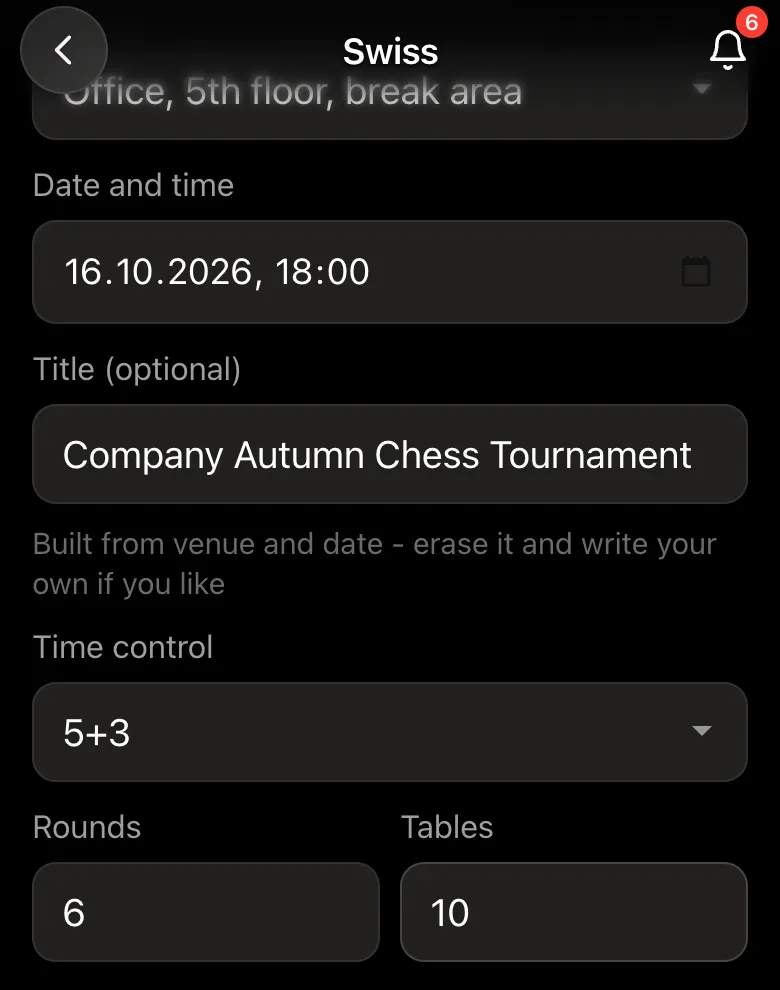
Open the Vibe Chess bot and its app button - or the web version on a work computer. "Create your game" - "Swiss-system tournament". The venue is the office or a meeting room, then the date, time and time control. For an after-work tournament blitz 5+3 works well: six rounds fit into an hour and a half to two hours.
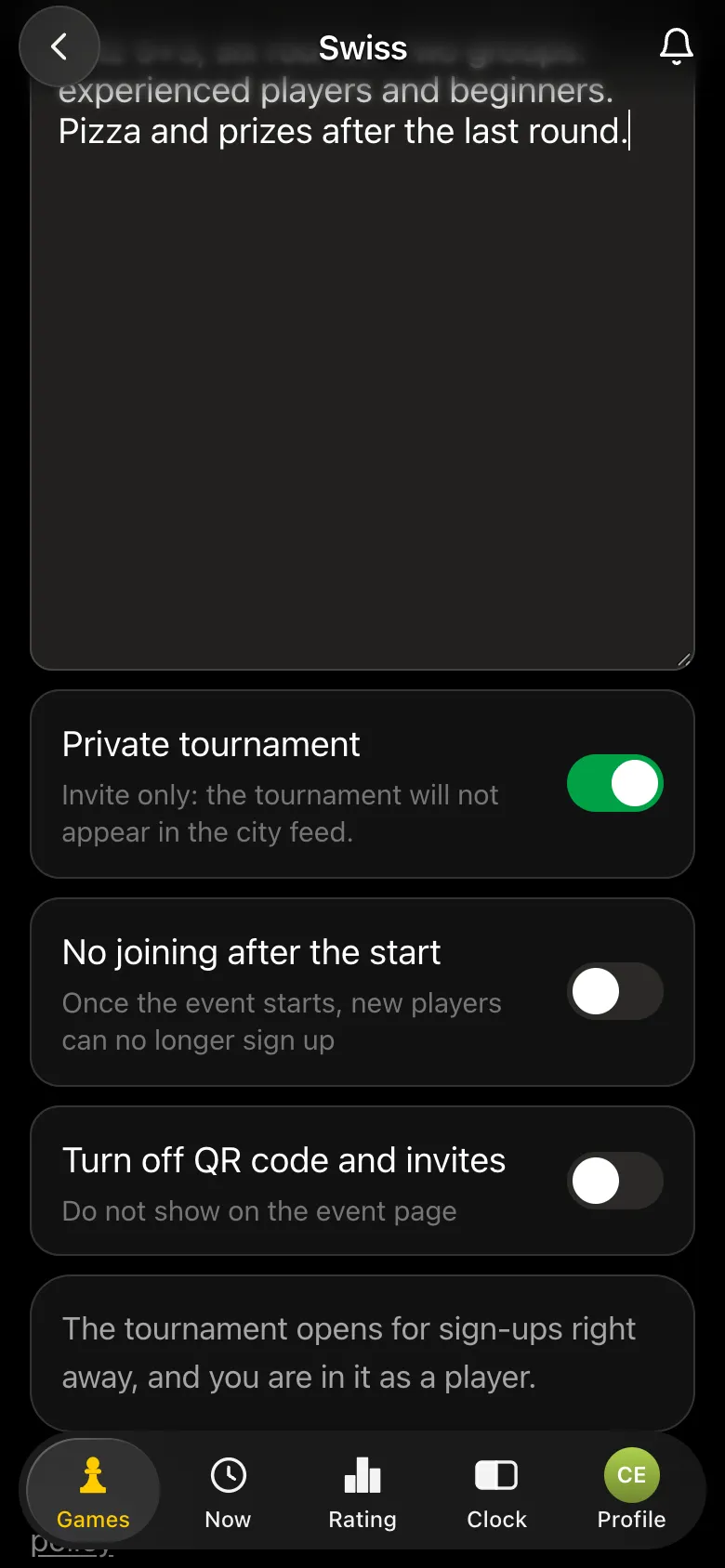
The key setting for a company is "Private tournament". Such a tournament does not appear in the city feed, outsiders cannot see it, and the only way to sign up is through your invite link.
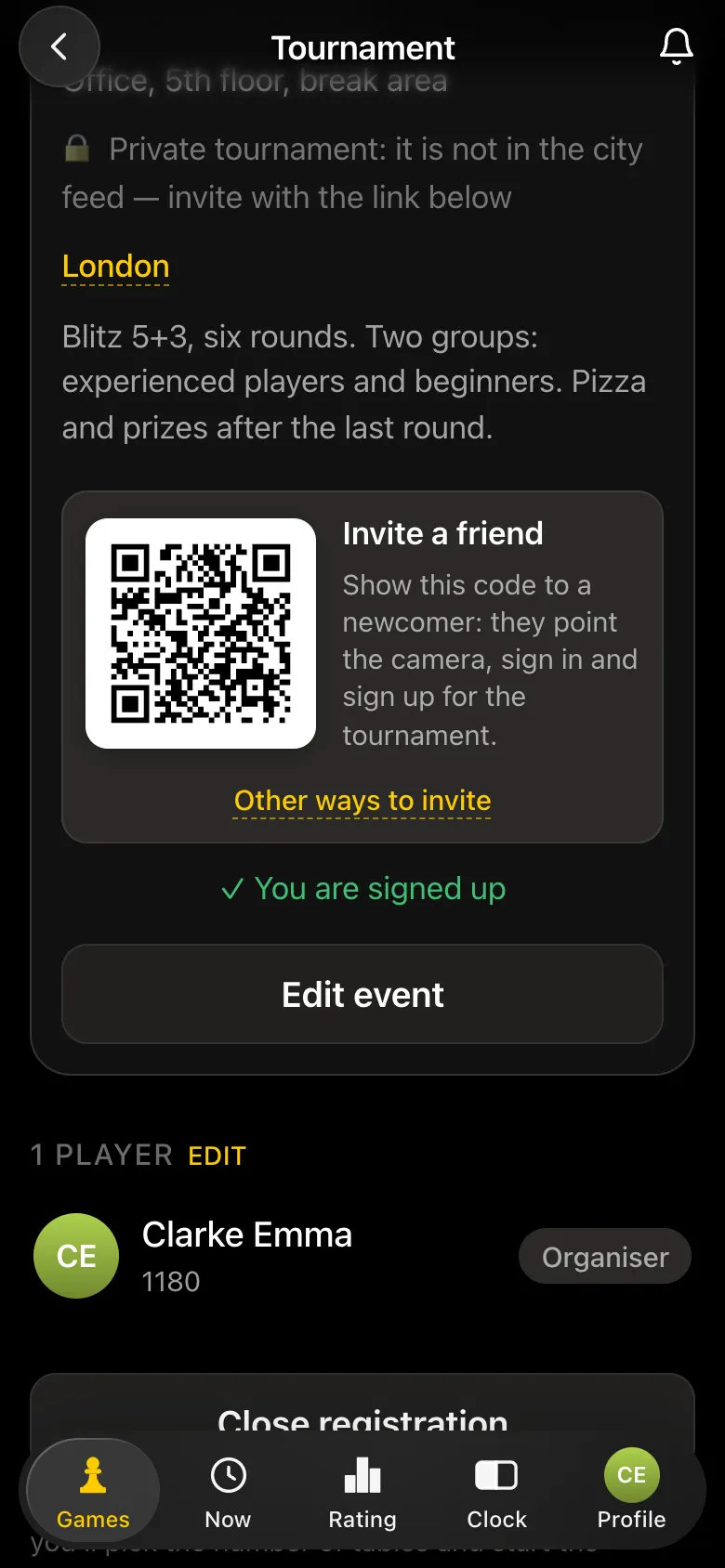
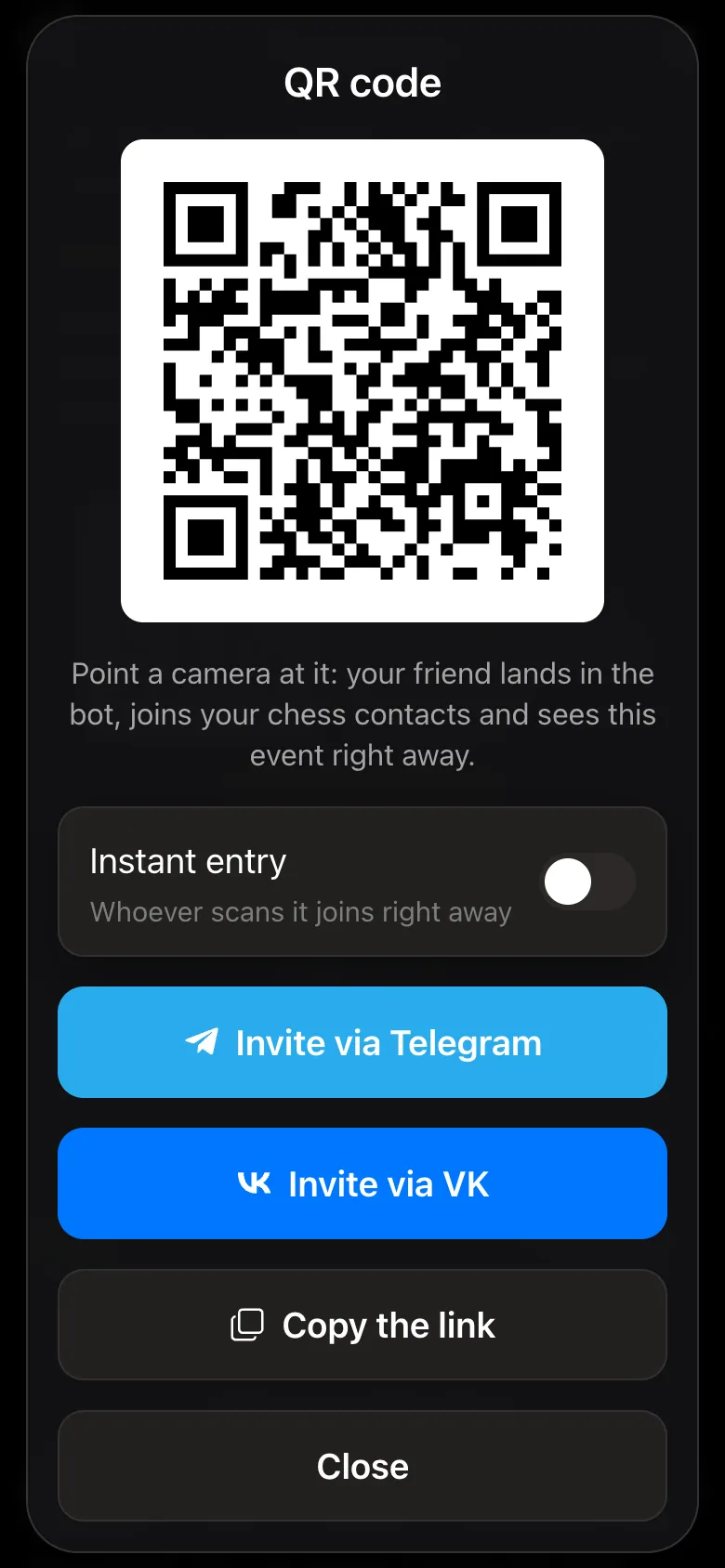
The tournament card has an "Invite a friend" QR code. Put it on the office TV or into an email: an employee points the camera at it, lands in the bot and signs up. "Other ways to invite" offers "Invite via Telegram", "Invite via VK" and "Copy the link" for the company chat. With "Instant entry" anyone who scans the code is added straight away.
Guests and contractors without Telegram are added by HR on the line-up screen by name - a guest plays on equal terms, the organiser simply enters their results. If the organiser is not playing, they untick themselves.
Every company has a few strong players and people who last played at school. So that beginners do not get nothing but heavy defeats, split the tournament into groups: "Split into groups", and every participant gets a letter - A for the experienced, B for beginners ("Add group" if you need more). Pairings are made only within a group, each group has its own standings and its own prize winners, and the rounds run at the same time - so the evening stays shared.
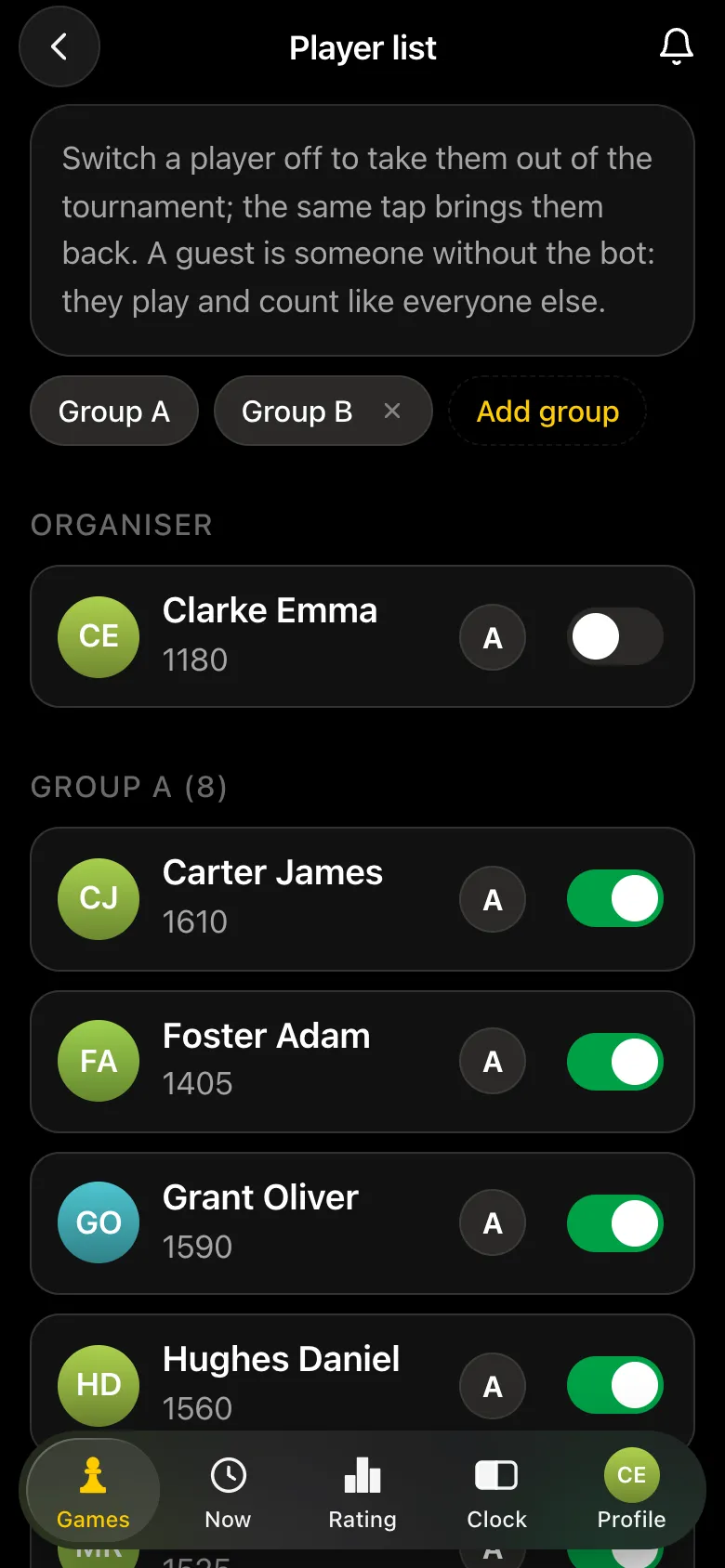
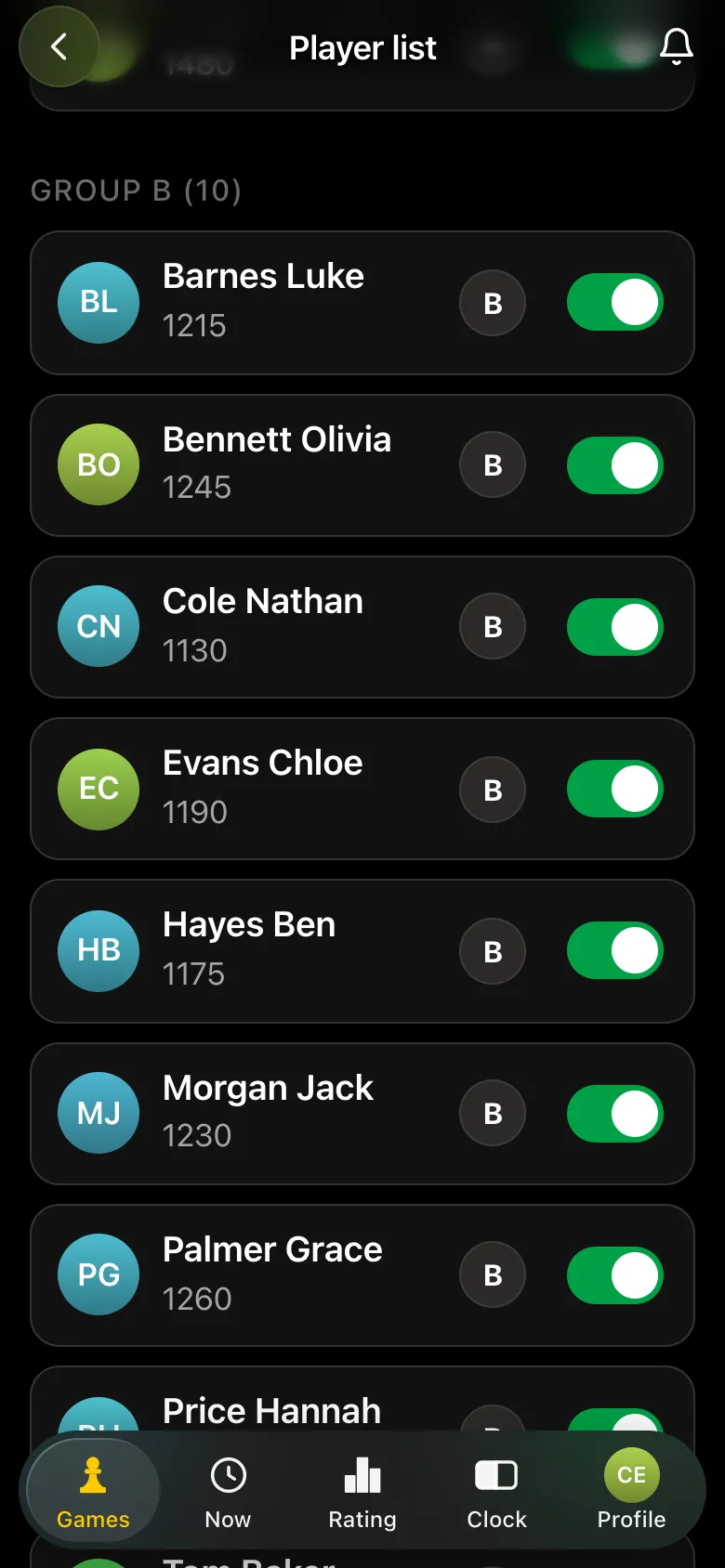
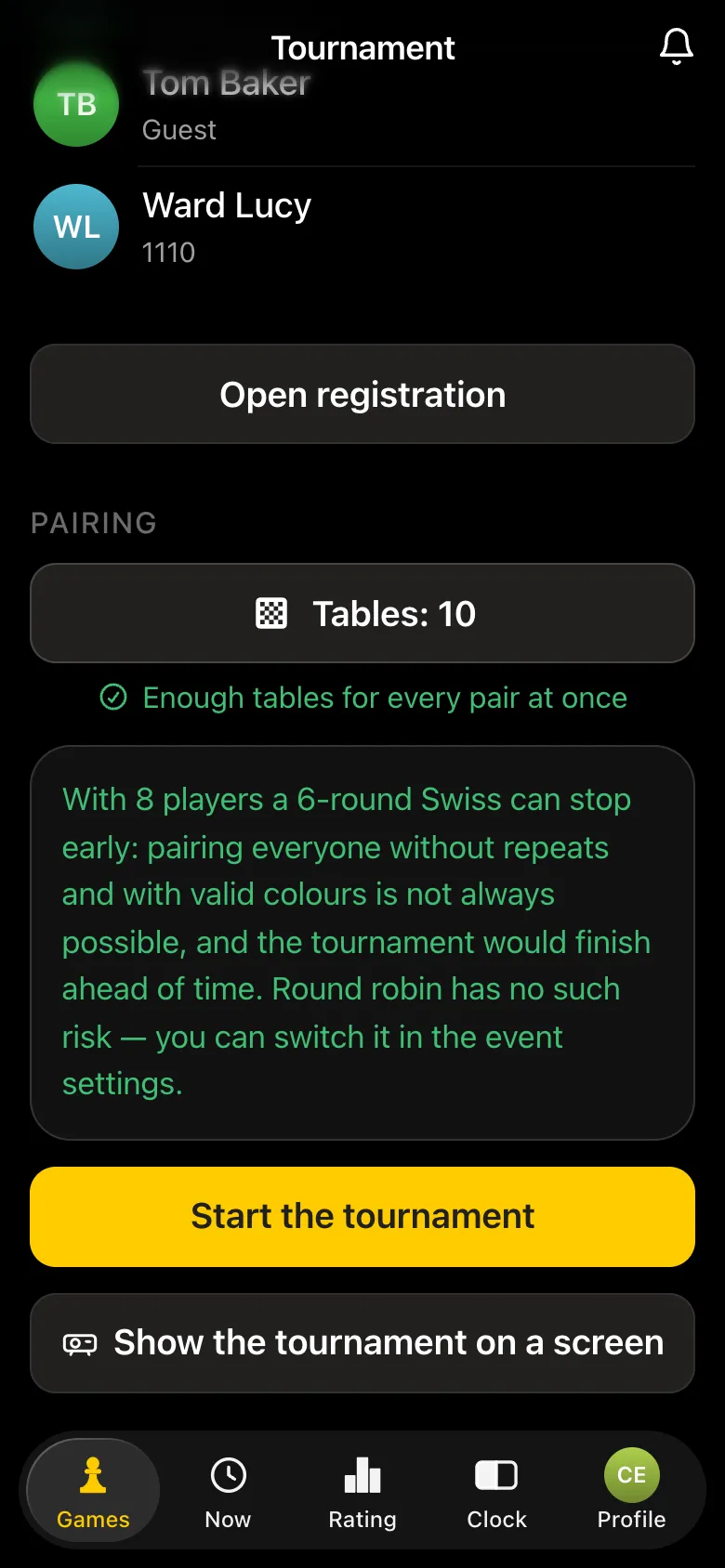
Note the warning: if a group has eight players and there are six rounds, the Swiss can stop early - the players run out of opponents they have not met yet. The app tells you before the start; it is safer to take five rounds, or a round robin for a small group. More on this in how many rounds in a Swiss-system tournament.
After "Start the tournament" everyone sees their game on their phone: table, colour, opponent, and an "Open the timer" button in case there are not enough chess clocks. When the game is over, one of the players presses "I won", "Draw", "I lost" or "No-show". The opponent has 15 seconds to press "I disagree, dispute it"; if they agree, the result is accepted automatically. Reporting your own loss is accepted at once.
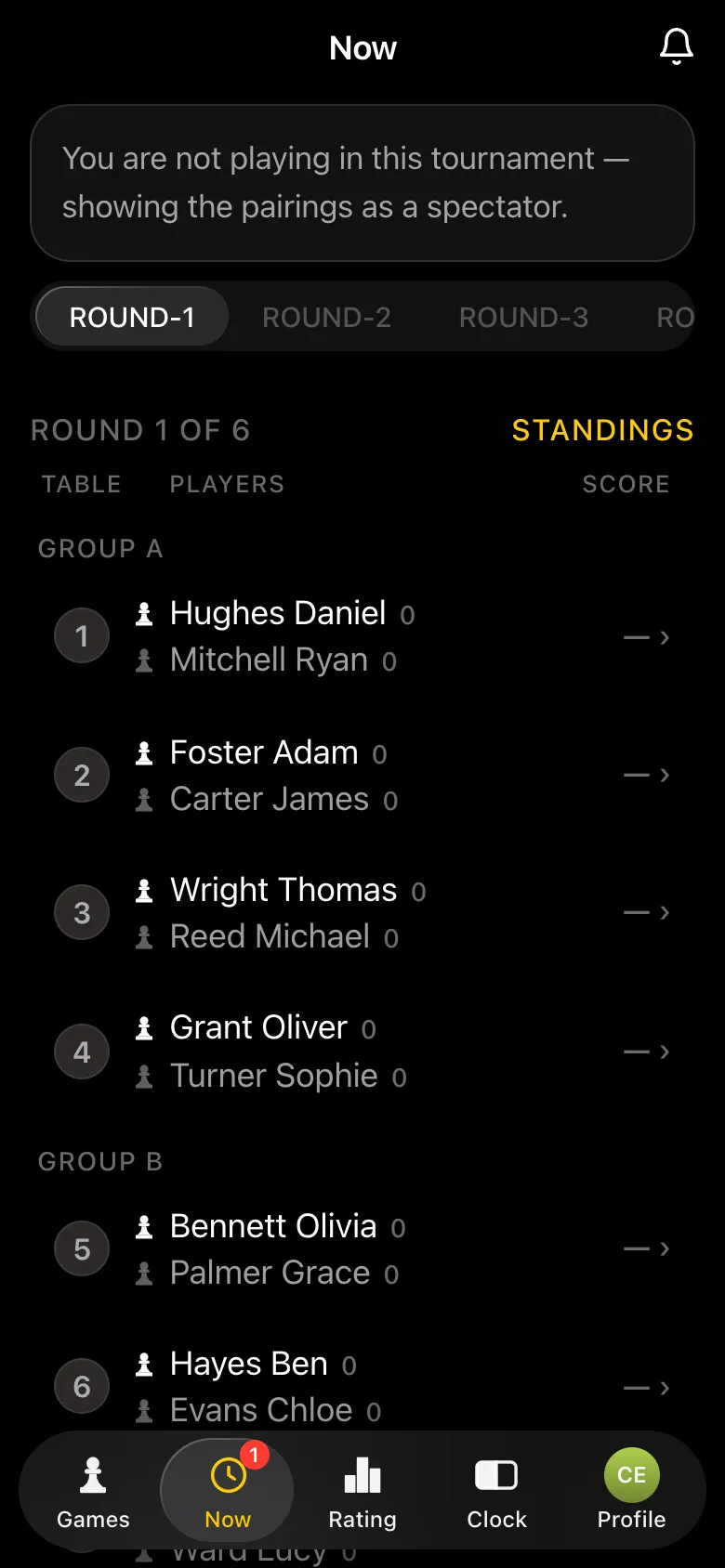
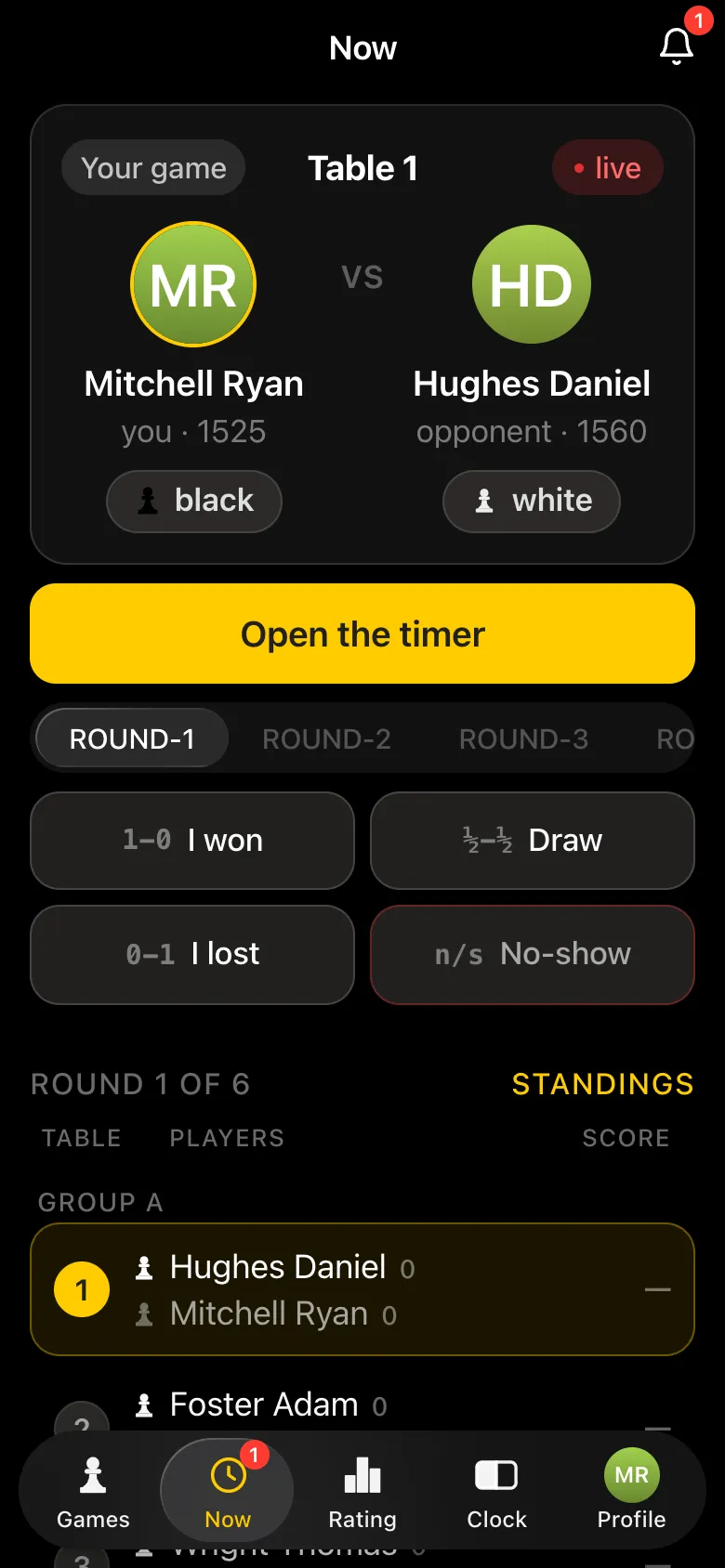
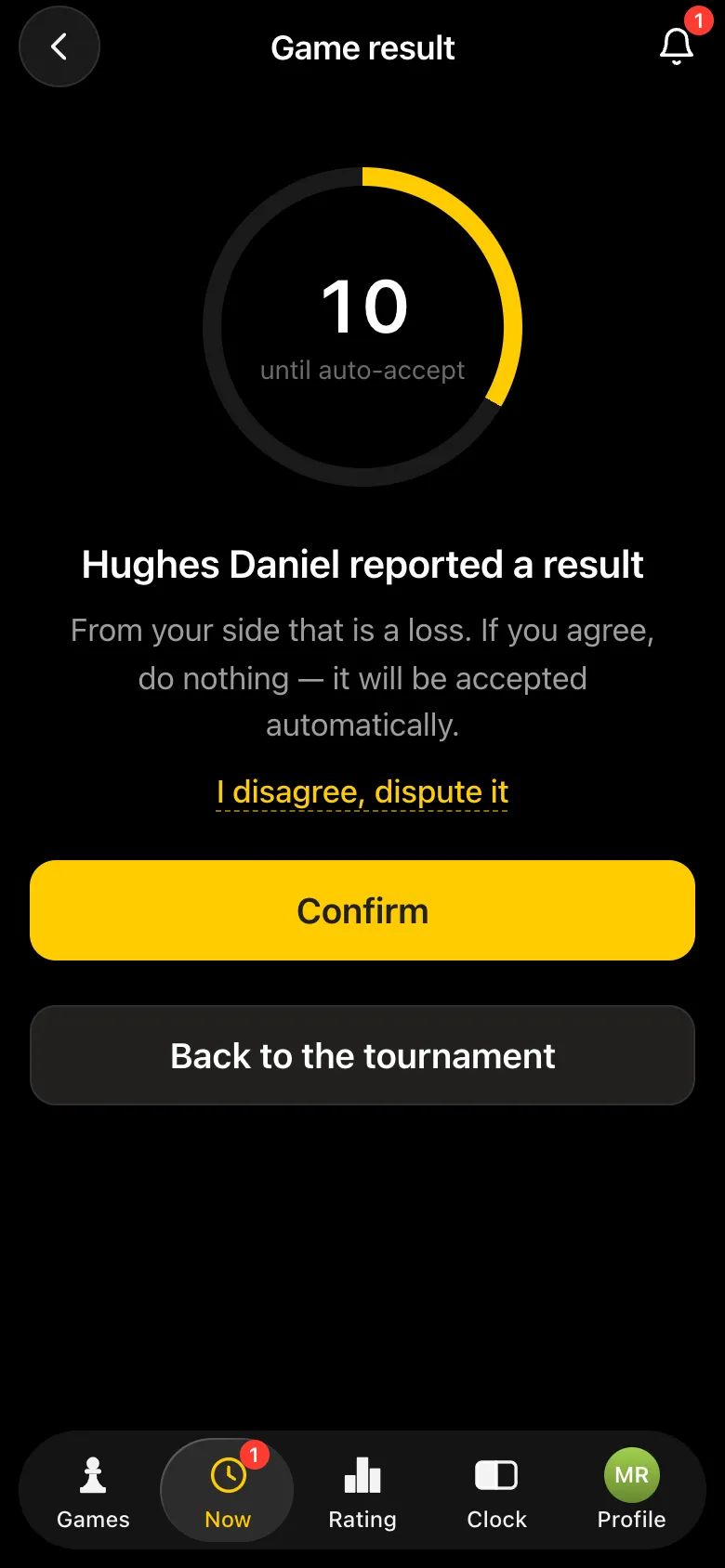
When the last result of a round is in, the next round is announced automatically. The organiser sees on their screen which tables have finished and can enter or correct the result of any game - their word is final. Need a pizza break? Tap "Pause the tournament".
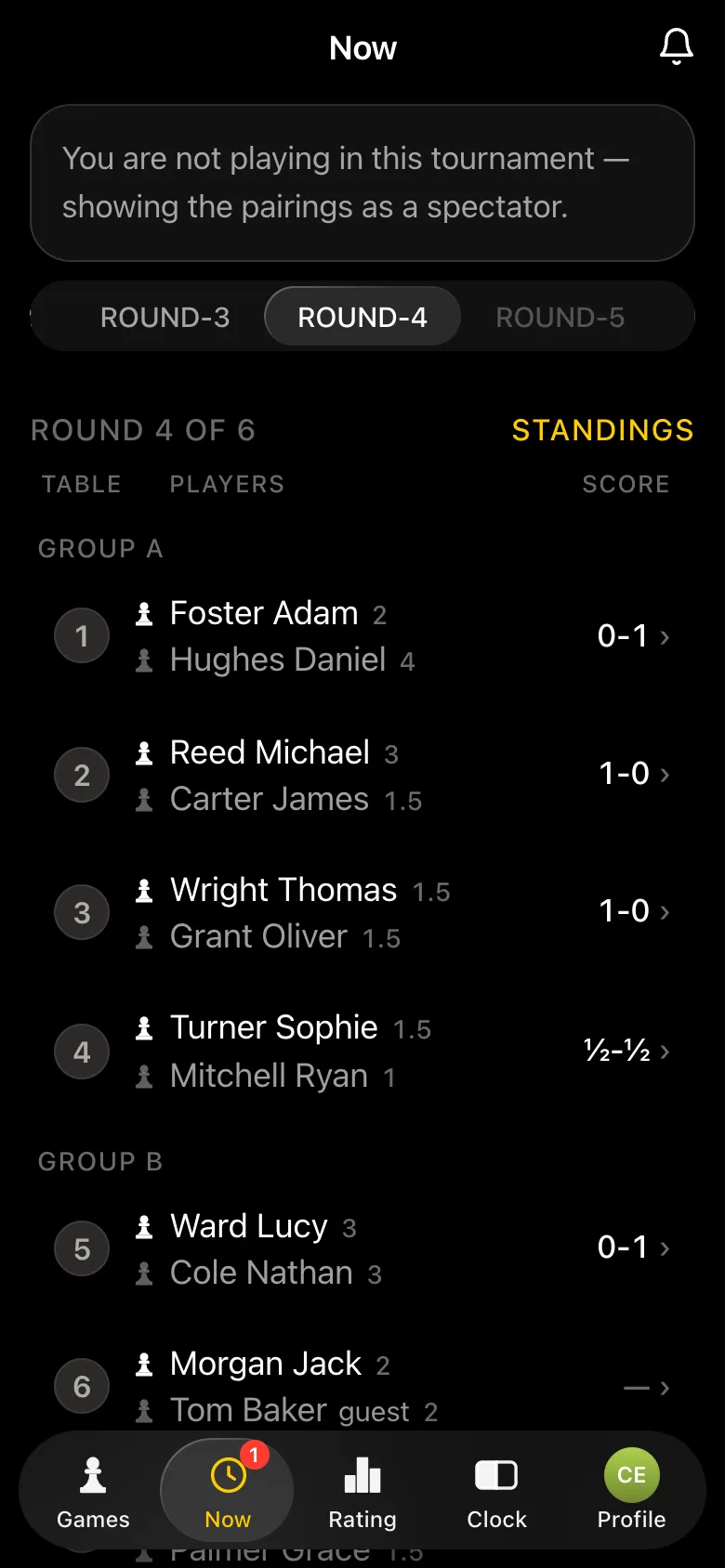
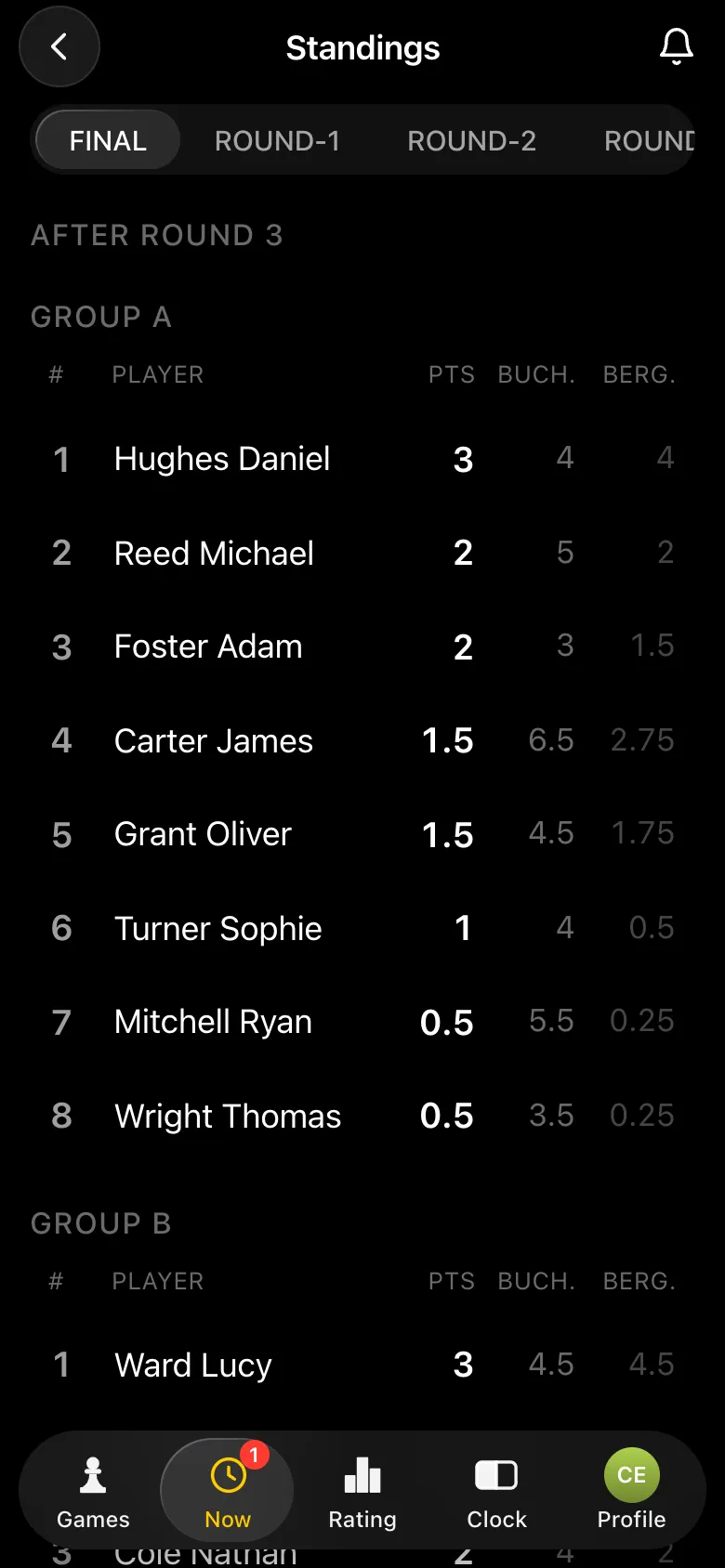
"Show the tournament on a screen" on the tournament card gives you a link - open it on a computer connected to a TV or a projector. The screen shows the current round's pairings by group, the employees' ratings and rating changes, and after the tournament the final standings. The page updates by itself.
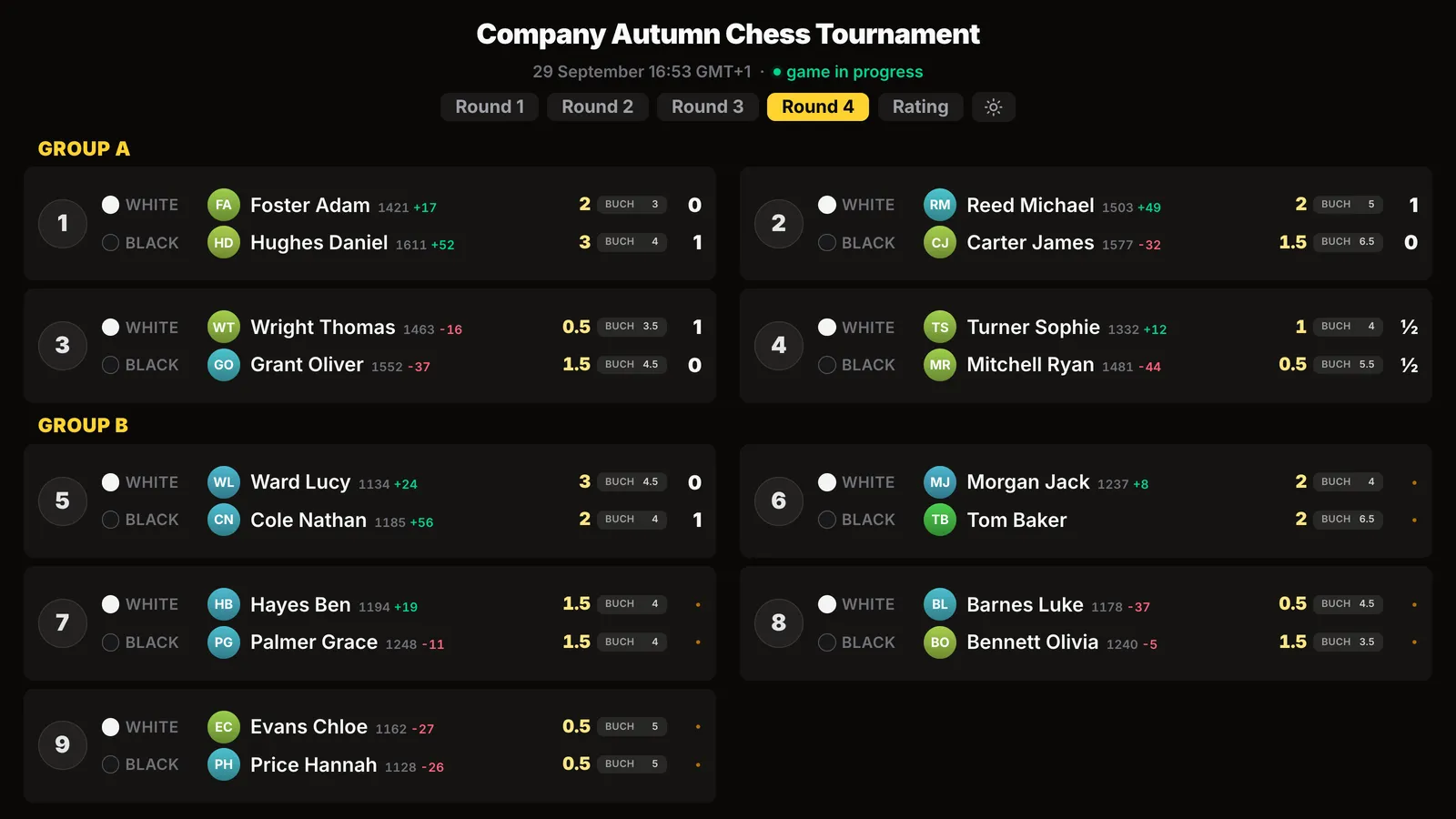
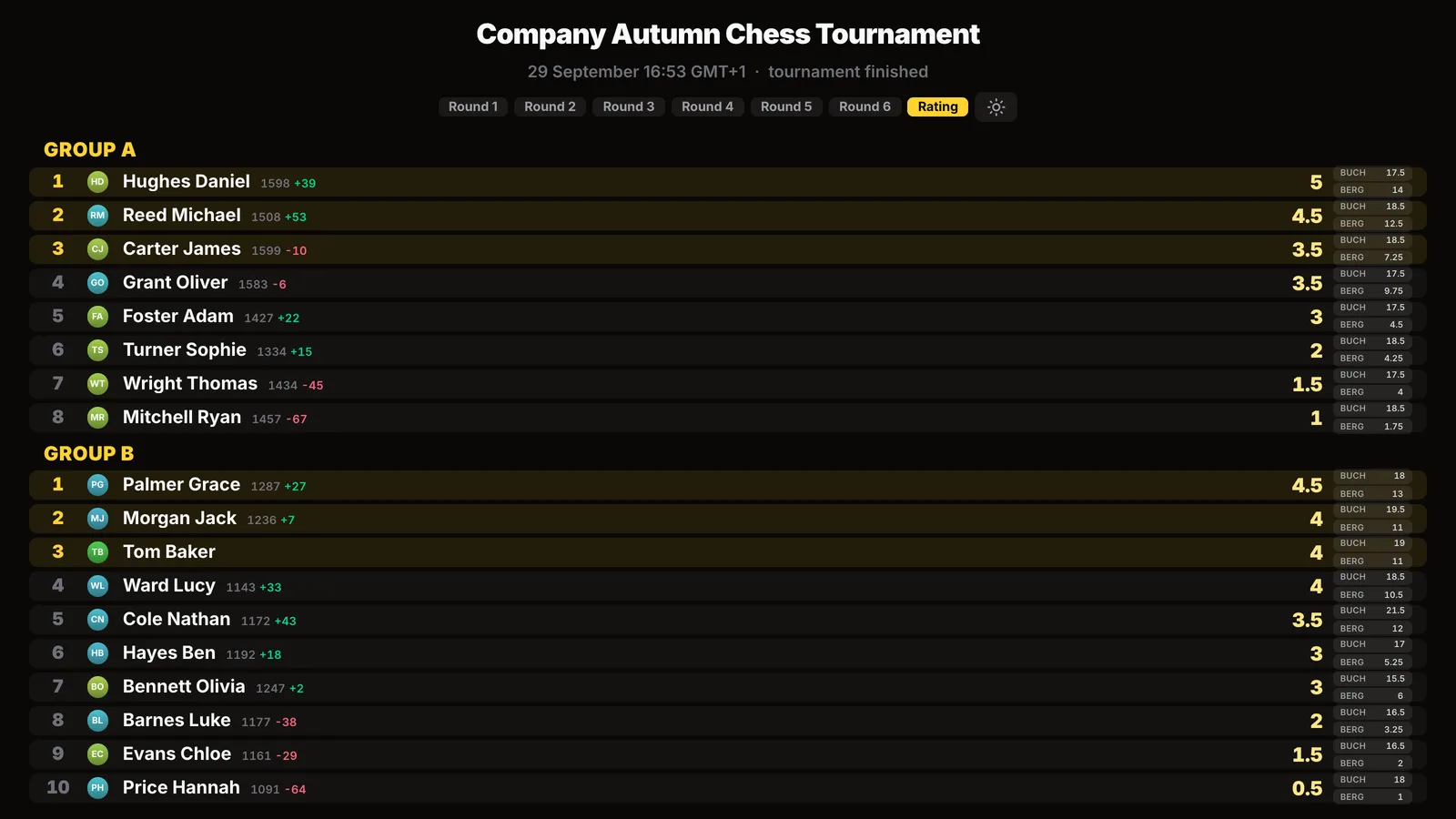
If the event is being filmed or company policy does not allow faces on shared screens, switch on "No photos on the screen" - only names will remain.
After the last round the tournament finishes by itself. "Final standings" shows the places in each group with Buchholz and Berger - that is what you award prizes by. The bot sends the results to every participant who has an account.
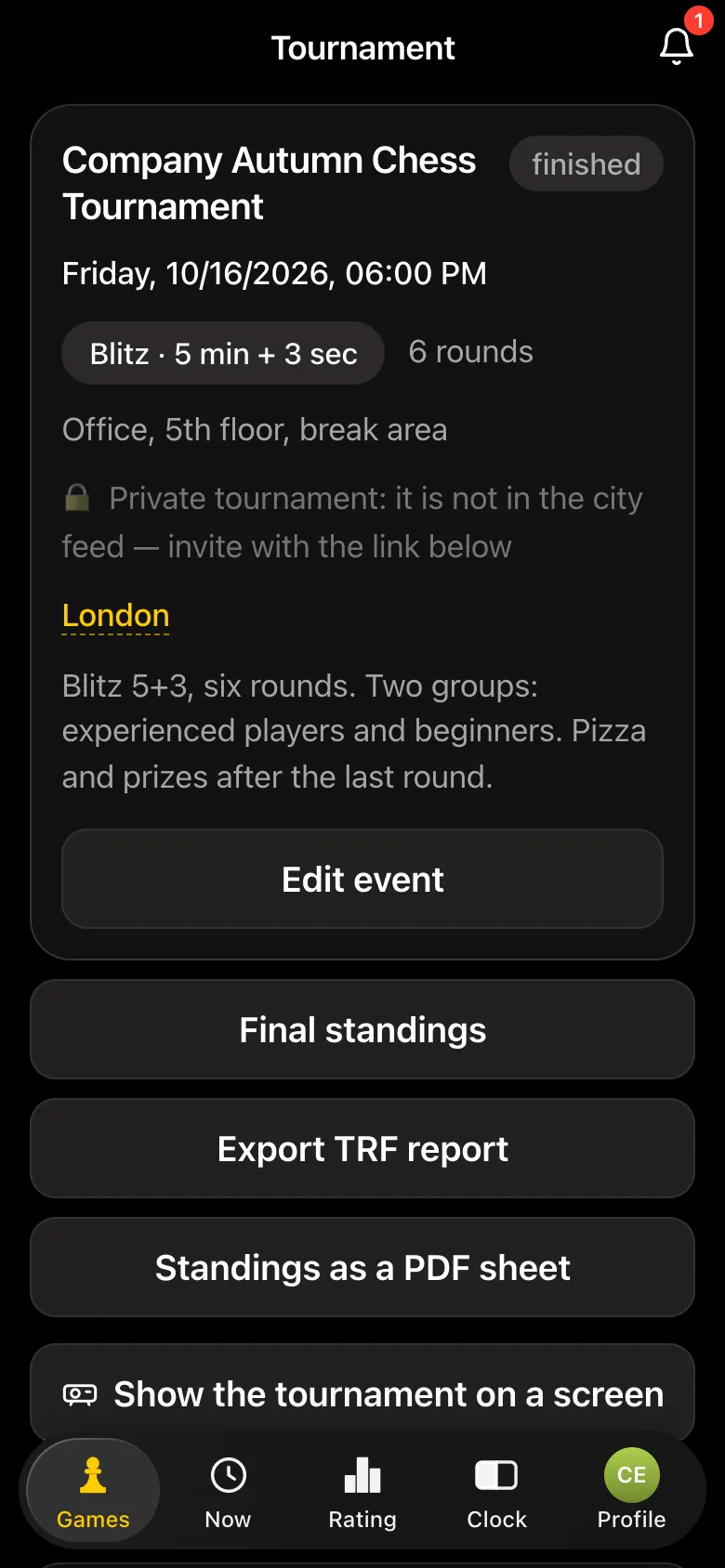
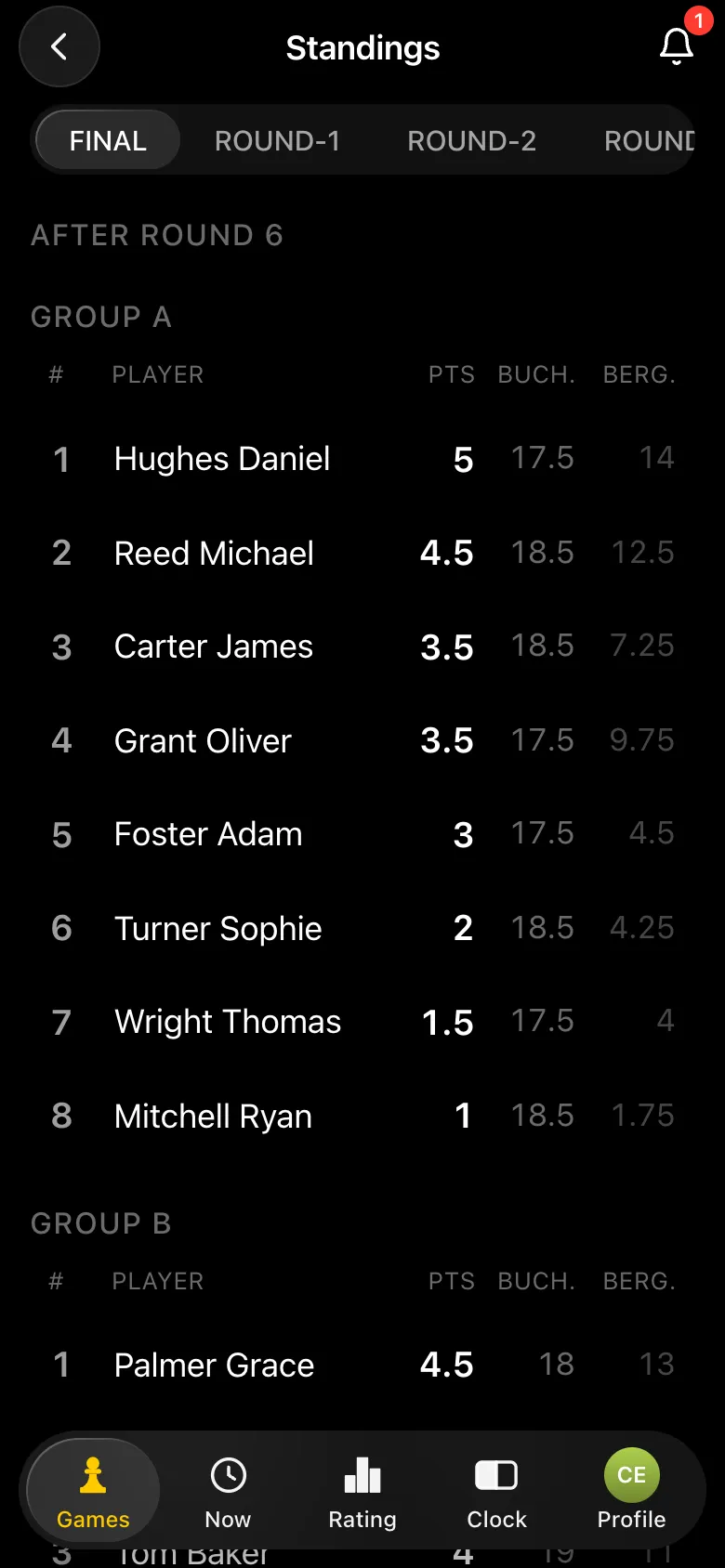
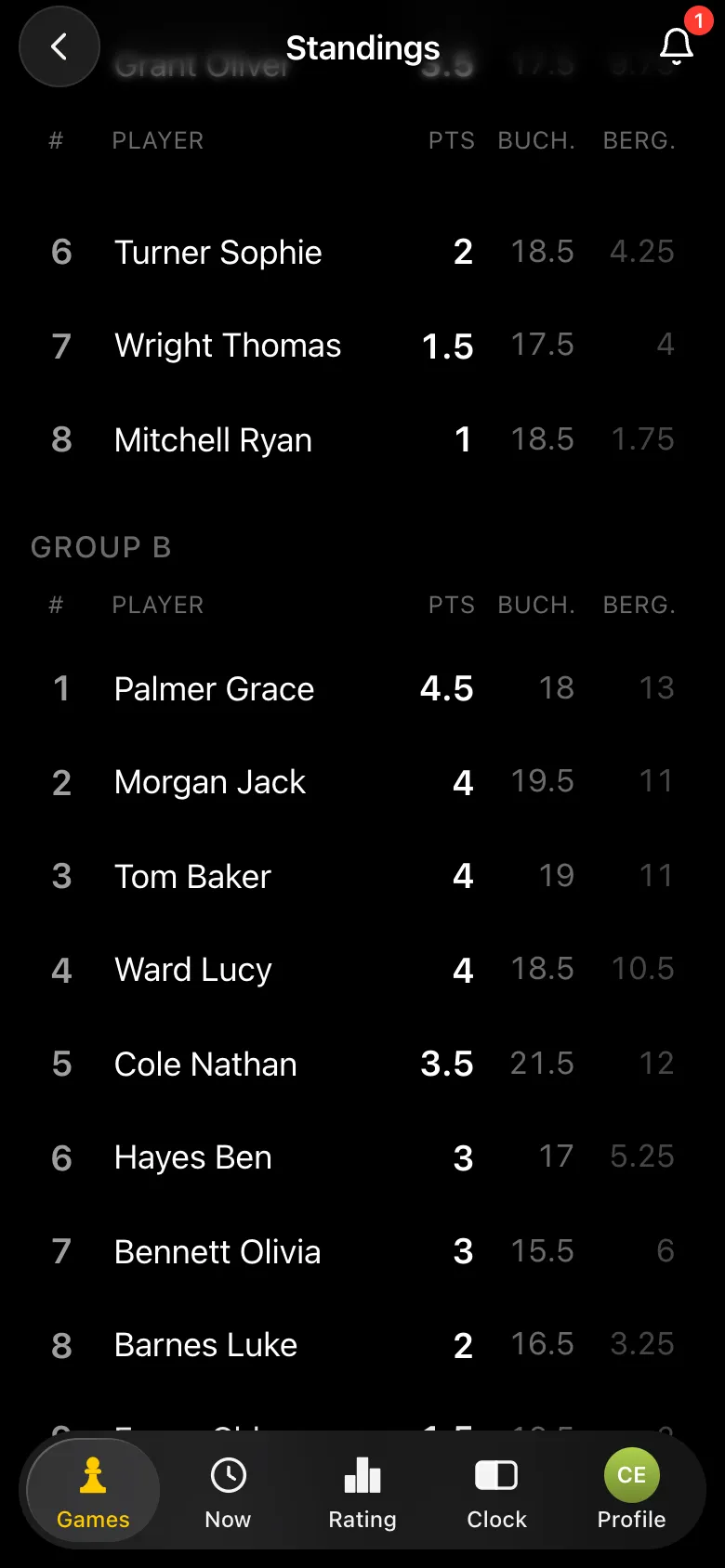
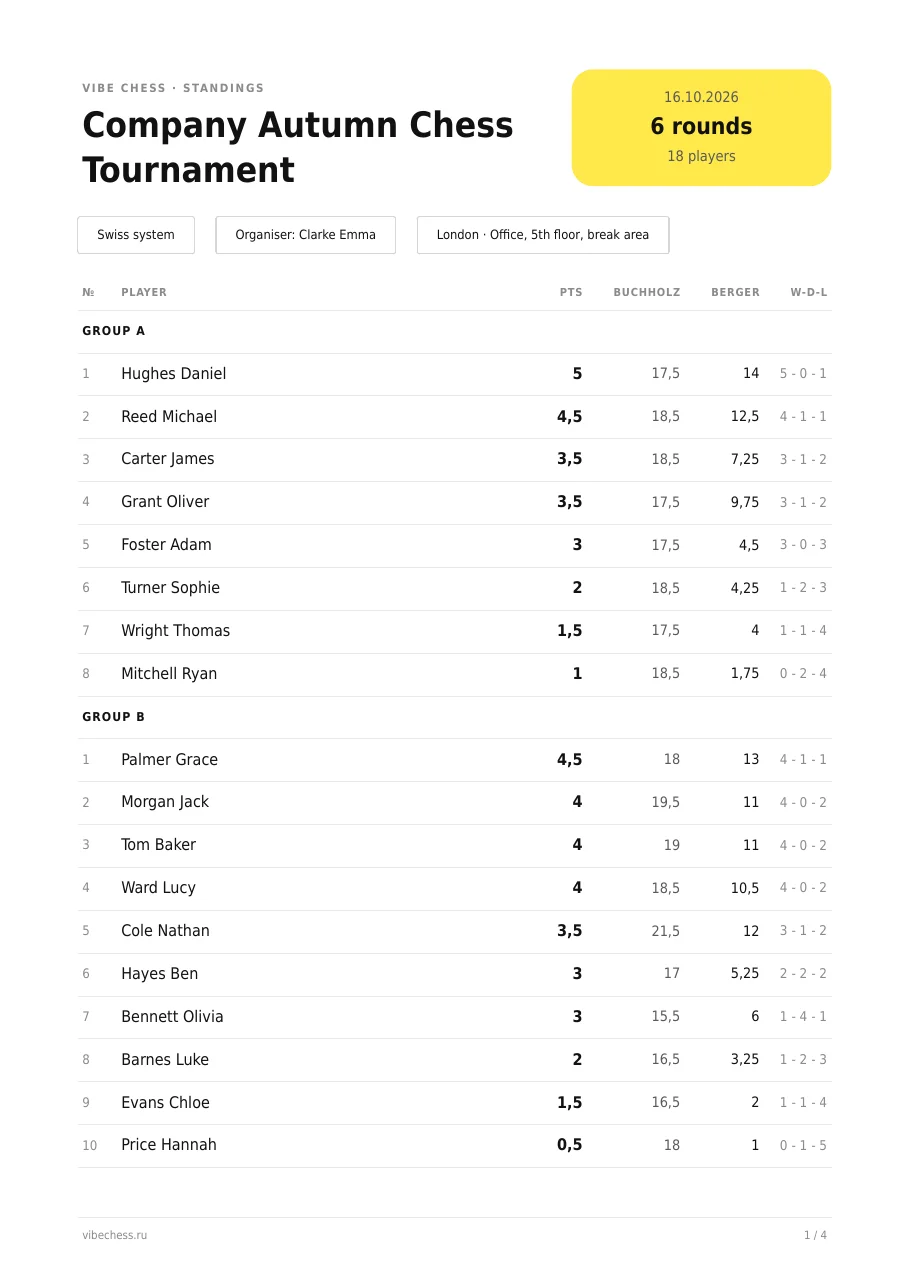
The "Standings as a PDF sheet" button sends an A4 sheet to the chat with places, points, tiebreaks and every pairing round by round - post it on the intranet or pin it to the notice board. "Export TRF report" sends a file in the standard format used by arbiter software.
If the tournament goes down well, it is easy to make it a regular thing. "Profile" - "Leagues" - "Create a league": a league has its own rating - only league tournaments move it - and a season table with points for places and for taking part. For a company it makes sense to switch on "Private league": only the organiser and the people who play in it can see it, and outsiders cannot open it even with a direct link.
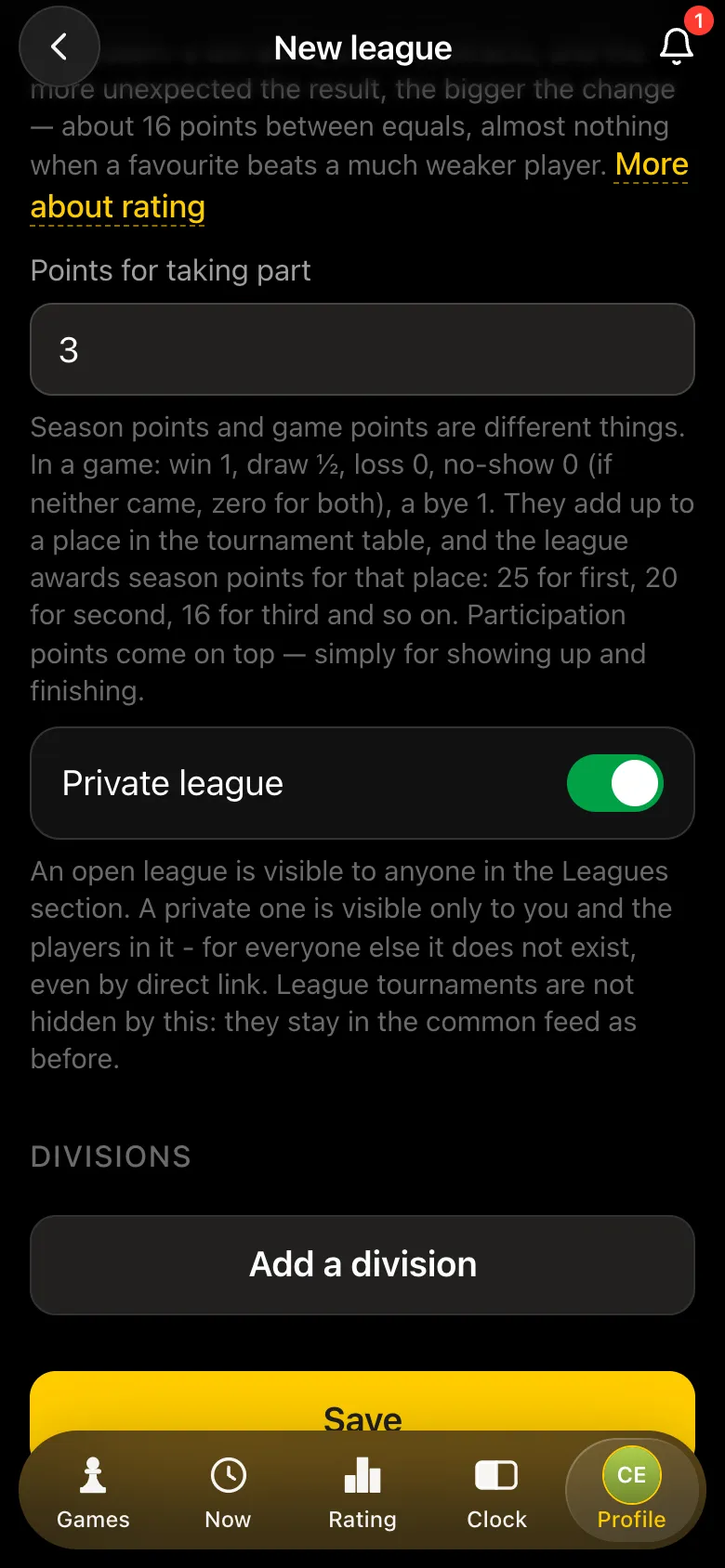
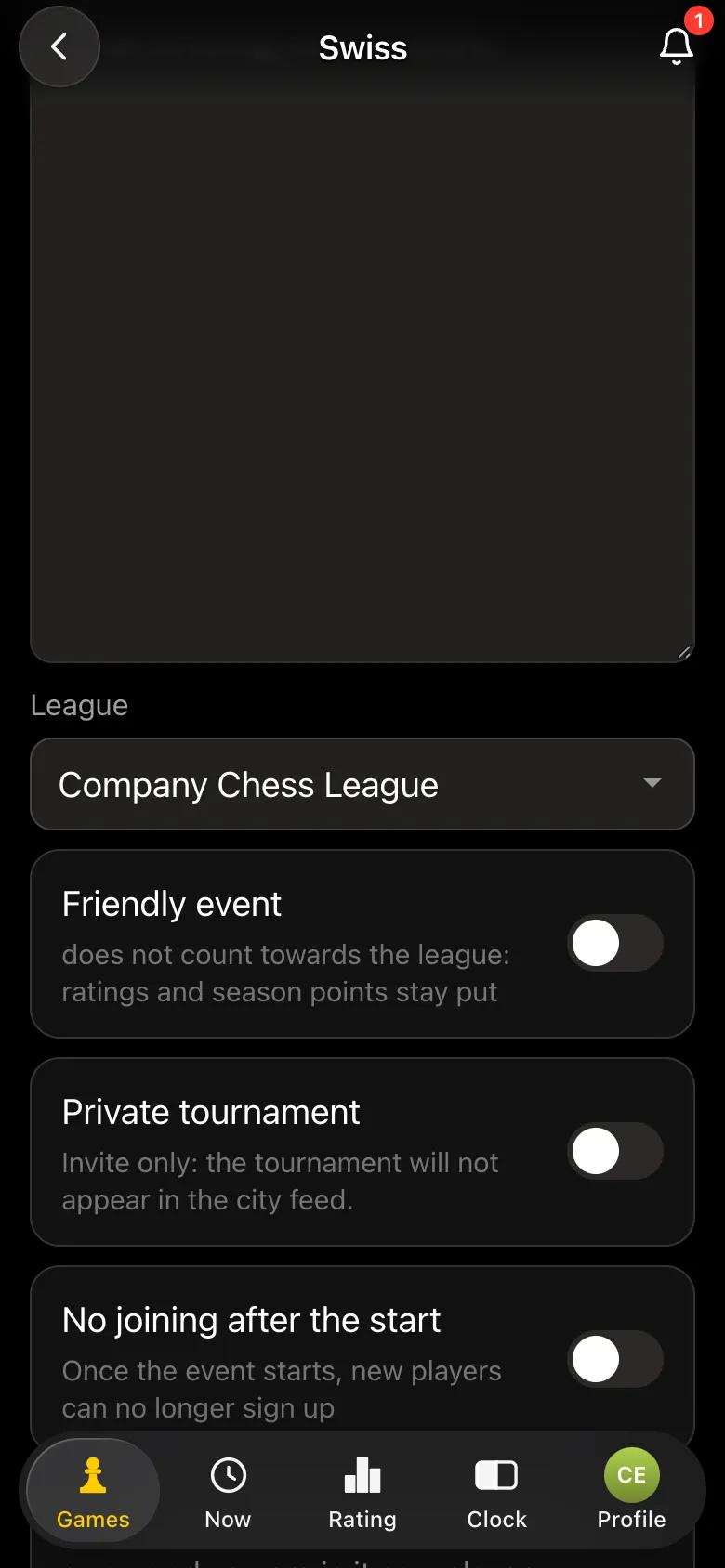
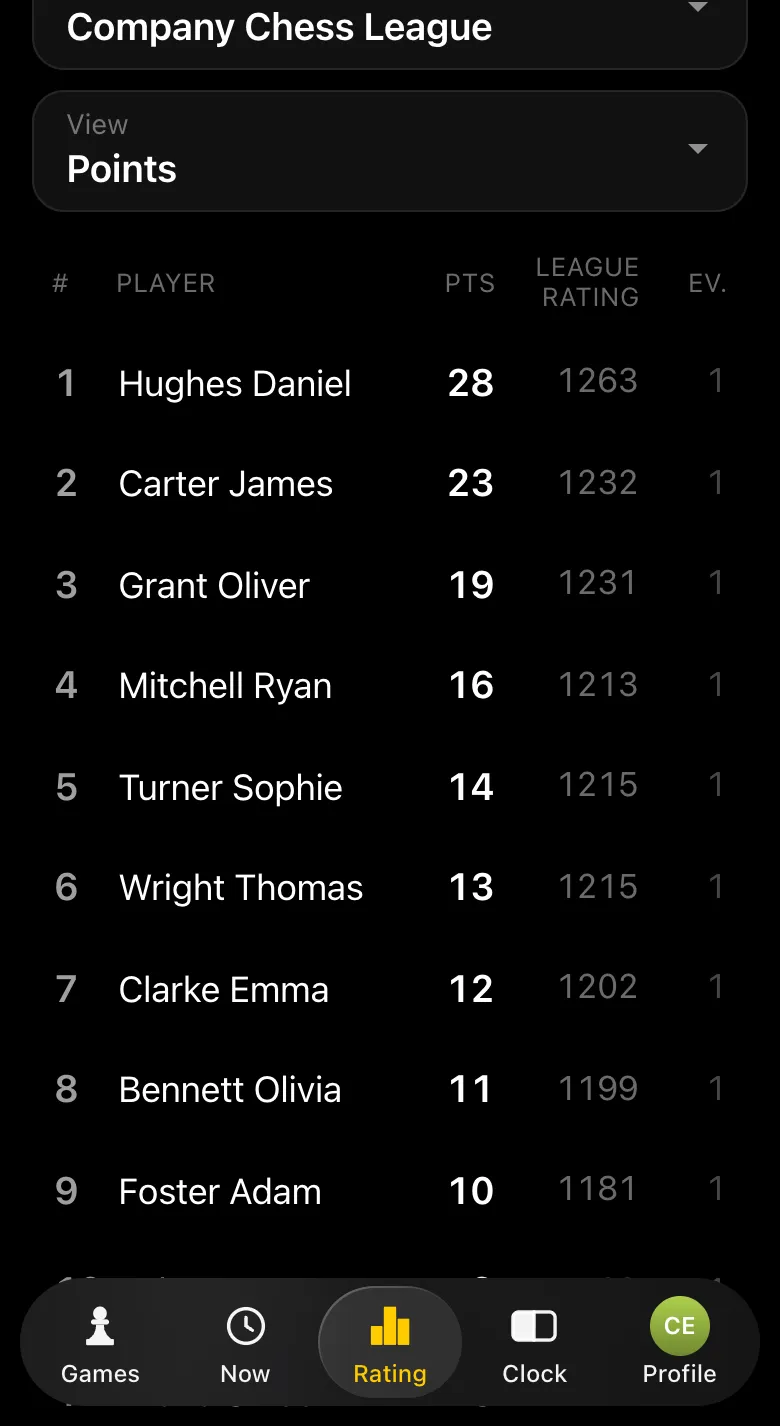
A league can also have divisions and seasons. If you would rather have the whole season run for you, see corporate chess tournaments.
Yes. In the Vibe Chess app one person runs the tournament: they create a private tournament, invite employees with a QR code or a link and press "Start the tournament". The app handles the pairings, the standings and the rounds, and the players report the results.
The app is free: the tournament, the pairings, the office screen, the PDF results sheet, the TRF report and the league cost nothing. If you want a turnkey tournament - with a host, equipment and prizes - that is a separate service.
No, if you switch on "Private tournament": it does not appear in the city feed, and the only way to sign up is your invite link. A company league can be made private too.
No. The app runs inside Telegram through the @vibechessbot bot, and on a computer it opens in the browser at vibechess.ru/app.
The organiser adds them as guests by name. A guest plays on equal terms with everyone, but the organiser enters their results and the guest has no rating.
Split the tournament into groups: for example, A for experienced players and B for beginners. Pairings are made only within a group, and each has its own standings and prize winners.
The players themselves: after the game one of them reports the result, and the opponent has 15 seconds to dispute it. The organiser sees every table and can enter or correct any result.
Yes, with "Show the tournament on a screen" on the tournament card. Pairings, standings and ratings update by themselves, and faces can be hidden with the "No photos on the screen" toggle.
The Vibe Chess app is built for an evening over the board, not for online play: it keeps the sign-up list, the pairings and the table while you deal with people and the venue. All of it free.
score groups, no rematches, no second bye
everyone plays everyone, the app works out the number of rounds
who is free and who is already at a board is shown under Now
The bot is constantly improved based on real tournaments. If you need a feature that isn't there yet, message the developers right inside the bot with the /support command. Many features appeared exactly because organizers asked for them, and useful ideas get added quickly.
Turnkey tournaments - corporate chess tournaments and chess team building. An evening in the office - office chess tournament. Department against department - team chess tournament. A first evening for novices - beginners' chess tournament and the same app for it - chess tournament for beginners in the app. A league for a university - student chess tournament in the app.

At the board since childhood: hazy about his rating, precise about every rook he has blundered. Counts an evening as a good one if the opponent stayed to talk afterwards instead of rushing off to check with an engine. Message →
