Vibe ChessVibe ChessApp

30 signed up, 15 came: how to reduce no-shows at a tournament

Alexey Mudry · updated October 26, 2026
Thirty signed up, fifteen came. Every organiser of a free tournament knows it: tables set out for everyone, pizza ordered for everyone, and half the room is empty. Worse, if the pairing was made in advance, the first round starts with empty tables. Below - why people do not come, which measures work best and how the Vibe Chess app shows who signed up, who came and who did not.

Why people who signed up do not come

🗓️

They forgot

Signed up two weeks ahead and did not remember on the day. The most common reason and the easiest to fix.
🆓

They lose nothing

Sign-up is free and takes one tap - dropping out is just as easy as signing up.
🤷

Not sure they are expected

A newcomer does not know whether there will be a place and an opponent, and at the last minute decides not to go.
⏰

Inconvenient time

A weekday, a 6 pm start, and work until 7.

All the reasons share one thing: between signing up and the tournament the person gets no prompt to remember it. All the measures below are such prompts.

What works: a table of measures

MeasureHow much it helpsIn the Vibe Chess app
A reminder on the daystrongsent automatically in the app
Confirmation the evening beforestrongby hand: a message in the tournament chat
Prepayment or an entry feevery strongoutside the app: a transfer to the organiser
A cap on placesmediumbuilt in: sign-up closes when places run out
Attendance check-in before round onedoes not reduce no-shows but saves the pairingbuilt in: only those present are paired
Visible no-showsmedium, over timebuilt in: a "registered but did not come" block on the event card
Easy cancellationindirect: frees up placesbuilt in: a player leaves the list themselves
A convenient timestrongthe organiser's decision
The strongest tool is money. Even a token fee changes the attitude: "signed up for free" is easy to forget, "paid" is not. If a fee does not suit your format, rely on the reminder and the confirmation.

Reminder and confirmation

A reminder on the day of the tournament is the cheapest measure. It should contain everything needed to come without opening anything else: time, address, "arrive 10-15 minutes early", what to bring.

Confirmation the evening before is the next step: "Please confirm by 8 pm, or we will give your place away". Those who do not confirm are likely no-shows, and their places can go to people on the waiting list. How to run one - a tournament waiting list.

Attendance check-in: the tournament does not depend on no-shows

Even with good reminders someone will not come. The main thing is that it does not break the tournament. For that, the first round is paired not from the list of sign-ups but from the list of those present: before the start the organiser marks who is in the room, and only they are paired.

If someone fails to appear after the pairing, their opponent gets a forfeit win rather than waiting until the end of the round. How to handle it - late arrival and forfeit.
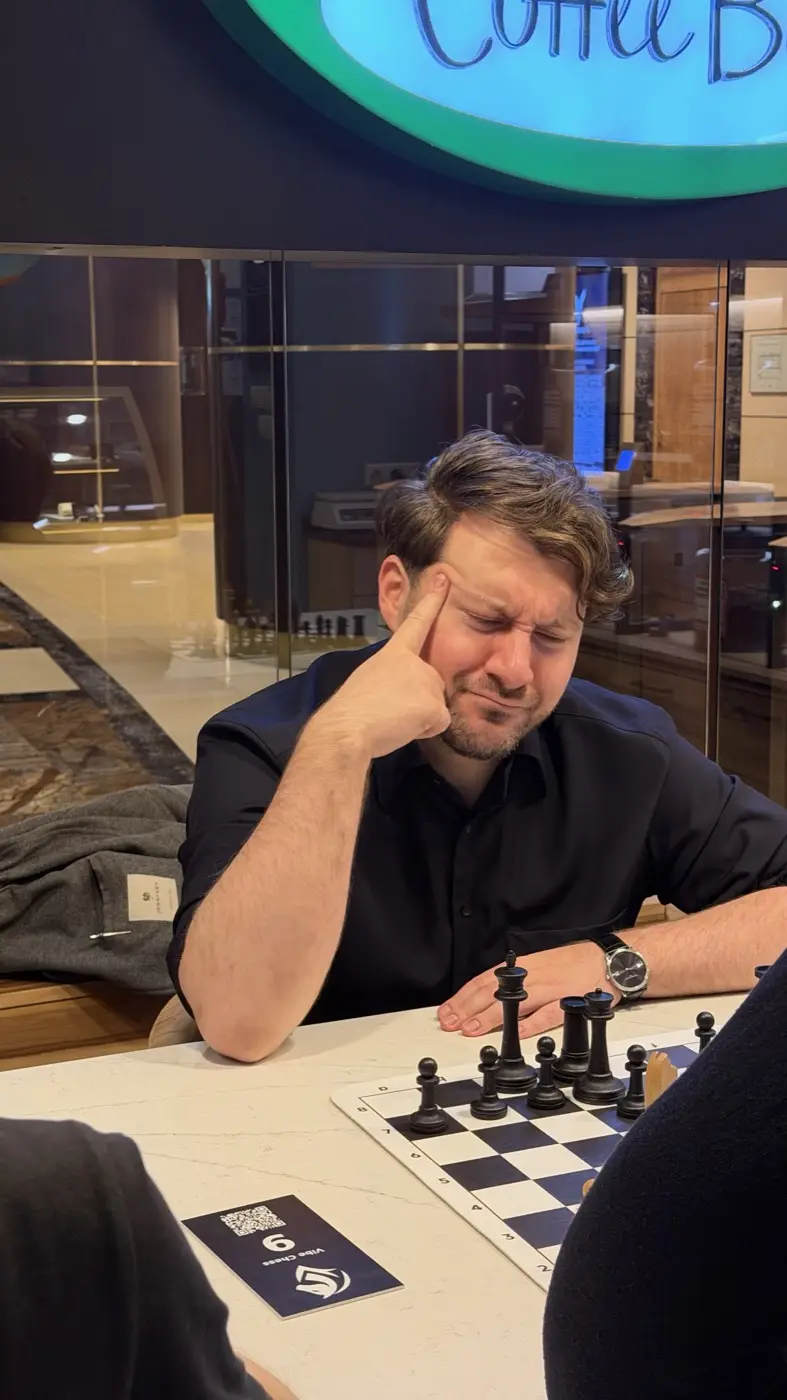

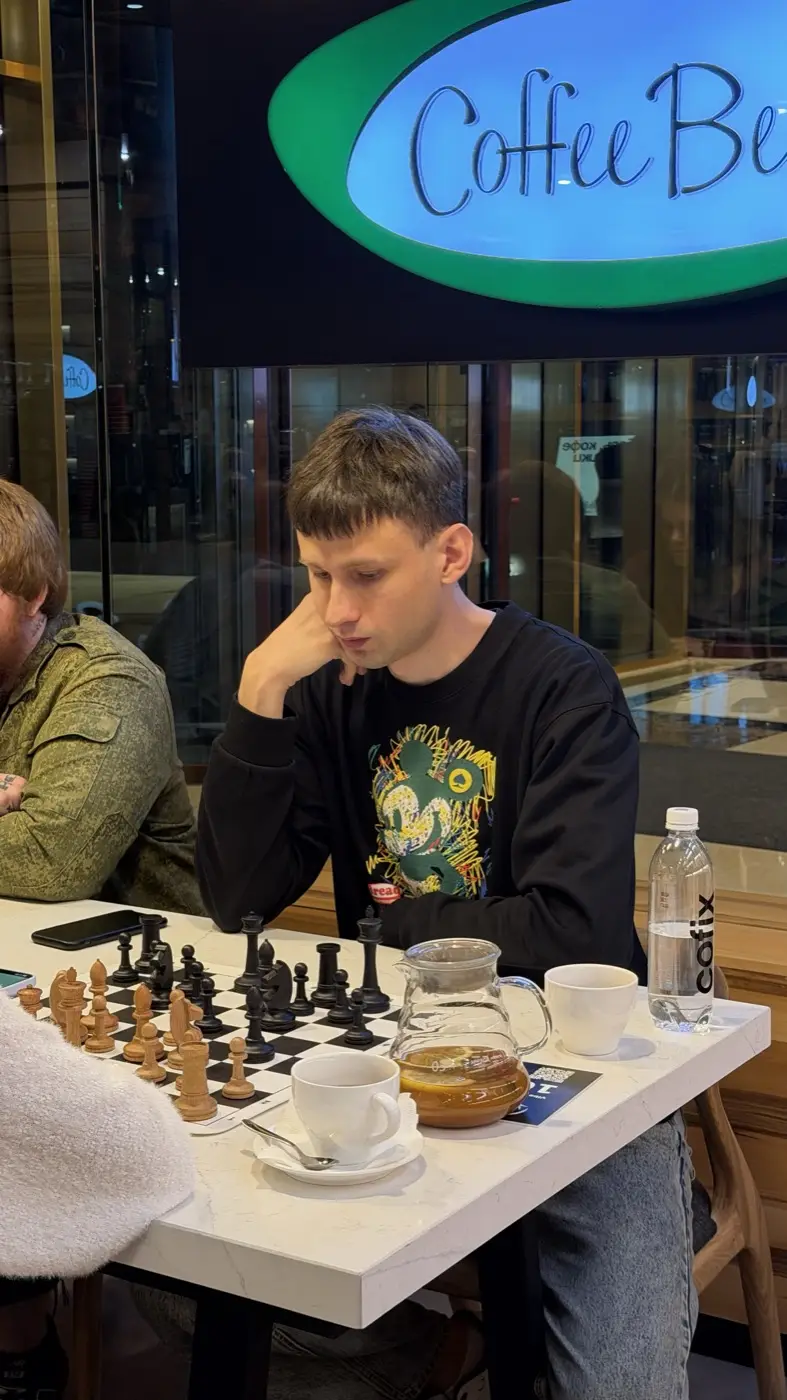
A tournament player at Coffee Bean thinking over a move, head resting on his handTwo people playing a game at a small table in Coffee Bean, coffee cups beside the boardA young player over a board with wooden pieces, a cup of coffee next to it
A Vibe Chess tournament in Moscow City: a pair at every table, no empty tables.

How it works in the Vibe Chess app

In the Vibe Chess app the organiser sees a player's whole path - from sign-up to the last round:
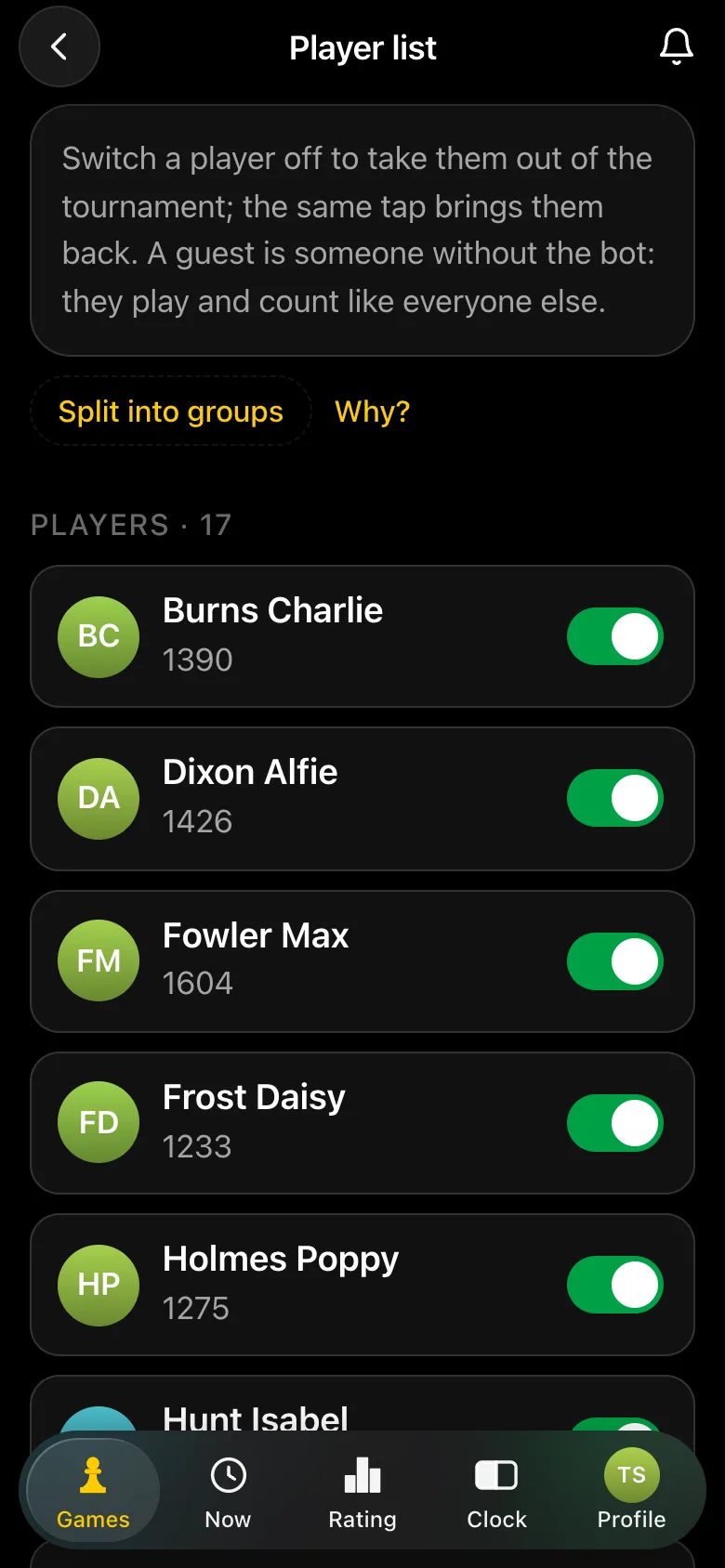
  • • Who signed up - the list on the event card, with the number of players.
  • • The reminder goes out by itself- on the morning of the event to everyone who signed up in advance: the name, address, start time, "arrive 10-15 minutes early" and "charge your phone". If the time is changed after the reminder, players get a message about it.
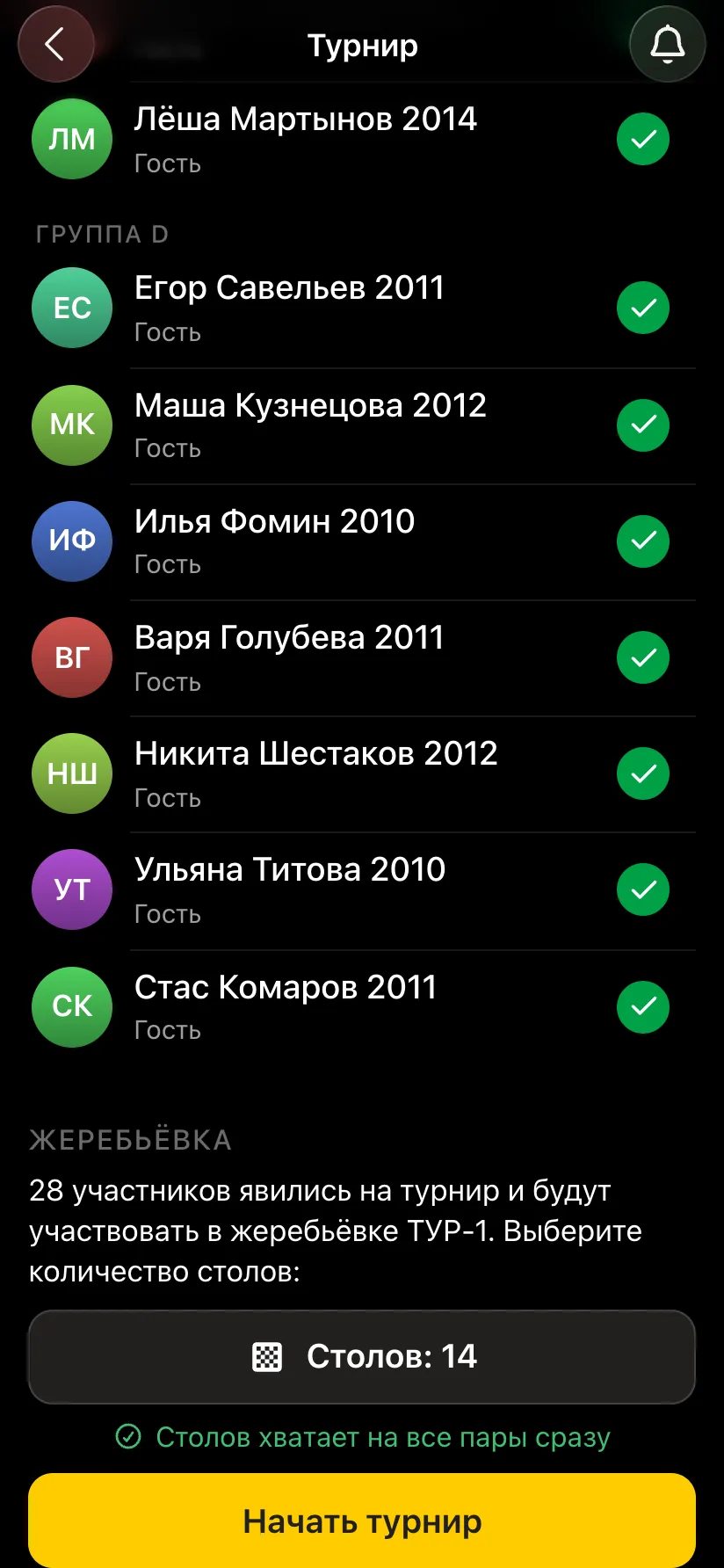
  • • Who came - attendance check-in before the start: only those checked in are paired.
  • • Who did not come- after the event such players are shown on the card as a separate "N registered but did not come" block. A no-show no longer goes unnoticed: the organiser and the other players both see it.
  • • A cap on places - when places run out, sign-up closes by itself; if someone leaves the list, it opens again.
The Player list: 17 players with ratings and toggles, a Split into groups button
Who signed up - the list on the card.
A tournament card: group D with green attendance ticks, a pairing block - 28 players, 14 tables, a Start the tournament button
Who came - attendance ticks before the start.

See everyone: signed up, came and did not come

In the Vibe Chess app the reminder goes out by itself, attendance is checked before the start, and no-shows are visible after the tournament. Create a tournament for free.

Frequently asked questions about no-shows

Why do only half the sign-ups come to a free tournament?

Signing up for free is easy, and between signing up and the tournament there is no prompt to remember it. A reminder on the day and confirmation the evening before noticeably raise attendance.

What reduces no-shows most?

An entry fee or prepayment. If they do not suit the format - a reminder on the day and confirmation the evening before.

How do I avoid starting round one with empty tables?

Pair from those present, not from those who signed up: check attendance before the start and only then make the pairings.

Does the Vibe Chess app remind people about the tournament?

Yes. On the morning of the event a reminder with the name, address and start time goes to everyone who signed up in advance.

Can the app show who signed up but did not come?

Yes. After the event such players are shown on its card as a separate "registered but did not come" block.

Anyone can be the organizer

There are no club or arbiter roles in the app: the create button is available to everyone. You can announce a tournament today and run it this weekend.

Swiss

when there are more than ten players and nobody should be knocked out

Round robin

when the field is small and fairness matters most

Free meetup

when you simply want to get together and play

How the tournament runs
  1. 1Create the event, open sign-up, share the link
  2. 2Start the tournament - the app announces the pairing
  3. 3Record results as the evening goes
  4. 4Show the final standings and export the TRF report

More than a bot: the app, FIDE rules and a TRF report

  • The app. Besides the bot there is an app - inside Telegram and simply at playvibechess.com/app: what is on in your city, the player list, a live table, the current round, your profile and game history - everything that is awkward to read as chat messages.
  • Pairings by FIDE rules. Pairings are computed by bbpPairings, an open-source engine implementing the Dutch system: score groups, floats on an odd field, colour alternation, no rematches, and no player gets a bye twice.
  • A TRF report. A finished tournament exports as a single file in the FIDE data exchange format - the one arbiter software and federations accept. Your profile stores the FIDE ID, national federation code, title, sex and date of birth for it.
  • Free. All of the above, with no subscriptions, paid plans or limits on the number of tournaments and players.

Full overview

Missing a feature? Message the developers

The bot is constantly improved based on real tournaments. If you need a feature that isn't there yet, message the developers right inside the bot with the /support command. Many features appeared exactly because organizers asked for them, and useful ideas get added quickly.

Alexey Mudry
Alexey Mudry · hosted 37 events for Vibe Chess · 157 reviews · rating 5.0

At the board since childhood: hazy about his rating, precise about every rook he has blundered. Counts an evening as a good one if the opponent stayed to talk afterwards instead of rushing off to check with an engine. Message →