A projector or a TV for a chess tournament: what to choose
A projector or a TV
| What | Projector | TV |
|---|---|---|
| Picture size | large, 2-3 metres wide | limited by the diagonal |
| A bright hall | needs high brightness, or the picture goes grey | visible in any light |
| Where to get one | the venue often has one, easy to hire | the café's TV or a small one of your own |
| Setup | a screen or a light wall, the projector on a table or the ceiling | a stand or the wall, plug in and go |
| Suits | a hall of 30+ people, the prize-giving, a fan zone | a small hall, the registration desk |
For a club evening in a café the venue's TV is usually enough. A projector is needed when the hall is big or when the screen must be visible to everyone at once - at the opening and the prize-giving.
What screen size you need
A simple rule: the furthest viewer should sit no further than six picture heights away. A screen 1 metre high reads from 6 metres, 1.5 metres high - from 9 metres. The tournament table is small text, so it is better to allow a margin.
| To the furthest viewer | What you need | Typical hall |
|---|---|---|
| up to 5 m | a TV of 55 inches or more | a café, a club, the registration desk |
| 5-8 m | a TV of 75 inches or more, or a projector | a small hall for 20-40 people |
| 8-12 m | a projector, a picture at least 2 m wide | a hall for 40-80 people |
| more than 12 m | a projector and a second screen nearer the tables | a big open, an assembly hall |
Brightness and light in the hall
| Light in the hall | Projector brightness | Screen theme |
|---|---|---|
| Dark hall, curtains | 2000 ANSI lumens or more | dark screen theme |
| Normal light, lamps | 3000 ANSI lumens or more | light screen theme |
| Daylight, windows without curtains | 4000 ANSI lumens or more, or a TV | light theme; the screen with its back to the windows |
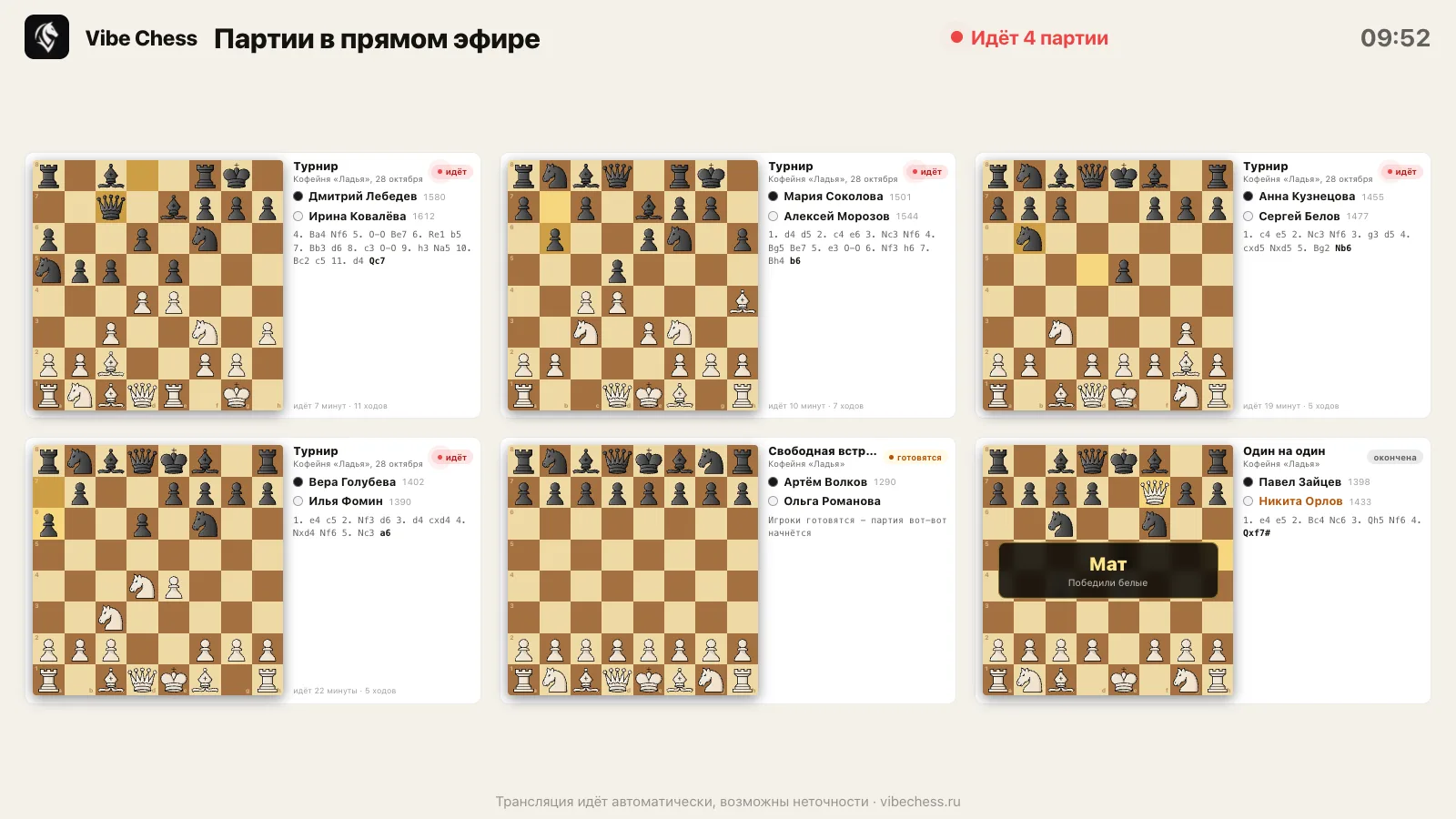
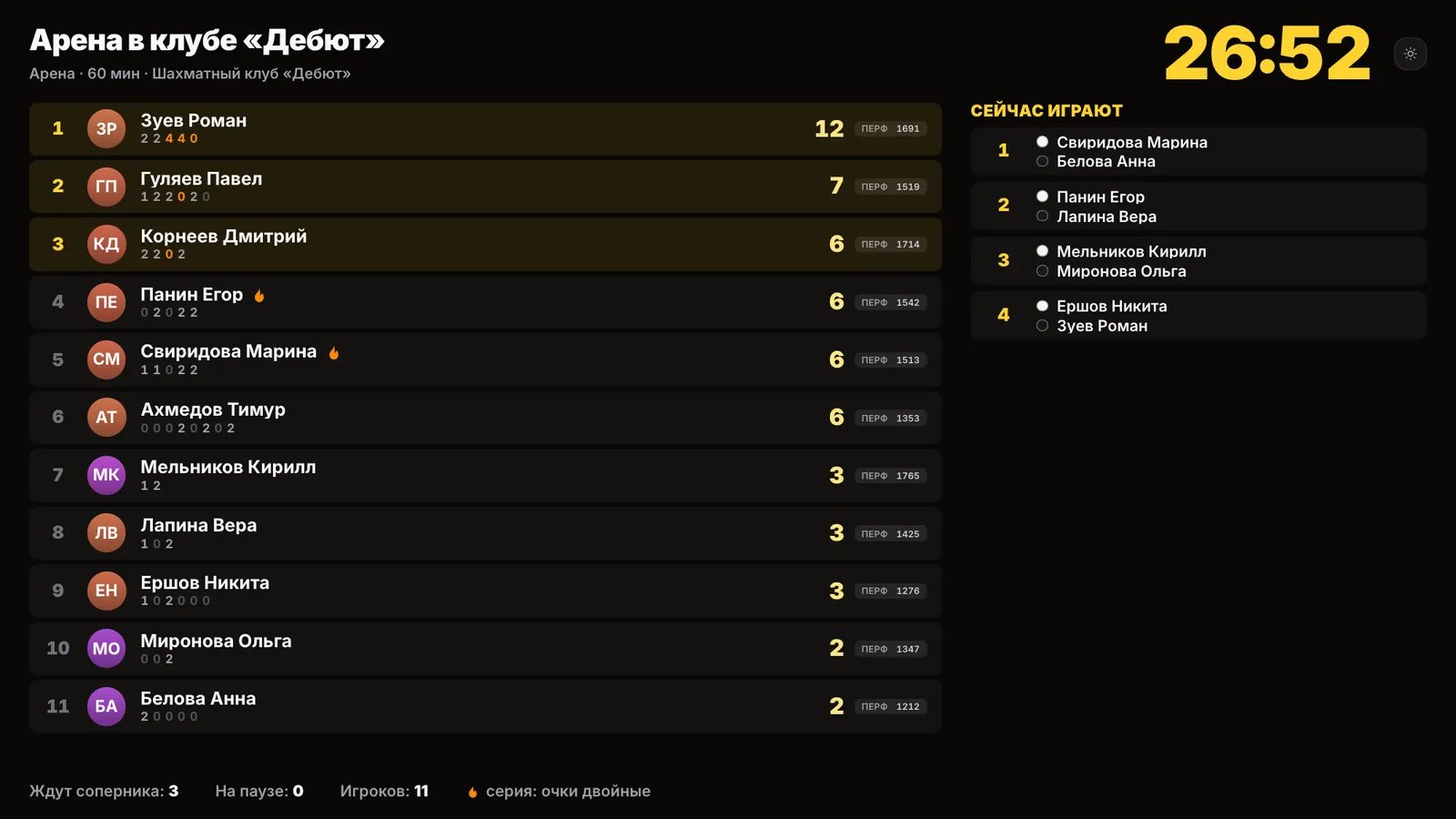
Where to put the screen
- • by the entrance or the registration desk - so the round pairings are visible without entering the playing area;
- • not above the playing tables and not in the players' line of sight - a screen with the game broadcast distracts and can give hints;
- • the game broadcast - in the fan zone, away from the boards;
- • cables along the walls and under a mat, not across the aisle;
- • the projector placed so people do not walk through the beam.
How to set up a place for spectators - a fan zone at a chess tournament.
How to connect it and what to show
- • the most reliable way is a laptop and an HDMI cable of the right length; wireless screen mirroring in a hall full of phones can stutter;
- • a TV with its own browser needs no laptop: the hall screen opens by an ordinary link;
- • turn off sleep and notifications on the laptop, plug in the charger;
- • the browser full screen; on the broadcast page that is the Full screen button or the F key.
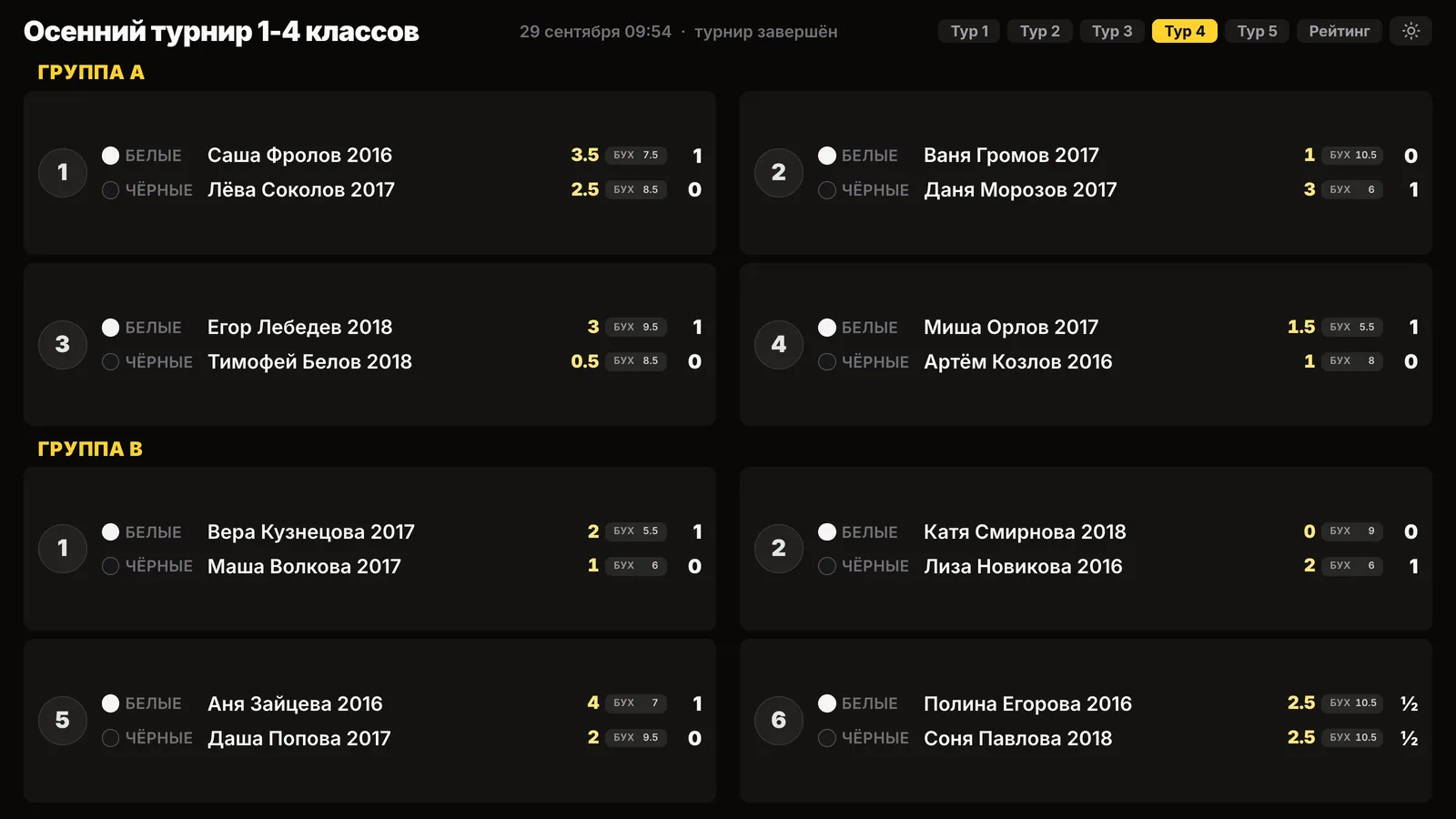
What to show before the start, during the rounds and at the prize-giving, and how one link works for the whole evening - the hall screen of a chess tournament.
A check the day before and a plan B
- ☐ the projector or TV switches on, the picture is visible from the furthest seat;
- ☐ the cable reaches, there is an adapter for your laptop;
- ☐ the hall screen link is open and checked, the theme matches the light;
- ☐ a socket and an extension lead nearby;
- ☐ the round one pairings are printed in case the screen fails.
If the screen fails or the internet drops, the tournament carries on: the clock works offline, and the pairings are on every player's phone and on paper. The full plan - a tournament without internet: plan B. More on showing games to an audience - demo boards and broadcasting.
The hall screen - by one link
 Open the Vibe Chess app
Frequently asked questions about the screen
Which is better for a chess tournament: a projector or a TV?
For a small hall and a café - a TV: visible in any light and nothing to set up. For a hall of more than 30-40 people - a projector, because the picture is bigger.
What projector brightness does a bright hall need?
As a guide - 3000 ANSI lumens or more in normal lighting and 4000 or more in daylight without curtains. 2000 is enough in a dark hall.
From how far can the tournament table on a screen be read?
The furthest viewer should be no more than six picture heights away: a screen 1 metre high reads from about 6 metres.
Where should the screen go at a chess tournament?
By the entrance or the registration desk and in the fan zone. Not above the playing tables: a screen with the games distracts the players.
Do I need special software to show the table?
No. The hall screen in the Vibe Chess app opens by an ordinary link in a browser - on a laptop or on a TV with its own browser.
Three event formats in one app
The Vibe Chess app is built for an evening over the board, not for online play: it keeps the sign-up list, the pairings and the table while you deal with people and the venue. All of it free.
score groups, no rematches, no second bye
everyone plays everyone, the app works out the number of rounds
who is free and who is already at a board is shown under Now
- 1Create the event and save the venue for next time
- 2Open sign-up, players arrive through the link
- 3Start the tournament and the app announces the pairings
- 4Keep entering results, then take the final table and the TRF file
More than a bot: the app, FIDE rules and a TRF report
- The app. Besides the bot there is an app - inside Telegram and simply at playvibechess.com/app: what is on in your city, the player list, a live table, the current round, your profile and game history - everything that is awkward to read as chat messages.
- Pairings by FIDE rules. Pairings are computed by bbpPairings, an open-source engine implementing the Dutch system: score groups, floats on an odd field, colour alternation, no rematches, and no player gets a bye twice.
- A TRF report. A finished tournament exports as a single file in the FIDE data exchange format - the one arbiter software and federations accept. Your profile stores the FIDE ID, national federation code, title, sex and date of birth for it.
- Free. All of the above, with no subscriptions, paid plans or limits on the number of tournaments and players.
Missing a feature? Message the developers
The bot is constantly improved based on real tournaments. If you need a feature that isn't there yet, message the developers right inside the bot with the /support command. Many features appeared exactly because organizers asked for them, and useful ideas get added quickly.
What to read next
More about the screen and the broadcast: the hall screen, a demonstration board, a fan zone and how to organise a chess tournament.

At the board since childhood: hazy about his rating, precise about every rook he has blundered. Counts an evening as a good one if the opponent stayed to talk afterwards instead of rushing off to check with an engine. Message →